 Skip to content
 MSLA Slicer Comparison: Lychee vs Chitubox vs Photon
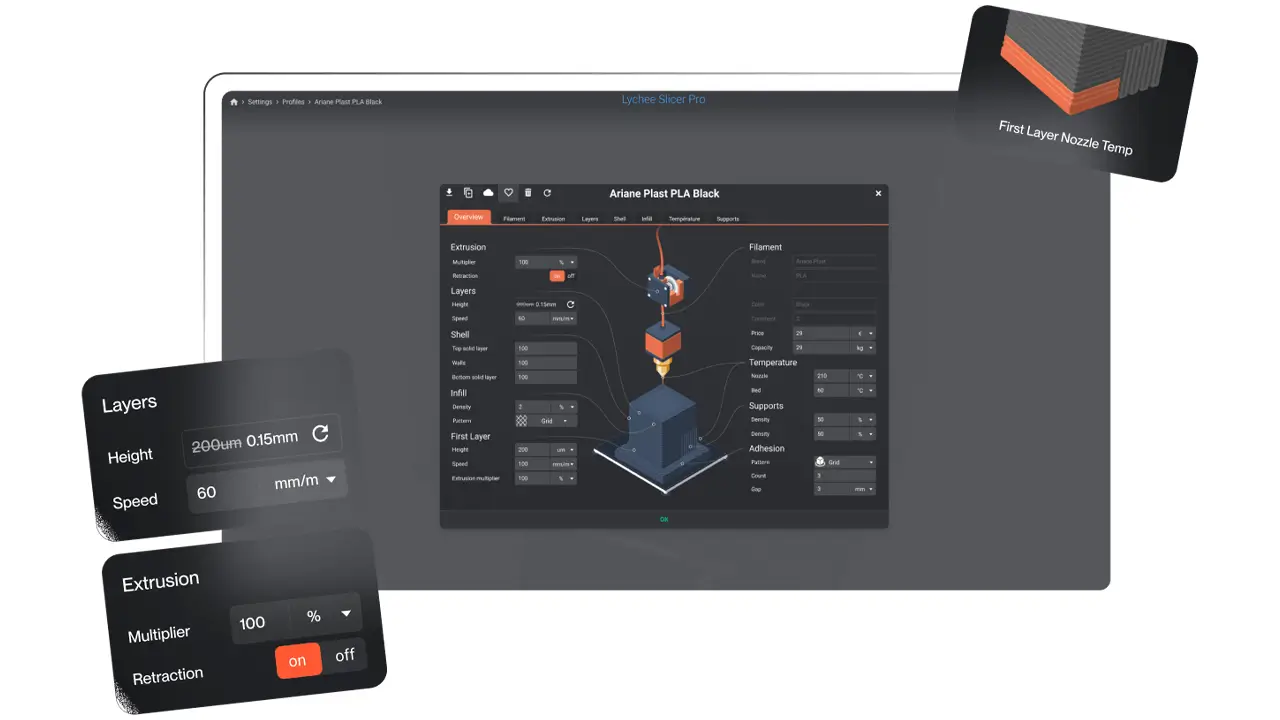
Lychee Slicer Review: Features, Settings & Download
Lychee Slicer Review: Features, Settings & Download If you’ve been exploring the world of resin 3D printing, you’ve likely heard […]
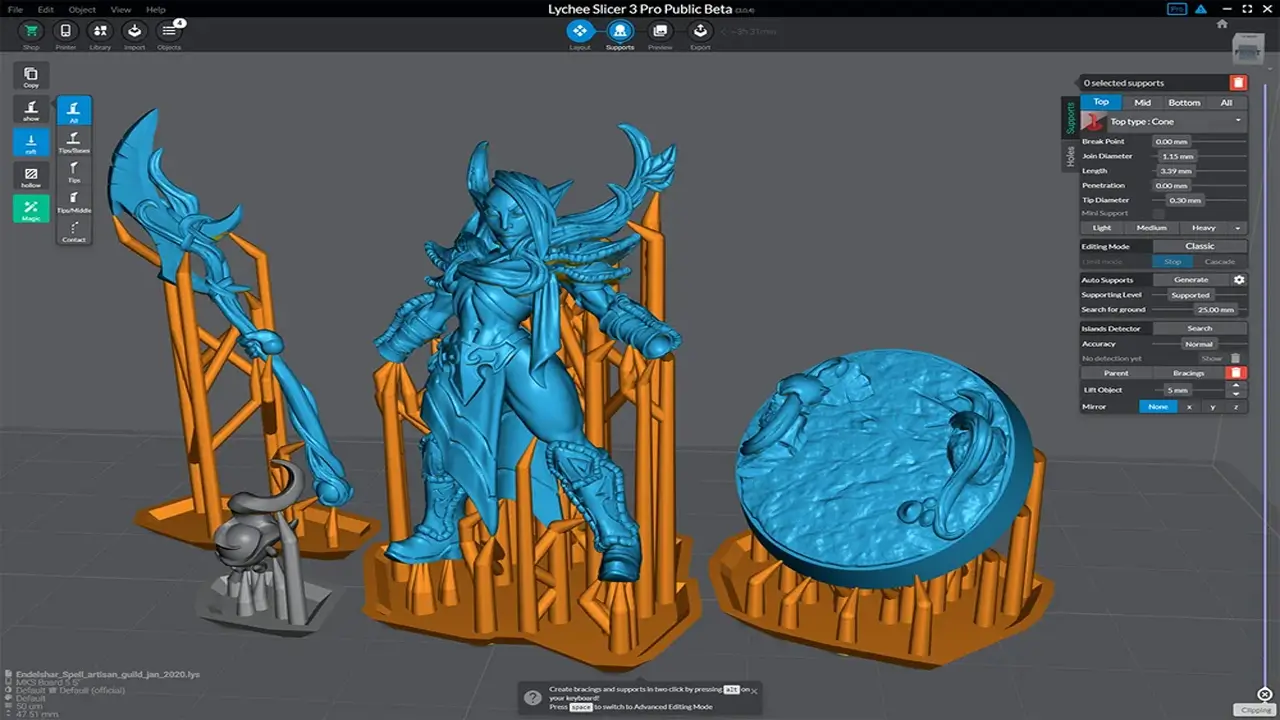
CHITUBOX Slicer Review: Features, Settings and Download
CHITUBOX Slicer Review Features, Settings and Download 1. What Is CHITUBOX Slicer If you’ve ever explored the world of resin […]
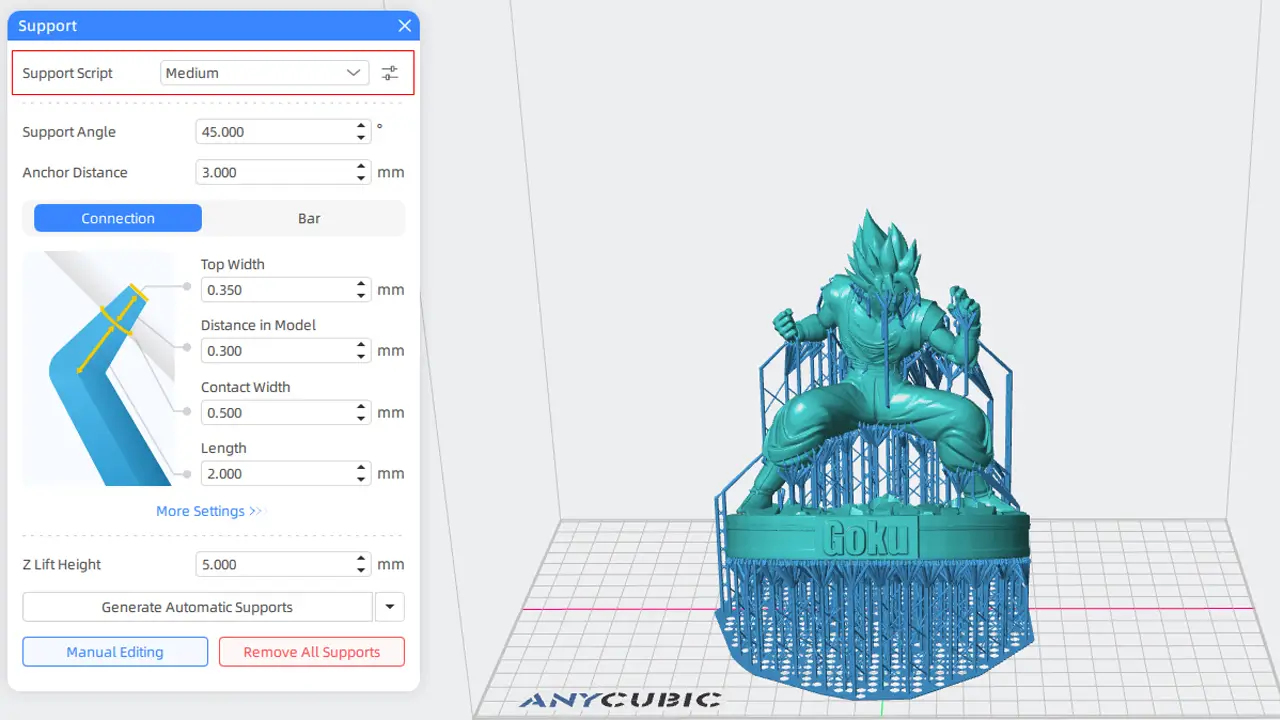
Anycubic Photon Workshop – Best Slicer for Anycubic Resin Printers
Anycubic Photon Workshop – Best Slicer for Anycubic Resin Printers Introduction to Anycubic Photon WorkshopIf you’ve just unboxed your first […]
Introduction to Resin Slicer for MSLA Printing
If you’ve ever pulled a failed print off your build plate and wondered what went wrong, chances are your resin slicer settings were part of the problem. Choosing the right resin slicer isn’t just a matter of personal preference — it directly shapes your print quality, support reliability, and overall workflow speed. Whether you’re printing miniatures, dental models, or engineering prototypes, the resin slicing software review you’re reading right now will help you make a confident, informed decision.
A resin slicer is the bridge between your 3D model and your printer. It converts a mesh file (STL, OBJ, or similar) into a series of exposure layers that your MSLA printer reads one by one. Get the settings right, and you’ll see crisp details, clean supports, and smooth surfaces. Get them wrong, and you’re looking at warped layers, support failures, or prints that never stick to the plate.
In this guide, we’re diving deep into the three most widely used resin slicers in 2026: Lychee Slicer, Chitubox, and Anycubic Photon Workshop. We’ll compare their support systems, workflow speed, advanced features, and real-world performance — so you can pick the one that fits your setup and skill level.
What Is MSLA Printing Software?
Before jumping into comparisons, let’s quickly clarify what MSLA slicer software actually does and why it matters.
MSLA stands for Masked Stereolithography Apparatus. Unlike FDM (filament) printers that melt plastic layer by layer, MSLA printers use a UV light source masked by an LCD screen to cure liquid photopolymer resin one layer at a time. The LCD panel acts as a mask, exposing only the cross-section of your model per layer.
This is where MSLA printing software comparison becomes critical. The slicer must:
- Slice your model into thin horizontal layers (typically 0.05mm or less)
- Generate support structures that hold overhangs and prevent sagging
- Calculate exposure settings — how long each layer is exposed to UV light
- Export the file in a printer-compatible format (CTB, PWMO, LYS, etc.)
Each slicer handles these tasks differently, with different levels of automation, customization, and compatibility. The right MSLA slicer software can mean the difference between a 3-hour successful print and a plate full of cured soup.
Lychee Slicer Overview
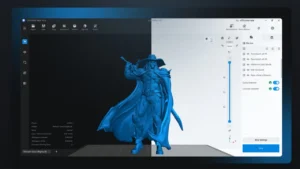
Lychee Slicer, developed by Mango3D, has rapidly become one of the most talked-about names in the resin printing community — and for good reason. It’s frequently cited as a top contender for best resin slicer 2026, and it earns that reputation through a combination of smart automation, a polished interface, and an active community ecosystem.
Key Strengths of Lychee Slicer
AI-Powered Support Generation Lychee’s standout feature is its AI support system. Rather than placing supports based on simple overhang angle rules, the AI analyzes your model geometry and places supports where they’re actually needed. This dramatically reduces support failures without requiring you to manually inspect every millimeter of your model. For Lychee Slicer supports, the results are consistently impressive, especially on complex organic shapes and miniatures.
Community Resin Profiles Lychee hosts a cloud-based library of community-contributed resin profiles. Instead of manually dialing in your exposure settings for a new resin, you can often find a tested profile uploaded by another user with the same printer and resin combination. This is a massive time-saver for beginners.
Clean, Modern UI The interface is intuitive and visually organized. Navigation between the prepare, support, and slice stages feels logical. The layout works well on both high-resolution monitors and more modest setups.
Freemium Model Lychee offers a free tier with core functionality, plus paid tiers (Pro and Premium) that unlock AI supports, advanced hollowing, and cloud sync. For most hobbyists, the free or Pro tier covers everything they need.
Broad Printer Compatibility Lychee supports printers from Elegoo, Anycubic, Phrozen, Creality, and many others, making it versatile across the MSLA ecosystem.
Chitubox Deep Dive
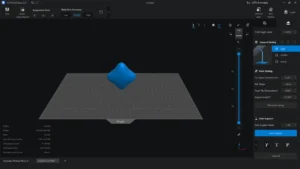
Chitubox, developed by CBD-Tech, was for a long time the default slicer for many resin printer manufacturers — and it still ships as the recommended software for a wide range of machines. Its reputation is built on raw control and compatibility depth.
Chitubox Slicer Settings: Power and Precision
Chitubox gives users granular control over virtually every parameter of the slicing process. For experienced users, this level of depth is invaluable.
Advanced Exposure Control Chitubox slicer settings allow you to fine-tune normal layer exposure, bottom layer exposure, lift speed, retract speed, and rest time with precision. This matters a great deal when printing highly detailed models where overexposure can blur fine features.
Resin Print Supports Chitubox’s support system is powerful but more manual than Lychee’s. Auto-support works reasonably well for simple models, but for complex geometries, you’ll often need to go in and add or adjust supports by hand. The upside is that you have full control over support density, tip diameter, pillar shape, and connection angle. Users who understand support geometry can achieve very clean results with minimal scarring on the model surface.
Hollow and Drain Holes Chitubox includes reliable hollowing tools with customizable wall thickness and built-in drain hole placement. This is essential for reducing resin consumption and preventing suction cup failures on large flat-bottomed prints.
Compatibility Chitubox supports a vast range of printers and output formats. Its CTB format is one of the most widely supported file types across MSLA printers. Chitubox Basic is free, while Chitubox Pro adds features like anti-aliasing, image blur settings, and multi-platform export.
Learning Curve Chitubox’s UI is functional but can feel cluttered to newcomers. The sheer number of settings panels can be overwhelming at first. However, once you understand the workflow, it becomes a reliable and consistent tool.
Anycubic Photon Workshop Breakdown
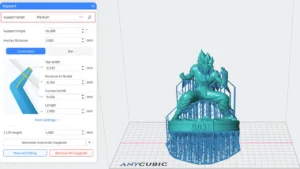
Anycubic Photon Workshop is the official slicer developed by Anycubic for their line of Photon resin printers. It takes a different approach from Lychee and Chitubox by prioritizing simplicity and tight brand integration over feature depth.
Designed for the Anycubic Ecosystem
Anycubic Photon Workshop is built primarily for Anycubic printers — the Photon Mono series, the Photon M3, and the Photon Ultra, among others. If you own an Anycubic printer, this slicer is optimized out of the box for your hardware. Firmware updates from Anycubic often come bundled with Photon Workshop profile updates, keeping the two in sync.
Beginner-Friendly 3D Printer Resin Workflow
The 3D printer resin workflow in Photon Workshop is streamlined for simplicity. The interface has fewer panels and options than Chitubox or Lychee, which makes it much less intimidating for first-time resin users. You load a model, orient it, add supports, set layer height, and export. The steps are clear and logically ordered.
Support generation in Photon Workshop is automated and reasonably reliable for standard models. It doesn’t have the AI sophistication of Lychee, but for typical hobby prints, it gets the job done.
Limitations
Where Photon Workshop falls short is in customization depth and cross-brand compatibility. The software works best with Anycubic printers and becomes less useful outside that ecosystem. Advanced users looking to fine-tune anti-aliasing, experiment with non-linear exposure curves, or use community resin profiles will quickly find themselves reaching for Lychee or Chitubox instead.
That said, for Anycubic users who want a stable, no-fuss slicer that just works, Photon Workshop delivers exactly that.
Supports Comparison: Which Handles Them Best?
Support structures are arguably the most critical aspect of resin printing. Unlike FDM, where failed supports might leave a rough surface, failed resin supports often mean the entire print falls off the plate mid-print. Getting resin print supports right is non-negotiable.
🔥 1st Launch Anniversary Sale — Anycubic EU Store 🔥
A large-scale sale that is really beneficial for those who print a lot and consistently.
From February 27 to March 31, there are more than 20 options for 20KG mixed-color Filament and Resin bundles starting at €6.75/kg. Savings of up to €298. This is no longer a “discount,” it’s a strategic purchase.
🎯 20KG Filament — starting at €6.75/kg
PLA Basic, PETG, PLA+, PLA High Speed, Silk, Matte, ASA, ABS — everything you need for functional parts, prototypes, and serial production.
For example:
• 20KG PETG — €139
• 20KG PLA Basic — €145
• 20KG PLA+ — €165
💎 20KG Resin — from €7.95/kg
Standard Resin, Water-Wash 2.0, ABS-Like 3.0, Tough 2.0, High Speed 2.0, 14K Texture, and others.
For example:
• 20KG Standard Resin — €165
• 20KG ABS-Like Resin 2.0 — €159
• 20KG Water-Wash Resin 2.0 — €185
There are also great deals on 1KG materials — for those who want to test before making a large purchase.
If you print regularly, these prices allow you to reduce the cost of each model.
👉 Check out the offer here:
https://bestchina3dprinters.com/recommends/anycubic-filament-resin-bulk-sale/
When a kilogram costs less than a cup of coffee a day, it becomes easier to scale up.
| Feature | Lychee Slicer | Chitubox | Photon Workshop |
|---|---|---|---|
| Auto Support AI | ✅ Yes (AI-driven) | ⚠️ Basic Auto | ⚠️ Basic Auto |
| Manual Editing | ✅ Full control | ✅ Full control | ⚠️ Limited |
| Support Tip Diameter | ✅ Adjustable | ✅ Adjustable | ❌ Fixed presets |
| Raft Options | ✅ Multiple types | ✅ Standard raft | ✅ Standard raft |
| Support Scarring | Low (AI placement) | Medium (manual needed) | Medium |
| Island Detection | ✅ Yes | ✅ Yes (Pro) | ❌ Limited |
Winner: Lychee Slicer — The AI support system places supports more intelligently than either competitor, reducing manual intervention and minimizing surface scarring. For Lychee Slicer supports, the quality gap over Photon Workshop is especially noticeable on organic or highly detailed models.
Workflow Speed & Interface Comparison
For regular printing, workflow efficiency adds up fast. A slicer that takes 90 seconds to load a model and 5 minutes to slice it costs you real time across dozens of sessions.
| Workflow Factor | Lychee Slicer | Chitubox | Photon Workshop |
|---|---|---|---|
| Load Speed (large STL) | Fast | Moderate | Fast |
| Slicing Time | Fast | Fast | Fast |
| UI Clarity | Excellent | Moderate | Good |
| Export Formats | CTB, PWMO, LGS, more | CTB, CBDDLP, many more | PWX, PWMO, limited |
| Cloud Resin Profiles | ✅ Yes | ⚠️ Limited | ❌ No |
| Multi-Platform | Win / Mac | Win / Mac | Win only |
Lychee takes the edge in overall workflow experience, primarily because of its cloud profile library and cleaner UI. Chitubox is no slouch in speed but can feel slower due to its denser interface. Photon Workshop is fast and simple but constrained by its Windows-only availability and limited export options.
For anyone building a 3D printer resin workflow that needs to scale across multiple printers or resin types, Lychee or Chitubox are the stronger choices.
Advanced Features & Customization
This is where experienced users start separating the slicers. Let’s look at the advanced toolset each one brings to the table — especially important from a resin slicing software review standpoint.
Anti-Aliasing
Anti-aliasing smooths the staircase effect on curved surfaces by blending pixel transitions at layer edges.
- Chitubox Pro offers grayscale anti-aliasing and image blur settings, giving fine control over edge smoothness.
- Lychee Slicer Pro includes anti-aliasing as well, with options for pixel blending intensity.
- Photon Workshop has basic anti-aliasing in newer versions, but with far less control than the other two.
Hollowing
All three slicers support hollowing, but execution varies:
- Chitubox slicer settings for hollowing are robust and reliable, with adjustable wall thickness and infill options.
- Lychee offers hollowing with automatic drain hole placement and geometric analysis to prevent shell collapse.
- Photon Workshop has hollowing but limited customization.
Drain Holes
Essential for preventing resin pooling inside hollow prints.
- Chitubox and Lychee both allow manual and automatic drain hole placement with configurable diameter.
- Photon Workshop includes drain holes but with fewer placement controls.
Supports Customization
As covered earlier, Chitubox slicer settings for supports give exceptional manual precision, while Lychee’s AI system reduces the manual work needed in the first place.
| Advanced Feature | Lychee Slicer | Chitubox | Photon Workshop |
|---|---|---|---|
| Anti-Aliasing | ✅ Pro tier | ✅ Pro tier | ⚠️ Basic |
| Hollowing Tools | ✅ Advanced | ✅ Advanced | ⚠️ Basic |
| Drain Holes | ✅ Auto + Manual | ✅ Auto + Manual | ⚠️ Limited |
| Print Queue | ✅ Yes | ❌ No | ❌ No |
| Island Detection | ✅ Yes | ✅ Pro | ❌ No |
| Resin Cost Estimator | ✅ Yes | ✅ Yes | ⚠️ Basic |
Real-World MSLA Printing Software Comparison
Let’s bring the conversation down to earth with a practical MSLA printing software comparison across the most popular printers in use today.
Elegoo Saturn / Mars Series
Both Lychee Slicer vs Chitubox work excellently with Elegoo printers. Chitubox has historically been bundled with many Elegoo machines, and CTB format support is rock solid. Lychee supports Elegoo machines natively and its community profile library has extensive Elegoo entries. Photon Workshop has limited Elegoo compatibility since it’s designed for Anycubic hardware.
Best choice for Elegoo: Lychee or Chitubox
Anycubic Photon Mono / M3 Series
Photon Workshop is the natural fit here, with first-party support and firmware-matched profiles. However, Lychee and Chitubox also support Anycubic printers reliably and offer more customization depth than Photon Workshop allows.
Best choice for Anycubic: Photon Workshop (simplicity) or Lychee (power)
Creality Halot Series
Creality printers export to CTB or proprietary formats. Chitubox handles these well, and Lychee has added strong Halot support. Photon Workshop has minimal Creality compatibility.
Best choice for Creality: Chitubox or Lychee
Phrozen Sonic Series
Phrozen printers are popular in the hobbyist and professional space. Lychee’s community profiles for Phrozen machines are well-developed. Chitubox also handles Phrozen hardware reliably.
Best choice for Phrozen: Lychee
| Printer Brand | Lychee | Chitubox | Photon Workshop |
|---|---|---|---|
| Elegoo | ✅ Excellent | ✅ Excellent | ❌ Poor |
| Anycubic | ✅ Good | ✅ Good | ✅ Excellent |
| Creality Halot | ✅ Good | ✅ Excellent | ❌ Poor |
| Phrozen | ✅ Excellent | ✅ Good | ❌ Poor |
The pattern here is clear: Lychee and Chitubox offer the broadest cross-brand compatibility, making them better long-term investments if you plan to upgrade or switch printers. Photon Workshop excels only within the Anycubic ecosystem.
Final Verdict: Which Resin Slicer Should You Choose?
After this deep dive into every major aspect of each tool, here’s the practical breakdown for the best resin slicer 2026 across different user types.
🏆 Best for Beginners: Lychee Slicer (Free Tier)
If you’re just getting into resin printing, Lychee’s clean interface, AI supports, and community resin profiles remove most of the friction from learning. You don’t need to understand every setting to get great prints — the software guides you through the process intelligently. The free tier is genuinely useful, not artificially crippled.
🏆 Best for Advanced Users: Chitubox Pro
If you want maximum control over every variable in your print — exposure timing, support geometry, anti-aliasing fine-tuning, layer transition behavior — Chitubox is your tool. The depth of Chitubox slicer settings is unmatched, and for users who know what they’re doing, that control translates directly into optimized prints. It’s especially valuable for professional applications like dental, jewelry, or engineering prototypes.
🏆 Best for Anycubic Users (Plug and Play): Photon Workshop
If you own an Anycubic printer and just want to slice and print without thinking too hard about software configuration, Photon Workshop delivers a reliable, familiar, integrated experience. It’s not the most powerful tool on the list, but it’s purpose-built for its ecosystem and performs exactly as expected.
🏆 Best All-Around Resin Slicer: Lychee Slicer (Pro Tier)
If we had to pick just one resin slicer for most users in 2026, Lychee Slicer Pro wins. It balances ease of use with genuine depth, offers the best support generation system available, runs on both Windows and Mac, supports the widest range of printers, and backs everything up with an active community and regular development updates. It’s the slicer that grows with you — useful on day one and still powerful years later.
| User Type | Recommended Slicer | Reason |
|---|---|---|
| Complete Beginner | Lychee Free | Simple UI, AI supports, cloud profiles |
| Hobbyist / Enthusiast | Lychee Pro | Best balance of power and ease |
| Professional / Precision | Chitubox Pro | Maximum control, deep settings |
| Anycubic Owner (casual) | Photon Workshop | Native integration, plug and play |
| Multi-printer Setup | Lychee Pro or Chitubox | Broad cross-brand compatibility |
Closing Thoughts
The good news about picking a resin slicer in 2026 is that all three options are actively maintained, regularly updated, and genuinely capable of producing high-quality results. You’re not making a bad choice with any of them — you’re making a choice that fits your current needs.
Start with Lychee if you’re not sure where to begin. Move to Chitubox if you find yourself wanting more granular control. Keep Photon Workshop in your toolkit if you print exclusively on Anycubic hardware. And don’t be afraid to run two slicers side by side — many experienced printers do exactly that, using Lychee for support generation and Chitubox for final exposure tuning.
The best resin slicer is ultimately the one that becomes invisible — the one that stops being something you wrestle with and starts being something that just works, print after print.
Looking for more cutting-edge tech beyond 3D printing? Explore the latest Chinese innovations, smart devices, and trending gadgets at https://bestchinagadget.com/. From powerful electronics to breakthrough everyday tech, this platform highlights products that combine performance, design, and real value. If you love discovering what’s next in technology, this is your next stop.
Related
Discover more from bestchina3dprinters.com
Subscribe to get the latest posts sent to your email.

Hi there to every body, it’s my first go to see of this weblog; this weblog
carries amazing and truly fine stuff designed for readers.
Thanks for finally talking about >Resin Slicer Comparison: Lychee vs Chitubox vs Photon <Loved it!
As the admin of this web site is working, no
uncertainty very quickly it will be renowned, due
to its feature contents.
This piece of writing is genuinely a fastidious
one it assists new internet visitors, who are wishing for blogging.