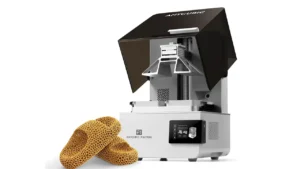
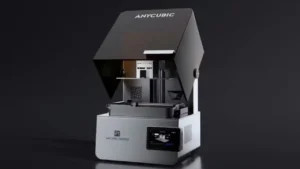
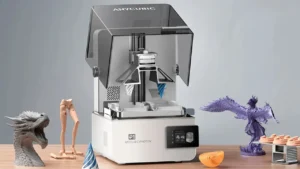
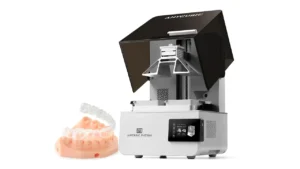
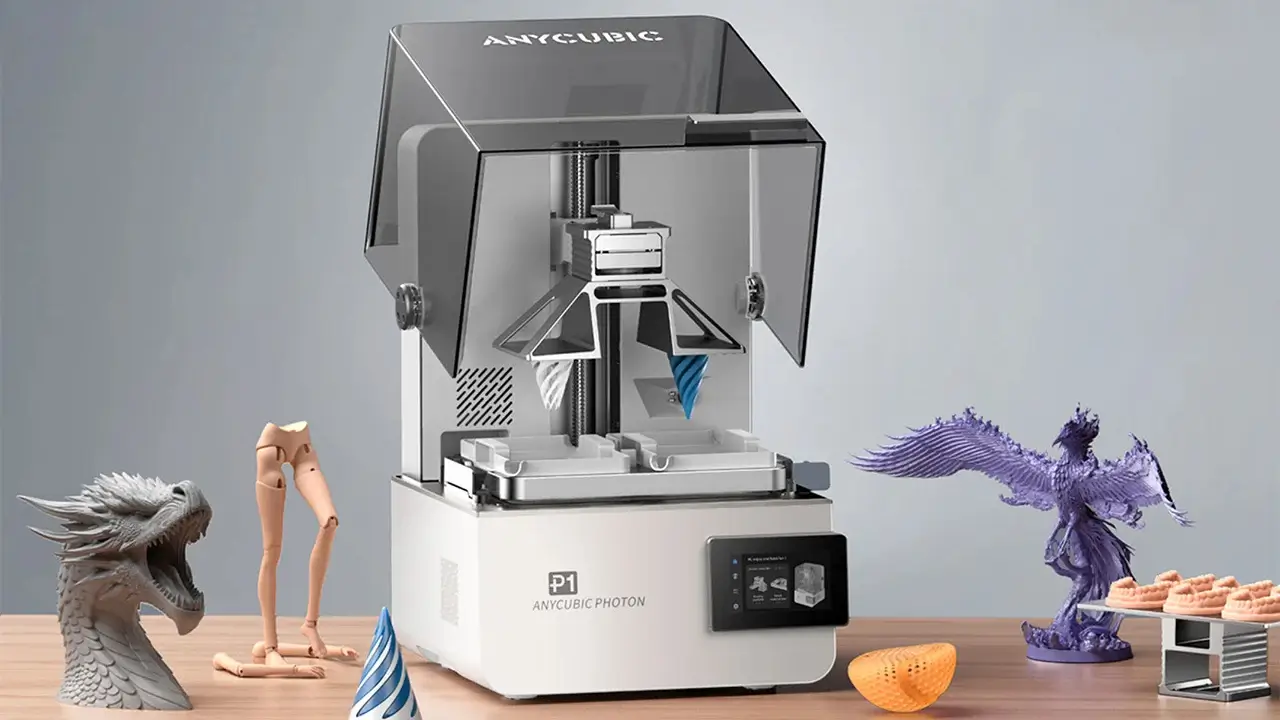
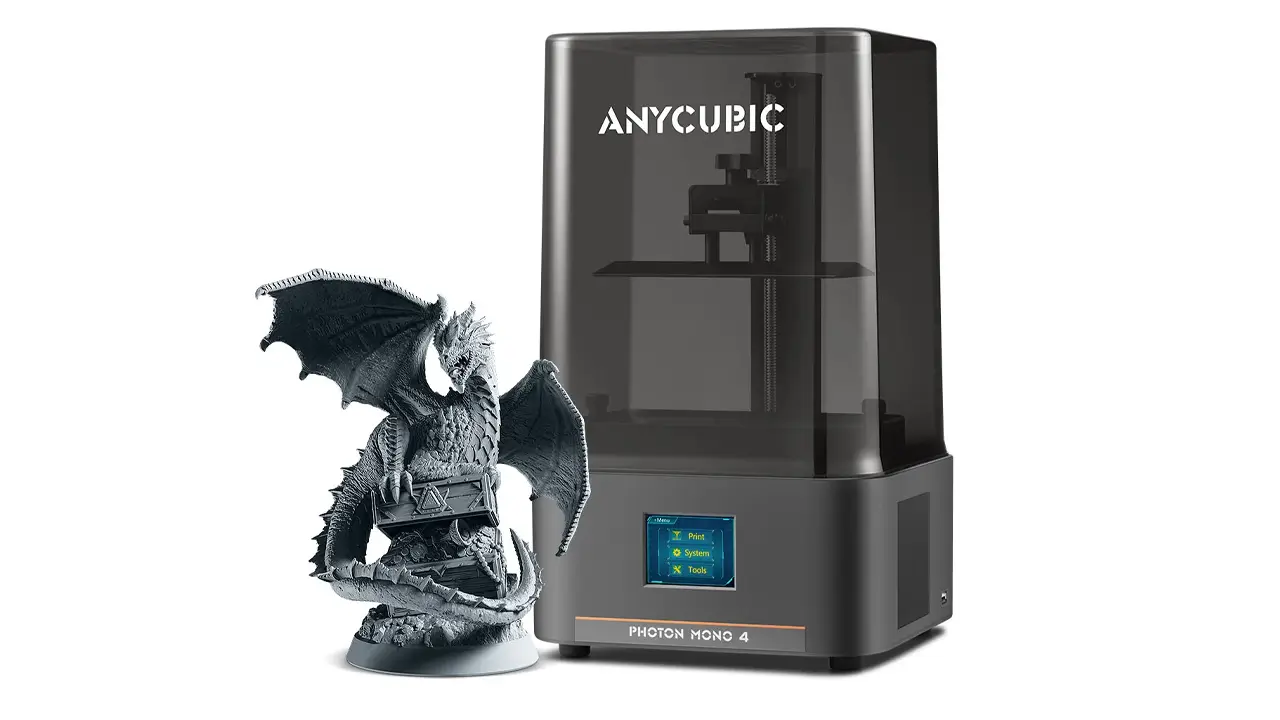
The Photon P1 has a 223×126×230mm build volume, an X axis resolution of 16.8μm, a Y axis resolution of 24.8μm, and a Z axis resolution of 20μm. These numbers are excellent for a desktop-class printer, and they’re backed by mechanical systems that genuinely deliver on the spec sheet — something that isn’t always guaranteed in consumer hardware.
4. Dual Material Resin Printing Technology: A Closer Look
The dual-vat system of the Photon P1 is arguably the most significant innovation in desktop resin printing in years. Let’s break down exactly how it works and why it matters.
At its core, the system uses two independent resin tanks mounted side by side on the printer’s base, each paired with its own section of the forked build plate. With separate slicer settings for each tank, the printer can handle two colors or two resin types in a single job, helping reduce waste and removing the need for multiple print runs.
The workflow in Photon Workshop 4.0 is designed to make this as painless as possible. You assign each part of your model to a specific tank, configure the exposure parameters for the resin in that tank, and the printer handles the rest. Both sides print simultaneously, in perfect synchronization, maintaining the same layer timing across both vats.
When working with premium or engineering resins, this setup also reduces waste and helps lower overall material costs. This fundamentally changes the workflow — it effectively gives you the power of two printers, but with the synchronized precision and footprint of one.
For professionals working on functional prototypes, the practical applications are immediately obvious. An engineer can print a rigid housing with a flexible seal integrated directly into the part. A dental technician can produce a model with two distinct material zones — hard and soft — in a single print session. For creative makers, a character figure can come out of the printer already sporting two distinct resin colors, dramatically reducing the time spent on painting or assembly.
With up to 20–30% resin savings and dimensional accuracy improved by 50–80%, the Photon P1 delivers reliable, professional-grade results for prototypes, miniatures, dental models, and artistic creations alike.
5. High Resolution Printing with the 14K LCD
Resolution is the heartbeat of any resin printer. It determines how much fine detail your finished models will carry — the sharpness of edges, the faithfulness of textures, the smoothness of curved surfaces. The Photon P1’s 14K LCD is one of the standout features of this machine, and it’s worth understanding what that number actually means in practice.
The Photon P1 features a 14K 10.1-inch LCD screen for ultra-fine 16.8μm × 24.8μm XY precision, paired with the LighTurbo 4.0 optical system that ensures uniform light distribution and sharper details.
To put that in perspective: 16.8 microns in the X direction means each pixel of light is smaller than a fifth of the width of a human hair. At that scale, microscopic surface textures, engraved text, and intricate filigree patterns are rendered with stunning faithfulness.
But raw resolution numbers only tell part of the story. The quality of the light engine matters just as much as the screen resolution. The LighTurbo 4.0 optical engine features an aspherical Fresnel lens with less than 2° collimation accuracy and over 92% light uniformity. It ensures sharper edges, finer detail reproduction, and smooth, even curing across the entire building area, making every layer crisp and consistent.
Light uniformity is particularly critical for larger prints. On lower-quality printers, the edges of the build plate receive less UV energy than the center, leading to inconsistent curing and dimensional inaccuracies. With over 92% uniformity measured at 112 points across the screen, the Photon P1 essentially eliminates this problem. The Photon P1 achieves exceptional LCD flatness with an installation tolerance of less than 70 μm, ensuring uniform light projection and consistent layer thickness for sharper edges, smoother surfaces, and higher print success rates.
The monochrome LCD design also brings two additional benefits beyond resolution: faster cure times and a significantly longer screen lifespan compared to older RGB color screens. This makes the Photon P1 not just a high-quality printer, but an economical long-term investment.
6. Build Volume and Professional Capabilities
A printer that can produce exquisite detail but only in a tiny print area has limited professional appeal. The Photon P1 strikes a genuinely useful balance here. The Photon P1 features a build size of 223 × 126 × 230 mm with a total printing volume of 6.5 liters. That’s a substantial workspace for a desktop machine — large enough for full-scale dental arches, mid-size sculpture work, functional engineering components, and generous batch runs of smaller items.
The professional applications Anycubic targets with this machine are broad and well-considered:
Prototyping and Engineering: The combination of tight dimensional accuracy, industrial-grade Z-axis repeatability, and compatibility with high-viscosity engineering resins makes the P1 a compelling tool for product designers and engineers. Industrial-grade ball screw achieves ±0.01 mm repeatability across 10,000 cycles and Z-axis precision within 0.02 mm. These aren’t launch-day specs — they hold through long-term use. The result: uniform layer thickness, smooth surface transitions, and consistent dimensional accuracy without degradation. Print 1 matches print 1,000.
Dental and Medical Models: The printer can handle ultra-high viscosity resins with a viscosity up to 8,000 cps, which is 40 times that of standard resins, meeting the demands of professional applications. Dental-grade resins, castable materials for jewelry, and specialized medical modeling resins all fall within this range.
Jewelry Design: The precision and surface quality achievable with the Photon P1 makes it ideal for producing castable wax-substitute patterns for lost-wax casting — the standard technique in fine jewelry production.
Artistic and Creative Work: Sculptors, prop makers, and character artists can take advantage of the large build volume and exceptional detail to produce gallery-quality work directly from the machine.
A technical studio can produce engineering-grade resin prototypes. Designers or creatives can model and produce flexible materials for complex assemblies. A small business owner running an Etsy shop for custom D&D miniatures could use it to fulfill two different orders at once, performing batch production or even dual-part workflows for maximized efficiency.
7. Printing Miniatures with the Photon P1
Among hobbyist users, one of the most popular applications for high-resolution resin printers is tabletop gaming miniatures. The figures used in games like Warhammer 40,000, Dungeons & Dragons, and countless others demand exquisite detail — fine textures on armor, sharp facial features, delicate weapon details — at a scale of just a few centimeters.
MSLA (Masked Stereolithography Apparatus) printers like the Photon P1 are extraordinarily well-suited to this use case, and the P1 raises the bar considerably.
With an XY resolution of 16.8 × 24.8 μm, the printer can faithfully reproduce features that would be completely lost on FDM machines and even blurred on lower-resolution resin printers. Scale chainmail, individual scales on a dragon’s skin, the text engraved on a sword blade — the Photon P1 handles all of it with confidence.
The dual-material capability adds an interesting new dimension for miniature enthusiasts. Imagine printing a character figure with a rigid body and a flexible cape or cloak in a single run, without assembly. Or printing a diorama base with two different resin textures — stone and wood, for example — in one job.
With temperature-controlled resin tank, resin level detection, and model detachment alerts, the P1 provides high success rates with fewer failed prints. Failed prints are the bane of miniature makers — nothing is more frustrating than coming back to the printer to find a half-completed figure stuck to the FEP film. The P1’s suite of monitoring and automation features significantly reduces that frustration.
The 6.5-liter build volume also means you can batch-print large numbers of miniatures simultaneously. A full warband, a dungeon-room’s worth of scatter terrain, an entire army — the P1 can handle ambitious print jobs efficiently.
8. Performance and Printing Speed: Wave Release Technology Explained
Print speed in resin printing is a more nuanced topic than it might first appear. Unlike FDM printing, where speed is largely a function of how fast the printhead can move, resin printing speed is dominated by the layer peel cycle — the process of separating each newly cured layer from the release film at the bottom of the vat.
This peel step creates suction force between the cured resin and the FEP film. The greater that force, the slower the printer must move to avoid tearing the model or causing a failed print. Reducing peel force is therefore one of the most impactful ways to improve both speed and reliability.
The Wave Release Technology generates micro-airflow during plate lifting, reducing release force by 60%. 3D models detach more easily, lowering failure rates and ensuring reliable long-term printing.
This is a genuine engineering achievement. A 60% reduction in peel force means the printer can lift layers faster and more gently, reducing stress on delicate features and dramatically improving success rates on complex models with large cross-sectional areas.
Under ideal, fully optimized conditions, the Photon P1 can reach speeds of up to 150 mm/h, showing its potential for high-speed printing when tuned correctly. For everyday use with recommended settings and Anycubic resin, the P1 prints at around 25–35 mm/h.
That everyday speed range — 25 to 35 mm/h — is a reasonable balance between print quality and throughput. It’s not the fastest resin printer on the market, but the Photon P1 is optimized for precision and reliability rather than raw speed. The Wave Release system means that even at those speeds, the prints come out consistently well.
Supporting this is a trio of intelligent software systems that work in concert to keep every layer perfect:
Dynamic Release 3.0 monitors real-time layer separation forces and adjusts lift height and speed accordingly, ensuring reliable release with every single layer.
Light-Off Compensation 3.0 calculates the resin flow-back rate and dynamically adjusts the light-off duration to precisely prepare each layer for exposure, optimizing both speed and curing consistency.
Intelligent Leveling System 3.0 comes factory-calibrated, performs automatic self-check before each print, and provides real-time pressure feedback across four corners for fine-tuning.
Together, these systems mean the Photon P1 is far more than a passive printer — it’s an active, intelligent printing platform that continuously monitors and adjusts its own performance.
9. Anycubic Photon P1 Kickstarter Launch
The Anycubic Photon P1 made its public debut at Formnext 2025, one of the world’s premier additive manufacturing trade shows. Anycubic unveiled the Photon P1 at the Formnext additive manufacturing show, with a Kickstarter campaign debuting to let people get their hands on the Photon P1.
At Germany’s Formnext 2025 exhibition, industry professionals, print farm operators, and advanced makers experienced P1’s near-industrial printing capabilities firsthand. The response was consistent validation of build quality, printing stability, and material versatility.
The Kickstarter campaign was a significant moment for the resin printing community. The Anycubic Photon P1 has a retail price of $799, but was available at a Super Early Bird sale price of $499 on Kickstarter. That early-bird pricing made the machine accessible to a much broader audience than its prosumer specifications might suggest.
The campaign also became a valuable channel for community feedback. Since the campaign began, Anycubic received invaluable insights, and based on that feedback, implemented several key product optimizations to improve safety, stability, and usability, including an upgraded UV cover with improved UV-blocking performance.
Estimated ship dates from the Kickstarter were targeted to begin in Q1 2026, and the printer is now available through Anycubic’s official store and major retailers. Accessories available include the dual-material print kit, a perforated build plate, Wash & Cure 3 Plus, Air Pure 2.0, elastic resin, and 14K standard resin.
10. Final Verdict – Is the Anycubic Photon P1 Worth It?
After examining everything the Photon P1 brings to the table, the question becomes: does it deliver on its ambitious promises, and who should be buying one?
Let’s lay it out clearly.
Pros:
- World’s first desktop dual-material resin printer — a genuinely unique capability that opens new creative and professional workflows
- 14K LCD with LighTurbo 4.0 — exceptional resolution and light uniformity for outstanding print quality
- Industrial-grade ball screw Z-axis — ±0.01mm repeatability that holds up over thousands of print cycles
- Wave Release Technology — 60% reduction in peel force means higher success rates and greater material compatibility
- Up to 8,000 cps resin support — access to industrial-grade dental, engineering, and specialty materials
- Intelligent heated resin tank — consistent results regardless of ambient temperature
- Smart automation suite — auto-leveling, dynamic release monitoring, AI print monitoring with built-in camera
- Photon Workshop 4.0 — streamlined slicing with one-click profiles and automatic support generation
- Strong value proposition — the Photon P1 is the bridge machine that takes you from “serious hobbyist” to “professional prosumer” without requiring an industrial budget
Cons:
- Dual Material Kit is optional — the headline feature costs extra and is not included by default
- Recommended print speed of 25–35 mm/h — not the fastest option if speed is your top priority
- One-click slicing in Photon Workshop 4.0 is pending Q2 2026 — some software features aren’t fully live at launch
- Resin printing requires post-processing — washing and curing equipment is needed separately
Who is the Photon P1 for?
The Photon P1 is the right machine for professionals and serious makers who need industrial-grade precision, broad material compatibility, and the unique ability to print in two materials or colors simultaneously — all at a price point that doesn’t require a business loan. Dental technicians, jewelry designers, product engineers, serious miniature hobbyists, and small-batch production makers will all find genuine value here.
If you’re a casual hobbyist who prints occasionally on weekends, the P1 may be more machine than you need right now. But if you’re someone who pushes your printer hard, demands reliable results, and wants capabilities that simply didn’t exist at this price level before, the Anycubic Photon P1 makes a compelling case for itself.
The Photon P1 delivers reliable, professional-grade results for prototypes, miniatures, dental models, and artistic creations alike. For anyone who fits that profile, it’s one of the most exciting resin printers to arrive on the market in years.