If you’ve been searching for a reliable industrial 3D printing solution that bridges the gap between hobbyist machines and full-scale manufacturing equipment, the Flashforge Creator 5 might just be the answer you’ve been looking for. This professional-grade 3D printer has been making waves in workshops, design studios, and small manufacturing facilities around the world, and for good reason.
The Flashforge Creator 5 represents a significant leap forward in accessible industrial 3D printing technology. Designed for professionals who need consistent, high-quality results without the complexity or price tag of enterprise-level systems, this machine offers a compelling package of features, reliability, and performance.
In this comprehensive review, we’ll dive deep into everything you need to know about the Flashforge Creator 5 industrial 3D printer—from its technical specifications and build volume to its dual extruder system and material compatibility. Whether you’re a product designer, engineer, educator, or small business owner, this guide will help you determine if the Creator 5 is the right fit for your needs.
Flashforge Creator 5
Professional 3D Printer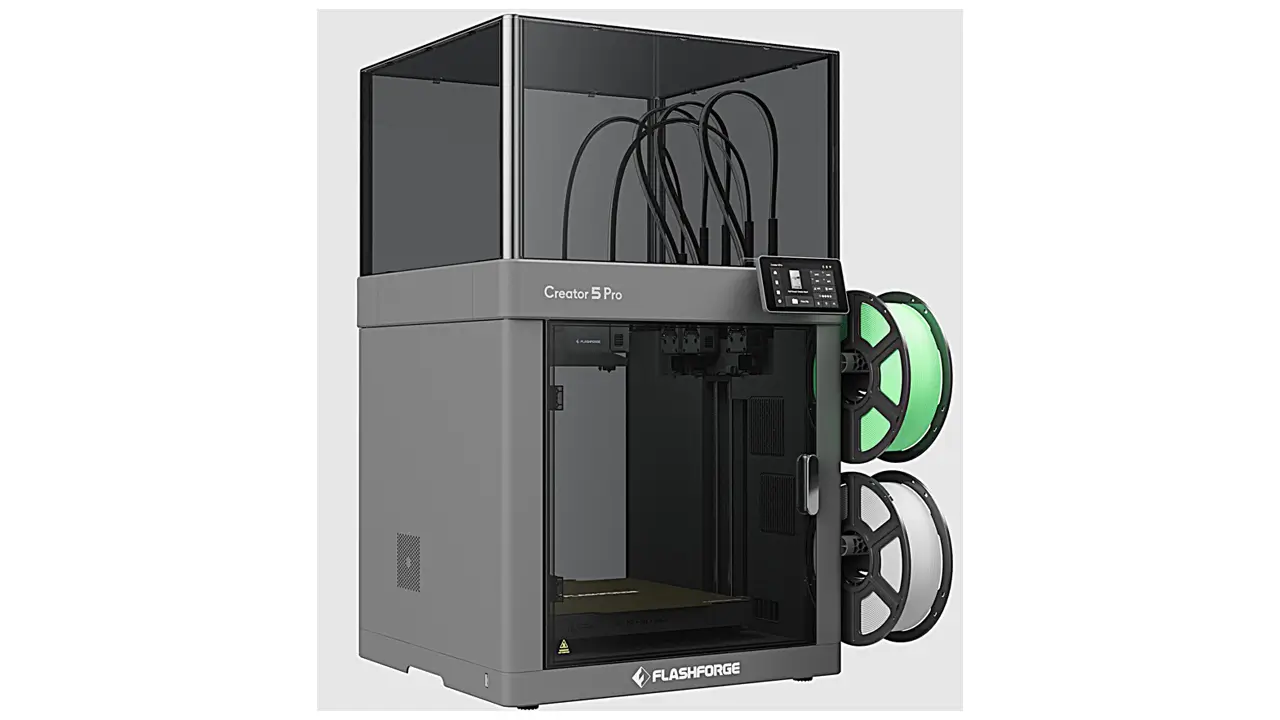
Professional FDM Printer
Next-generation professional 3D printer from Flashforge. Advanced CoreXY mechanics, independent dual extrusion, and intelligent features for education, business, and professional applications.
Flashforge Creator 5 Overview: Positioning and Purpose
The Flashforge Creator 5 professional 3D printer is positioned squarely in the industrial desktop segment, targeting users who have outgrown consumer-grade machines but don’t need the footprint or expense of large-format industrial systems. This is a printer built for daily use in demanding environments where reliability, print quality, and material versatility matter.
Unlike many competing machines that force you to choose between ease of use and professional capabilities, the Creator 5 manages to deliver both. Its enclosed build chamber, robust frame construction, and thoughtful engineering make it suitable for everything from rapid prototyping to small-batch production runs.
The target audience is diverse: product development teams creating functional prototypes, educational institutions teaching advanced manufacturing, design studios producing client samples, and small manufacturers who need in-house production capabilities. The Creator 5 serves as a workhorse machine that can handle multiple projects across different materials without constant recalibration or maintenance.
What sets this machine apart from consumer-level printers is its industrial-grade components—from the heated build platform that maintains consistent temperatures for engineering materials, to the precision motion system that delivers repeatable accuracy across hundreds of prints. This isn’t a machine you’ll outgrow quickly; it’s designed to scale with your needs.
Flashforge Creator 5 Specs Breakdown: Technical Deep Dive
Understanding the technical specifications of any industrial printer is crucial, and the Flashforge Creator 5 specs reveal a machine designed with performance and practicality in mind. Let’s break down the key numbers that define what this printer can do.
The print technology is based on FDM (Fused Deposition Modeling), the most versatile and widely adopted method for industrial desktop printing. The Creator 5 features a fully enclosed build chamber with active temperature control, essential for printing engineering-grade materials that are sensitive to temperature fluctuations.
| Specification | Details |
|---|---|
| Technology | Fused Deposition Modeling (FDM) |
| Build Volume | 320 x 200 x 200 mm |
| Layer Resolution | 50 to 400 microns |
| Nozzle Diameter | 0.4 mm (standard) |
| Print Speed | Up to 150 mm/s |
| Extruder Type | Independent Dual Extruder (IDEX) |
| Heated Bed Temp | Up to 120°C |
| Nozzle Temp | Up to 300°C |
| Connectivity | WiFi, Ethernet, USB |
| Build Platform | Flexible heated build plate |
The layer resolution range from 50 to 400 microns gives you flexibility between speed and detail. For rapid prototyping where form matters more than surface finish, you can crank up to 400 microns and complete prints quickly. When you need smooth surfaces for presentation models or functional parts with tight tolerances, dropping down to 50-100 microns delivers impressive results.
The maximum nozzle temperature of 300°C is particularly noteworthy—this opens the door to engineering materials like Polycarbonate, Nylon, and even some reinforced composites that require higher processing temperatures. Combined with the heated bed reaching 120°C, the Creator 5 can handle materials that would warp or fail on consumer machines.
The motion system uses high-quality linear rails and precision ball screws, contributing to the machine’s excellent repeatability. In practical terms, this means you can print the same part multiple times and expect consistent dimensional accuracy—critical for production applications or when creating parts that need to mate with existing components.
Build Volume and Printing Capacity: Space to Create
The Flashforge Creator 5 build volume of 320 x 200 x 200 mm strikes a practical balance for industrial desktop applications. While it’s not the largest printer on the market, this size envelope covers the vast majority of professional prototyping and small-batch production needs.
To put these dimensions in perspective, you can comfortably print objects roughly the size of a shoebox. This is large enough for most product prototypes, architectural models, tooling, jigs, fixtures, and functional end-use parts. The 320mm width is particularly useful—it allows you to orient long, narrow parts efficiently or fit multiple smaller components on the bed for batch printing.
The 200mm height limitation is actually well-considered for an industrial machine. Extremely tall prints become increasingly prone to failure, require more material, and tie up the machine for extended periods. Most professional applications favor designs that maximize the X-Y plane rather than building excessively tall structures.
What really matters with build volume isn’t just the raw numbers—it’s how efficiently you can use the space. The Creator 5’s dual extruder system means you can print two identical parts simultaneously in mirror or duplication mode, effectively doubling your throughput for small components. This is a game-changer for small production runs or when you need multiple iterations of a design quickly.
The heated build platform covers the entire print area and features a flexible magnetic build surface that makes part removal effortless. There’s nothing worse than spending hours printing a part only to damage it while trying to pry it off the bed. The flex plate eliminates this frustration—once the bed cools, you simply remove the plate, flex it slightly, and your part pops off cleanly.
For workshops running multiple projects, the build volume is large enough to be genuinely useful without consuming excessive desk space. The enclosed design with the build chamber means you can stack storage or other equipment around it without worrying about air currents affecting print quality.
Key Features and Innovations: What Makes It Stand Out
The Flashforge Creator 5 features a collection of thoughtful engineering decisions and innovative systems that elevate it above typical desktop printers. Let’s explore what makes this machine special beyond the basic specifications.
The Independent Dual Extruder (IDEX) system is the headline feature, but we’ll cover that in detail in the next section. Beyond the dual extruders, the Creator 5 incorporates several systems designed for professional reliability.
The enclosed, actively heated chamber is essential for printing engineering materials. The chamber can maintain elevated ambient temperatures, which prevents warping in materials like ABS and Nylon by minimizing thermal stress during printing. This isn’t just a passive enclosure—the machine actively manages internal temperature to create optimal printing conditions.
The build platform leveling system uses an automated mesh bed leveling routine that probes multiple points across the bed surface and compensates for any irregularities. This means you don’t need a perfectly level desk, and normal wear over time won’t affect print quality. The system automatically adjusts for any deviations, ensuring your first layer adheres consistently across the entire build surface.
Filament runout detection is a simple but crucial feature for professional use. If a spool runs out mid-print, the machine pauses automatically, allowing you to load new material and resume. This prevents wasted prints and wasted time—particularly valuable when running overnight prints or unattended production.
The 5-inch color touchscreen interface provides an intuitive control system. You can start prints, adjust settings, monitor progress, and perform maintenance operations without needing a connected computer. The interface displays real-time temperature data, print progress, time estimates, and allows on-the-fly adjustments to speed and temperature if needed.
Network connectivity includes WiFi, Ethernet, and USB options, making it easy to integrate the Creator 5 into various workflow environments. You can send print files wirelessly from your design workstation, monitor prints remotely via webcam integration, and manage multiple machines from a central computer in larger facilities.
The cooling system deserves mention—the Creator 5 features independently controlled part cooling fans and chamber exhaust. You can fine-tune cooling based on material requirements. Some materials like PLA benefit from aggressive cooling for overhang performance, while others like ABS and Nylon need minimal cooling to prevent layer adhesion issues.
Power loss recovery is another professional feature that prevents disaster if your facility experiences a power interruption. The machine automatically saves print progress periodically, and if power is lost, it can resume from the last saved point rather than scrapping the entire print.
Dual Extruder System Explained: IDEX Technology Benefits
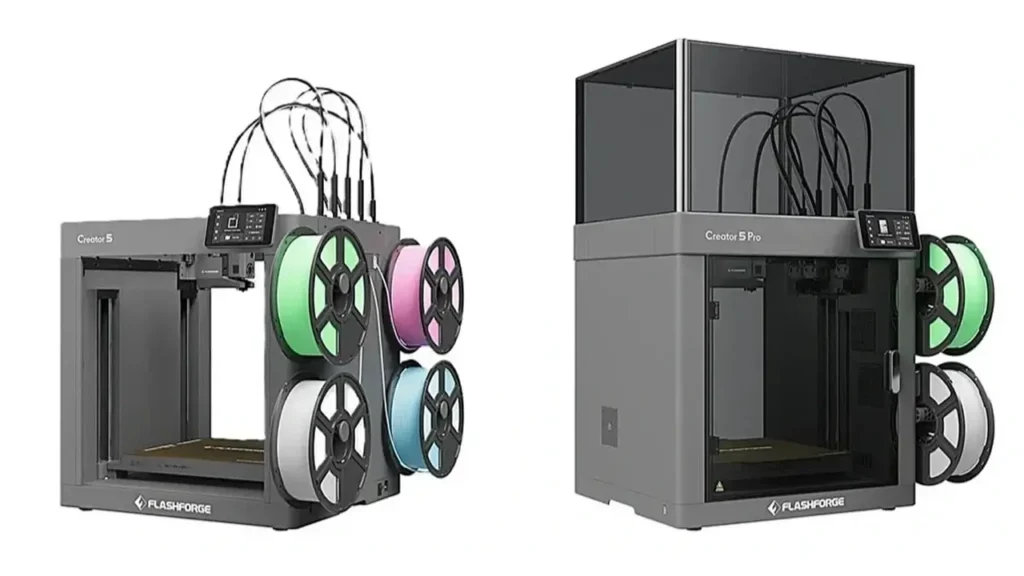
The Flashforge Creator 5 dual extruder system uses Independent Dual Extruder (IDEX) technology, which represents a significant advancement over traditional dual extruder designs. Understanding how this system works and why it matters will help you appreciate the capabilities it unlocks.
In conventional dual extruder printers, both nozzles are mounted on the same carriage and move together. This creates several problems: the inactive nozzle often oozes material and can drag through your print, causing defects. There’s also no way to physically separate the nozzles, limiting your printing options.
IDEX changes everything. Each extruder moves independently on its own carriage with separate X-axis motors. When one extruder is printing, the other parks completely outside the print area. This eliminates oozing and collision issues entirely. The inactive nozzle can’t interfere with your print because it’s literally not there.
This independence enables several powerful printing modes that simply aren’t possible with traditional dual extruder systems.
Mirror Mode allows you to print two identical parts simultaneously as mirror images of each other. The machine essentially treats both extruders as coordinated independent printers working on opposite sides of the build area. This doubles your production capacity for symmetric parts—perfect for manufacturing pairs of components or running small batches.
Duplication Mode takes a different approach—both extruders print identical copies of the same part simultaneously. This is incredibly efficient for small components where you can fit two side-by-side. Instead of printing ten parts sequentially, you print them in five runs, cutting production time in half.
Multi-Material Printing is the classic dual extruder use case, but IDEX does it better. You can print parts in two different materials—such as a rigid structural component with flexible joints, or a colored body with contrasting details. Because the inactive nozzle parks away, you don’t get the color contamination or material mixing that plagues traditional dual systems.
Soluble Support Material printing becomes practical with IDEX. Print your model in your primary material and supports in PVA or HIPS, then dissolve the supports away in water or limonene. This allows for complex geometries with internal channels, intricate overhangs, and organic shapes that would be impossible to support with conventional breakaway supports.
The independent temperature control for each extruder means you can run materials with vastly different temperature requirements simultaneously. Print a high-temp engineering plastic for the main body and a lower-temperature material for supports or decorative elements without compromise.
From a practical standpoint, the dual extruder system does add complexity—you need to calibrate both nozzles, manage two filament paths, and understand the software settings for different printing modes. However, Flashforge has done significant work to streamline these processes through their FlashPrint software, which includes presets and wizards for common dual-extruder workflows.
For professional users, the IDEX system transforms the Creator 5 from a versatile single-material printer into a genuine production tool capable of sophisticated multi-material parts and efficient batch manufacturing.
Supported Materials and Compatibility: Engineering Flexibility
The Flashforge Creator 5 materials compatibility is one of its strongest selling points for industrial applications. This machine isn’t limited to PLA and PETG—it can handle a wide range of engineering-grade thermoplastics that enable functional prototyping and end-use parts.
The heated bed reaching 120°C and nozzles capable of 300°C, combined with the actively heated chamber, create an environment suitable for demanding materials. Let’s break down what you can print and why material versatility matters.
PLA remains the easiest material to print and works great for visual prototypes, concept models, and non-functional parts. It prints fast, doesn’t require high temperatures, and produces excellent surface finish. While it’s not suitable for engineering applications due to low heat resistance and brittleness, it’s perfect for iteration during the design phase.
PETG offers a step up in mechanical properties with better impact resistance and moderate heat tolerance. It’s easier to print than ABS but more durable than PLA, making it ideal for functional prototypes, jigs, fixtures, and parts that need some toughness but won’t face extreme conditions.
ABS is a true engineering thermoplastic used in countless manufactured products. The Creator 5’s enclosed chamber makes ABS printing reliable by preventing the warping and cracking that occurs in open machines. ABS parts are strong, heat-resistant, and can be vapor smoothed with acetone for a glossy, professional finish. This material is excellent for automotive parts, electronics housings, and functional prototypes that need to withstand real-world conditions.
Nylon (PA) brings exceptional toughness, abrasion resistance, and low friction properties. It’s challenging to print due to high moisture sensitivity and tendency to warp, but the Creator 5’s chamber heating and bed temperature range make it manageable. Nylon is the material of choice for mechanical parts like gears, bushings, hinges, and anywhere you need durability and wear resistance.
| Material | Best Applications | Key Properties |
|---|---|---|
| PLA | Concept models, visual prototypes | Easy printing, good detail |
| PETG | Functional prototypes, fixtures | Tough, moderate heat resistance |
| ABS | Engineering parts, housings | Strong, heat resistant |
| Nylon | Mechanical parts, gears | Extremely tough, wear resistant |
| TPU | Gaskets, grips, seals | Flexible, rubber-like |
| Polycarbonate | High-strength structural parts | Very strong, high heat tolerance |
| Carbon Fiber Composites | Lightweight structural parts | High stiffness, low weight |
| PVA | Water-soluble supports | Dissolves completely in water |
TPU and other flexible materials work well on the Creator 5’s direct drive extruder system. These rubber-like materials are perfect for gaskets, seals, grips, phone cases, and any application requiring flexibility. The direct drive extruder provides better control over flexible filaments compared to Bowden-style systems.
Polycarbonate represents the high end of temperature capability. PC is used in bulletproof glass, safety equipment, and demanding industrial applications because of its incredible strength and heat resistance. The Creator 5 can handle PC printing with appropriate enclosure temperature and bed adhesion solutions, opening doors to truly industrial-grade functional parts.
Carbon fiber reinforced filaments combine a base material like Nylon or PETG with chopped carbon fiber for dramatically increased stiffness and reduced weight. These materials are popular for drone frames, robotics components, and anywhere you need high strength-to-weight ratios. Note that carbon fiber filaments are abrasive and will wear standard brass nozzles quickly—a hardened steel nozzle is recommended for extended use with composite materials.
The dual extruder capability shines when combining materials—print rigid components with flexible joints, or use PVA supports to enable complex geometries that would be impossible with mechanical supports alone.
Material versatility means the Creator 5 can grow with your needs. Start with basic materials for prototyping, then transition to engineering plastics when you need functional testing or small production runs—all on the same machine without additional capital investment.
Flashforge Creator 5 vs Creator 4: Evolution and Improvements
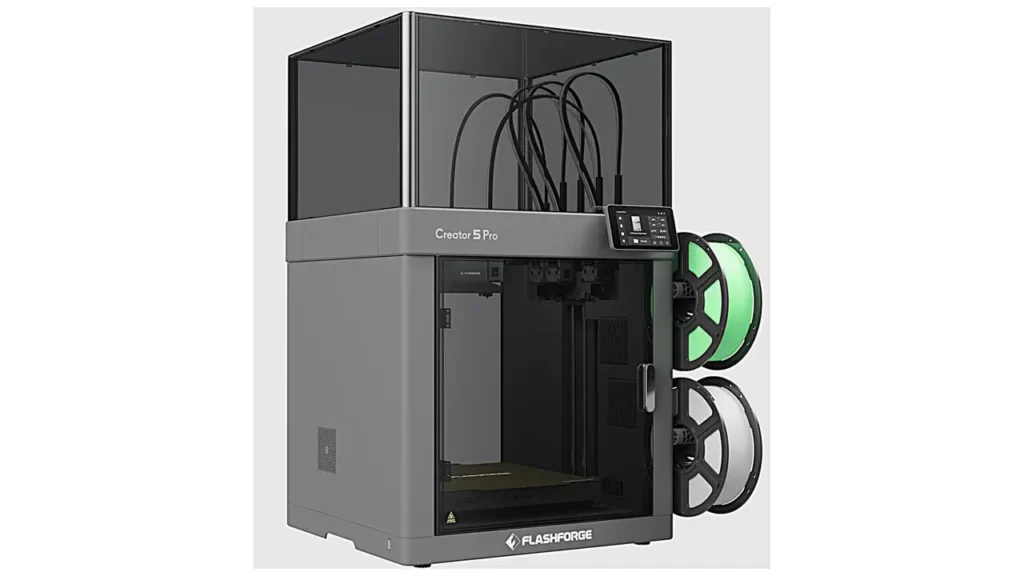
Many potential buyers want to understand the Flashforge Creator 5 vs Creator 4 comparison to see what improvements justify upgrading or choosing the newer model. While both machines serve the professional desktop market, the Creator 5 brings several meaningful enhancements.
The most obvious difference is the extruder system. The Creator 4 features a traditional single extruder, while the Creator 5 implements the Independent Dual Extruder (IDEX) system. This alone represents a massive capability upgrade, enabling multi-material printing, soluble supports, mirror mode, and duplication mode—all impossible on the Creator 4.
Build volume differs slightly between the models. The Creator 4 offers 200 x 200 x 200 mm, while the Creator 5 expands to 320 x 200 x 200 mm. That extra 120mm in the X dimension provides significantly more flexibility for part orientation and allows fitting larger components that would need rotation or scaling on the Creator 4.
The chamber heating system received improvements in the Creator 5. While both machines feature enclosed heated chambers, the Creator 5 offers better temperature control and faster heat-up times, improving reliability with temperature-sensitive materials like ABS and Nylon.
The build platform on the Creator 5 uses an updated flexible magnetic build surface that provides better adhesion and easier part removal compared to the Creator 4’s system. This might seem minor, but in daily use, easy part removal significantly impacts workflow efficiency and reduces the risk of damaging finished parts during removal.
Connectivity and user interface saw refinements. Both machines offer network connectivity, but the Creator 5 features a more responsive touchscreen interface with improved graphics and more intuitive menu navigation. The updated software includes better preset material profiles and more advanced settings for users who want granular control.
The motion system in the Creator 5 incorporates upgraded linear rails and a stiffer frame structure, contributing to slightly better print quality at high speeds and improved dimensional accuracy. While the Creator 4 is no slouch in this department, the Creator 5 demonstrates Flashforge’s continued refinement of mechanical systems.
Filament runout detection and power loss recovery exist in both models, but the Creator 5 implements these features more reliably based on user feedback and real-world testing.
| Feature | Creator 4 | Creator 5 |
|---|---|---|
| Extruder System | Single Extruder | Independent Dual (IDEX) |
| Build Volume | 200 x 200 x 200 mm | 320 x 200 x 200 mm |
| Mirror/Duplication Mode | No | Yes |
| Multi-Material Printing | No | Yes |
| Chamber Heating | Standard | Improved control |
| Build Surface | Standard magnetic | Enhanced flexible plate |
From a practical standpoint, if you own a Creator 4 and primarily print single-material parts, the upgrade to Creator 5 might not be essential. However, if you need multi-material capabilities, want to improve production throughput with mirror or duplication modes, or require the extra build width, the Creator 5 offers compelling improvements.
For new buyers choosing between the two, the Creator 5 represents better future-proofing. Even if you don’t immediately need dual extrusion capabilities, having the option available as your skills and projects evolve is valuable. The price difference is typically modest considering the significant capability gains.
Price and Value Analysis: Investment Perspective
The Flashforge Creator 5 price positions it in the professional desktop segment, typically ranging between four thousand and six thousand dollars depending on retailer, included accessories, and regional variations. This places it below true industrial systems that start around ten thousand dollars, but well above consumer machines in the few hundred to thousand dollar range.
Understanding the value proposition requires looking beyond the purchase price to consider total cost of ownership and capabilities delivered per dollar invested.
Compared to entry-level industrial printers, the Creator 5 delivers approximately eighty percent of the capability at forty to fifty percent of the cost. You’re trading some maximum temperature capability, slightly smaller build volume, and perhaps less advanced material monitoring systems for substantial cost savings. For many applications, these trade-offs are completely acceptable.
The dual extruder system adds significant value. Competing machines with genuine IDEX systems typically cost more, and traditional dual extruder printers can’t match the capabilities. If multi-material printing or production duplication matters to your workflow, the Creator 5 delivers features you’d normally find in much more expensive machines.
Material compatibility represents hidden value. Because the Creator 5 handles engineering materials effectively, you can use it for functional testing and small production runs rather than just visual prototyping. This potentially eliminates the need for outsourcing parts to service bureaus, which can cost tens to hundreds of dollars per part depending on material and turnaround time. The machine can pay for itself relatively quickly in a professional environment where rapid iteration and fast turnaround create business value.
Reliability and uptime matter enormously in professional settings. A cheaper machine that requires constant troubleshooting and produces failed prints wastes time and material. The Creator 5’s robust construction and thoughtful features like automatic bed leveling, filament runout detection, and power loss recovery minimize failed prints and reduce hands-on maintenance time. This reliability translates directly to productivity and lower total operating costs.
Support and software are included. FlashPrint slicing software is free and specifically optimized for Flashforge printers. While power users might prefer other slicers, having a proven, supported software package that works out of the box has value—especially in business environments where you can’t afford to spend days tuning slicer profiles.
The educational and training costs are relatively low. While industrial printers require significant training and expertise, the Creator 5 strikes a balance between professional capability and reasonable learning curve. An experienced designer or engineer can become productive within days rather than weeks.
Compared to outsourcing prototyping work, the return on investment can be compelling. If your business regularly needs prototypes or small-batch parts, the cost of three to five outsourced projects might equal the printer price. Beyond the direct cost savings, having in-house printing capability accelerates iteration cycles—you can test a design in the morning and have physical parts by afternoon rather than waiting days for external vendors.
For educational institutions, the Creator 5 offers excellent value by providing students with experience on industrial-grade equipment and multi-material capabilities while remaining affordable for departmental budgets. The machine is sophisticated enough to teach advanced manufacturing concepts but not so specialized that it becomes a single-purpose tool.
From a pure value perspective, the Creator 5 occupies a sweet spot. It’s expensive enough to deliver genuine professional capabilities, but affordable enough that small businesses, design studios, and educational programs can justify the investment. You’re getting a machine that can legitimately serve production needs, not just an oversized hobbyist printer with professional marketing.
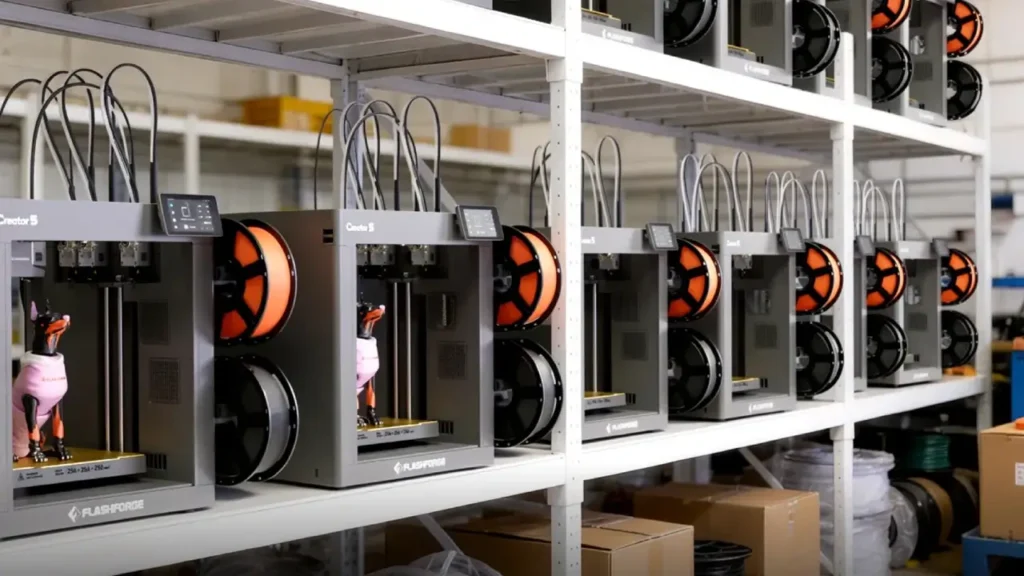
Final Verdict and User Experience: Who Should Buy
After examining the specifications, features, and capabilities in detail, the Flashforge Creator 5 review conclusions point to a machine that delivers on its promise of accessible industrial 3D printing for professional environments.
The Creator 5 excels in its target market. If you’re a product designer who needs to rapidly prototype ideas in multiple materials, this machine provides the speed, reliability, and material versatility to keep pace with your creative process. The dual extruder system means you can iterate on complex multi-material assemblies without outsourcing or compromising your design.
For small manufacturing operations, the Creator 5 offers genuine small-batch production capability. The ability to run mirror or duplication modes overnight transforms it from a prototyping tool into a production asset. You’re not running thousands of parts, but for custom orders, spare parts, or limited-run products, it’s entirely viable.
Educational institutions get significant value from the material compatibility and dual extruder features. Students can learn about multi-material design, understand material properties through hands-on testing, and gain experience with industrial-grade equipment that translates to workplace readiness. The enclosed chamber and safety features make it suitable for supervised student use.
Engineering teams will appreciate the ability to print functional test parts in engineering plastics. Being able to produce ABS, Nylon, or Polycarbonate components in-house for fit testing, functional validation, or small production runs eliminates delays and allows for rapid iteration that’s impossible when outsourcing.
Where the Creator 5 might not be the best fit is in extremely high-volume production environments where dedicated production equipment would offer better throughput, or in applications requiring massive build volumes beyond what desktop printers can provide. It’s also not ideal if your needs are purely basic PLA printing—you’d be paying for capabilities you’ll never use.
The user experience is generally positive based on feedback from professional environments. The machine is relatively straightforward to set up, the automatic bed leveling works reliably, and print quality is consistently good once you dial in settings for your specific materials. The dual extruder system does add complexity in calibration, but Flashforge’s software wizards help streamline the process.
Maintenance requirements are reasonable. Regular cleaning, occasional nozzle replacement, and keeping the build surface clean cover most needs. The enclosed design protects internal components from dust and contamination better than open-frame machines.
Support from Flashforge has improved significantly over recent years. Response times are reasonable, documentation is comprehensive, and there’s an active user community sharing profiles and tips for various materials and applications.
The biggest selling point is versatility. This isn’t a machine that does one thing exceptionally well—it’s a machine that handles a wide range of professional 3D printing tasks competently. Whether you’re printing presentation models in PLA, functional prototypes in PETG, production parts in ABS, mechanical components in Nylon, or complex multi-material assemblies using the dual extruders, the Creator 5 handles it all.
If your work requires a single, versatile 3D printer that can handle the majority of professional desktop applications without constant babysitting or endless troubleshooting, the Flashforge Creator 5 industrial 3D printer deserves serious consideration. It represents Flashforge’s maturity as a manufacturer and delivers industrial capabilities at a price point that makes professional 3D printing accessible to a much wider audience than ever before.
Frequently Asked Questions
What materials can I print with the Flashforge Creator 5?
The Creator 5 supports a wide range of materials including PLA, PETG, ABS, Nylon, TPU flexible filaments, Polycarbonate, and carbon fiber reinforced composites. The heated chamber and high-temperature capability of up to 300°C at the nozzle makes it suitable for engineering-grade thermoplastics that require precise temperature control. The dual extruder system also allows you to combine materials in a single print or use water-soluble PVA supports for complex geometries.
How does the dual extruder system improve productivity?
The Independent Dual Extruder (IDEX) system on the Creator 5 enables several productivity enhancements. Mirror mode prints two identical parts simultaneously as mirror images, while duplication mode creates identical copies side by side, effectively doubling your output for small components. The system also enables multi-material printing and soluble support structures without the oozing and contamination issues of traditional dual extruder designs, since inactive nozzles park completely outside the build area.
Is the Flashforge Creator 5 suitable for small business production?
Yes, the Creator 5 works well for small-batch production runs, custom manufacturing, and on-demand part production. The combination of reliable print quality, material versatility, and the ability to run mirror or duplication modes makes it practical for producing dozens to hundreds of parts per month. While it’s not designed for mass production of thousands of units, it excels at the flexible, low-volume manufacturing that small businesses often require. The enclosed chamber and professional-grade components ensure consistent results across multiple prints, which is essential for production work.
⭐ Review 1
I came across this review of the Flashforge Creator 5 and was genuinely impressed. The article is well-structured, easy to follow, and clearly written for professionals who need real insights—not fluff. The breakdown of specs, materials, and industrial capabilities helped me quickly understand whether this printer fits my workflow. The images also add real value instead of just decoration. Overall, this site feels like a reliable source for serious 3D printing content.
⭐ Review 2
This post about the Flashforge Creator 5 is exactly what I expect from a high-quality 3D printing website. Clean SEO structure, relevant keywords, and actually useful comparisons like Creator 5 vs Creator 4. You can tell the content is made with both users and search engines in mind. I also liked how the features and dual extruder system were explained without overcomplicating things. Straight to the point and professional.
⭐ Review 3
Finally, a 3D printing blog that respects the reader’s time. The Flashforge Creator 5 review delivers clear technical insights, practical use cases, and a realistic view on price and performance. No unnecessary hype—just solid information. The layout is modern, and the visuals help a lot in understanding the machine. Definitely bookmarking this site for future research on industrial 3D printers.
Polimerukr.com
Ukraine
3D Printing Materials & Supplies
Your trusted source for high-quality 3D printing materials in Ukraine. Wide selection of filaments, resins, and accessories for all printer types with fast local shipping.
Discover more from bestchina3dprinters.com
Subscribe to get the latest posts sent to your email.