 Skip to content
 If you’ve been curious about 3D printing but felt intimidated by complicated setups, tangled wires, and endless calibration sessions — the Flashforge Adventurer 3 Lite review you’re about to read is going to change your perspective. This compact, quiet, and surprisingly capable machine has been winning hearts in classrooms, home offices, and maker spaces ever since it launched. And in 2026, it remains one of the most compelling budget 3D printers for beginners available on the market today.
This isn’t a printer that demands hours of YouTube tutorials before your first print. It’s the kind of machine that respects your time. You unbox it, you plug it in, and you print. That’s the promise — and for the most part, the Flashforge Adventurer 3 Lite delivers on it remarkably well.
In this review, we’ll walk through every important aspect: design, build volume, auto leveling, noise level, ease of use, technical specifications, print quality, and honest pros and cons. By the end, you’ll know exactly whether this is the right machine for you.


Key Features Overview
What Makes the Adventurer 3 Lite Stand Out?
The Flashforge Adventurer 3 Lite is a feature-packed 3D printer that punches well above its price class. It is designed with a simple unboxing and setup process in mind, making it an ideal solution for high school teachers, students, or anyone who wants to get started quickly and without a hassle.
The Lite version is the more affordable sibling of the standard Adventurer 3. The core difference is the absence of a built-in HD camera, but it retains all the essential printing features — including Wi-Fi connectivity, auto leveling, and the fully enclosed chamber — that make the Adventurer line so popular.
So what do you actually get with this plug and play 3D printer? Here’s a summary of the standout Flashforge Adventurer 3 Lite features:
- Fully enclosed print chamber for safer, cleaner prints
- Auto leveling system with factory-calibrated bed
- Detachable quick-swap nozzle assembly
- 2.8-inch full-color touchscreen interface
- Wi-Fi, Ethernet, and USB connectivity
- Ultra-quiet operation under 45 dB
- Compatible with FlashPrint slicing software
- Cloud printing via FlashCloud platform
- Supports PLA, ABS, PETG, TPU, Wood-fill, Metal-fill, and more
The nozzle heats up to operating temperature in roughly 50 seconds, and the removable flexible print bed makes it easy to pop finished models off without tools or frustration. These are the kinds of small, thoughtful details that make the difference between a printer that feels like a joy and one that feels like a chore.
Flashforge Creator 5
Series
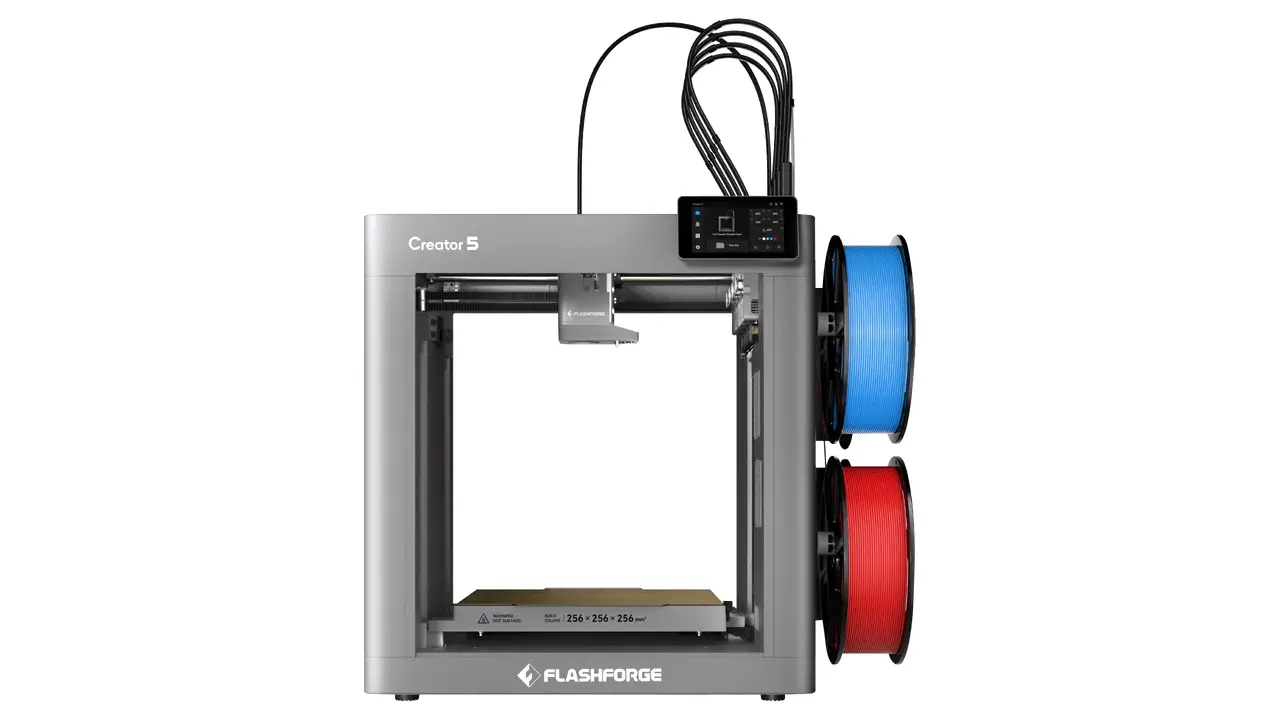
Creator 5
Professional dual extrusion 3D printer with IDEX system, auto-leveling, and enclosed chamber for reliable multi-material printing.
- Independent Dual Extrusion (IDEX)
- Auto Bed Leveling
- Enclosed Design
- WiFi Connectivity
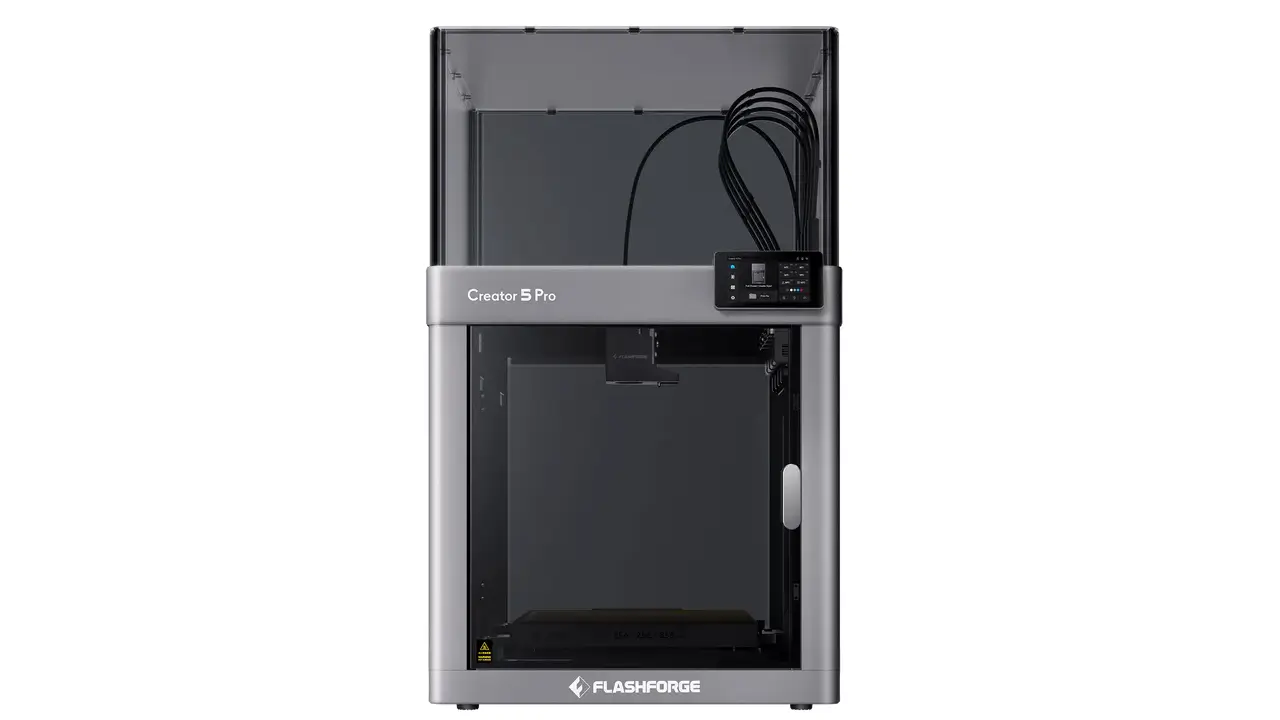
Creator 5 Pro
Advanced professional model with enhanced features, higher temperature hotend, and premium components for demanding applications.
- 300°C High-Temp Hotend
- Advanced IDEX System
- Filament Runout Sensor
- Power Loss Recovery
Build Volume and Compact Design
150mm Cube — Small Footprint, Big Personality
One of the first things you’ll notice about the Flashforge Adventurer 3 Lite is how compact it looks on a desk. This is a small desktop 3D printer in the truest sense — tidy, self-contained, and surprisingly elegant for a machine in this price range.
The build volume is 150 × 150 × 150 mm (5.9 × 5.9 × 5.9 inches). For a compact 3D printer with a 150mm build volume, this is right on par with what the entry-level segment offers. It’s enough space to print figurines, phone cases, small mechanical parts, educational models, keychains, plant pots, desk organizers, and a huge range of everyday objects.
The printer’s overall physical footprint is 388 × 380 × 405 mm, and it weighs approximately 9 kg (about 19.85 lbs). That means it fits comfortably on a standard desk, a classroom workstation, or a home office shelf without taking over the entire surface.
The enclosure is made from ABS and PC plastics, and three sides of the body feature transparent panels — letting you watch your print take shape without opening anything. The front door opens easily for filament changes and model retrieval, and the built-in spool compartment sits neatly on the right side of the machine.
Is the 150mm Build Volume Enough?
For most beginners, absolutely yes. The 150mm cube covers the majority of objects people actually want to print when they’re starting out. The limitation only becomes noticeable if you want to print large cosplay props, architectural models, or full-size replacement parts. For those projects, you’d be looking at a larger-format machine anyway. For daily use and learning? The Adventurer 3 Lite’s build volume hits the sweet spot.
Auto Leveling System Explained
Why Bed Leveling Matters — and Why You Won’t Have to Worry Here
Ask any experienced 3D printing enthusiast what caused their biggest frustrations when they were starting out, and nine times out of ten, the answer is bed leveling. Getting the print bed perfectly flat and the nozzle at exactly the right height is one of those skills that sounds simple but can eat up hours of your time, ruin prints, and make you question every life decision that led you to this hobby.
The Flashforge Adventurer 3 Lite eliminates this headache almost entirely. The bed is leveled at the factory before shipping, which means in most cases you can start printing without any manual calibration at all. The auto leveling 3D printer design here means the system mechanically compensates for minor surface inconsistencies automatically.
For a complete beginner, this is enormous. You don’t need to understand the mechanics of Z-offset, you don’t need feeler gauges, and you don’t need to spend 45 minutes carefully adjusting each corner of the bed before every session. You just load filament and print.
When Might You Need to Recalibrate?
If the printer is moved frequently, or after extended use, a quick recalibration may occasionally be needed. The touchscreen interface walks you through this process step by step — it’s not complicated, and FlashForge has designed it to be as painless as possible even for first-timers. The flexible, removable build plate also helps here: since you can pop prints off without force, you’re less likely to accidentally knock the bed out of alignment during model removal.
Noise Level and Home Use Comfort
Under 45 dB — What Does That Actually Mean?
One of the most underrated selling points of the Flashforge Adventurer 3 Lite is how quiet it is. The officially rated noise level is under 45 decibels during operation. To put that in perspective: a normal conversation happens at around 60 dB, a quiet library sits at roughly 40 dB, and a gentle rainfall is around 50 dB. The Adventurer 3 Lite operates in that comfortable zone between a library and light rain.
This quiet 3D printer under 50 dB rating is not just a marketing claim. Multiple independent reviews confirm that the machine is genuinely and impressively quiet during printing. You can hold a phone conversation in the same room. You can watch a film. You can work. The noise is present — there’s a soft hum from the motors and fans — but it fades into the background almost immediately.
Perfect for Apartments, Home Offices, and Classrooms
This makes the Adventurer 3 Lite exceptionally well-suited for environments where noise matters. An apartment where thin walls mean your neighbors hear everything. A home office where you’re on video calls. A classroom where students need to focus. A bedroom desk setup where you want to run overnight prints without being woken up at 2 AM by a printer that sounds like it’s mining cryptocurrency.
The fully enclosed chamber plays a role here too. Beyond containing fumes and keeping prints warm, the enclosure acts as a partial sound barrier, muffling motor noise and vibrations that would otherwise echo around the room. It’s a thoughtful design choice that makes the Adventurer 3 Lite a genuinely livable machine.
Ease of Use and Setup Experience
From Box to First Print — Faster Than You’d Expect
The Flashforge Adventurer 3 Lite is a plug and play 3D printer in the most literal sense. Inside the box you’ll find the printer itself (fully pre-assembled), a power cable, a sample spool of filament, a screwdriver, an unclogging pin tool, an Allen wrench, grease, and a user guide. No bags of screws. No frame assembly. No wiring.
Setup involves removing the protective packaging, powering the machine on, connecting to Wi-Fi through the touchscreen, loading the sample filament, and pressing print. Most users report completing this entire process in under an hour — often much less.
The 2.8-inch color touchscreen is intuitive and clean. Navigation is icon-based with English labels, and the menu structure is logical even if you’ve never touched a 3D printer before. Browsing files, adjusting temperature, starting and stopping prints — everything feels accessible.
FlashPrint Software — Beginner-Friendly Slicing
To send your own 3D models to the printer, you’ll use FlashPrint — FlashForge’s proprietary slicing software. It runs on Windows XP through Windows 10, Mac OS X, and Linux. FlashPrint supports .STL, .OBJ, .3MF, and .FPP file formats — the most common formats you’ll encounter on platforms like Thingiverse or Printables.
What makes FlashPrint stand out for beginners is its dual-mode approach. In Basic Mode, you simply choose a resolution preset (Low, Standard, High, or Hyper), toggle supports on or off, and hit slice. The software handles everything else. In Advanced Mode, experienced users can fine-tune layer height, print speed, infill density, retraction settings, and more. It’s a genuinely good piece of software for an easy to use 3D printer in 2026 — clean, capable, and not overwhelming.
Wi-Fi printing means you don’t even need to be physically at the machine to send a job. You can slice on your laptop in the living room and send the file wirelessly to the printer in the next room. The FlashCloud platform also lets you access a library of ready-to-print models online, which is a nice bonus for beginners who aren’t yet creating their own designs.
Technical Specifications Breakdown
Flashforge Adventurer 3 Lite Specs — Everything You Need to Know
Below is a full technical specifications table for the Flashforge Adventurer 3 Lite, sourced from official FlashForge product documentation.
| Specification | Detail |
|---|---|
| Technology | FDM (Fused Deposition Modeling) |
| Build Volume | 150 × 150 × 150 mm (5.9 × 5.9 × 5.9 in) |
| Layer Resolution | 0.1 – 0.4 mm (100 – 400 microns) |
| Nozzle Diameter | 0.4 mm |
| Max Nozzle Temperature | 240°C (464°F) |
| Max Bed Temperature | 100°C (212°F) |
| Max Print Speed | 100 mm/s |
| Filament Diameter | 1.75 mm |
| Supported Materials | PLA, ABS, PETG, TPU, Wood-fill, Metal-fill, High Speed PLA, PLA Color Change |
| Extruder Type | Single, quick-detach |
| Connectivity | Wi-Fi, Ethernet, USB |
| Screen | 2.8-inch full-color touchscreen |
| Noise Level | Under 45 dB |
| Machine Dimensions | 388 × 380 × 405 mm |
| Net Weight | 9 kg (19.85 lbs) |
| Power Input | 100–240 VAC, 47–63 Hz |
| Power Output | 24V, 6.25A / 150W |
| Software | FlashPrint |
| File Formats (Input) | .STL / .OBJ / .3MF / .FPP |
| Operating Systems | Windows XP/Vista/7/8/10, Mac OS X, Linux |
| Bed Leveling | Auto (factory pre-leveled) |
| Enclosure | Fully enclosed, transparent panels |
| Warranty | 1 year + lifetime technical support |
Performance and Print Quality
How Good Are the Prints?
For the best entry level 3D printer category, print quality is the question that matters most. You can have all the convenience features in the world, but if the output looks rough and unreliable, the machine fails its core purpose.
The good news: the Flashforge Adventurer 3 Lite produces clean, consistent prints that will genuinely impress anyone who hasn’t seen what modern entry-level machines are capable of. With a minimum layer resolution of 0.1 mm (100 microns), fine details come through well — surface quality is smooth, layer lines are tight, and dimensional accuracy is solid for an FDM printer in this price range.
PLA Performance — The Sweet Spot
PLA is where the Adventurer 3 Lite truly shines. With a nozzle temperature around 200–210°C and bed at 50°C, PLA prints reliably and consistently. Benchmark tests like the 3DBenchy show minimal stringing, reduced layer visibility, and good structural integrity on overhangs and bridges. The powerful part-cooling fan on the nozzle assembly keeps PLA sharp and well-defined even on small details.
The enclosed chamber is particularly helpful when printing ABS. ABS is notorious for warping when exposed to drafts and temperature changes — the fully enclosed environment maintains a stable internal temperature that significantly reduces this risk. Prints in ABS come out well as long as the enclosure stays closed throughout the job.
Consistency Over Time
One of the quieter strengths of the Adventurer 3 Lite is its print-to-print consistency. This is a machine built for reliability rather than raw speed or exotic materials. Long print jobs — several hours or more — complete without drama in the vast majority of cases. The Cartesian motion system (where the X and Z axes are handled by the toolhead and the Y axis by the bed) is a well-understood, stable design that produces repeatable results.
What to Realistically Expect
As with any FDM printer, you won’t get the microscopic detail of a resin machine. Layer lines are visible on curved surfaces at standard resolution. Very fine features below 0.5 mm may not reproduce perfectly. But for the beginner use cases this printer is designed for — functional prototypes, educational models, decorative objects, replacement parts, hobby prints — the quality is excellent and consistently achievable without expertise.
Pros and Cons
An Honest Look for Budget 3D Printer Beginners
No printer is perfect, and being fair means acknowledging both strengths and limitations. Here is a balanced summary for anyone considering this as their first machine.
| Pros | Cons |
|---|---|
| Fully pre-assembled — zero build required | No built-in camera (unlike the standard Adventurer 3) |
| Ultra-quiet under 45 dB — suitable for any room | Proprietary nozzle assembly — replacements cost more than generic nozzles |
| Auto leveling with factory-calibrated bed | Small internal spool holder — doesn’t fit standard 1 kg spools |
| Fully enclosed for safer, cleaner prints | Build volume limited to 150 mm cube — not suitable for large objects |
| Wide filament compatibility (PLA, ABS, PETG, TPU, etc.) | No filament run-out sensor — manual monitoring needed |
| Wi-Fi, Ethernet, and USB connectivity | No SD card slot — requires Wi-Fi or USB stick for file transfer |
| Quick-swap nozzle — no tools needed for removal | Closed ecosystem — less modding flexibility than open-frame printers |
| Beginner-friendly FlashPrint software | Max speed 100 mm/s — slower than newer high-speed machines |
| 1-year warranty + lifetime technical support | Sample filament included is small — you’ll need to buy more immediately |
| Compact footprint — fits easily on any desk | Advanced users may outgrow it relatively quickly |
The proprietary nozzle system deserves a little more discussion. On one hand, the quick-swap design is genuinely brilliant for beginners — you’ll never need to wrestle with a hot nozzle using pliers. On the other hand, replacement nozzle assemblies cost significantly more than the generic 0.4 mm brass nozzles used by most open-frame printers. If you’re the type of person who changes nozzles frequently or experiments with abrasive filaments, this adds up over time. For most beginners, though, this won’t be an issue for a long time.
Final Verdict — Who Should Buy the Flashforge Adventurer 3 Lite?
The Flashforge Adventurer 3 Lite Review Summary
The Flashforge Adventurer 3 Lite is not trying to be everything to everyone. It’s not a speed demon, it’s not a huge-format powerhouse, and it’s not built for tinkerers who want to swap components and push limits. What it is, unambiguously, is one of the best entry level 3D printers for people who want to actually print things rather than spend their weekends maintaining a machine.
This Printer Is Perfect For:
- Complete beginners who have never touched a 3D printer before and want a machine that works from day one
- Students and educators who need a safe, quiet, reliable printer for classroom use
- Parents looking for a 3D printer to introduce kids or teenagers to making and design
- Home users in apartments or shared spaces where noise is a real constraint
- Hobbyists who want to print miniatures, models, prototypes, and decorative objects without complications
- Small business owners who need a simple in-house prototyping tool without a steep learning curve
This Printer May Not Be the Right Fit If:
- You regularly need to print large objects (beyond 150 mm in any dimension)
- You’re an experienced maker who wants full hardware control and deep customization
- You require very high-speed printing (200+ mm/s) for rapid prototyping workflows
- You want to print flexible or engineering-grade filaments at high temperatures consistently
- Budget for replacement parts is a concern — proprietary nozzles are a recurring cost
The Bottom Line
In 2026, the entry-level 3D printing market is more competitive than ever. Yet the Flashforge Adventurer 3 Lite continues to hold its ground because it does something that many budget machines still struggle with: it makes the entire experience feel effortless. From the moment you open the box to the moment your first successful print peels off that flexible build plate, the machine guides you forward without friction.
The noise level alone is worth calling out one final time — under 45 dB of quiet operation genuinely sets this apart from open-frame printers that sound like a dentist’s drill and vibrate across the desk. Add in auto leveling, an enclosed chamber, Wi-Fi printing, a clean touchscreen, and broad filament compatibility, and you have a machine that earns its place in any beginner’s setup.
Is it perfect? No. The lack of a filament run-out sensor, the proprietary nozzle costs, and the compact spool holder are real limitations. But for the audience this machine is designed for — beginners who want results, not problems — these are minor footnotes, not dealbreakers.
If you’re stepping into 3D printing for the first time and want a machine that will teach you the craft through success rather than failure, the Flashforge Adventurer 3 Lite is one of the smartest, most reliable choices available in its category. Highly recommended.
🇬🇧 English
A very clear and practical review of the Flashforge Adventurer 3 Lite. The article explains key features in a simple way, making it perfect for beginners. The website is fast, well-structured, and packed with useful 3D printing insights.
🇪🇸 Español
Una reseña muy completa y fácil de entender sobre la Flashforge Adventurer 3 Lite. Ideal para principiantes que buscan una impresora 3D económica. El sitio web es rápido, moderno y ofrece contenido muy útil.
🇸🇦 العربية
مقال رائع عن طابعة Flashforge Adventurer 3 Lite. الشرح واضح ومناسب للمبتدئين في الطباعة ثلاثية الأبعاد. الموقع منظم ويحتوي على معلومات قيمة تساعد في اتخاذ القرار الصحيح.
🇨🇳 中文
这篇关于 Flashforge Adventurer 3 Lite 的文章非常实用,内容清晰易懂,非常适合新手。网站结构良好,加载速度快,是学习3D打印的优秀平台。
🇫🇷 Français
Très bon article sur la Flashforge Adventurer 3 Lite. Les explications sont simples et utiles pour les débutants. Le site est rapide, bien organisé et propose du contenu de qualité.
🇩🇪 Deutsch
Ein informativer und gut strukturierter Artikel über den Flashforge Adventurer 3 Lite. Perfekt für Einsteiger in den 3D-Druck. Die Website ist übersichtlich und bietet echten Mehrwert.
Polimerukr.com
Ukraine
3D Printing Materials & Supplies
Your trusted source for high-quality 3D printing materials in Ukraine. Wide selection of filaments, resins, and accessories for all printer types with fast local shipping.
Discover more from bestchina3dprinters.com
Subscribe to get the latest posts sent to your email.
