If you’ve been searching for a capable, beginner-friendly 3D printer that won’t empty your wallet, this Anycubic Kobra 2 Neo review might be exactly what you need. This machine has been turning heads in the budget FDM printing space since its release, and for very good reason — it brings features typically reserved for mid-range and higher-priced printers right down to entry-level territory. Whether you’re a first-timer curious about 3D printing or a hobbyist ready to step up from an older machine, the Kobra 2 Neo is absolutely worth a close look.
In this comprehensive guide, we’ll walk through everything you need to know: full specs, hands-on setup experience, real print speeds, quality test results, auto bed leveling performance, firmware and slicer compatibility, how it compares to the iconic Ender 3, and whether it truly delivers value for money. Let’s get started.
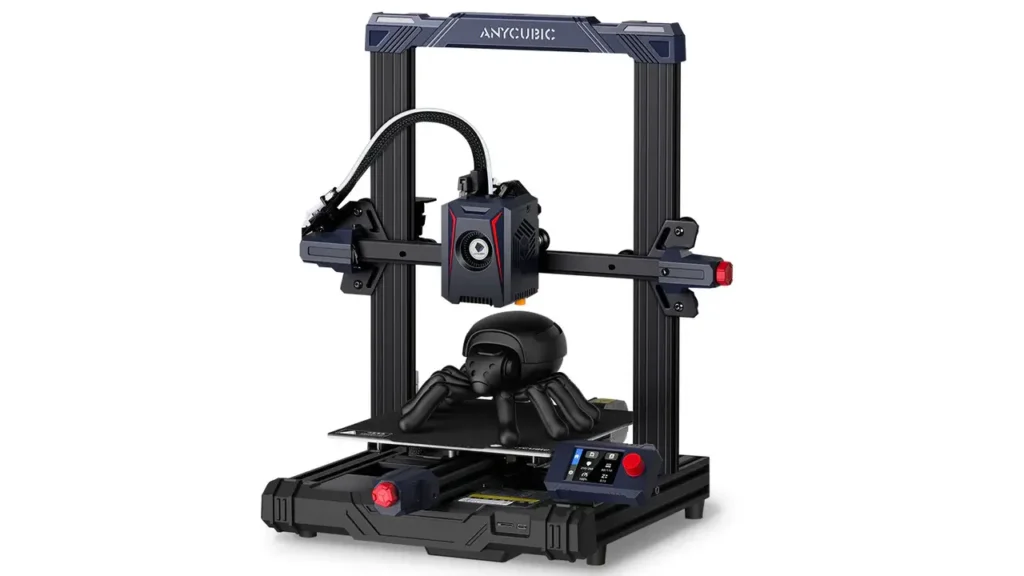
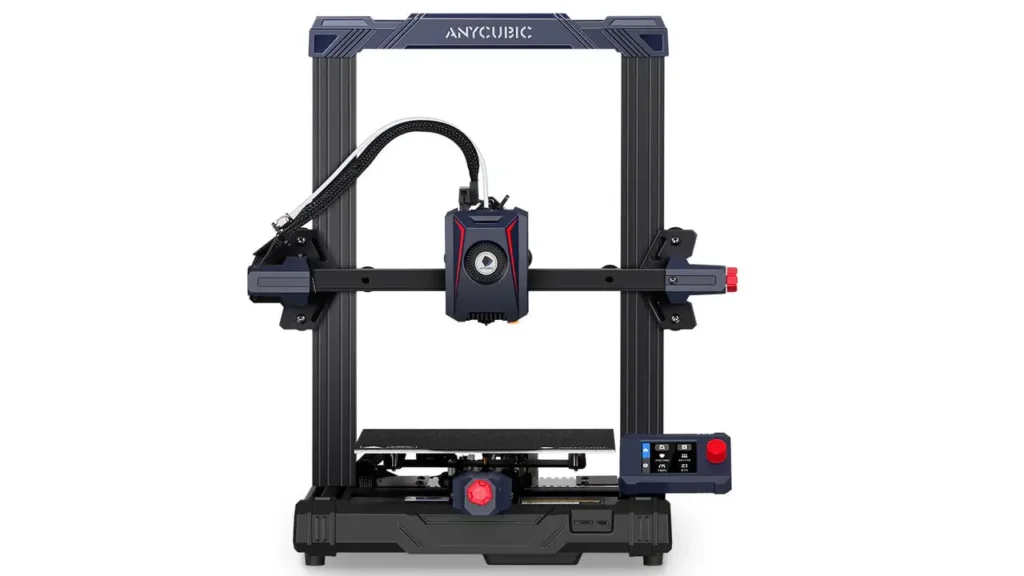
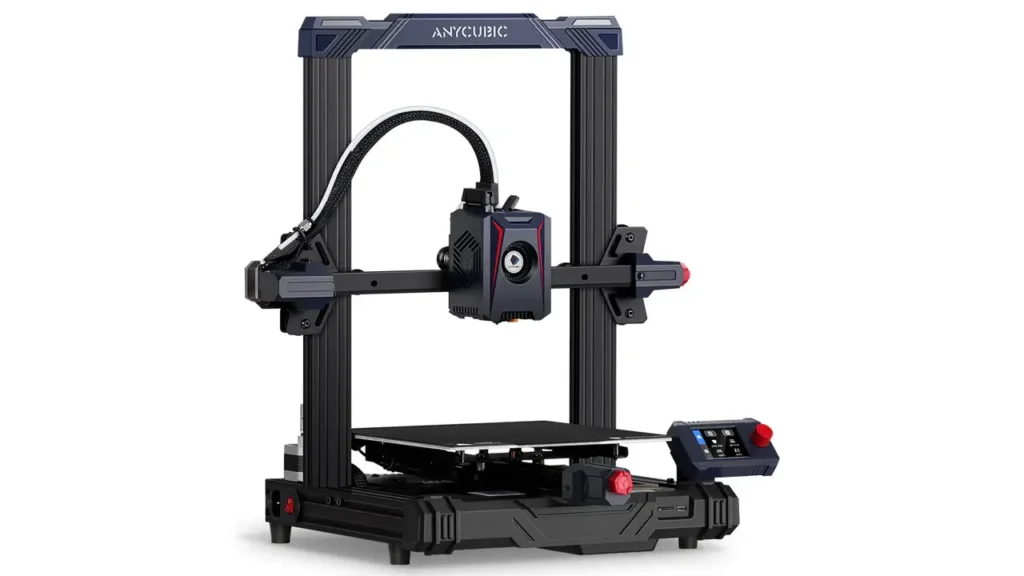
What Is the Anycubic Kobra 2 Neo?
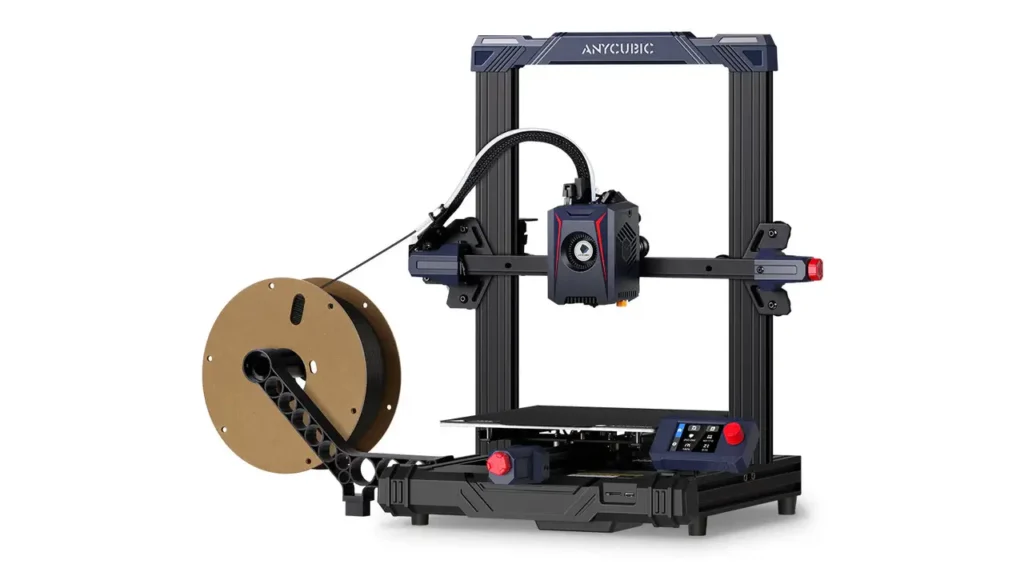
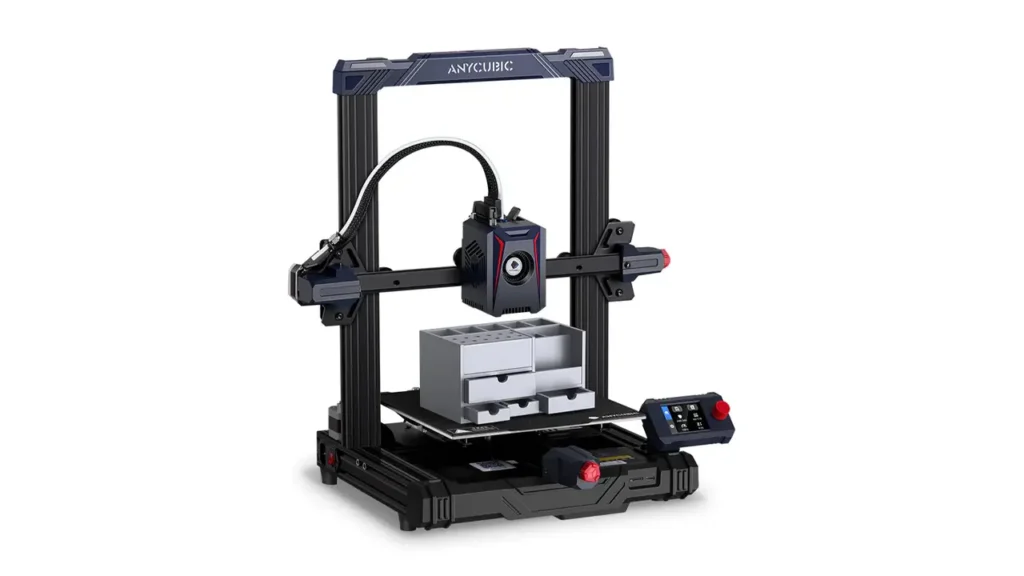
The Anycubic Kobra 2 Neo is an FDM (Fused Deposition Modeling) desktop 3D printer, released as part of Anycubic’s Kobra 2 series. It occupies the entry-level position in that lineup, designed to be the most accessible option for newcomers while still offering genuinely impressive performance improvements over older budget printers.
According to Anycubic’s official materials, the Kobra 2 Neo achieves print speeds up to five times faster than a conventional printer running at the standard 50 mm/s. That’s a bold statement — and as we’ll see throughout this review, it largely holds up in real-world use.
Anycubic essentially rebuilt the original Kobra platform from the ground up for this generation, incorporating sturdier metal components, significantly improved cooling, and a Volcano-style hotend optimized for speed and consistent filament flow. The result is a machine that feels genuinely different from its predecessor — not just a cosmetic refresh with a new name.
The Kobra 2 Neo is aimed at three main audiences: absolute beginners who want reliable results out of the box, hobbyists who want fast prints without endless calibration, and light professionals who need quick turnaround on smaller projects.
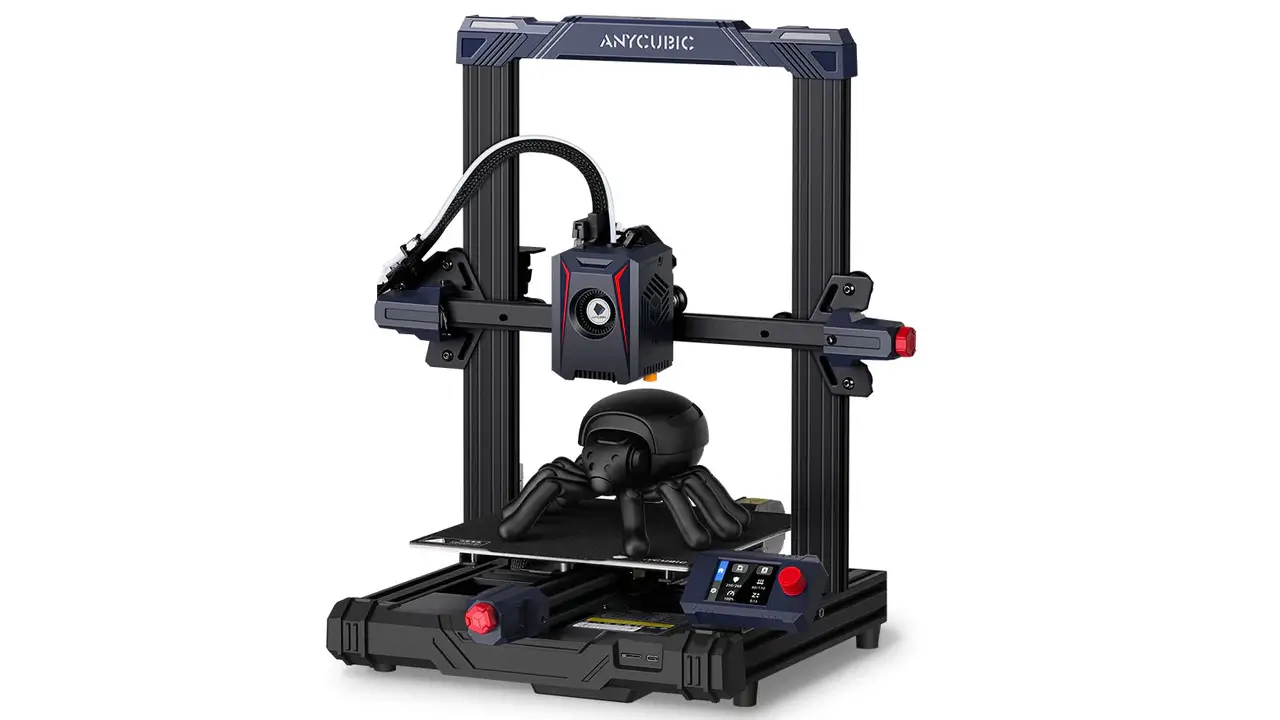
Anycubic Kobra 2 Neo
Entry-level high-speed 3D printer from Anycubic. Reliable performance, auto-leveling, and user-friendly features perfect for beginners starting their 3D printing journey.
- • High-Speed Printing
- • Auto Bed Leveling
- • Direct Drive Extruder
- • Beginner Friendly
Key Features and Innovations of the Anycubic Kobra 2 Neo
Before diving into the numbers, let’s look at what actually sets the Kobra 2 Neo apart from the crowd of budget printers competing in the same space.
High-Performance Direct Drive Extruder
The Kobra 2 Neo uses a revised version of Anycubic’s Direct Drive Extruder system. At the heart of it is a 60W hotend that melts filament quickly and consistently, paired with a high-speed material cooling fan spinning at 7,000 RPM. That powerful cooling fan is not a minor detail — at higher print speeds, your model needs to solidify almost immediately after being laid down, or you’ll end up with poor overhangs and messy layer adhesion. The combination of a fast-melting hotend and aggressive cooling is what makes high-speed FDM printing actually work in practice.
Input Shaping and Linear Advance
One of the most notable features for this price range is the inclusion of Input Shaping and Linear Advance directly within the Marlin firmware. Input Shaping reduces the vibrations and resonances that cause the infamous “ringing” or “ghosting” artifact that appears as wavy lines around sharp features in a print. Linear Advance, on the other hand, adjusts filament pressure to compensate for the natural lag in extrusion at the start and end of moves. Together, these two functions allow the printer to maintain print quality even at elevated speeds. These tools were previously associated with more advanced Klipper-based printers, so their presence in a sub-$200 Marlin machine is a genuine highlight.
LeviQ 2.0 Auto Bed Leveling
The LeviQ 2.0 system is Anycubic’s second-generation automatic bed leveling solution, and it’s a significant upgrade over manual mesh-leveling setups. It performs a fully automated 25-point bed mesh scan, maps the surface irregularities of the print bed, and then compensates for those inconsistencies in real time during printing via Z-axis offset adjustments. We’ll cover this in much more detail in a dedicated section below.
Revised User Interface
The Kobra 2 Neo drops the touchscreen found on some sibling models in favor of a 2.4-inch LCD display operated by a rotary knob. This might sound like a downgrade on paper, but in practice the knob-based UI is snappy, responsive, and easy to navigate — especially for beginners who can accidentally mis-tap touchscreen menus during a print.
Modular Design for Easy Assembly
Anycubic designed the Kobra 2 Neo to consist of just five pre-assembled modules that click together during setup. This drastically reduces assembly time and also simplifies future maintenance — if a part needs replacing, you’re swapping a module, not disassembling the entire printer.
Technical Specifications Breakdown Anycubic Kobra 2 Neo
Let’s get into the full Anycubic Kobra 2 Neo specs. The table below summarizes everything you need to know at a glance.
| Parameter | Value |
|---|---|
| Build Volume | 250 x 220 x 220 mm |
| Max Print Speed | 250 mm/s |
| Default Print Speed | 150 mm/s |
| Hotend Power | 60W |
| Nozzle Diameter | 0.4 mm (standard) |
| Layer Resolution | 0.05 – 0.35 mm |
| Extruder Type | Direct Drive |
| Bed Leveling | LeviQ 2.0 Auto (25-point) |
| Filament Diameter | 1.75 mm |
| Supported Materials | PLA, PETG, TPU, ABS |
| Max Nozzle Temperature | 260°C |
| Max Bed Temperature | 110°C |
| Display | 2.4″ LCD with Rotary Knob |
| Connectivity | MicroSD Card |
| Firmware | Marlin (with Input Shaping) |
| Frame Structure | Gantry (Cartesian) |
| Filament Runout Sensor | Yes |
| Power Supply | 350W |
| Machine Weight | Approx. 6.5 kg |
The build volume of 250 x 220 x 220 mm is perfectly adequate for most hobbyist projects, from figurines and functional parts to small enclosures and decorative items. You won’t be printing large cosplay armor pieces in one go, but for everyday use this is a solid footprint.
Setup Process and First Print Anycubic Kobra 2 Neo
One of the most common pain points with budget 3D printers is the assembly experience — some machines arrive as a bag of parts with confusing instructions. The Kobra 2 Neo takes a refreshingly different approach.
Out of the box, you’ll find the printer divided into five pre-assembled modules. The main frame and gantry system arrive partially built, so your job is essentially connecting modules together, routing a few cables, and tightening a handful of bolts. Most users report completing assembly in 15 to 30 minutes, even without prior 3D printing experience.
The package includes everything needed to get started: a full tool kit for assembly and maintenance, a microSD card with a USB adapter, a spare nozzle, a small roll of sample PLA filament, and a printed quick-start guide. The microSD card also contains pre-sliced test models, a PDF version of the full user manual, and installers for both Cura and PrusaSlicer — so you don’t even need to go hunting for software.
Once assembled, powering on the printer brings you to the main menu on the 2.4-inch LCD. From there, the process is straightforward: run Auto Leveling, load your filament through the direct drive extruder using the guided menu, and you’re ready to print. The guided filament loading process automatically heats the nozzle to 230°C, prompts you to insert the filament, and confirms extrusion before allowing you to proceed. It’s genuinely beginner-friendly in a way that many budget printers are not.
For your very first print, loading one of the pre-sliced files from the microSD card is the best approach. These profiles are already optimized for the machine, so you get a successful first print without needing to configure a slicer from scratch.
Anycubic
Shenzhen, China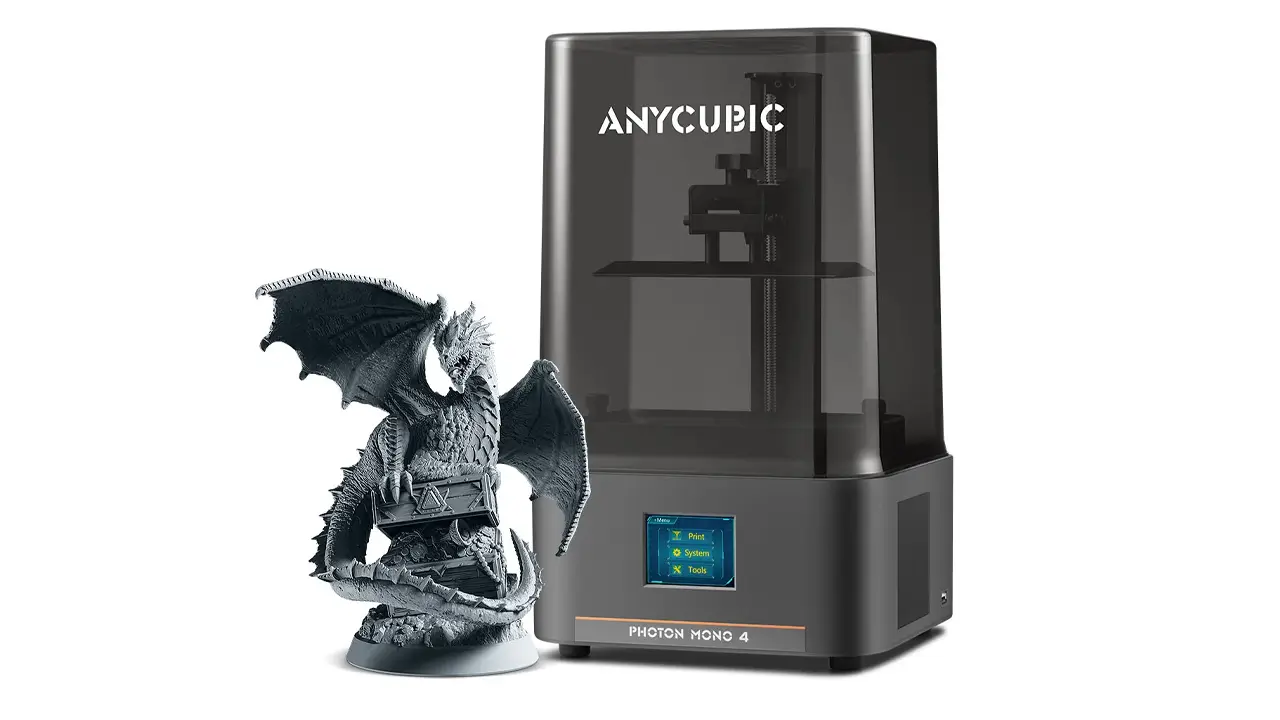
3D Printers & Materials
Speed, stability, and modern electronics. Automatic calibration, high printing speed, well-designed mechanics, and multicolor support for FDM and resin printing.
Auto Bed Leveling Performance: LeviQ 2.0 Explained
Bed leveling is one of the most frustrating aspects of FDM printing for beginners, and it’s the area where the Kobra 2 Neo genuinely shines. The LeviQ 2.0 system handles the entire process automatically with no manual paper tests or adjustment knobs required.
Here’s how it works in practice: you navigate to the Auto-Leveling option in the main menu and press confirm. The printer then automatically heats both the nozzle and the bed to their operating temperatures, probes the bed surface at 25 distinct points to map any unevenness across the build plate, and then moves to a silicone cleaning pad at the rear of the machine to wipe the nozzle clean. After that, it presses the nozzle tip against a small physical switch located behind the build plate — this switch sits at exactly the same height as the print surface. By triggering this switch, the printer precisely determines the correct Z-height for the first layer without relying on external sensors.
All of this takes roughly two to three minutes and requires zero input from you. The 25-point mesh data is then used in real time during printing to compensate for any remaining bed irregularities, adjusting the Z-axis on the fly to ensure consistent first-layer adhesion across the entire bed surface.
The system also supports user-defined Z-offset adjustments for those who want fine control. This is useful if you’re switching between different build surfaces or filament types that require slightly different first-layer gaps.
In real-world testing, LeviQ 2.0 delivers consistently reliable first layers — the area where most failed prints begin. For beginners especially, this feature alone is worth significant praise.
Print Speed and Real Performance Anycubic Kobra 2 Neo
The headline claim for the Anycubic Kobra 2 Neo is speed — and specifically the promise of reaching 250 mm/s maximum print speed, with a recommended default of 150 mm/s for quality prints.
To put that in perspective: older entry-level printers like the original Ender 3 were typically run at 40 to 60 mm/s for quality results. Even at the Kobra 2 Neo’s default speed of 150 mm/s, you’re looking at prints completing roughly two to three times faster than those older machines. At 250 mm/s draft mode, that gap widens further — though at the cost of some surface quality.
In practical use, the sweet spot for most users is the 150 mm/s default. At this speed, the combination of the 60W hotend, the high-RPM cooling fan, and the Input Shaping algorithm keeps print quality genuinely solid. Pushing toward 250 mm/s is better suited for large, simple objects or draft prints where surface finish matters less than turnaround time.
It’s worth setting expectations honestly here: maximum advertised speed and everyday usable speed are different things on every printer in this category. The Kobra 2 Neo is no exception. At 250 mm/s, fine details and thin walls can suffer. At 150 mm/s — still dramatically faster than older budget printers — the machine performs very well.
The acceleration settings also play a major role. Anycubic sets sensible defaults out of the box, and for most users there’s no need to touch them immediately. As you gain experience, tuning acceleration and jerk values can squeeze even more performance out of the machine.
Print Quality Test Results Anycubic Kobra 2 Neo
Print quality is ultimately what matters most, and the Kobra 2 Neo produces results that are genuinely impressive for its price range.
With PLA at the default 150 mm/s profile, expect clean layer lines, good detail retention on moderate geometry, and solid bridging performance thanks to the aggressive cooling fan. Overhangs up to around 45 to 50 degrees print cleanly without support structures, and taller objects show minimal warping when the bed adhesion is properly set.
PETG prints well on the Kobra 2 Neo, though you’ll want to reduce speed slightly — around 80 to 100 mm/s is a good starting point for PETG — and pay attention to stringing, which requires some retraction tuning. The direct drive extruder setup actually helps here, since direct drive systems handle flexible and semi-flexible filaments better than long Bowden tube setups.
TPU is also supported and usable, though again at reduced speeds compared to PLA. The short filament path in the direct drive configuration is a real advantage for flexible filaments that would buckle or jam in longer-path setups.
For detailed models, miniatures, and objects with fine surface features, slowing down to 80 to 100 mm/s and reducing layer height to 0.1 or 0.12 mm produces results that rival machines costing significantly more. The Input Shaping algorithm does its job here, visibly reducing the ringing artifacts that would otherwise appear around sharp corners and text features.
Firmware and Software Experience Anycubic Kobra 2 Neo
The Kobra 2 Neo runs on Marlin firmware, one of the most widely used and trusted open-source firmware platforms in the FDM printing world. Anycubic’s version includes Input Shaping and Linear Advance pre-enabled, which is a meaningful addition compared to many stock Marlin implementations that ship with these features disabled.
Firmware updates are delivered by Anycubic through their official support and download pages. The update process involves downloading the firmware file, placing it on the microSD card, and initiating the update through the printer menu — a process that takes just a few minutes.
For slicer software, the Kobra 2 Neo is compatible with all the major options. Cura and PrusaSlicer are the most commonly used, and Anycubic provides ready-made printer profiles and parameter presets for both. These profiles are a significant time-saver for beginners — rather than manually configuring print speeds, temperatures, and retraction settings, you can import the official profile and start printing immediately. Anycubic Slicer (their own branded solution based on open-source software) is also an option for users who prefer a unified Anycubic ecosystem experience.
The microSD card connectivity is the only method of transferring files to the printer — there is no Wi-Fi or USB direct printing in this model. For most users this is not a practical limitation, since slicing on a computer and transferring via card is the standard workflow for this class of printer.
Anycubic Kobra 2 Neo vs Ender 3: How Do They Compare?
The Creality Ender 3 series has been the default recommendation for budget 3D printing for years, so a direct comparison is essential for any Kobra 2 Neo review.
| Feature | Anycubic Kobra 2 Neo | Creality Ender 3 V2 |
|---|---|---|
| Default Print Speed | 150 mm/s | 50–60 mm/s |
| Max Print Speed | 250 mm/s | ~150 mm/s (pushed) |
| Auto Bed Leveling | Yes — LeviQ 2.0 (25-point) | Manual (CR Touch optional) |
| Extruder Type | Direct Drive | Bowden |
| Input Shaping | Yes (built-in) | No (stock) |
| Build Volume | 250 x 220 x 220 mm | 220 x 220 x 250 mm |
| Filament Runout Sensor | Yes | No (stock) |
| Assembly Difficulty | Very easy (5 modules) | Moderate |
| Community Support | Growing | Very large, mature |
| Upgrade Ecosystem | Moderate | Extensive |
The Ender 3 V2 has the advantage of a massive community, years of documented mods and upgrades, and very wide availability of parts. If you love tinkering, troubleshooting forums, and community-driven improvements, the Ender 3 ecosystem is hard to beat.
However, out of the box in 2024 and beyond, the Kobra 2 Neo wins convincingly on nearly every practical metric: faster speeds by default, automatic bed leveling included as standard rather than an add-on purchase, direct drive instead of Bowden, a filament runout sensor already installed, and a significantly easier assembly experience. For a beginner who wants reliable results quickly without spending extra on upgrades, the Kobra 2 Neo is the stronger starting point today.
Price, Value, and Upgrade Potential Anycubic Kobra 2 Neo
The Anycubic Kobra 2 Neo launched at around $169 to $199 USD, positioning it firmly in the budget FDM category. Prices fluctuate depending on regional promotions and retailer sales, but it has consistently been available under $200, making it one of the better-equipped printers at that price point.
For what you get out of the box — automatic 25-point bed leveling, a direct drive extruder, Input Shaping, Linear Advance, a filament runout sensor, a 60W hotend capable of 250 mm/s, and a modular design that takes 20 minutes to assemble — the value proposition is genuinely strong. You would need to spend noticeably more on an Ender 3 to add all these features via aftermarket upgrades.
Upgrade Potential
The Kobra 2 Neo’s modular design means that maintenance and part replacement are straightforward. Common upgrades and improvements that users explore include:
Nozzle upgrades are the most popular starting point. Swapping to a hardened steel nozzle opens up printing with abrasive filaments like glow-in-the-dark PLA, carbon fiber-filled materials, or metal-fill composites that would wear out the stock brass nozzle quickly.
Build plate upgrades are another popular choice. While the stock spring steel PEI sheet works well, some users switch to textured PEI plates for a matte finish on print bottoms or to improve adhesion with specific materials.
Enclosure additions help with printing materials like ABS and ASA that are sensitive to drafts and temperature fluctuations. The Kobra 2 Neo doesn’t ship with an enclosure, but third-party enclosures compatible with this footprint are widely available.
Firmware customization through Marlin’s open-source nature allows advanced users to tune the machine deeply — adjusting PID values, e-steps, acceleration profiles, and more. The community has also produced modified firmware builds that unlock additional menu options and features not present in the stock Anycubic release.
Polimerukr.com
Ukraine
3D Printing Materials & Supplies
Your trusted source for high-quality 3D printing materials in Ukraine. Wide selection of filaments, resins, and accessories for all printer types with fast local shipping.
Final Verdict: Is the Anycubic Kobra 2 Neo Worth It?
After walking through every aspect of this printer, the answer is a clear yes — with a few honest caveats.
The Anycubic Kobra 2 Neo delivers on its core promises: it’s genuinely fast for its class, the automatic bed leveling system works reliably and removes a major frustration point for beginners, the print quality at default settings is solid, and the out-of-box experience is among the most beginner-friendly in the budget FDM segment. Features like Input Shaping and Linear Advance — previously found only on more expensive machines — add real value and help maintain print quality at elevated speeds.
The caveats are equally honest. Maximum advertised speed (250 mm/s) is a headline figure — you’ll get better results at 150 mm/s for most projects. The community and upgrade ecosystem, while growing, is not yet as expansive as the Ender 3’s years-deep library of mods and documentation. And connectivity is limited to microSD, which is functional but less convenient than Wi-Fi-capable alternatives in higher price brackets.
For its intended audience — beginners, casual hobbyists, and anyone who wants fast, reliable, no-fuss FDM printing without spending a fortune — the Kobra 2 Neo hits a genuine sweet spot in the market. It’s a machine that respects your time, gets you printing quickly, and keeps producing good results without demanding constant attention.
If you’re entering the world of 3D printing in 2024 or looking for an affordable second printer, the Anycubic Kobra 2 Neo belongs firmly on your shortlist.
🇬🇧 English Review
Excellent review of the Anycubic Kobra 2 Neo. The article explains the printer’s speed, setup, and print quality in a very clear way. bestchina3dprinters.com is becoming one of the best sources for detailed 3D printer reviews and comparisons.
🇪🇸 Reseña en Español
Muy buen análisis de la Anycubic Kobra 2 Neo. La información sobre velocidad, calidad de impresión y configuración fue muy útil. El sitio bestchina3dprinters.com tiene contenido excelente para quienes buscan impresoras 3D modernas.
🇸🇦 مراجعة باللغة العربية
مقال رائع ومفيد عن طابعة Anycubic Kobra 2 Neo. الشرح واضح ويغطي جودة الطباعة والسرعة وسهولة الاستخدام بشكل ممتاز. موقع bestchina3dprinters.com يقدم مراجعات احترافية ومفصلة لمحبي الطباعة ثلاثية الأبعاد.
🇨🇳 中文评价
这篇关于 Anycubic Kobra 2 Neo 的评测非常专业。文章详细介绍了打印速度、打印质量和安装过程。bestchina3dprinters.com 是了解最新3D打印机信息的优秀网站。
🇫🇷 Avis en Français
Très bon article sur la Anycubic Kobra 2 Neo. Les explications concernant la vitesse, la qualité d’impression et l’installation sont très utiles. bestchina3dprinters.com propose des tests complets et professionnels sur les imprimantes 3D.
🇩🇪 Deutsche Bewertung
Sehr guter Bericht über den Anycubic Kobra 2 Neo. Die Informationen zu Druckgeschwindigkeit, Einrichtung und Druckqualität sind klar und hilfreich. bestchina3dprinters.com ist eine hervorragende Quelle für aktuelle 3D-Drucker-Reviews.

AndreevWebStudio.com
Professional web development and design services. Custom WordPress sites, landing pages, e-commerce solutions, and 3D printing content creation for businesses and creators.
- • WordPress Development
- • Custom Web Design
- • E-Commerce Solutions
- • 3D Printing Content
Discover more from bestchina3dprinters.com
Subscribe to get the latest posts sent to your email.