If you’ve been eyeing the world of multi-color 3D printing but weren’t sure where to start — or whether it’s even worth the investment — you’re in the right place. The Creality Hi Combo landed in March 2025 and immediately made waves in the maker community. It promises vibrant, multi-color prints, automated filament handling, and a surprisingly accessible price point. But does it actually deliver? Let’s dig in, section by section, and find out together.
1. What Is the Creality Hi Combo?
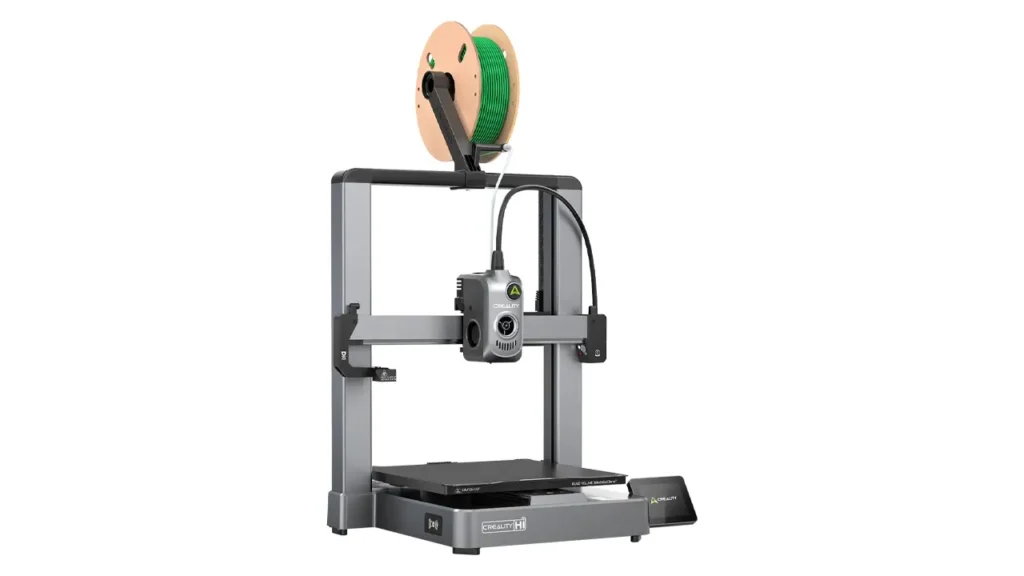
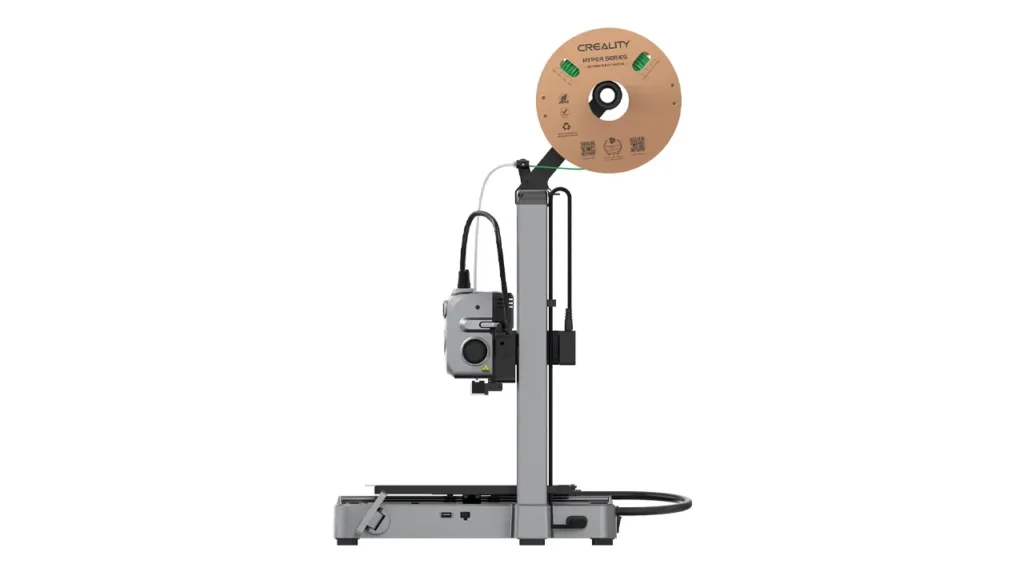
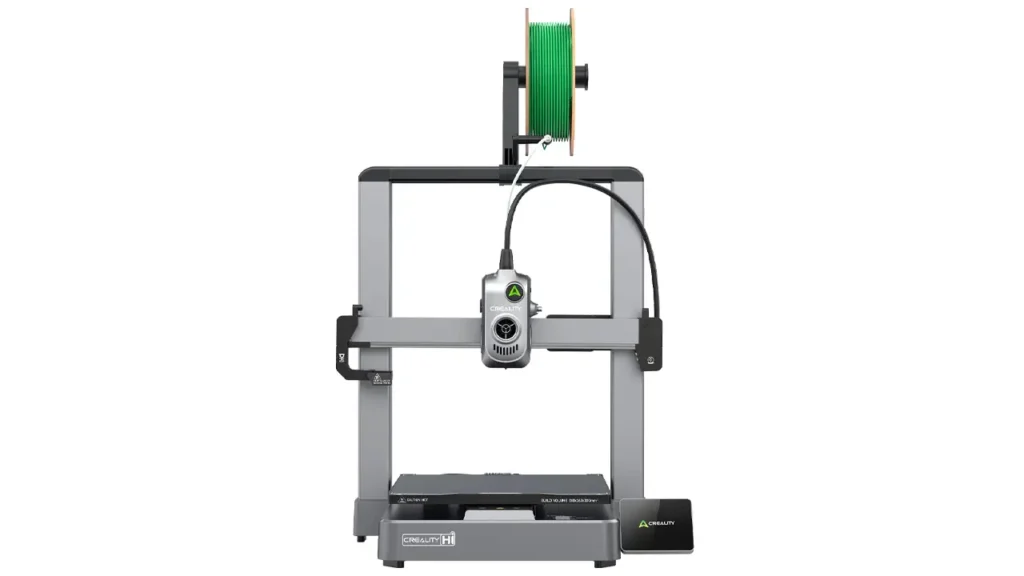
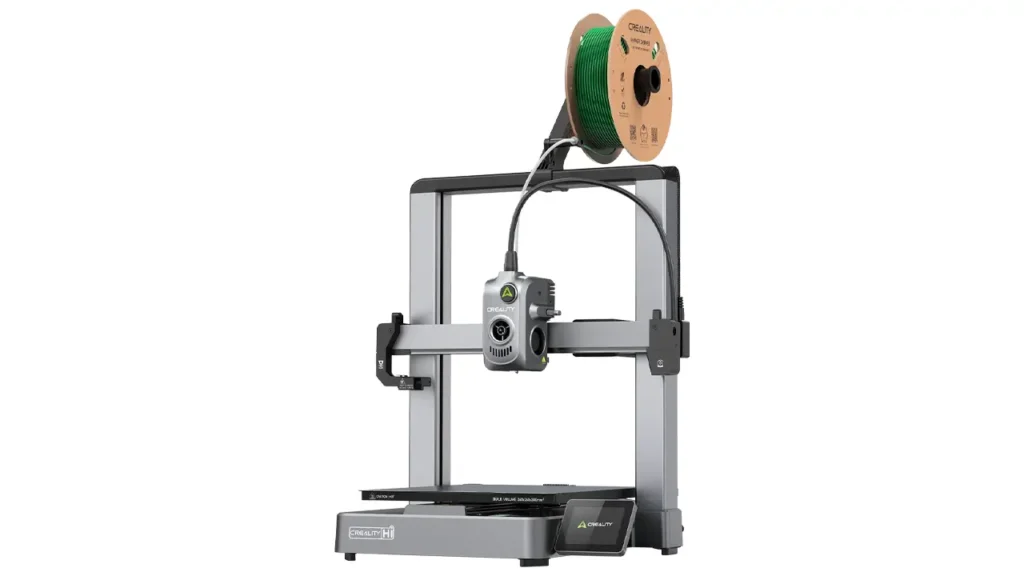
The Creality Hi Combo officially launched on March 11, 2025, positioning itself as a cutting-edge multicolor 3D printer designed to make high-quality, multi-material printing more accessible than ever before. It represents a genuinely bold step for Creality — this is the brand’s first multicolor bed-slinger model, combining an intuitive user experience with high-speed performance, broad automation, and serious print precision.
The word “Combo” in the name is the important part: this package bundles the Creality Hi 3D printer together with the Creality Filament System — the CFS — giving you everything you need for multicolor printing right out of the box, without having to source accessories separately.
One of the most refreshing things about the Hi Combo is how quick it is to get going. The printer ships 95% pre-assembled. With just seven screws and a short wiring session, you’ll be ready for your first print in roughly 8 minutes. A thoughtful quick-start guide walks you through the software setup and initial calibration without overwhelming you.
The Creality Hi runs on Creality OS, which is built on top of Klipper — one of the most popular open-source 3D printer firmware platforms in the community. This means you get the Fluidd web interface for network access, and if you want to go deeper, expert mode and full root access are available. Print files can be sent via USB drive, Wi-Fi, or managed through the Creality app on your phone. A foldable 3.2-inch touchscreen swings out from the side for direct control.
For families, hobbyists, educators, and creative makers who want multi-color results without spending time tinkering, the Creality Hi Combo is designed with you squarely in mind.
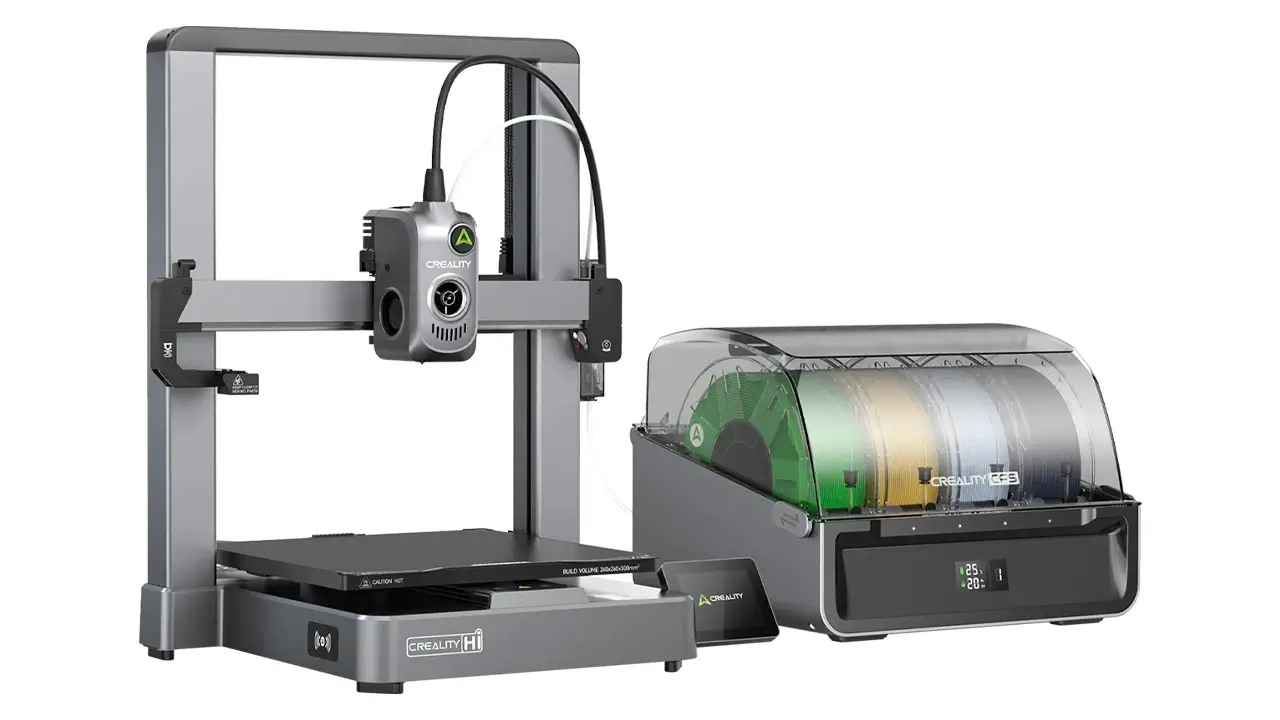
Creality Hi/Combo
Versatile 3-in-1 printing system from Creality. Combines FDM, laser engraving, and CNC capabilities in one modular platform for makers, educators, and small businesses.
- • 3-in-1 Modular System
- • FDM + Laser + CNC
- • Auto Bed Leveling
- • WiFi Connectivity
2. How the Creality CFS Works
The CFS — Creality Filament System — is the heart of what makes the Hi Combo special. Without it, you’d have a very fast single-color printer. With it, you enter a completely different tier of what’s possible.
The CFS is an intelligent multi-material system with four spool slots. Each slot holds a standard 1 kg spool, and the system supports spools with a diameter of 197–202 mm and a width of 42–68 mm. The unit automatically loads and unloads filaments, eliminating the need for tedious manual filament changes between colors.
One of the standout features is RFID support. Creality filament spools come with embedded RFID tags, and the CFS reads these automatically. This means the system already knows what material and color is loaded in each slot — you don’t have to tell it manually. That’s a meaningful quality-of-life improvement, especially when you’re working across multiple spools in a single session.
The CFS also doubles as a filament storage and drying solution. The unit is sealed and airtight, with a built-in desiccant drying system that actively absorbs moisture. A temperature and humidity display on the unit lets you monitor conditions in real time. This is especially valuable if you work with moisture-sensitive materials like PETG, ABS, or PA-CF, which can produce poor surface quality when damp.
Compatible filament types include PLA, PETG, ABS, ASA, and PA-CF. Flexible materials like TPU and water-soluble materials like PVA or BVOH are not supported through the CFS, so keep that in mind if you regularly work with those.
The system also handles filament runout intelligently. If a spool runs empty mid-print, the CFS automatically switches to an identical spool — assuming one is loaded — so your job keeps going without you having to babysit overnight prints.
3. Multi-Color 3D Printer Features Explained
Let’s talk about what multi-color 3D printing actually means in practice with the Creality Hi Combo, because the marketing numbers can sometimes obscure the real-world picture.
Out of the box with one CFS unit, you get four-color printing. That’s already a meaningful upgrade over single-color setups — you can print logos in their correct brand colors, create models with distinct body parts in different hues, or add text and detail work that stands out without any post-processing painting.
The real headline feature, though, is expandability. Up to four CFS units can be connected to a single Creality Hi printer using a special four-way attachment. That unlocks printing with up to 16 different colors or materials in a single job. This places the Creality Hi Combo in rare territory for a machine at this price point.
Color switching happens automatically. As the print job progresses, the CFS pulls the current filament back from the printer and inserts the next one. This process is managed by the slicer software — Creality Print 5.1 — which plans the purge sequences and transitions. Like all multi-material systems, this does generate some waste filament during purging, and we’ll look at that more in a later section.
Beyond colors, the CFS supports snap-away and water-soluble support materials. This opens the door to complex geometries that would be nearly impossible to support cleanly in a single material. Soluble supports simply dissolve in water after printing; snap-away supports break off cleanly without leaving marks.
4. Creality Hi Review: First Impressions
When the Creality Hi arrives, the first thing that strikes you is the build quality. The frame is constructed from die-cast aluminum alloy — a unibody design that feels genuinely rigid and well-engineered. This is not a printer that wobbles or flexes under fast movement, which matters a lot at the speeds this machine is capable of reaching.
Setup, as mentioned, is impressively fast. The 95% pre-assembled state means you’re not spending an evening building a kit. Seven screws, some cable management, and you’re in business. The boot-up guide on the touchscreen walks you through the rest clearly.
Noise levels are a practical consideration for many users. The CFS unit does generate some operational noise during filament switching, which is worth noting if you’re printing in a shared living space or office. The printer itself is reasonably quiet during standard printing, with the main noise sources being the fans and movement on the linear rails.
The foldable touchscreen is a thoughtful design touch. It can be tilted for better viewing angles and folded flat to save space when not in use. The 3.2-inch display is responsive and the interface is clean. Auto bed leveling uses a strain gauge built directly into the nozzle — the nozzle physically touches the bed surface to map it — which tends to be highly accurate.
A built-in camera monitors the print surface and supports remote monitoring via the Creality app, including timelapse recording. For longer prints, this is genuinely useful.
5. Creality Filament System Advantages
The Creality filament system brings several practical advantages that go beyond just switching colors.
Smart filament loading means you never have to manually thread filament through the bowden path every time you switch spools. The CFS automates the loading and unloading sequence. Combined with RFID reading, the system identifies each spool and syncs that data with the printer automatically.
Runout detection is handled deep inside the extruder, very close to the nozzle — an unusual placement compared to most printers, but one that minimizes wasted filament when a runout is detected. The auto-relay function means that if one spool runs empty during a job, the system seamlessly pulls from the next available matching spool without pausing or failing the print.
The filament drying capability inside the CFS adds genuine value, because filament quality directly impacts print quality. Keeping spools in a sealed, desiccant-dried environment during printing is something that many makers only do with separate standalone dryers. Having it integrated into the multi-material feeder is smart design.
| CFS Feature | What It Does |
|---|---|
| RFID Reading | Auto-identifies spool material and color |
| Auto Load / Unload | Handles filament changes without manual threading |
| Runout Detection | Triggers auto relay to next spool |
| Desiccant Drying | Keeps filament dry during printing |
| Temp & Humidity Display | Real-time monitoring of storage conditions |
| Airtight Sealed Body | Protects filament from ambient moisture |
6. Is Multicolor 3D Printing Practical?
This is the honest question that every buyer should ask before diving in. Multi-color printing is exciting — but it does come with real trade-offs compared to single-material printing.
Waste management is the most significant one. Every time the printer switches between filament colors, it needs to purge the previous color from the nozzle before starting the next. This purge material — often called “waste towers” or “purge blocks” — adds up over a long multi-color print. You will use more filament per job than equivalent single-color prints. This is true of all multi-material systems on the market, not just the Creality CFS, and the amount of waste depends heavily on how many color changes the model requires.
Print time increases are also a reality. Each filament switch takes time — the retraction, the purge, the loading of the new color. For models with frequent color changes across many layers, this can add a meaningful percentage to your total print time. For models with fewer but more dramatic color zones, the impact is smaller.
Real-world examples where multi-color printing truly shines include miniatures and figurines with skin, hair, clothing, and base colors all in one print; educational models such as anatomical diagrams, maps, or cross-sections; functional parts with color-coded zones; signage and logos printed directly in brand colors; and custom gifts and personalized items.
For purely functional parts where appearance doesn’t matter, single-color printing remains faster and more efficient. Multi-color printing earns its place when the end result genuinely benefits from it visually or functionally.
7. Creality Hi Combo Review: Print Quality Test
The Creality Hi is built for speed, but speed without quality is useless. So how does it actually perform on printed output?
The print volume is 260 × 260 × 300 mm — a generous build area, and notably taller than many competitors in this class. The 300 mm Z height is particularly useful for tall vases, figurines, or functional enclosures.
The extruder is a direct-drive all-metal design with a titanium alloy heatbreak, a copper alloy nozzle body, and a hardened steel nozzle tip. The hotend reaches up to 300°C, making it capable of handling engineering-grade materials beyond standard PLA. Dual metal gears drive the filament for reliable grip without grinding.
The print bed is covered by a flexible, dual-sided, epoxy-coated PEI plate and heated by a 1000W AC heater capable of reaching 100°C. The AC heater means the bed reaches target temperatures significantly faster than typical DC-heated beds — a practical time saver when you’re printing often.
For PLA, surface quality is excellent. Layer lines are tight, overhangs are clean, and color transitions — while not perfectly instantaneous — produce sharp boundaries when the slicer is configured correctly. The linear advance and vibration compensation (input shaping) built into Creality OS help maintain quality at higher speeds by correcting for the printer’s physical movement characteristics.
The X axis rides on a linear rail, and the Y axis is supported by two linear rails — a dual-rail Y setup that adds stability during fast moves. The Z axis uses dual lead screws with independent motors, which helps keep the gantry level across the full build height.
Creality Hi/Combo
Versatile 3-in-1 printing system from Creality. Combines FDM, laser engraving, and CNC capabilities in one modular platform for makers, educators, and small businesses.
- • 3-in-1 Modular System
- • FDM + Laser + CNC
- • Auto Bed Leveling
- • WiFi Connectivity
8. Can It Really Handle 16-Color 3D Printing?
The 16-color capability is the number that turns heads in spec sheets, so let’s be honest about what it means and what it requires.
To reach 16 colors, you need four CFS units connected to a single Creality Hi printer via a special four-way hub attachment. Each CFS holds four spools, so four units × four slots = 16 total filament positions. Creality designed this daisy-chain expansion deliberately, so the hardware side is straightforward once you have the units.
The software side is handled in Creality Print 5.1, the company’s slicer. You assign colors to model bodies or regions, and the slicer plans the purge and switching sequences. For 16-color prints, the planning becomes more complex and the waste generation increases proportionally. These are prints that demand patience — they’re not quick jobs.
What types of projects genuinely benefit from 16-color capability? Highly detailed figurines or busts with realistic color gradients, complex terrain maps with multiple elevation or region colors, decorative panels and wall art with intricate patterns, and collector-quality display models are the most compelling use cases. For practical everyday printing, 4 colors covers the vast majority of what makers actually need.
One important note: the CFS works best with Creality-branded filament spools with RFID tags. Third-party spools can be used, but you lose the automatic identification feature. Also, spool rim quality matters — the CFS supports spools via their rims on rollers, so warped or deformed cardboard spools may cause feeding issues.
9. CFS Filament System vs Bambu AMS
This is the comparison that dominates community discussions, and for good reason — the Bambu Lab A1 Combo is the direct market rival to the Creality Hi Combo.
Speed: Both printers are rated for 500 mm/s maximum print speed. The Creality Hi reaches 12,000 mm/s² maximum acceleration versus the Bambu Lab A1’s 10,000 mm/s². In practice, both machines are fast, and real-world differences at these speeds depend more on model complexity and slicer settings than raw numbers.
Build volume: The Creality Hi offers 260 × 260 × 300 mm versus the Bambu Lab A1’s 256 × 256 × 256 mm. The Hi’s 300 mm Z height is a meaningful advantage for tall prints.
Filament system comparison: The CFS is a sealed, heated, desiccant-drying enclosure. The Bambu AMS Lite is an open four-filament feeder without active drying. For users in humid environments or those printing moisture-sensitive materials, the CFS offers a genuine advantage here. The AMS Lite’s open design is simpler and has no spool rim compatibility concerns.
Expandability: The CFS scales to 16 colors across four units. The AMS Lite tops out at 4 colors on the A1. This is where the Creality Hi Combo has a clear structural advantage for users who want to grow.
Ecosystem: Bambu Lab runs a more closed ecosystem with polished, beginner-focused software. Creality’s ecosystem is more open — Klipper-based, with Fluidd access and full root control — which appeals to tinkerers and advanced users who want customization headroom.
Price at launch: The Creality Hi Combo launched at approximately $469–$519, while the Bambu Lab A1 Combo was positioned around $499–$529. The pricing is competitive enough that the decision really comes down to priorities rather than budget alone.
| Feature | Creality Hi Combo (CFS) | Bambu Lab A1 Combo (AMS Lite) |
|---|---|---|
| Max Colors | 16 (with 4× CFS) | 4 (AMS Lite) |
| Build Volume | 260 × 260 × 300 mm | 256 × 256 × 256 mm |
| Max Speed | 500 mm/s | 500 mm/s |
| Max Acceleration | 12,000 mm/s² | 10,000 mm/s² |
| Filament Drying | Yes — sealed, desiccant | No (AMS Lite is open) |
| RFID Spool Reading | Yes | Yes |
| Firmware Base | Klipper (open) | Proprietary (closed) |
| Ecosystem | Open source friendly | Polished, beginner-focused |
| Hotend Max Temp | 300°C | 300°C |
| Launch Price (Combo) | ~$469–$519 | ~$499–$529 |
The honest summary: if you want the most polished out-of-the-box experience and a quiet, reliable workflow, the Bambu Lab A1 Combo has a well-earned reputation. If you want more expandability, a taller build volume, filament drying built in, and an open platform you can tune and customize, the Creality Hi Combo makes a very strong case.
10. Final Verdict: Should You Upgrade?
After going through every angle of the Creality Hi Combo and the CFS system, here’s the honest bottom line.
Who this setup is perfect for:
The Creality Hi Combo is an excellent choice for hobbyists and makers who are ready to move beyond single-color printing and want a system that can grow with them. If you print miniatures, figurines, educational models, display pieces, custom gifts, or anything where visual complexity adds real value, this machine opens up creative possibilities that weren’t accessible at this price point before 2025.
It’s also a great fit for users who are already comfortable with a bit of software configuration and enjoy having control over their machine. The Klipper-based OS and Fluidd interface will feel familiar and freeing to anyone who has spent time in the maker community.
Who should think carefully before buying:
If you primarily print functional parts where color doesn’t matter, the added cost and complexity of a multi-material system may not serve you well. Similarly, if you want the absolute simplest possible experience with minimal learning curve, the Bambu Lab ecosystem may feel more comfortable.
Budget consideration:
The standalone Creality Hi printer launched at approximately $299–$369, with the Hi Combo (printer + one CFS unit) at approximately $469–$519. Each additional CFS unit to expand toward 16 colors is a separate purchase. Factor that into your total budget if 16-color printing is your goal.
Future-proofing:
The CFS architecture is genuinely forward-thinking. The ability to expand from 4 colors to 16 by adding units — rather than replacing the entire printer — means the system grows with your ambitions rather than becoming obsolete. Combined with the open Klipper firmware base, the Creality Hi Combo has meaningful longevity in a market that moves quickly.
Automatic filament switching has gone from a luxury to an expectation in this price tier, and the Creality CFS delivers it competently with the added bonus of active filament drying. For most hobby users stepping into multi-color printing for the first time, the Creality Hi Combo offers an accessible, capable, and expandable path forward — and that’s a genuinely exciting thing for the 3D printing community.
| User Profile | Recommendation |
|---|---|
| Hobbyist wanting multi-color models | Strong buy — exactly the right tool |
| Miniature and figurine maker | Excellent choice for detailed color work |
| Functional parts printer only | Consider a single-color high-speed printer instead |
| Beginner wanting zero complexity | Bambu Lab A1 Combo may suit better |
| Advanced user, likes to tinker | Great fit — open Klipper ecosystem |
| Educator or family maker | Very suitable — engaging and colorful results |
| User in humid environment | CFS drying system is a real advantage here |
Multi-color 3D printing is no longer a niche luxury — and the Creality Hi Combo is one of the clearest signals yet that it’s becoming genuinely mainstream. Whether you’re ready to make the switch today or just exploring your options, it’s a setup absolutely worth knowing about.
AndreevWebStudio.com
Professional web development and design services. Custom WordPress sites, landing pages, e-commerce solutions, and 3D printing content creation for businesses and creators.
- • WordPress Development
- • Custom Web Design
- • E-Commerce Solutions
- • 3D Printing Content
🇬🇧 English
“Excellent review of the Creality Hi Combo. The article explains multi-color printing in a very clear and practical way. bestchina3dprinters.com is becoming one of my favorite 3D printing websites.”
🇪🇸 Español
“Muy buen análisis del Creality CFS y la impresión multicolor. El artículo es fácil de entender y tiene información útil para principiantes y usuarios avanzados.”
🇸🇦 العربية
“مراجعة رائعة لطابعة Creality Hi Combo. أعجبني شرح نظام الألوان المتعددة وجودة الصور داخل المقال. موقع احترافي ومفيد جداً لعشاق الطباعة ثلاثية الأبعاد.”
🇨🇳 中文
“这篇关于 Creality Hi Combo 的评测非常详细。多色打印功能解释得很清楚,网站内容专业,非常适合3D打印爱好者阅读。”
🇫🇷 Français
“Très bon article sur le système Creality CFS et l’impression 3D multicolore. Les explications sont claires et le site propose des tests vraiment utiles.”
🇩🇪 Deutsch
“Sehr informativer Beitrag über den Creality Hi Combo. Die Details zum Mehrfarbdruck und automatischen Filamentwechsel sind hervorragend erklärt.”
Discover more from bestchina3dprinters.com
Subscribe to get the latest posts sent to your email.