1. Introduction to Anycubic Kobra S1 Max Combo
If you’ve been following the 3D printing world over the past couple of years, you already know how fast things are moving. New machines are launching every few months, and the competition between brands has never been more intense. But every now and then, a printer comes along that genuinely changes the conversation. The Anycubic Kobra S1 Max Combo is that machine for 2026.
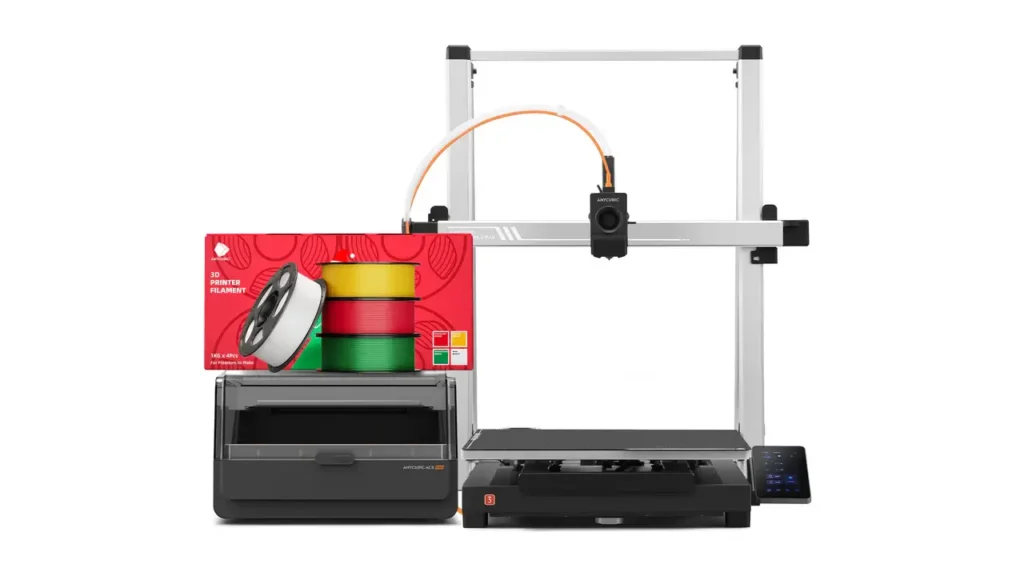
This isn’t just another incremental upgrade. The Anycubic Kobra S1 Max Combo represents Anycubic’s most ambitious step to date — a flagship-level machine that targets advanced hobbyists, small studios, engineers, and professional creators who need size, material flexibility, and visual complexity all in one package. With a massive 350×350×350mm build volume, support for up to 16 colors via four ACE 2 Pro units, a 350°C high-temperature hotend, and a 65°C actively heated chamber, this machine enters a tier that very few desktop 3D printers have ever reached.
What makes it especially exciting is the value proposition. While comparable machines from competing brands can easily run $1,200 to $1,500 or more, the Kobra S1 Max Combo launched at a price point that dramatically undercuts the competition without asking you to sacrifice the features that matter most. Demand surged so quickly after launch that Anycubic actually had to pause pre-orders — a strong signal that the market recognized something special here.
Whether you’re printing helmets, robotic frames, architectural prototypes, full-scale cosplay armor, or engineering-grade functional parts, the Anycubic Kobra S1 Max Combo is designed to handle it all right out of the box. Let’s take a deep, friendly, and honest look at everything this machine brings to the table.
2. Massive 350mm Build Volume Explained
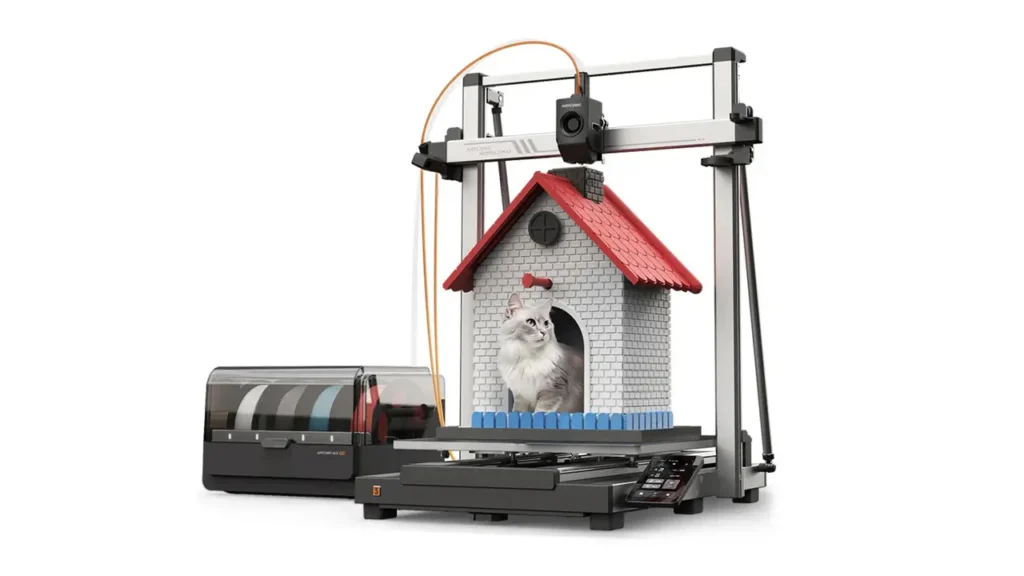
Let’s start with what is arguably the most eye-catching number on the spec sheet: the Kobra S1 Max Combo features an expanded print volume of 350×350×350mm³. That’s a cube-shaped workspace that gives you a full 350mm in every direction — width, depth, and height.
To put that in perspective, the print volume is 2.74 times larger than that of the standard Kobra S1 Combo, which already offered a respectable 250×250×250mm. The jump to 350mm across all three axes isn’t just a numbers game — it fundamentally changes what you can actually print.
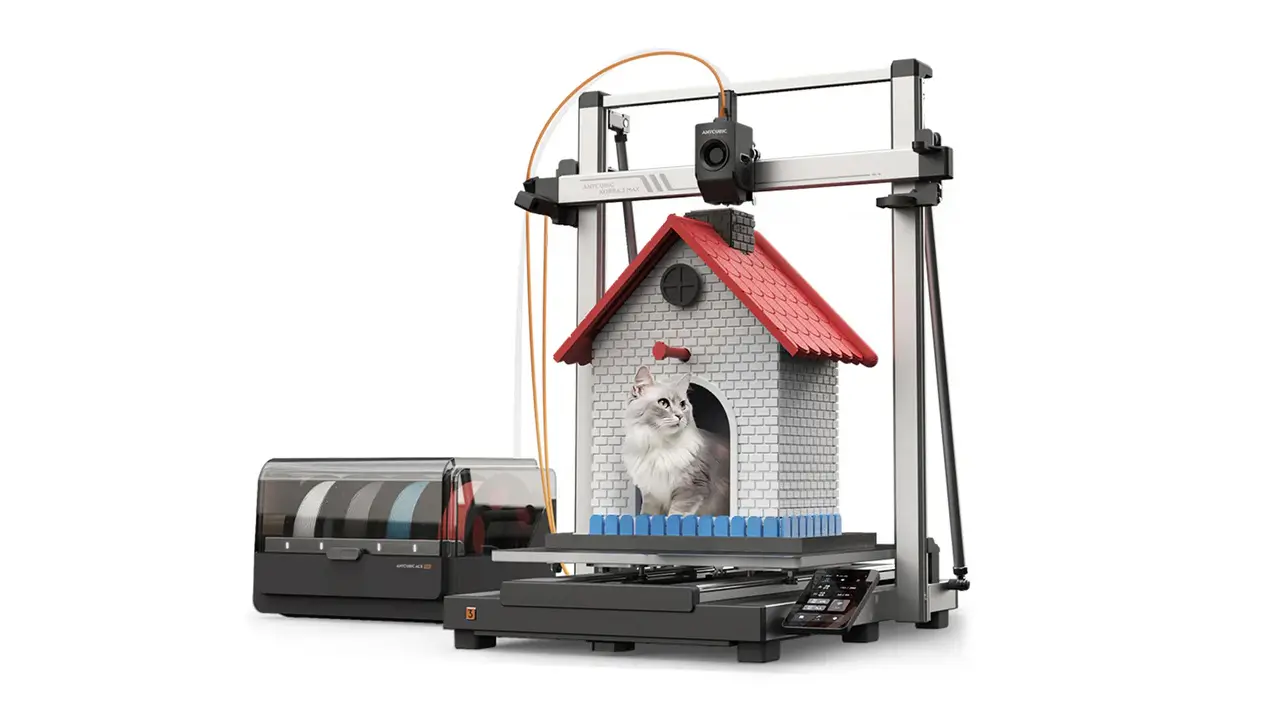
A build volume this size is genuinely large enough for props, cosplay pieces, furniture inserts, robotics frames, and full-scale prototypes. Think about the kinds of projects that previously required you to slice a model into sections and glue them together afterward. Helmets, shoulder armor, full-face masks, engine housings, speaker enclosures, large architectural scale models — objects like these can now often be printed as a single piece with no assembly required.
This is also a huge deal for functional prototyping. Engineers designing mechanical parts or product designers building demo models can now produce objects that match real-world dimensions without the compromise of scaling things down. In practical terms, the 350mm build volume bridges the gap between what was previously considered “hobbyist scale” and what belongs in a professional workflow.
The printer’s overall physical footprint is 502.7×483×584mm, which is sizeable but manageable on a dedicated workbench or desk. This is the kind of printer that earns a permanent, dedicated spot in your workspace — and once you start using it at this scale, it’s very hard to go back.
Anycubic Kobra S1 Max Combo
Large-format high-speed 3D printer combo from Anycubic. Klipper firmware, auto-leveling, and multi-material capability for professional prototyping and large-scale printing projects.
- • 420×420×500 mm Build
- • Klipper Firmware
- • Auto Bed Leveling
- • Multi-Material Ready
3. Fully Enclosed Design with 65°C Active Chamber
One of the most technically significant features of the Anycubic Kobra S1 Max Combo is its fully enclosed design paired with an actively heated chamber. This combination is what separates a truly capable engineering printer from a machine that just looks impressive on paper.
The Kobra S1 Max is equipped with a 65°C active heated chamber. This isn’t passive warmth — it’s a purpose-built thermal environment that maintains a consistent temperature throughout the entire print volume. The chamber heating assembly uses an air circulation fan at the top and activated carbon in the middle to create stable, even heat distribution.
Why does this matter so much? Because many advanced engineering filaments — ABS, ASA, Nylon, polycarbonate, carbon-fiber composites — are extremely sensitive to ambient temperature changes during printing. When the surrounding air is too cold or fluctuates, layers cool at different rates, causing warping, delamination, cracking, and overall structural weakness. A 65°C chamber eliminates these problems by keeping the entire print in a thermally stable environment from the first layer to the last.
Combined with the 350°C high-temperature hotend and a 120°C heated bed, the Kobra S1 Max Combo handles engineering-grade filaments with confidence. This tri-zone thermal system — hotend, bed, and chamber — works together to maximize print success rates and structural integrity for even the most demanding materials.
The hardened steel nozzle that comes pre-installed is another smart engineering choice. It is wear-resistant and designed specifically for abrasive filaments like carbon-fiber and glass-fiber composites. According to Anycubic’s own lab data, the hardened steel nozzle offers approximately 6 times the lifespan of a standard brass nozzle when printing these types of materials. The machine also comes with an additional 0.6mm hardened steel nozzle in the box and supports optional 0.25mm and 0.8mm sizes.
For noise-conscious users, the enclosed design also helps. The S1 Max operates at around 55dB with chamber heating enabled — measured at one meter from the front of the printer — which is reasonable given the scale and thermal output of the system.
4. 16-Color Printing with the ACE 2 Pro System
Here’s where the “Combo” part of the name really earns its place. The Anycubic Kobra S1 Max Combo achieves 16-color printing through a system of four ACE 2 Pro filament management units working in parallel. This is one of the most ambitious multi-color setups available in the desktop printer segment.
Let’s break down how it works. Each ACE 2 Pro unit manages four individual filament spools. By connecting four ACE 2 Pro units together — which requires two 8-color filament hubs and one 2-color filament hub — you get a total of 16 active filaments available to the printer at any given time. The slicer and printer firmware manage which color is fed to the hotend at each stage of the print.
The ACE 2 Pro is a significant upgrade over the original ACE Pro. The feed rate has been doubled, going from 25mm/s on the ACE Pro to 50mm/s on the ACE 2 Pro. This faster feed rate cuts filament change time from approximately 84 seconds per change on the older unit down to around 56 seconds on the ACE 2 Pro. For long, complex multicolor prints, this efficiency gain adds up to hours saved over the course of a job.
The ACE 2 Pro also supports active drying while printing, maintaining up to 65°C drying temperature. This is critical for moisture-sensitive filaments like Nylon and TPU, which absorb humidity from the air and can produce poor-quality, brittle prints if not kept dry. The unit features built-in temperature and humidity detection, sealed filament storage, and an electromagnetic valve that actively removes moisture — so your filament stays dry and your prints stay consistent.
When all four units are operational and running 16 colors, the noise level from the ACE 2 Pro system is measured at 48dB with the door closed, rising to 55dB when active drying is also enabled. These are perfectly acceptable noise levels for a studio or workshop environment.
Starting with a single ACE 2 Pro gives you 4-color printing capability. Adding a second gets you to 8 colors. The full quad-unit configuration unlocks the full 16-color potential. This modular approach means you can scale your setup over time as your projects and budget grow.
Anycubic
Shenzhen, China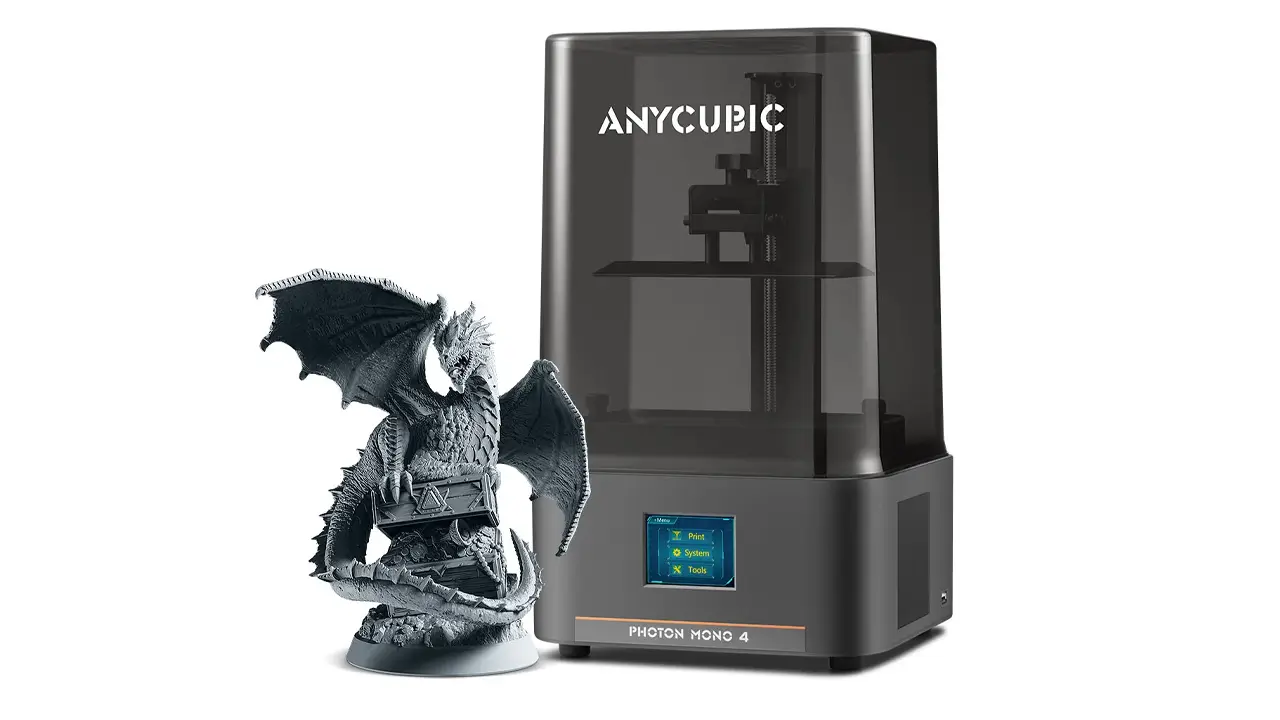
3D Printers & Materials
Speed, stability, and modern electronics. Automatic calibration, high printing speed, well-designed mechanics, and multicolor support for FDM and resin printing.
5. Professional Multicolor Printing Capabilities
Having 16-color capability on paper is one thing. What actually matters is how that capability translates into real-world output — and the Kobra S1 Max Combo delivers genuinely professional results for the right use cases.
For character models, figurines, and artistic prints, 16 colors means you can produce objects with rich, complex color gradients, distinct zones, realistic textures, and fine detail — all in a single print session without post-processing or painting. A dragon model with separately colored scales, eyes, teeth, and claws. A miniature landscape with distinct terrain colors. A branded product prototype with company colors and logo in place.
For commercial and product design work, multicolor printing dramatically reduces the time and cost between concept and presentation-ready prototype. Instead of printing a model, sanding it, priming it, masking it, painting it, and reassembling it — you print it once and it comes off the bed ready to show a client.
For engineering and functional prototyping, color can serve a practical purpose beyond aesthetics. Different materials or structural zones can be printed in distinct colors for easy identification. A mechanical assembly might use one color for static housing and another for moving components. Color coding internal channels, stress points, or assembly alignment marks is suddenly straightforward.
The professional multicolor printing workflow is managed through Anycubic Slicer Next, which is built upon the open-source OrcaSlicer foundation and has been tailored specifically for Anycubic hardware. Users familiar with Bambu Studio or OrcaSlicer will feel at home immediately. The software handles color assignment, layer planning, purge tower management, and direct control of the ACE 2 Pro units from a single interface.
It’s also worth acknowledging the honest trade-off here: single-nozzle multicolor printing inherently produces filament waste from purge cycles during color changes. For projects with many frequent color transitions, this waste can be significant. Smart slicing strategies — grouping color changes, minimizing transitions where possible, and using efficient purge settings — help keep waste manageable. This is a characteristic of all single-nozzle multi-material systems and not unique to Anycubic.
6. Hardware and Core Specifications
Let’s get into the detailed technical specifications of the Anycubic Kobra S1 Max Combo. This is the section for those who want to understand exactly what’s inside the machine.
The motion system is a fully enclosed CoreXY architecture. Two independent stepper motors control the X and Y axes simultaneously, with each motor having a dedicated belt connected to the toolhead. This arrangement means the toolhead itself is very light — only the nozzle assembly moves, not the bed — which is critical for achieving high speed without vibration or ringing artifacts.
The maximum marketed print speed is 600mm/s, with a recommended standard print speed of 300mm/s for reliable, high-quality output. Maximum acceleration is 20,000mm/s². For reference, printing a standard calibration boat at 0.2mm layer height takes approximately 13 minutes on the Kobra S1 platform. Kobra OS, the printer’s real-time operating system, uses dynamic flow control to balance extrusion force against speed automatically, ensuring consistent output at varying print speeds.
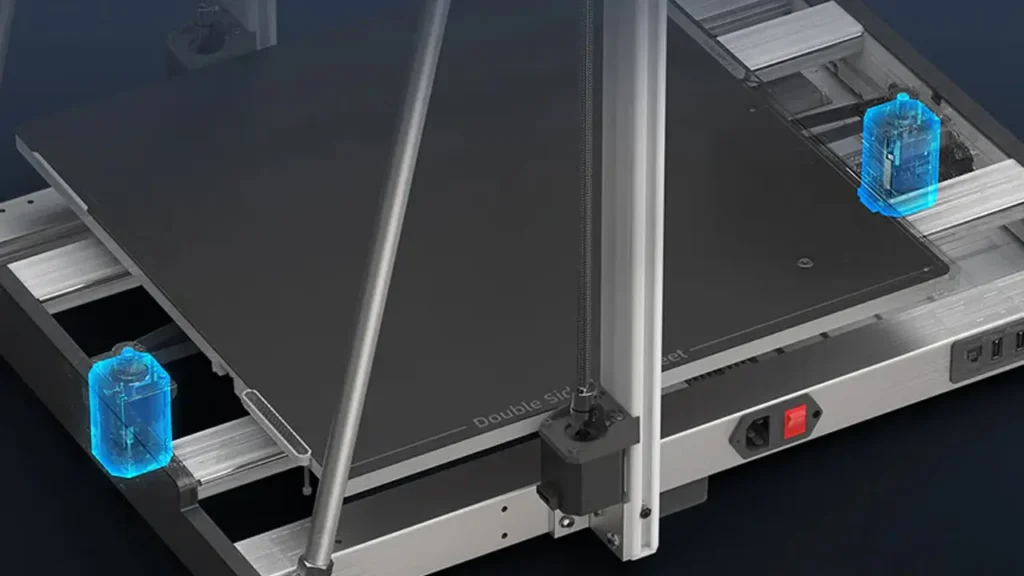
Bed leveling uses LeviQ 3.0, Anycubic’s automatic leveling system that uses 49 measurement points across the entire print surface. A strain gauge sensor in the nozzle detects micro-level contact with the bed at each measurement point, producing an extremely accurate compensation mesh. First-layer consistency is excellent as a result, with users reporting virtually zero first-layer failures under normal operating conditions.
The direct drive extruder uses dual-gear technology with an aerospace-grade ceramic composite throat tube for maximum heat resistance and a low-friction surface. The extruder is designed to be easy to disassemble and clean, with a tool-free quick-release mechanism and a built-in cleaning channel for disposing of residual filament during color changes.
The heated bed operates at up to 120°C and uses a 220V/1600W system for rapid heating. The build platform uses a flexible dual-sided PEI magnetic spring steel plate, which makes removing finished prints simple — just flex the plate and the print pops off cleanly.
The 4.3-inch color touchscreen is responsive and lag-free. The printer connects via Wi-Fi and USB, and supports over-the-air firmware updates. A built-in camera enables real-time monitoring and AI-based spaghetti detection — the system can recognize when a print has failed catastrophically and alert you or pause the job automatically. The printer also features belt tension monitoring, filament runout detection, and power-loss resume functionality.
The machine supports 10 interface languages: Chinese, English, German, Russian, Spanish, French, Italian, Korean, Japanese, and Portuguese.
Here is a full specifications table for quick reference:
| Specification | Detail |
|---|---|
| Print Volume | 350 × 350 × 350 mm³ |
| Motion System | Fully Enclosed CoreXY |
| Max Print Speed | 600 mm/s |
| Recommended Speed | 300 mm/s |
| Max Acceleration | 20,000 mm/s² |
| Hotend Temperature | Up to 350°C |
| Heated Bed Temperature | Up to 120°C |
| Chamber Temperature | Up to 65°C (Active Heated) |
| Extruder Type | Direct Drive, Dual-Gear |
| Nozzle (Standard) | 0.4 mm Hardened Steel |
| Nozzle Options | 0.25 / 0.4 / 0.6 / 0.8 mm |
| Layer Thickness | 0.05 – 0.28 mm |
| Bed Leveling | LeviQ 3.0 Auto (49 Points) |
| Build Plate | Flexible PEI Magnetic Spring Steel |
| Multi-Color System | 4× ACE 2 Pro (16 Colors Max) |
| ACE 2 Pro Feed Rate | 50 mm/s |
| Color Change Time | ~56 seconds |
| ACE 2 Pro Drying Temp | Up to 65°C |
| Noise Level (Chamber On) | 55 dB |
| Display | 4.3-inch Color Touchscreen |
| Connectivity | Wi-Fi, USB |
| Power (Hotbed) | 220V / 1600W |
| Printer Dimensions | 502.7 × 483 × 584 mm |
| ACE 2 Pro Dimensions | 368 × 291.5 × 236.5 mm |
| Interface Languages | 10 Languages |
| Slicing Software | Anycubic Slicer Next |
| Supported Filaments | PLA, PETG, ABS, ASA, PA, PC, PLA-CF, PETG-CF, TPU |
7. Real-World Performance and Print Quality
Specs tell one story. Real-world performance tells another. So what is the Anycubic Kobra S1 Max actually like to use on a daily basis?
Starting with setup: the machine is designed to be ready quickly, with a minimal assembly process and an auto-calibration routine that handles PID tuning, feedback compensation, and auto-leveling sequentially. The full process takes roughly 10 minutes, and after that the printer is genuinely ready to print.
First-layer performance is excellent. The LeviQ 3.0 system with 49-point measurement and strain gauge sensing at the nozzle produces a remarkably consistent first layer across the entire 350×350mm surface. That’s a large area to keep perfectly level, and the system handles it well. Users report virtually no first-layer failures under normal conditions.
At recommended speeds of 300mm/s, print quality is sharp and consistent. Layer lines are uniform, overhangs are clean, and color transitions — while not instant — are handled neatly by the nozzle cleaning module, which wipes residual filament from the tip during color changes. The purge mechanism ejects waste material into a dedicated waste channel, keeping the print surface clean.
The dual-external circulation cooling fans are a practical feature that pulls external air into the chamber during cooling phases, rapidly dissipating heat for faster filament solidification. This helps minimize stringing and warping while also stabilizing temperatures in the throat tube to prevent heat creep and clogs.
The Kobra OS real-time flow control system constantly monitors and adjusts the balance between print speed and extrusion pressure. This is important at higher speeds, where under-extrusion or over-extrusion can quickly degrade print quality. The dynamic compensation keeps output consistent across varying geometries.
The built-in camera delivers good image quality and is tightly integrated into the printer’s software ecosystem. Real-time monitoring is practical, and the AI spaghetti detection has proven useful for catching failed prints early — especially for long overnight jobs where you’re not physically watching the printer.
For multicolor prints, the color transition quality is good, with the nozzle cleaning module doing effective work between swaps. The 56-second color change time on the ACE 2 Pro is a notable improvement over the previous generation and keeps multicolor print durations manageable.
Polimerukr.com
Ukraine
3D Printing Materials & Supplies
Your trusted source for high-quality 3D printing materials in Ukraine. Wide selection of filaments, resins, and accessories for all printer types with fast local shipping.
8. Industrial Desktop Potential
The Anycubic Kobra S1 Max Combo occupies a fascinating and increasingly important space in the market: the industrial desktop segment. This is the zone between consumer hobbyist printers and full-scale industrial manufacturing systems — and it’s a space that more professional users are looking to fill every year.
What defines an industrial desktop printer? Broadly: the ability to reliably process engineering-grade materials, produce dimensionally accurate and structurally sound parts at scale, operate for extended periods without intervention, and do so in a form factor that fits in an office, studio, or small workshop rather than a factory floor.
The Kobra S1 Max Combo checks all of these boxes. The 65°C active chamber is the key industrial differentiator — without chamber heating, you simply cannot reliably print ABS, Nylon, polycarbonate, or carbon-fiber composites at this build volume without warping issues. The 350°C hotend handles the full range of these materials with the thermal headroom to spare.
The hardened steel nozzle with its extended lifespan is an important practical detail for production environments where abrasive filaments like PLA-CF and PETG-CF are used regularly. Replacing nozzles every few hundred grams of abrasive filament would be costly and disruptive in a commercial context — the hardened steel nozzle addresses this directly.
Belt tension monitoring, AI anomaly detection, power-loss resume, and filament runout detection are all features that reduce operator attention requirements during long print jobs. In a small business or studio setting where the printer may be running unattended for many hours, these safety and reliability features are not nice-to-haves — they are essential.
The modular ACE 2 Pro system also has a production-friendly logic to it. You can start with a single unit for four-color work and scale to 16 colors as your workflow demands. Each unit operates independently, meaning a problem with one doesn’t necessarily halt the others.
The Kobra S1 Max Combo genuinely competes in the lower tier of industrial desktop printing — a category where machines from brands like Markforged and Stratasys carry price tags starting in the tens of thousands of dollars. For small studios, educational institutions, and engineering teams with moderate production needs, the value proposition is significant.
9. Who Should Buy This Printer
The Anycubic Kobra S1 Max Combo is a powerful machine, but it’s not the right fit for everyone. Let’s talk honestly about who will get the most from it — and who might want to look elsewhere.
This printer is an excellent choice for advanced hobbyists who have already outgrown smaller machines and find themselves constantly splitting models, scaling things down, or wishing they could print in more than four colors. If you’ve hit the ceiling of what a 250mm or 300mm printer can do for your projects, the Kobra S1 Max Combo is a natural and well-justified step up.
Cosplay creators and prop makers will find this machine genuinely transformative. The ability to print a full helmet, chest piece, or gauntlet as a single part — in multiple colors — removes hours of finishing work and produces results that were previously only achievable with professional equipment. Footwear components, armor panels, and display pieces are all natural fits for this platform.
Engineers and product designers working in a studio or small team environment will appreciate the material range and dimensional accuracy. Whether you’re prototyping mechanical assemblies in ABS or functional brackets in carbon-fiber composites, this machine handles it without the material compromises that haunt cheaper printers.
Small creative businesses — workshops, model studios, prop houses, design agencies — that need a capable in-house production tool without a six-figure capital investment will find the Kobra S1 Max Combo a compelling option. The price-to-capability ratio is genuinely strong compared to everything else in its class.
Educators running engineering, design, or technology programs at the university or advanced high school level will also benefit from what this machine offers. Students can work at real-world scale with real engineering materials.
Who might want to look elsewhere? Complete beginners would be better served starting with a simpler, smaller machine before moving to this level of complexity. If your ecosystem matters more than build volume — if you want the tightest software integration, the largest community, and the most polished end-to-end experience — Bambu Lab’s ecosystem is still the leader in that regard. And if your workspace simply cannot accommodate a machine of this footprint, the Kobra S1 Max Combo may be more printer than your situation allows.
Anycubic Kobra S1 Max Combo
Large-format high-speed 3D printer combo from Anycubic. Klipper firmware, auto-leveling, and multi-material capability for professional prototyping and large-scale printing projects.
- • 420×420×500 mm Build
- • Klipper Firmware
- • Auto Bed Leveling
- • Multi-Material Ready
10. Final Verdict: Is the Anycubic Kobra S1 Max Combo Worth It?
After going through every dimension of this machine — from its enormous 350mm build volume to its 16-color ACE 2 Pro system, from the 65°C active chamber to the hardened steel hotend and LeviQ 3.0 leveling — the conclusion is clear: the Anycubic Kobra S1 Max Combo is one of the most capable and best-value large-format 3D printers available in 2026.
Here’s what the comparison landscape looks like. The Creality K2 Plus Combo offers a similar 350×350×350mm build volume and multi-color capability, but at a significantly higher price point — typically around $1,299 or more. Bambu Lab’s ecosystem is unrivaled for software polish and automation, but their offerings don’t reach this build volume. Flashforge provides multi-color options, but not in an enclosed, high-temperature, large-format configuration. In the specific overlap of large build volume, active chamber heating, multi-color printing, and engineering-grade material support — the realistic choices on the market are the Kobra S1 Max Combo and the Creality K2 Plus Combo. And the Anycubic offering undercuts its main rival by a substantial margin.
The trade-offs are real but manageable. The ecosystem is not as mature as Bambu Lab’s — software updates are ongoing, and the community is growing but not yet at the same scale. Single-nozzle multicolor printing produces filament waste that needs to be managed through smart slicing practices. And the large footprint requires dedicated workspace.
But in return, you get a machine that prints at full helmet scale in 16 colors using ABS, Nylon, or carbon-fiber composites — reliably, with auto-leveling, AI monitoring, active drying, and a 350°C hotend — at a price that was previously impossible for this capability set.
The pre-order pause caused by overwhelming demand tells its own story. The market recognized what this machine is before reviewers could even finish their first test prints.
For advanced hobbyists, professional creators, engineers, small studios, and educators who need the real combination of size, material capability, and multicolor output — the Anycubic Kobra S1 Max Combo is not just worth it. In 2026, it is the flagship choice.
🇺🇸 John Miller ⭐⭐⭐⭐⭐
Excellent breakdown of the Anycubic Kobra S1 Max Combo. The article is clear, detailed, and actually useful for decision-making. I especially liked the explanation of the 16-color system. Highly recommended resource.
🔗 https://bestchina3dprinters.com/
🇪🇸 Carlos Ramírez ⭐⭐⭐⭐⭐
Gran artículo y muy bien estructurado. Explican perfectamente las características del Anycubic Kobra S1 Max Combo. El sitio es rápido y fácil de usar. Sin duda volveré a leer más reseñas aquí.
🔗 https://bestchina3dprinters.com/
🇸🇦 أحمد الخالدي ⭐⭐⭐⭐⭐
موقع رائع ومقال احترافي جدًا. شرح الطابعة كان واضح ومفيد خصوصًا نظام الألوان المتعددة. أنصح به لكل المهتمين بالطباعة ثلاثية الأبعاد.
🔗 https://bestchina3dprinters.com/
🇨🇳 李伟 (Li Wei) ⭐⭐⭐⭐⭐
内容非常专业,讲解清晰易懂。Anycubic Kobra S1 Max Combo 的多色打印系统介绍得很好。网站整体体验也很流畅,值得收藏。
🔗 https://bestchina3dprinters.com/
🇫🇷 Julien Moreau ⭐⭐⭐⭐⭐
Article très informatif et bien écrit. Les détails techniques sont clairs et utiles. Le site donne une impression professionnelle et fiable. Je recommande vivement.
🔗 https://bestchina3dprinters.com/
🇩🇪 Maximilian Bauer ⭐⭐⭐⭐⭐
Sehr gute und ausführliche Bewertung. Die Informationen sind präzise und hilfreich. Besonders die Multicolor-Funktion wurde gut erklärt. Eine der besten Seiten für 3D-Drucker Reviews.
🔗 https://bestchina3dprinters.com/
Discover more from bestchina3dprinters.com
Subscribe to get the latest posts sent to your email.