Introduction to the QIDI Q2 Combo
If you’ve been following the 3D printing world closely, you’ve probably noticed that the competition between manufacturers has never been fiercer. Every few months, a new machine arrives promising to deliver professional-grade results at an accessible price — and the QIDI Q2 Combo is one of the most talked-about entries in that race right now.
This QIDI Q2 Combo review is going to walk you through everything you need to know: from how it looks and feels out of the box, to how it handles demanding engineering filaments, to whether the headline multicolor feature actually delivers. Spoiler: the story is more layered than the marketing suggests, but there is a lot here worth getting excited about.
So who is this printer actually for? The Q2 targets prosumers and small workshops that need reliable high-temperature material printing. It is ideal for functional prototypes, engineering parts, and makers working with ABS, ASA, PC, PA, and carbon fiber reinforced filaments. Beginners may find the enclosed design and chamber heating a little overwhelming at first, but the excellent auto-leveling and intuitive interface make it genuinely accessible even for newcomers.
The QIDI Q2 Combo — also referred to as the QIDI Q2C Combo — comes in two configurations. The standalone machine retails at $499, and the Combo version that pairs the printer with the QIDI Box multi-material unit is priced at $649. That $150 gap is an important part of this conversation, and we will come back to it in detail when we look at value for money.
Let’s dive in.
Design and Build Quality
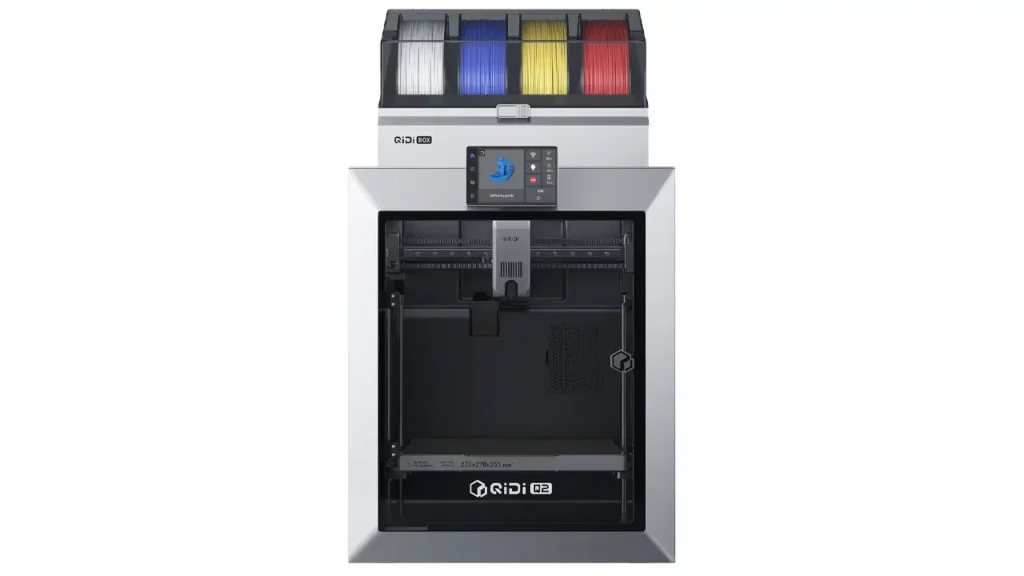
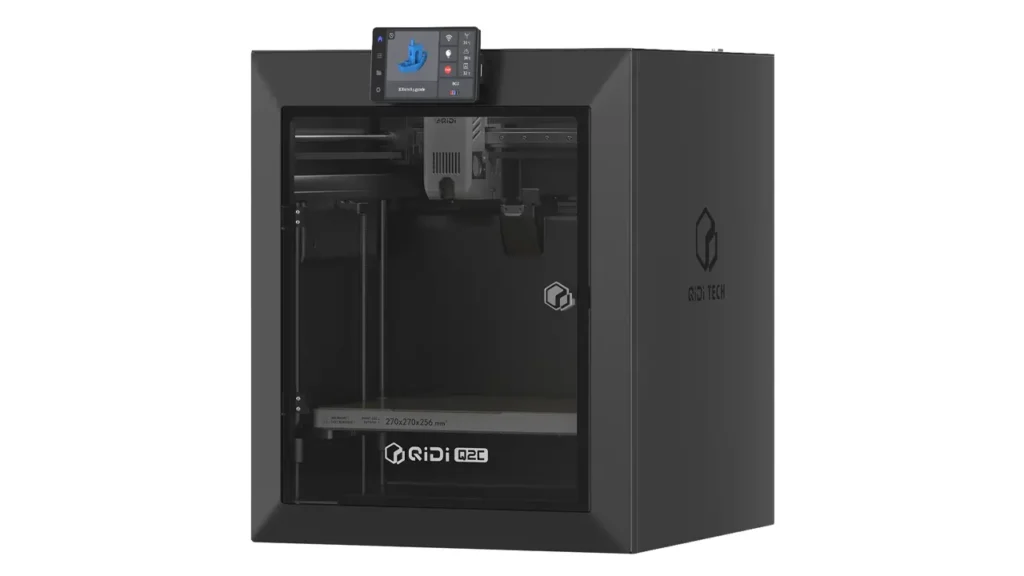
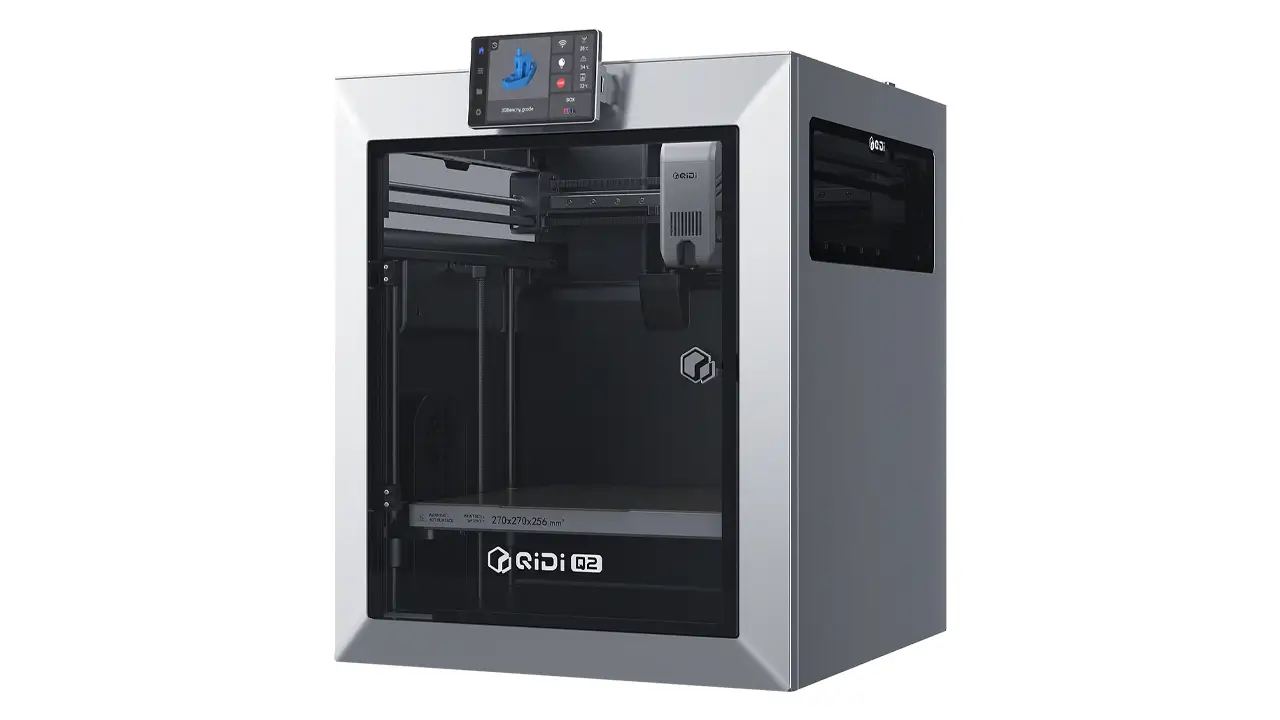
First impressions matter, and the QIDI Q2 Combo makes a strong visual statement. It is a compact, fully enclosed machine with a clean industrial look that clearly draws inspiration from the premium tier of the 3D printing market. The enclosure features a glass door at the front, a sliding top cover, and plastic side windows that let you observe prints in progress without opening anything up.
Under the skin, the QIDI Q2 Combo features a full-metal frame paired with precision bearings, delivering what QIDI describes as their signature stable and reliable manufacturing quality. The motion system is CoreXY, which means the print head moves across both the X and Y axes while the bed only moves vertically — a design that generally enables faster and more accurate prints compared to traditional bed-slinger printers.
On the X-axis you get a high-hardness linear guide rail, while the Y-axis runs on two linear rods driven by a pair of stepper motors connected by QIDI’s custom 1.5GT belt. This belt design, with its increased tooth density, is specifically engineered to minimize vibrations and reduce the visual artifacts that can appear as faint ripple patterns on print surfaces. The Z-axis uses two independent lead screw motors running on four linear rods, giving the build plate steady and precise vertical movement throughout even tall prints.
One of the most thoughtful design details is the sliding top cover. Keep it closed when printing ABS, PC, or other engineering materials that need a warm environment to prevent warping. Slide it open when printing PLA or PETG, where you want the electronics and filament to stay cool. It is a small thing, but it shows that QIDI actually thought about real-world printing workflows when designing this machine.
Safety is also clearly a priority here. The interior panels are made from flame-retardant materials, and the QIDI Q2 is the first entry-level 3D printer to achieve US MET certification, meeting rigorous safety standards established by the Nationally Recognized Testing Laboratory accredited by OSHA. The printer also holds IECEE CB certification for international markets. For anyone printing indoors — especially in a home with children or in an office — that certification matters.
The overall build feels solid and well put together. The external dimensions come in at 402 × 438 × 494 mm, making this a mid-sized machine that will fit comfortably on most desks or workshop shelves without dominating the space.
QIDI Q2
High-Speed 3D Printer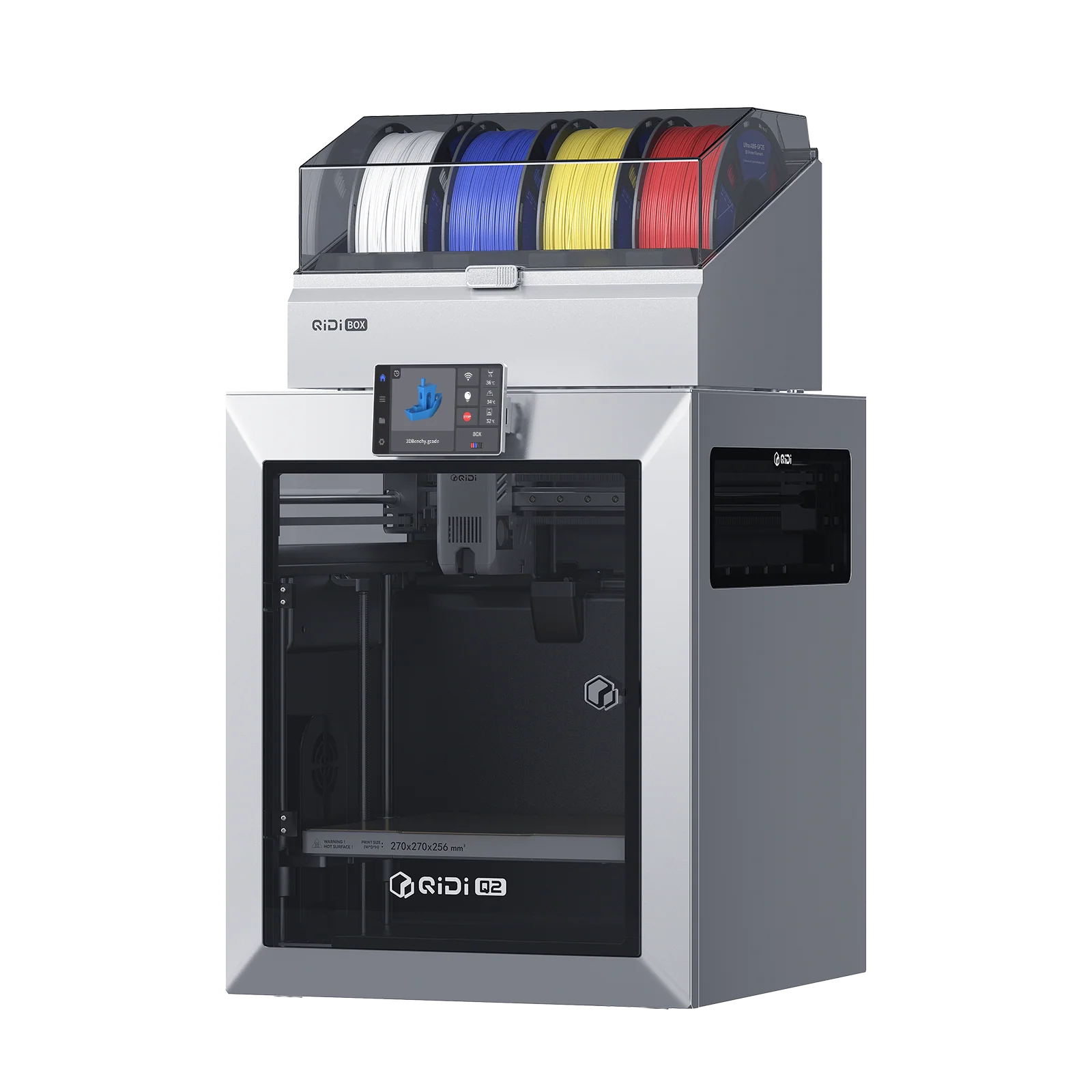
Professional FDM Printer
Next-generation high-speed 3D printer from QIDI Tech. Advanced CoreXY mechanics, intelligent features, and reliable performance for professionals and enthusiasts.
Technical Specifications
Before we get into the hands-on experience, let’s lay out the key QIDI Q2 Combo specs in one place.
| Specification | Details |
|---|---|
| Build Volume | 270 × 270 × 256 mm |
| Printer Type | Enclosed CoreXY FDM |
| Max Nozzle Temperature | 370°C |
| Max Bed Temperature | 120°C |
| Chamber Heating | Active, up to 65°C |
| Max Tool Head Speed | 600 mm/s |
| Max Acceleration | 20,000 mm/s² |
| Extruder Type | Direct Drive, Dual-Gear, 8.9:1 ratio |
| Nozzle Material | Bimetal Hardened Steel |
| Build Plate | Dual-Sided Textured PEI |
| Leveling System | Auto, Load-Cell Nozzle Sensor |
| Camera | HD AI Camera, up to 1080P |
| Display | 4.3-inch Color Touchscreen (480×272) |
| Connectivity | Wi-Fi (2.4G & 5G), Ethernet, USB, QIDI Cloud |
| Air Filtration | G3 Pre-filter + H12 HEPA + Activated Carbon |
| Firmware | Klipper (open access) |
| Slicer Software | QIDI Studio, OrcaSlicer, PrusaSlicer |
| External Dimensions | 402 × 438 × 494 mm |
| Price (Standalone) | $499 |
| Price (Combo with QIDI Box) | $649 |
One spec worth highlighting immediately: the 370°C nozzle temperature combined with a 65°C heated chamber is genuinely unusual at this price point. Most entry-level and even mid-range enclosed printers cap out at 280–300°C on the hotend and offer no active chamber heating at all. The QIDI Q2 Combo’s thermal envelope opens the door to a range of engineering-grade materials that most printers in this class simply cannot touch.
The firmware is another standout detail. The Q2 runs on Klipper, fully open-source firmware, and QIDI has not locked down access to it. You can log in as root via SSH, tune pressure advance, adjust input shaping, and enable features like KAMP (Klipper Adaptive Meshing and Purging) that the official wiki documents clearly. This is the kind of openness that advanced users genuinely appreciate.
Setup and First Print
The QIDI Q2 Combo setup experience is refreshingly straightforward. The printer ships in two boxes — one for the Q2 itself and one for the QIDI Box. The printer arrives almost fully assembled from the factory. Inside the box you will find the touchscreen (which arrives detached and needs to be clipped on), an external spool holder, Ethernet and power cables, a full toolkit, a flash drive with files, and a paper quick start guide.
Calibration happens automatically and is impressively well designed. The leveling system uses the nozzle itself as a contact sensor via an integrated load-cell. Instead of relying on a separate probe with its own offset to calculate, the nozzle taps the build plate directly. This eliminates the probe offset variable entirely and means the system is measuring exactly where filament will be deposited. The result across multiple tests is consistent, excellent first layers that require no manual Z-offset tweaking.
QIDI also enables KAMP support through the official wiki. This feature adjusts the leveling mesh to the actual print area rather than running a full bed mesh scan every single time a job starts — which both speeds up print start times and improves leveling accuracy for the specific region being printed.
Input shaping calibration also runs automatically during the initial setup sequence, helping the printer compensate for resonance frequencies in the frame that could otherwise appear as ringing artifacts on print surfaces.
For software, QIDI recommends QIDI Studio as the primary slicer, which is optimized with printer-specific profiles. However, since the Q2 runs Klipper, it is fully compatible with OrcaSlicer and PrusaSlicer as well. Supported file formats include STL, OBJ, 3MF, and STEP/STP — a solid range that covers virtually every design workflow.
Connectivity options are generous: Wi-Fi on both 2.4G and 5G bands, a wired Ethernet port for maximum stability, QIDI Cloud for remote monitoring, and offline USB printing for those who prefer to keep things local. The Klipper setup means everything is handled locally by default — you are not forced to register an account or route your prints through external servers to use your own machine.
One useful accessibility note for users of QIDI brand filament: each spool comes with an NFC tag that the printer can read automatically, applying the correct material settings without any manual input. Third-party filaments require you to enter material information through the touchscreen, which is a minor extra step but not a significant inconvenience.
Printing Speed Performance
The QIDI Q2 Combo speed claims are among the most prominent in its marketing materials, and they deserve an honest look. According to official specifications from QIDI, the tool head can move at up to 600 mm/s with a maximum acceleration of 20,000 mm/s². Those are genuinely impressive numbers on paper.
In real-world printing, however, those peak figures are not the whole story — and QIDI acknowledges this directly. In practice, print speeds depend on the material being used and the flow rate the nozzle can sustain. For high-speed PLA and ABS profiles, real-world printing speeds typically land around 300 mm/s under normal quality settings. The 600 mm/s figure represents the absolute maximum tool head travel speed, which is reached during rapid non-print moves rather than active extrusion.
That said, 300 mm/s for a quality print is still a very strong real-world result. For context, many well-regarded printers in this price bracket achieve 200–250 mm/s under comparable quality conditions.
One thing worth noting from hands-on testing is that the factory default speed profiles can be on the aggressive side. Some reviewers have noted visible flow inconsistencies and slight surface artifacts when running out-of-the-box profiles at full speed, particularly with PETG. Slowing the profiles down a little — or using the pressure advance tuning tower that QIDI Studio provides — resolves most of these issues. The fact that QIDI gives you a built-in tool in the slicer to tune pressure advance yourself is genuinely appreciated and sets the Q2 apart from competitors that offer only a broken auto-tune button with no manual alternative.
QIDI has also indicated that a high-flow nozzle will be released in the future to push speed performance even further, so the platform has room to grow.
Qidi Tech
Shenzhen, China
Engineering Printers
Professional-grade printers for engineering materials. Enclosed chambers, high-temperature hotends, and industrial reliability for demanding applications.
Print Quality Test Results
When the QIDI Q2 Combo is running well, QIDI Q2 Combo print quality is genuinely excellent — especially on engineering materials. ABS prints cleanly without warping or layer splitting, even on large functional parts with sharp corners. PETG-CF runs through without issues. PPS, PA 6, PA 11, PA 12, and PC are all within the machine’s comfort zone thanks to the 370°C hotend and 65°C chamber working together to create a thermal environment that cheaper printers simply cannot replicate.
The load-cell leveling system delivers consistently excellent first layers. Multiple independent tests from different reviewers confirm that first layers require no manual adjustment and adhere perfectly across the textured PEI surface.
The linear guide rail on the X-axis contributes to smooth toolhead movement, and the custom 1.5GT belt design reduces the Vertical Fine Artifacts (VFAs) that often appear as faint repeating surface ripples on CoreXY printers. At standard quality speeds the surface finish is clean and precise.
At maximum speed settings, some VFAs do become more visible, and overhangs show minor curling at the edges — particularly with PETG. These are typical trade-offs when pushing any printer to its absolute limits and can be improved through profile tuning. The motor microstepping is not automatically matched, which is something to be aware of if you are chasing the smoothest possible surfaces at high speeds.
The AI camera deserves a mention here too. The integrated HD camera can detect spaghetti failures and other printing malfunctions and automatically pause the print to prevent wasted material and potential damage. It is a practical safety net for long print jobs, especially useful if you are printing overnight or stepping away from the machine.
Multicolor Printing Capability
This is the section where the QIDI Q2 Combo story gets complicated — and where it is important to be completely honest with you.
The QIDI Box is the accessory that turns the Q2 into a multicolor machine. According to QIDI’s official specifications, the system supports up to 4 colors per QIDI Box, and up to 4 boxes can be chained together, giving a theoretical maximum of 16 colors. The Box includes a built-in hardened steel dual-gear extruder, NFC filament recognition, a built-in drying chamber that can heat up to 65°C, automatic filament reloading, and real-time safety monitoring with automatic power cutoff.
On paper, this is a genuinely impressive feature set. The ability to dry filament while actively printing is something that Bambu Lab’s AMS cannot do, and it is a meaningful advantage when working with moisture-sensitive engineering filaments.
In practice, however, the QIDI Box multicolor printing experience has been significantly troubled at launch. Multiple independent testers — including major technology publications — found that the filament path between the QIDI Box and the printer’s extruder creates excessive friction that makes reliable multi-color operation very difficult. The filament hub was found to be too tight, and a 90-degree bend in the Bowden tube into the extruder created a second choke point. Even after printing a riser block (which QIDI itself suggests) to give the tube a gentler curve, reliable four-filament operation remained elusive in early units.
QIDI acknowledged these issues and stated that early review units were pre-production versions and that improvements are being worked on. Color swaps when they do work are usable, but consistency has been a genuine concern.
It is also worth noting some practical workflow details: filament cannot simply be pulled free from the QIDI Box. Unloading must always be done through the printer’s touchscreen, which adds extra steps to every filament change operation.
The honest summary of QIDI Q2 Combo multicolor printing at this point in time: the concept is excellent and the potential is real, but reliability has not matched the ambition yet. If multicolor printing is your primary reason to buy, you should weigh this carefully.
Filament Compatibility
QIDI Q2 Combo filament compatibility is one of its strongest selling points, and it is where the machine clearly differentiates itself from similarly priced competition.
The 370°C bimetal hardened steel nozzle combined with the actively heated 65°C chamber means the Q2 can handle materials that most printers in this price bracket simply cannot process reliably.
The full range of supported materials, as confirmed by official QIDI sources, includes:
| Category | Supported Materials |
|---|---|
| Common Filaments | PLA, PETG, PLA Matte, PETG Translucent, PLA Silk, PLA Wood, PLA Metal |
| Engineering Materials | ABS, ASA, PC (Polycarbonate), TPU 95A, TPE |
| High Performance | PA 6, PA 11, PA 12, PAHT, PPS, PPS-CF |
| Composites | PLA-CF, PETG-CF, ABS-GF25, Carbon Fiber blends, Glass Fiber blends |
A few materials deserve special attention. PPS (Polyphenylene Sulfide) and PC-CF (Carbon Fiber Polycarbonate) are exceptionally demanding filaments that require both a very high hotend temperature and a warm chamber environment to print without delamination or warping. The Q2 is the only printer in its price bracket that can handle these materials reliably without aftermarket modifications.
For flexible materials, TPU with a recommended hardness of 95A prints well. For materials softer than 85A, print quality may be affected due to the feeding mechanics, and QIDI provides a dedicated TPU printing guide in their official wiki for users who want to attempt softer variants.
The direct drive extruder with its 8.9:1 gear ratio provides strong and consistent feeding force, which is particularly important for abrasive composites like carbon fiber and glass fiber reinforced filaments that can wear standard brass nozzles quickly. The hardened steel nozzle is the right tool for these materials and comes standard on the Q2.
One small note: unlike budget printers that cap out at 250°C and cannot safely process ABS indoors due to fume concerns, the Q2’s enclosed design and 3-in-1 filtration system — combining a G3 pre-filter, an H12 HEPA filter, and an activated carbon layer — captures 99.5% of particles and significantly reduces VOC odors. This makes it genuinely suitable for indoor use even with engineering-grade filaments.
Polimerukr.com
Ukraine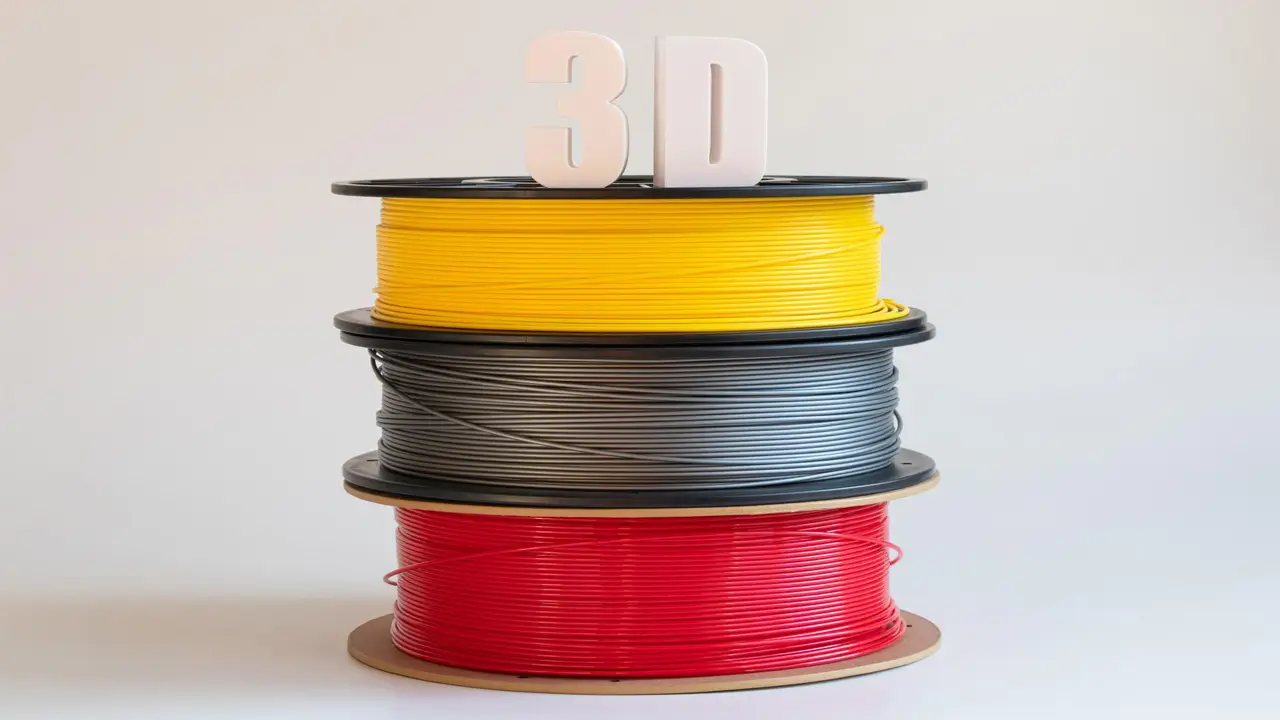
3D Printing Materials & Supplies
Your trusted source for high-quality 3D printing materials in Ukraine. Wide selection of filaments, resins, and accessories for all printer types with fast local shipping.
Price and Value for Money
Let’s talk about the QIDI Q2 Combo price and what you actually get for your money.
The standalone QIDI Q2 at $499 is, by most accounts, a strong value proposition. You get a fully enclosed CoreXY printer with a 370°C hotend, an actively heated 65°C chamber, automatic load-cell leveling, a hardened steel nozzle, Klipper firmware with full open access, a triple-layer filtration system, MET safety certification, and a 270 × 270 × 256 mm build volume. That combination of features at that price point is difficult to match in the current market.
The QIDI Q2 Combo at $649 adds the QIDI Box for multicolor capability. Whether that extra $150 is worth it right now depends heavily on your priorities and patience. If multicolor printing is a core requirement and you need it to work reliably out of the box today, the current state of the QIDI Box means you would be better served by alternatives. If you are primarily buying the Q2 for its exceptional engineering material capability and want to experiment with multicolor printing as a secondary feature — with the understanding that firmware and hardware updates from QIDI may improve the experience over time — the Combo pricing is reasonable.
It is also worth noting that the QIDI Q2 runs on Klipper, which means the community has already developed modifications and workarounds for some of the QIDI Box friction issues. For technically confident users, these solutions make the Combo a more attractive option than it might be for users who want everything to work perfectly without any tinkering.
QIDI Q2 Combo vs Competitors
How does the QIDI Q2 Combo stack up against the most relevant competition in 2025–2026? Let’s look at the three most natural comparisons.
| Feature | QIDI Q2 Combo | Bambu Lab P1S Combo | Anycubic Kobra S1 Combo |
|---|---|---|---|
| Price | $649 | ~$949 | ~$549 |
| Max Nozzle Temp | 370°C | 300°C | 300°C |
| Chamber Heating | Active, up to 65°C | Active, up to 65°C | Active |
| Max Speed | 600 mm/s | 500 mm/s | 600 mm/s |
| Build Volume | 270×270×256 mm | 256×256×256 mm | 220×220×250 mm |
| Multicolor Colors (max) | Up to 16 (4 Boxes) | Up to 16 (AMS) | Up to 16 |
| Filament Drying While Printing | Yes (QIDI Box) | No | Varies |
| Firmware | Klipper (open) | Proprietary | Proprietary |
| PPS / PA-CF capable | Yes | No (300°C limit) | No (300°C limit) |
| Safety Certification | MET (US/Canada), IECEE CB | CE, FCC | CE |
| Multicolor Reliability | Work in Progress | Mature and Reliable | Good |
The comparison tells a clear story. If your primary goal is reliable multicolor printing today, the Bambu Lab P1S Combo has a significantly more mature and polished multicolor system. The AMS has gone through multiple hardware and firmware generations and works consistently. The Anycubic Kobra S1 Combo is also a strong performer for multicolor at a lower price point than Bambu.
However, if your priority is high-temperature engineering materials — PPS, PC, PA, carbon fiber composites — neither Bambu nor Anycubic can match the QIDI Q2. Their 300°C nozzle limit is a hard boundary that cannot be crossed without aftermarket modifications, and neither offers the same 65°C active chamber heating at this price point. The QIDI Q2 is simply in a different league for engineering filaments.
The open Klipper firmware is another genuine differentiator. Both Bambu and Anycubic run proprietary firmware stacks that limit what you can tune, modify, and customize. With the Q2, you have full access to the underlying system — pressure advance tuning, custom macros, KAMP, SSH root access — all without voiding your warranty through software locks.
Final Verdict
The QIDI Q2 Combo is a printer of genuine contrasts. On one side, you have exceptional engineering material capability, a 370°C hotend, a 65°C active chamber, excellent auto-leveling, open Klipper firmware, and solid single-color print quality — all at a very competitive price point. These are real, meaningful advantages that make the standalone Q2 one of the most capable machines in its price class for users who need to print demanding materials.
On the other side, the QIDI Box multicolor system has struggled with reliability issues that real-world testers have documented clearly. The filament path friction problem is a hardware challenge that firmware updates alone cannot fully resolve, and while QIDI is actively working on improvements, the experience at launch has not matched the ambition of the design.
Here is how to think about your purchase decision. If you print engineering filaments — ABS, ASA, PC, PA, or anything with carbon or glass fiber — and you are primarily working in single color, the QIDI Q2 at $499 is an outstanding buy that outperforms most alternatives in its class. If you are determined to explore multicolor printing, the Combo at $649 still offers real value in the long term as QIDI iterates on the Box, but go in with realistic expectations about where the technology stands today. And if multicolor is your absolute top priority and you need it to work flawlessly right now, the Bambu Lab P1S Combo is the safer choice despite its higher price.
The QIDI Q2 Combo has the bones of an exceptional machine. The high-temperature performance, the open firmware philosophy, and the smart safety certifications show a company that is thinking seriously about what makers actually need. When QIDI fully resolves the QIDI Box reliability challenges, this Combo package will be very hard to beat at its price point.
QIDI Q2
High-performance CoreXY 3D printer from QIDI Tech. Advanced mechanics, intelligent features, and reliable performance for professionals and enthusiasts seeking precision and speed.
- • CoreXY Kinematics
- • Auto Bed Leveling
- • 350°C Hotend
- • Smart Features
🇺🇸 Michael Carter ⭐⭐⭐⭐⭐
Great website for 3D printer reviews! I found detailed insights about the latest Chinese models, especially the QIDI series. The content is clear, professional, and actually useful. Definitely bookmarking this site.
🔗 https://bestchina3dprinters.com/
🇪🇸 Laura Gómez ⭐⭐⭐⭐⭐
Excelente página sobre impresoras 3D. Las reseñas son muy completas y fáciles de entender. Me ayudó mucho a comparar diferentes modelos antes de comprar. Muy recomendable.
🔗 https://bestchina3dprinters.com/
🇸🇦 Omar Hassan ⭐⭐⭐⭐⭐
موقع رائع لمراجعات الطابعات ثلاثية الأبعاد. المحتوى منظم وسهل القراءة ويحتوي على معلومات مفيدة للغاية. أنصح به لكل من يبحث عن أفضل الطابعات.
🔗 https://bestchina3dprinters.com/
🇨🇳 Li Wei ⭐⭐⭐⭐⭐
这是一个非常专业的3D打印机评测网站。内容详细、更新及时,对比分析清晰,非常适合想购买打印机的人参考。体验很好!
🔗 https://bestchina3dprinters.com/
🇫🇷 Julien Moreau ⭐⭐⭐⭐⭐
Site très utile pour les passionnés d’impression 3D. Les tests sont détaillés et objectifs. J’ai particulièrement apprécié les comparaisons entre différentes marques. Bravo pour le travail !
🔗 https://bestchina3dprinters.com/
🇩🇪 Anna Schneider ⭐⭐⭐⭐⭐
Sehr informative Website über 3D-Drucker. Die Reviews sind gut strukturiert und leicht verständlich. Perfekt, um sich vor dem Kauf zu informieren. Ich komme definitiv wieder!
🔗 https://bestchina3dprinters.com/
Discover more from bestchina3dprinters.com
Subscribe to get the latest posts sent to your email.