 Skip to content
 If you have been browsing forums, YouTube reviews, or maker groups lately, you have probably run into the name Prusa CORE One more than once. It is one of the most talked-about machines to come out of Prusa Research in years, and for good reason. This guide walks you through everything a curious buyer wants to know, from specs to pricing to how it stacks up against its siblings, written in plain, friendly language and based entirely on Prusa’s own official product information.


1. What Is the Prusa CORE One?
The Prusa CORE One is Prusa Research’s first fully enclosed CoreXY 3D printer. Prusa is a European manufacturer based in Prague, Czech Republic, founded by Josef Prusa back in 2012, and the company has grown into one of the largest 3D printer makers in Europe and the United States, shipping thousands of machines every month to more than 160 countries.
Unlike Prusa’s earlier Cartesian-style printers, the CORE One moves its print head using two fixed motors that pull a continuous belt loop, which is what “CoreXY” actually means. Because the heavy motors stay in place, the moving gantry is lightweight, which allows for faster and more precise motion. The printer also comes fully enclosed in a heated chamber, something Prusa had never offered as a standard feature before this model.
The current retail version of this printer is officially called the CORE One+, an updated iteration that folds in hardware refinements first introduced on the larger CORE One L, along with every firmware improvement released since the original CORE One launched. So when people search for “Prusa CORE One,” they are almost always referring to this CORE One+ generation, which is what is currently sold on Prusa’s official store.
In short, the CORE One is meant to be an approachable, plug-and-print machine that still satisfies engineers who want serious performance from demanding materials like ABS, ASA, PC, and nylon.
2. Prusa CORE One Specs at a Glance
Here is the full official technical rundown, straight from Prusa’s product page. This table is a good one to bookmark if you are comparing machines side by side.
| Specification | Detail |
|---|---|
| Build volume | 250 × 220 × 270 mm |
| Filament diameter | 1.75 mm |
| Layer height range | 0.05–0.30 mm |
| Printer dimensions / weight | 415 × 444 × 555 mm, 22.5 kg |
| Mainboard | Custom 32-bit xBuddy with STM32 |
| Extruder | Nextruder, direct drive |
| Nozzle | High-flow brass CHT, 0.4 mm (0.25–0.8 mm available) |
| Max nozzle temperature | 290 °C (up to 400 °C with optional HT hotend) |
| Max heatbed temperature | 120 °C |
| Max chamber temperature | 55 °C |
| Connectivity | Wi-Fi, Ethernet, USB |
| Multi-material support | MMU3 (5 filaments) and INDX (up to 8 filaments) |
This is a serious machine on paper, but the specs only tell part of the story. What really sets it apart is how those numbers translate into everyday use, which is what the rest of this guide is about.
3. Prusa CORE One Build Volume Explained
The Prusa CORE One build volume is officially listed as 250 × 220 × 270 mm, which works out to roughly 15 liters of usable printing space. To put that into perspective, Prusa states this is 30 percent more print volume than the MK4S while occupying about 50 percent less desk space once you account for the enclosure.
That balance between compactness and usable volume is intentional. Prusa designs printers not just for individual makers but also for print farms, where hundreds of machines might sit side by side. A smaller footprint with a taller Z-height means more prints per square meter of workshop space.
For most hobbyists, this build volume comfortably covers everyday projects: replacement parts, functional prototypes, cosplay props, and household items. If your projects regularly exceed this size, Prusa also offers the larger CORE One L, which doubles the print volume to 300 × 300 × 330 mm.
4. CoreXY Design: Why It Matters
CoreXY architecture is one of the biggest engineering shifts in this printer’s design compared to older Prusa machines. In a CoreXY system, two stationary motors in the frame’s corners control X and Y movement through a shared belt system, while the print bed itself typically stays fixed or only moves on the Z-axis.
The practical benefit is speed and precision. Because the print head assembly stays light, the printer can accelerate and change direction faster without introducing wobble or ringing in the finished print. Prusa pairs this CoreXY motion with Input Shaper firmware, which actively compensates for vibration at higher speeds, helping preserve print quality even when the machine is moving quickly.
Independent reviewers cited on Prusa’s own site have noted the CORE One is about 20 percent faster than the MK4S thanks to this CoreXY motion system combined with 360-degree cooling and a high-flow nozzle. For anyone who has grown impatient waiting on long prints, that speed boost is one of the most noticeable upgrades.
5. Enclosed Chamber and Material Handling
This is arguably the headline feature. The Prusa CORE One is officially described as a fully enclosed CoreXY 3D printer with active temperature control, and the chamber can heat up to 55 °C.
Why does an enclosure matter so much? Certain materials, especially engineering-grade plastics like ABS, ASA, and polycarbonate, are prone to warping when they cool unevenly during printing. Corners lift, layers separate, and prints fail. A heated, enclosed chamber keeps the internal temperature stable throughout the print, dramatically reducing these problems.
One clever detail: many enclosed printers require you to open the front door when printing low-temperature filaments like PLA, since a fully sealed chamber can trap too much heat for those materials. The CORE One solves this with smart automatic ventilation. The system now automatically opens the top vent for low-temperature materials and closes it for high-temperature ones, so you never have to manually think about it. There is also an optional Advanced Filtration System available for anyone printing materials that release more fumes or ultra-fine particles, which is a nice option for offices, classrooms, or shared workshop spaces.
6. Supported Filaments and Material Compatibility
Prusa CORE One filament compatibility is genuinely broad. According to the official specifications, the printer supports PLA, PETG, Flex (TPU), PVA, PC, PP, CPE, and PVB out of the box, with ABS, ASA, HIPS, and PA (nylon) supported when using the Advanced Filtration System.
| Material | Nozzle Temp | Bed Temp |
|---|---|---|
| PLA | 210–220 °C | 50–60 °C |
| PETG | 230–250 °C | 70–90 °C |
| ASA / ABS | 250–265 °C | 100–110 °C |
| PC / PCCF | 270–285 °C | 80–120 °C |
| PA (Nylon) | 260–280 °C | 80–90 °C |
| TPU (Flex) | 220–240 °C | 50–60 °C |
Every one of these materials comes with a factory-tuned profile already built into PrusaSlicer, so there is no need to guess at settings. Prusa also notes over 200 ready-to-use material profiles are available in total. On the hardware side, the redesigned filament sensor system makes loading flexible materials like TPU noticeably easier than on earlier Prusa machines, and the newer bayonet-style spoolholder accommodates different spool sizes and is ready for direct-feed dry box setups, which matters a lot for moisture-sensitive filaments like nylon.
7. Prusa CORE One vs MK4S: Key Differences
The comparison against the MK4S comes up constantly, since the MK4S is Prusa’s long-running Cartesian workhorse. Here is how the two compare, based on Prusa’s official comparison data.
| Feature | CORE One+ | MK4S |
|---|---|---|
| Build volume | 250 × 220 × 270 mm | 250 × 210 × 220 mm |
| Kinematics | CoreXY | Cartesian |
| Enclosed chamber | Yes, standard | No, optional add-on |
| Active chamber heating | Yes, up to 55 °C | No |
| Starting price (assembled) | from $1,299 | from $999 |
Both machines share the same underlying Prusa ecosystem, firmware philosophy, and slicing software, so the choice mostly comes down to whether you need the enclosure and CoreXY speed. If you print mostly PLA and PETG for hobby projects, the MK4S is still an excellent and more affordable option. If you regularly work with engineering plastics that warp without a controlled environment, the CORE One is the more capable choice.
8. Enclosure, Openness, and What You Actually Own
Something Prusa emphasizes heavily in its official materials is ownership and openness, and it is worth including here because it genuinely shapes the buying decision. The CORE One’s firmware source code is published on GitHub, and CAD files are shared publicly. There are no locked bootloaders and no cloud dependency required to operate the printer.
You can print entirely offline, using a USB drive or your local network, with no internet connection required at any point, not even during setup. The optional Prusa Connect service adds remote monitoring and fleet management for those who want it, but it is never mandatory. Prusa also highlights a right-to-repair philosophy: nothing inside the printer is glued together, everything comes apart with a screwdriver, and spare parts are kept in stock for years. A worn nozzle, for example, is roughly a twenty-dollar swap that takes a couple of minutes.
This matters for anyone concerned about long-term ownership costs or data privacy, particularly since Prusa notes that all critical electronics, including the mainboard, are manufactured on its own production line in Prague, in the EU.
9. Prusa CORE One Price: Is It Worth It?
Pricing is naturally one of the first things people search for. According to Prusa’s official store, the CORE One+ is available in two configurations.
| Configuration | Starting Price | Includes |
|---|---|---|
| Assembled | from $1,299 | Ready-to-print machine, 1 kg Prusament PLA, handbook, tools |
| Kit | from $925 | Self-assembly kit, filament samples, full toolset, handbook |
Beyond the initial purchase, running costs are refreshingly modest. Prusa states that most users spend somewhere between twenty-five and fifty dollars a month on filament, with PLA costing roughly $25 per kilogram. A nozzle replacement costs around $20 and lasts hundreds of print hours, and a replacement print sheet is around $37, with the sheets being double-sided so you effectively get two lifespans out of one purchase. There are no forced subscriptions, and all software, including PrusaSlicer, EasyPrint, Prusa Connect, and the mobile app, is free with unlimited firmware updates.
Whether it is “worth it” really depends on your goals. If you only ever plan to print PLA phone stands, a cheaper open-frame printer will do the job. If you want reliable results from engineering-grade materials, remote monitoring, multi-material capability down the line, and a company with a strong repairability track record, the price reflects real functional advantages rather than just branding.
Creality
Shenzhen, China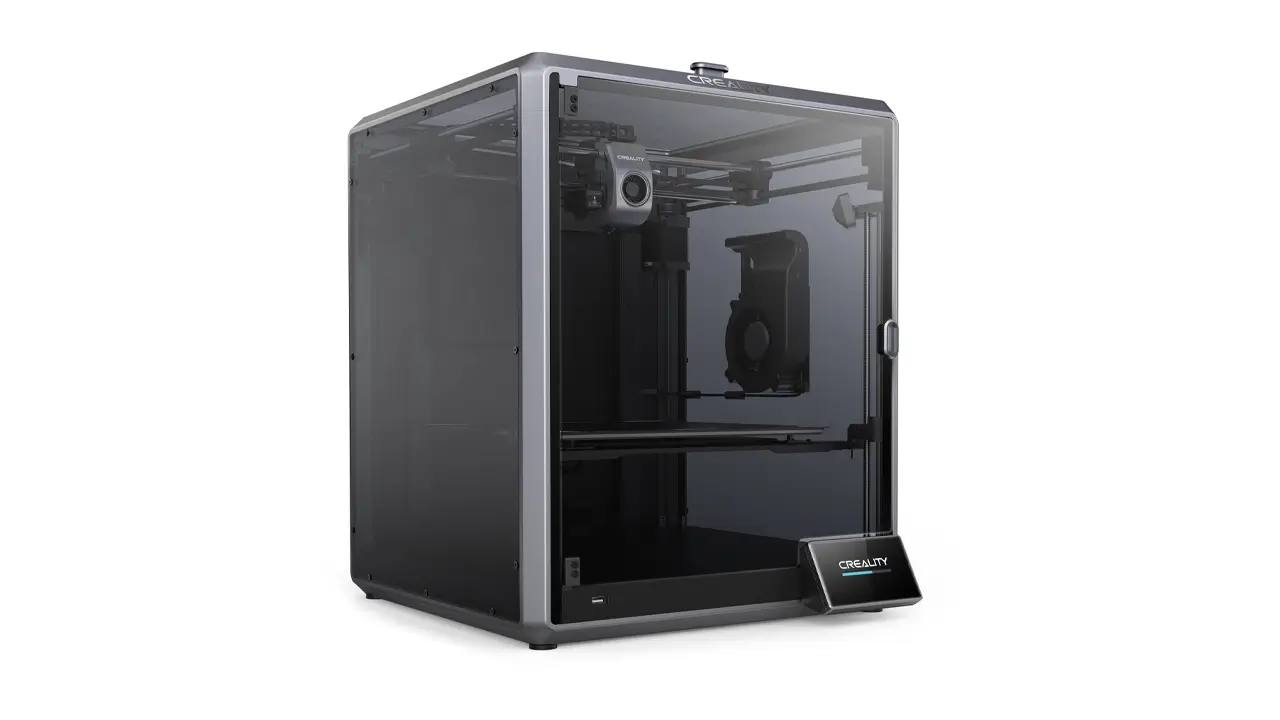
3D Printers & Accessories
The world’s most popular 3D printer brand. Ender series legends, K1 high-speed models, and reliable budget options for every maker with massive community support.
10. Final Verdict: Review Highlights, Ratings, and Where to Buy
So how has the CORE One actually been received? Prusa’s official product page collects a handful of endorsements from well-known reviewers and publications in the 3D printing space. The printer has picked up recognition including a Red Dot Design Award, a “Highly Recommended” mention from TechRadar, and an Editor’s Choice nod from Tom’s Hardware. All3DP has also listed it among top picks for enclosed printers.
Common themes across these reviews are consistent: strong print quality across a wide range of filaments, a noticeably faster experience compared to the MK4S thanks to CoreXY motion, and an overall build quality that owners describe as rugged and dependable. Prusa itself frames the CORE One+ as a machine ready for beginners and professionals alike, backed by a free companion course through Prusa Academy for anyone assembling one for the first time.
If you have made it this far, here is the honest summary: the Prusa CORE One is a well-engineered, fully enclosed CoreXY printer built for people who want both easy PLA prints and serious engineering materials from the same machine, all while keeping full ownership of their hardware and data. It is manufactured and supported directly by Prusa Research, and the assembled version, kit version, spare parts, and every official accessory mentioned in this guide are available directly through Prusa’s own online store.
Whether you are printing your first phone stand or prototyping the next functional part for a client, the CORE One is designed to grow with you, one heated, enclosed layer at a time.
Polimerukr.com
Ukraine
3D Printing Materials & Supplies
Your trusted source for high-quality 3D printing materials in Ukraine. Wide selection of filaments, resins, and accessories for all printer types with fast local shipping.
Discover more from bestchina3dprinters.com
Subscribe to get the latest posts sent to your email.
