1. Introduction: A Flagship Machine That Replaces Three
The Snapmaker Artisan 3-in-1 3D printer is built for makers who are tired of juggling separate machines for printing, engraving and carving. It is a full desktop workshop in one frame. A dual-extrusion 3D printer, a high-power laser cutter and engraver, and a serious CNC carving machine share one rigid platform. You no longer need three devices, three power supplies, three software packages and three corners of your garage.
The idea of a multi-function machine is not new, but earlier attempts often meant compromise. Each function was mediocre, the frame flexed, and switching between tasks took an afternoon of recalibration. The Artisan takes a different approach. It treats each function as a first-class citizen and builds the whole machine around a stiff metal structure that can support all three. Thanks to quick-swap toolheads and platforms, moving from printing to laser work or milling takes less than a minute, so you can finish a 3D-printed jig, swap heads, and start cutting the part that fits it, all without leaving your chair.
In this review we go through the machine section by section. We look at the frame and motion system, the huge build volume, the dual-extrusion printing module, the heated bed, the laser options, the CNC spindle, the safety systems and the software. By the end you should know who this machine suits and who should look elsewhere. Whether you are an engineer prototyping parts, a small workshop owner, a teacher equipping a classroom or a serious hobbyist, the Snapmaker Artisan 3-in-1 3D printer deserves a place on your shortlist, and the sections below explain why.


2. Industrial-Grade Linear Rails and a Rigid Frame
Why industrial-grade linear rails matter
Every precision machine is only as good as its skeleton. In the Artisan’s case, that skeleton is an all-metal frame combined with industrial-grade linear rails built into the linear modules that move each axis. These rails are steel guideways, not the thin rods and plastic wheels you find on budget machines. They hold position to a fraction of a millimeter, which is what lets the same hardware print fine layers, engrave small text and mill clean edges.
Rail quality also affects how long the machine lasts. The linear modules are designed with dust protection in mind. That matters because a machine that carves wood and cuts acrylic produces plenty of debris, and fine particles are the enemy of any moving part. A sealed, protected rail keeps its smoothness far longer than an exposed one, so the performance you see on day one is still there a year later.
Rigidity for a multi-function machine
Rigidity is critical for a multi-tool station, because each function stresses the frame differently. A 3D printer needs smooth, repeatable motion at speeds up to 180 mm/s without ringing or ghosting. A laser needs a steady head that does not wobble while it traces a detailed outline. A CNC spindle pushes hard against the workpiece and sends vibration back through the whole structure. A weak frame fails at one of these jobs. The Snapmaker Artisan 3-in-1 3D printer relies on its heavy metal construction to handle all of them, and that is where much of its value comes from.
Because the frame is stiff, the movement is predictable. Your first print and your hundredth print land in the same place, and calibration stays stable even as you swap heads many times a week. For anyone who has fought a wobbly gantry on a cheaper machine, this alone is a strong reason to take the Artisan seriously.
3. The 400x400x400 mm Work Area
A 64-liter canvas
Size changes what you can make. The 400x400x400 mm work area gives you a volume of roughly 64 liters. That is large enough to print a full-size helmet in one piece, produce big cosplay armor parts, or build architectural models without splitting them into pieces and gluing them back together. Splitting parts costs time and strength, and a bigger volume removes that step for many projects.
The same space helps outside of printing. On the laser and CNC side, you can lay out large sheets of plywood or acrylic and cut multiple parts in one run. A signmaker can engrave a big panel in a single setup. A furniture hobbyist can carve templates and jigs at a useful scale. A bigger bed also makes nesting parts more efficient, which wastes less material.
Compared with the previous generation
If you know the earlier Snapmaker 2.0 A350T, the difference is obvious. That machine was a strong seller, but its smaller working area forced users to compromise on larger jobs. Moving up to the 400x400x400 mm work area is a real step forward rather than a small increment. You gain room for bigger prototypes, larger production batches and projects you would previously have outsourced.
Of course, a larger volume means a larger machine, so measure your desk or bench before you order. The footprint is considerable, and you will want space around it for the enclosure, for ventilation and for easy access to the toolheads. Plan for that, and the extra capacity will quickly pay off.
Flashforge Creator 5
Series
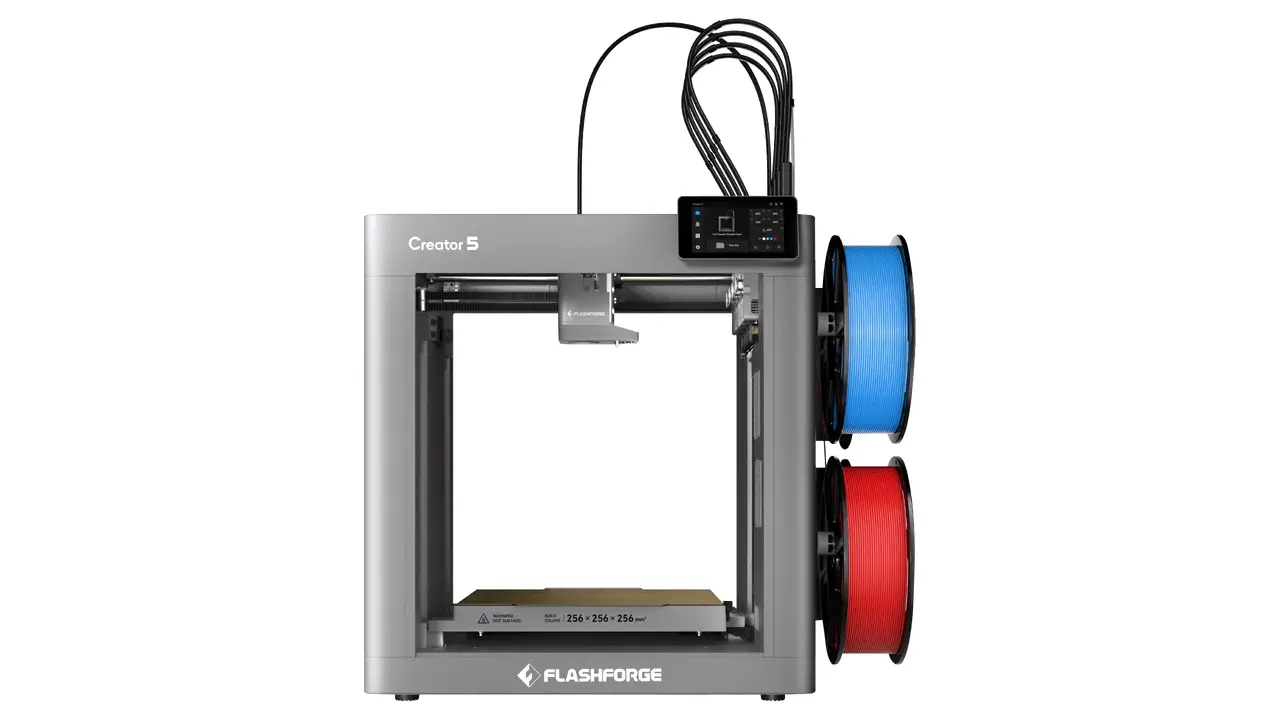
Creator 5
Professional dual extrusion 3D printer with IDEX system, auto-leveling, and enclosed chamber for reliable multi-material printing.
- Independent Dual Extrusion (IDEX)
- Auto Bed Leveling
- Enclosed Design
- WiFi Connectivity
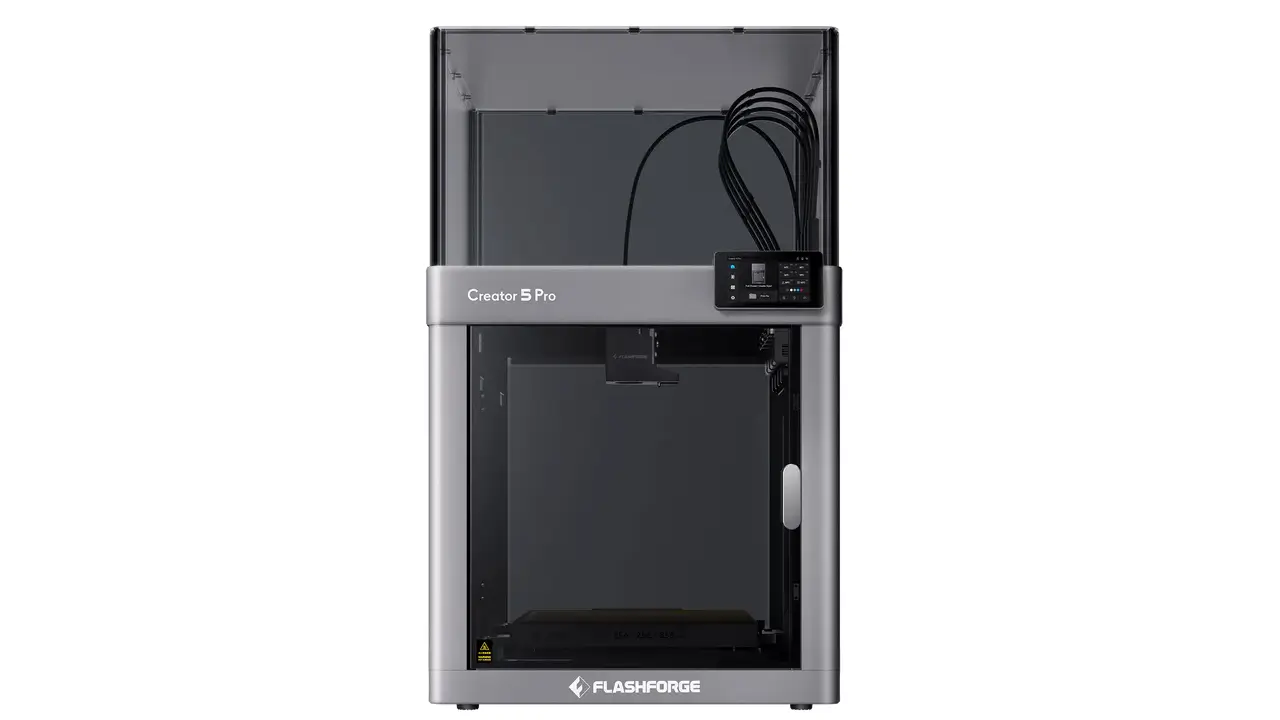
Creator 5 Pro
Advanced professional model with enhanced features, higher temperature hotend, and premium components for demanding applications.
- 300°C High-Temp Hotend
- Advanced IDEX System
- Filament Runout Sensor
- Power Loss Recovery
4. Snapmaker Artisan 3-in-1 3D Printer: The Dual-Extruder Printing Module
3D printing with a 300°C dual extrusion module
The printing side is where many users will spend most of their time, and it is impressive. The Snapmaker Artisan 3-in-1 3D printer uses a 300°C dual extrusion module, which gives you two independent nozzles and the temperature headroom to run demanding filaments. That temperature ceiling is the key detail. Many hobby printers top out lower, which limits you to PLA, PETG and similar materials. With 300°C available, the engineering side of the filament shelf opens up.
Dual extrusion is useful for more than two colors. You can print complex shapes with soluble support material such as PVA or HIPS, then dissolve the supports away and leave clean internal geometry and overhangs that would otherwise be impossible to finish well. Mixed-material prints, such as a rigid body with flexible TPU grips, become straightforward rather than a heroic effort.
Materials, automation and reliability
The module also supports engineering plastics, including Nylon, PA-CF (carbon-fiber reinforced nylon), PC and TPU. These are the filaments used for functional parts: brackets, gears, enclosures, jigs and tools. If you only print figurines, you may never need them. If you build real things, being able to print in them on the same machine that mills and cuts your other parts is a big advantage.
Automation keeps the experience practical. Auto-calibration reduces the setup burden, and the nozzles lift automatically so the idle nozzle does not drag across the print. These details sound small, but they decide whether dual extrusion is a joy or a headache. On this machine, the system is built to work without constant fiddling, so you can focus on the model instead of the mechanics.
5. The Zone-Heated Build Plate
A zone-heated build plate is one of the smartest efficiency features on the machine. Instead of heating the entire surface every time, the bed splits into zones. For small parts, the inner 260×260 mm zone heats to 110°C in just two to three minutes. You get the high temperature that engineering filaments need without wasting energy warming a huge area you are not using.
When you print something larger, the full 400×400 mm surface comes into play and heats up to 80°C. That is enough for many materials and gives good adhesion across the whole plate. The two-tier approach is practical: small jobs start quickly and cost less to run, and large jobs still get a bed that covers the entire surface.
The plate itself is a double-sided flexible PEI sheet. You print on it, let it cool, and flex the sheet to pop the part off, which avoids scraping and damaged surfaces. Having two sides gives you a spare when one side wears, and some users prefer a different finish on each side. Together, the zoned heating and the removable PEI sheet make the printing workflow quick, clean and energy-conscious.
Bed performance matters more than most buyers expect. Poor adhesion and warping ruin more prints than bad slicing does. Reliable heating, a sensible surface and fast warm-up times remove many of the common failure points. On a machine this size, where a failed print can waste a lot of filament and hours of time, that reliability is valuable.
6. 10W and 40W Laser Module Options
Two lasers for two kinds of work
The laser side offers a choice that is worth understanding. You can buy the machine with a 10W and 40W laser module option, covering both fine detail work and heavy cutting. The 10W version uses a beam-combining design for crisp, detailed engraving. It suits small logos, intricate patterns, leather work and general craft projects. The 40W version is a different animal. It is a high-power module with air assist that clears smoke and debris from the cut, and it can cut basswood 15 to 20 mm thick in a single pass.
That single-pass capability is a big deal. Multiple passes take longer, increase charring and risk shifting the material. A powerful laser that goes through in one pass saves time and gives cleaner edges. For a small business that produces signs, props, models or packaging, the extra power translates directly into productivity.
What each module handles best
| Material / Task | 10W module | 40W module |
|---|---|---|
| Wood engraving | Excellent detail | Fast, deep engraving |
| Wood cutting | Thin sheets | Thick stock, up to 15–20 mm basswood in one pass |
| Leather | Fine marking and cutting | Fast cutting and large patterns |
| Acrylic | Engraving and thin cuts | Cleaner, faster cuts with air assist |
| Stainless steel | Marking and engraving | Marking and engraving |
Air assist deserves a mention. Blowing air across the cut keeps flames down, reduces burn marks and improves edge quality. It is one of the main reasons the 40W module produces cleaner results than lasers without it. Pair it with proper ventilation and you have a serious cutting and engraving tool at desktop scale.
7. The 200W CNC Spindle for Hard Materials
The CNC side of the machine is where you feel the generation jump. With 200W CNC carving and cutting capability, the Artisan moves far beyond the older 50W module. Four times the power is not a marketing gimmick. It changes which materials you can cut and how aggressively you can cut them, and it makes the process much less frustrating.
The spindle spins at up to 18,000 RPM and uses an ER11 collet system, which means you can choose from a wide range of standard bits. That ecosystem matters. You are not locked into proprietary tooling, and you can buy cutters suited to your exact material and finish.
Hard materials are where the extra power shows. Hardwoods such as beech and walnut cut cleanly rather than burning or stalling. You can also work with jade, carbon fiber and even printed circuit boards, which opens the door to electronics prototyping alongside woodworking and model making. Milling PCBs on the same desk where you print the enclosure for them is the kind of workflow that makes a combined machine so appealing.
Vibration is the usual enemy of desktop CNC work. Cutting hard materials shakes everything, and a light frame turns that shaking into chatter marks and broken bits. This is where the Snapmaker Artisan 3-in-1 3D printer benefits from its stiff, all-metal construction and quality guideways. The structure absorbs and resists the forces that would defeat a lighter machine, and the result is cleaner cuts, better tolerances and longer tool life.
8. Safety Systems and Protective Enclosure
Safety by design
Power tools demand respect, and a machine that combines a laser, a spindle and heated parts needs thoughtful protection. The included enclosure is the foundation of that protection, and the next heading shows why it matters so much.
Laser safety with the Snapmaker Artisan 3-in-1 3D printer enclosure
A bare high-power laser is a Class 4 device, which means it can injure eyes and skin, including from reflected light. The protective box that comes with the Snapmaker Artisan 3-in-1 3D printer reduces that hazard to the much safer Class 1 level during operation. In practice, you can watch your cut through the filtered panels without exposing yourself to harmful radiation.
This is a laser-proof enclosure in the real sense of the word. It blocks laser light, contains dust and debris, and reduces noise when the CNC spindle is running. For a home or classroom setting, that combination matters as much as raw performance. A machine that is loud, dusty and unsafe will end up unused, no matter how capable it is.
Sensors and fail-safes
The enclosure works alongside an array of electronic protections. A door-open sensor pauses the laser when the cover is lifted. A physical emergency stop button lets you halt everything instantly. A gyroscope detects unexpected movement or tipping, and temperature sensors in the laser and CNC heads watch for overheating. These layers are what separate a thoughtful design from a cobbled-together one.
Still, no enclosure replaces good habits. Ventilate the space, filter or exhaust fumes from materials like acrylic, never leave a running laser unattended, and wear appropriate protection when milling. The machine gives you excellent safety tools, and your own discipline completes the picture.
AndreevWebStudio.com
Professional web development and design services. Custom WordPress sites, landing pages, e-commerce solutions, and 3D printing content creation for businesses and creators.
- • WordPress Development
- • Custom Web Design
- • E-Commerce Solutions
- • 3D Printing Content
9. Controller and Software Ecosystem
The 7-inch touchscreen controller
A machine this capable needs a control system that does not get in the way. The Artisan uses a separate power and control unit with a 7-inch touchscreen controller that makes everyday operation simple. You can start jobs, adjust settings, check status and run calibration routines from a wide, readable display. For a shared workshop or classroom, a clear interface lowers the barrier for new users and cuts the need for a laptop at the machine.
The separate unit also keeps heavy electronics away from the moving frame, which helps with heat management and keeps the work area uncluttered. It is a sensible design that favors reliability and ease of use over minimal cost.
Snapmaker Luban 3-in-1 software
On the software side, Snapmaker Luban 3-in-1 software ties everything together. Luban is a single program where you prepare jobs for all three technologies. You can slice a 3D model, set up a laser engraving, or define a CNC toolpath, then generate the G-code that the machine understands, all without hopping between unrelated applications.
A unified workflow has real value. You learn one interface instead of three, you keep your projects in one place, and moving from one process to another feels natural. For beginners, that shortens the learning curve. For experienced makers, it removes friction from multi-step projects that combine printing, cutting and milling.
Software is easy to overlook when comparing hardware, but it often determines how much you enjoy a machine. A powerful tool with an awkward workflow collects dust. A well-integrated ecosystem encourages you to try new things, and with three different functions on one platform, that encouragement matters.
10. Final Verdict: Who Should Buy This Machine?
Who it suits
This machine is aimed at people who want capability and flexibility in one place. Engineers can prototype parts, test fit and produce small runs. Makers and hobbyists get an entire workshop to experiment with. Small businesses can make signs, products, packaging and custom items. Schools and universities can teach digital fabrication on a single, safe, well-supported platform instead of managing three separate machines.
Pros and cons
Pros
- Three full machines in one rigid, all-metal frame
- Large 400x400x400 mm build volume
- Dual extrusion up to 300°C with support for engineering filaments
- Smart zoned heated bed with flexible PEI plate
- 10W and 40W laser options, with single-pass cutting of thick basswood on the 40W
- Powerful 200W spindle for hardwoods and other tough materials
- Included enclosure that brings the laser down to Class 1
- Unified Luban software and an easy touchscreen interface
Cons
- Significant price compared with single-function machines
- Large footprint that needs dedicated space
- Learning curve across three disciplines
- Laser and CNC work require proper ventilation and safety habits
Conclusion
No machine is perfect for everyone. If you only ever print small PLA figures, a dedicated printer will cost less and do the job well. But if you want one station that prints, cuts, engraves and carves with real capability in each mode, the trade-offs favor the Artisan. It combines a stiff frame, a huge work area, serious tool modules and thoughtful safety into a package that feels coherent rather than compromised. For anyone who wants the best large-format all-in-one workshop available today, the Snapmaker Artisan 3-in-1 3D printer is the one to beat.
Discover more from bestchina3dprinters.com
Subscribe to get the latest posts sent to your email.
