 Skip to content
 Big, fast 3D printers used to cost a fortune, and they usually came with a fair amount of tinkering. The Artillery Sidewinder X4 Plus changes that equation by combining a tall 300x300x400 mm build space, Klipper-powered speed, and a sturdy metal frame at a price hobbyists can actually justify. If you have been hunting for a large-format machine that does not feel like a science project, this printer deserves a place on your shortlist.
Choosing a large, fast printer is harder than it sounds. Some models are quick but flimsy. Others are huge but slow, wobbly, or fussy to level. In this Artillery Sidewinder X4 Plus review, we walk through unboxing, design, firmware, speed, extruder performance, bed leveling, real-world prints, and how the machine compares with its smaller sibling. By the end, you will know whether it fits your workshop and your budget.


Artillery Sidewinder X4 Plus Specs and Unboxing
The box arrives well packed, with foam cut-outs protecting the gantry, screen, and accessories. Inside you will find the pre-assembled base and frame, the top crossbars, the spool holder, a magnetic PEI plate, a small tool kit, spare nozzle, filament sample, and a printed quick-start guide. Nothing feels cheap, and the factory-installed parts show tidy cable routing. That first impression matters, because it hints at how much care went into the whole machine.
The most important structural upgrade is the metal frame with dual tie-rods, which brace the uprights against the base. On a tall printer, rigidity is everything, and those rods are what keep a 400 mm tower from swaying during fast moves. Here is the Artillery Sidewinder X4 Plus specs table at a glance:
| Specification | Value |
|---|---|
| Build volume | 300 x 300 x 400 mm |
| Maximum speed | 500 mm/s |
| Maximum acceleration | 12,000 mm/s² |
| Hotend temperature | Up to 300°C |
| Extruder | Dual-gear direct drive, all-metal |
| Bed leveling | Inductive probe, 121-point mesh |
| Display | 4.3-inch color touchscreen |
| Firmware | Klipper (preinstalled) |
| Connectivity | Wi-Fi, USB |
| Build plate | Magnetic flexible PEI spring steel |
What the Numbers Tell You
Individually, none of these numbers is shocking in 2026. Together, they describe a coherent package: a big volume, a rigid frame, quick motion, high-temperature capability, and automatic calibration. Many competitors give you two or three of those features and leave you to upgrade the rest. Here, the baseline is already strong, which is why the printer feels like a finished product rather than a kit of parts.
Design and Build Volume
Assembly is refreshingly simple. Because the base and lower frame arrive pre-built, you only need to attach the top crossbars, mount the gantry assembly, connect a few cables, and fit the spool holder and touchscreen. Most people finish in 15 to 20 minutes. The screws are standard hex sizes, the connectors are keyed so you cannot plug things in wrongly, and the manual is clear. If this is your first printer, that matters a great deal.
The headline feature is the Large build volume 300x300x400 millimeters, which is a significant jump over the typical 220×220 mm entry-level bed. That space lets you print helmets, cosplay armor pieces, lamp shades, planters, organizers, and full-size functional parts without cutting them into sections and gluing them back together. Glue lines weaken parts and look untidy, so avoiding them is a real advantage. Printing several smaller parts at once also becomes practical, which is useful if you run a small shop on the side.
Rigidity and Z-Axis Stability
A tall machine has a built-in weakness: the higher the toolhead goes, the more leverage vibrations gain. The Artillery Sidewinder X4 Plus counters this with its dual tie-rods and a heavy, well-braced base. During fast prints near the top of the build volume, we saw no visible wobble in the gantry, and layer lines stayed consistent from bottom to top. That stability along the Z axis is what separates a genuinely usable large printer from one that only looks good on paper.
Klipper Firmware and Smart Features
Under the hood is a Quiet Klipper mainboard, and this is where the printer separates itself from budget machines running older Marlin builds. The Klipper firmware 3D printer approach moves the heavy calculation off the small mainboard processor and onto a faster controller, allowing smoother motion planning at high speed. In practical terms, you get quicker prints, finer control over acceleration, and easier updates than you would on a legacy setup.
The 4.3-inch color touchscreen is responsive and logically organized. You can start prints, preheat, level the bed, adjust speed, and tune Z offset without touching a computer. Built-in Wi-Fi lets you send files from the slicer and monitor progress remotely, which makes overnight prints less stressful. The interface is not flashy, but it is fast and rarely gets in the way.
Input Shaping and Pressure Advance
Two Klipper features do most of the heavy lifting. Input Shaping measures the resonant frequencies of the frame and then adjusts motion commands to cancel vibration. This is how the printer avoids ringing, those ripples that appear behind sharp corners at high speed. Pressure Advance, meanwhile, compensates for the springiness of molten filament inside the nozzle, which sharpens corners and keeps extrusion consistent when the toolhead accelerates or slows down.
Explaining how the electronics govern the mechanics, the Artillery Sidewinder X4 Plus applies both corrections automatically through its preloaded profiles, so beginners get good results immediately. Advanced users can still dig into configuration files and fine-tune everything. That mix of accessibility and depth is hard to find, and it is one of the strongest arguments in the printer’s favor.
AndreevWebStudio.com
Professional web development and design services. Custom WordPress sites, landing pages, e-commerce solutions, and 3D printing content creation for businesses and creators.
- • WordPress Development
- • Custom Web Design
- • E-Commerce Solutions
- • 3D Printing Content
Speed and Motion System
Fast printing depends on stiff, low-friction motion hardware. The X and Y axes ride on linear metal guide rails rather than plastic wheels, giving precise travel with less play and much longer life. Rails do cost more than wheels, so seeing them on a printer at this level is encouraging. They also keep the motion quiet, even when the toolhead is moving briskly.
The advertised maximum speed is 500 mm/s, with acceleration up to 12,000 mm/s². Treat those figures as ceilings, not daily settings. Real-world quality prints sit comfortably around 250 to 300 mm/s, where detail remains sharp and the extruder can keep up. Even so, that is two to three times faster than a typical older-generation printer, and it saves hours on large parts.
Choosing a Speed Profile
When we talk about High-speed 3D printing 500mm/s, the slicer profile matters as much as the hardware. Start with a balanced profile at 200 to 250 mm/s for outer walls and push inner walls and infill faster. Once Input Shaping is calibrated, you can increase acceleration step by step. Watch the surface of your test prints: if corners round off or extrusion looks thin, lower the speed slightly. Stepper motors working at high revolutions per minute still deliver strong torque here, and the quiet drivers keep noise reasonable. Our practical advice is to chase consistency before top speed, because a fast failed print wastes more time than a slower successful one.
Extruder, Hotend, and Filaments
The extruder is an all-metal, dual-gear direct-drive design. Two gears grip the filament from both sides, which reduces slipping and gives positive control over retraction. Direct-drive setups also handle flexible materials far better than long Bowden tubes, since there is almost no unsupported filament path where TPU can buckle. For anyone who prints phone cases, gaskets, or soft grips, that is a major convenience.
The hotend reaches high temperatures as well. With a Direct drive extruder 300°C rating, the printer is not limited to PLA and PETG. You can move into ABS, ASA, nylon, and polycarbonate, provided you manage the environment sensibly. Engineering plastics need steady temperatures and a draft-free space, so an enclosure or at least a quiet room helps a lot. Still, having the thermal headroom is valuable, especially if you plan to print outdoor parts or mechanical components that must withstand heat.
Reliable Filament Feeding
Feeding reliability is where dual-gear extruders earn their keep. On long, fast prints, any slip shows up as under-extrusion, weak layers, or a failed job. We ran several multi-hour prints without a single skipped step, using standard PLA, PETG, and a soft TPU. The filament path is short and smooth, the tension arm is easy to adjust, and swapping spools takes a minute. Keep your filament dry, particularly nylon and PETG, because moisture causes bubbling and stringing no matter how good the hardware is.
Bed Leveling and Adhesion
Manual leveling puts off many newcomers. This printer takes most of the pain away with an inductive probe that scans the bed before each print. The system performs Auto bed leveling 121 points, building a detailed 11 by 11 mesh of the surface. The firmware then compensates for slight warps and dips in real time by adjusting nozzle height as it moves across the plate. The result is a reliable first layer across the entire 300×300 mm surface, which matters more on a big bed because small errors grow over distance.
The magnetic flexible PEI plate is a joy to use. Parts stick firmly while hot and release with a gentle flex after cooling, so you rarely need a scraper. A light wipe with isopropyl alcohol between prints keeps adhesion strong. For a beginner, the Artillery Sidewinder X4 Plus makes the first print remarkably easy: heat up, run auto leveling, tune Z offset once with a piece of paper or a test line, and press start. After that initial setup, you will seldom need to touch the bed again, which means more time printing and less time fiddling.
Real-World Testing and Print Results
Specifications are only promises until you see prints. We tested with a range of models: the classic 3DBenchy, tall vases, functional brackets, and a large helmet shell. Each stressed a different part of the system, from fine detail and overhangs to dimensional accuracy and long-run reliability.
The 3DBenchy finished in roughly 15 minutes at a fast profile, which is impressive for a model that traditionally takes over an hour on older machines. Details such as the chimney, the windows, and the text on the hull came out clean. Layer lines were even, and there was no obvious ghosting behind the sharp corners of the cabin. Part cooling is strong, with a dual-fan style airflow that cools overhangs quickly and keeps small features crisp.
Artillery Sidewinder X4 Plus Benchmark Tests
Larger prints told the same story. A tall spiral vase printed with smooth walls and consistent line width from base to rim. Functional brackets measured within tolerance for typical fit checks, and they were strong enough for daily use thanks to good layer bonding. The helmet shell, a multi-hour job, completed without warping or detaching from the plate. We found minor stringing on PETG at first, which disappeared after small retraction and temperature adjustments, as is normal with any printer.
Overall, the Artillery X4 Plus print quality is excellent for its class. Walls are free of heavy ringing, corners are sharp, and surfaces look consistent even at higher speeds. It will not match a tuned, enclosed, professional machine in every detail, but for hobbyists, makers, and small businesses it delivers results that are more than good enough.
Artillery X4 Plus vs X4 Pro: Comparison with the Pro Version
The Artillery X4 Plus vs X4 Pro question is the natural next step if you are shopping within this lineup, because the two machines share a lot of DNA. Both use Klipper, both offer fast motion, and both feel solid. The differences come down to size, frame design, and calibration depth, so let us compare them directly.
| Feature | X4 Plus | X4 Pro |
|---|---|---|
| Build volume | 300 x 300 x 400 mm | 240 x 240 x 260 mm |
| Frame bracing | Dual tie-rods | Standard frame |
| Bed leveling | 121-point mesh | 81-point mesh |
| Best for | Large, tall prints | Everyday smaller prints |
On build size, the Plus offers about 56 percent more footprint and over 50 percent more height than the Pro. That is the difference between printing a half-scale helmet in pieces and printing the entire thing in one go. If you only make small figurines, phone stands, or desk accessories, the Pro’s volume may be plenty, and you can save money. If you dream of large cosplay props, storage solutions, or bulky functional parts, the extra space is worth the premium.
The tie-rods and denser mesh also help the Plus hold accuracy at its larger scale. A taller frame needs more support, and a bigger bed needs more probe points to stay flat. In other words, you are not only paying for a larger box; you are paying for the engineering required to make that bigger box perform as well as the smaller one.
Flashforge Creator 5
Series
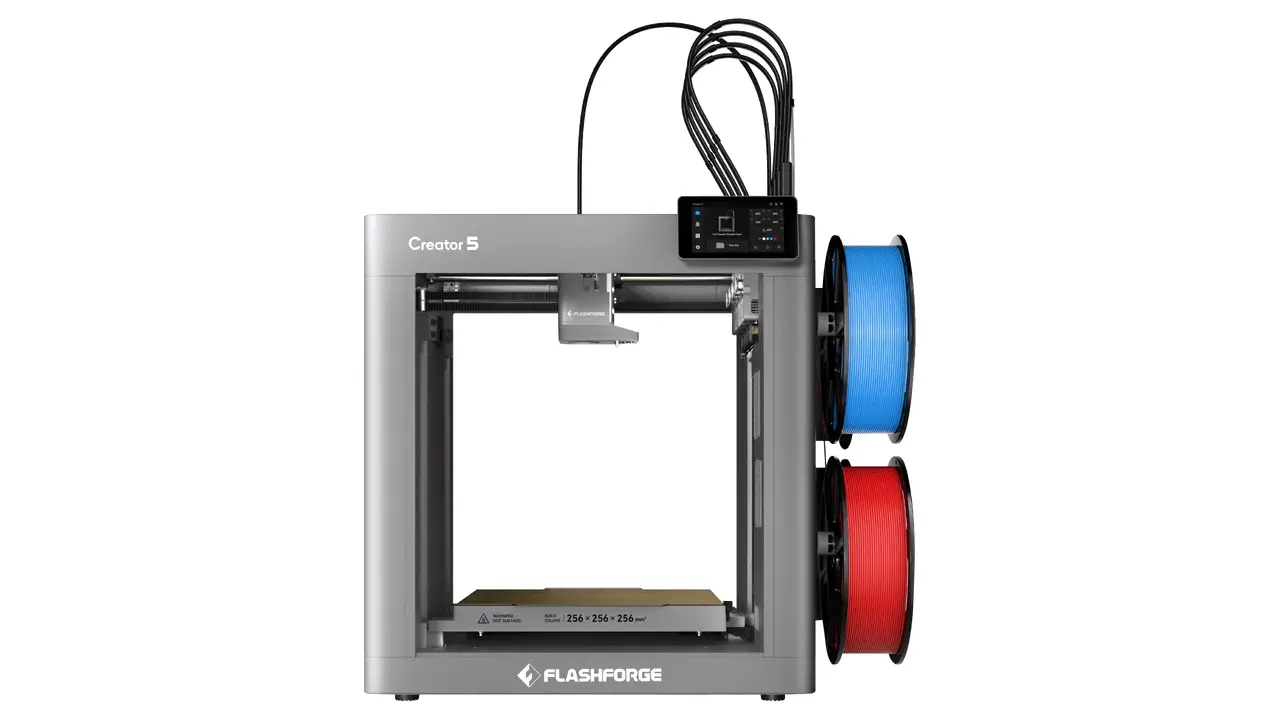
Creator 5
Professional dual extrusion 3D printer with IDEX system, auto-leveling, and enclosed chamber for reliable multi-material printing.
- Independent Dual Extrusion (IDEX)
- Auto Bed Leveling
- Enclosed Design
- WiFi Connectivity
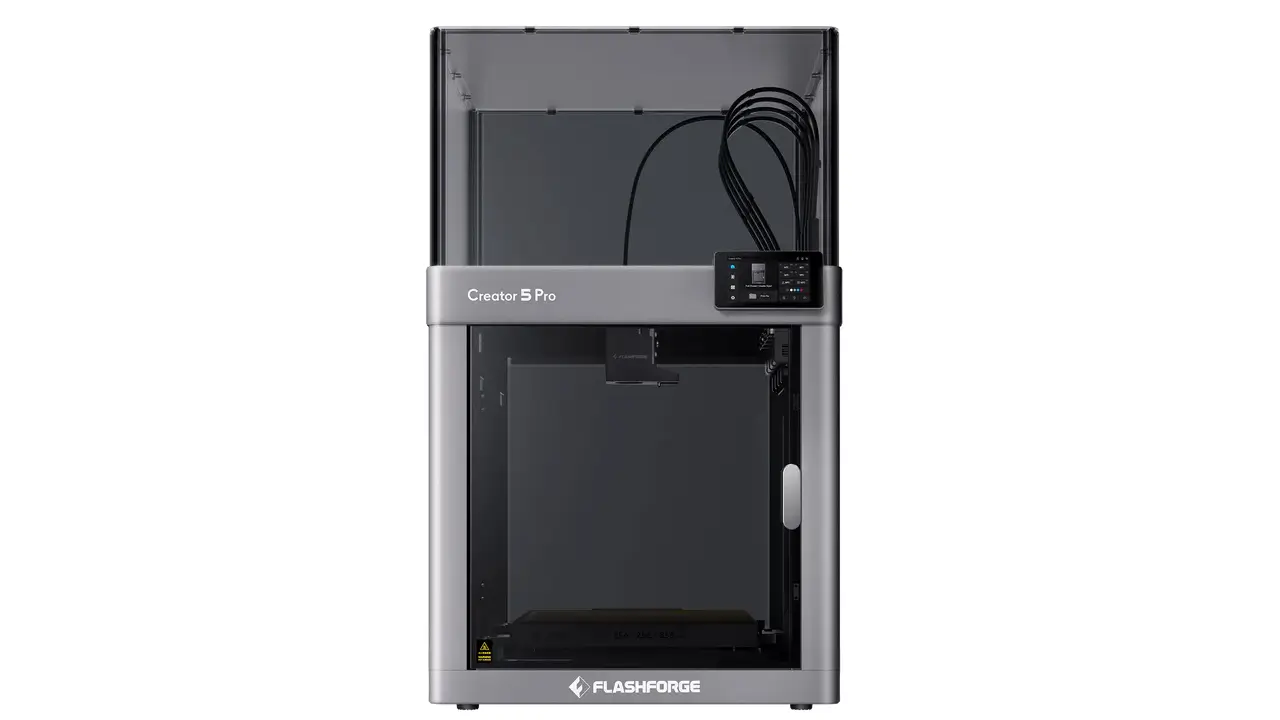
Creator 5 Pro
Advanced professional model with enhanced features, higher temperature hotend, and premium components for demanding applications.
- 300°C High-Temp Hotend
- Advanced IDEX System
- Filament Runout Sensor
- Power Loss Recovery
Pros, Cons, Price, and Final Verdict
Should You Buy the Artillery Sidewinder X4 Plus?
Here is how the strengths and weaknesses stack up after our testing.
Pros
- Huge 300x300x400 mm build volume for oversized prints
- Rigid metal frame with dual tie-rods
- Klipper firmware with Input Shaping and Pressure Advance
- Fast, quiet linear-rail motion system
- All-metal dual-gear direct drive with a 300°C hotend
- Reliable 121-point automatic bed leveling
- Magnetic PEI plate with easy part removal
- Simple 15 to 20 minute assembly
Cons
- No enclosure included, so ABS and nylon need extra protection
- Maximum speed claims require tuning to reach in practice
- Large footprint demands serious desk or workshop space
- Touchscreen is functional but basic compared with premium rivals
Now to the question everyone asks: what does it cost? The Artillery Sidewinder X4 Plus price has generally landed in the mid-range for large-format printers, and promotions or bundle deals appear often, so check current listings before you buy. Compared with competitors such as the Elegoo Neptune 4 Plus or the Creality K1 Max, it holds up well on value. The Neptune 4 Plus offers a similar bed size but a less rigid, Klipper-derived setup, while the K1 Max is enclosed and polished but typically costs more. The X4 Plus sits in a sweet spot, balancing size, speed, and affordability without forcing you to pay for features you may not need.
Our verdict is positive. If you want a large, fast, dependable printer that is easy to set up and rewarding to tune, this machine delivers far more than its price suggests. Beginners will enjoy the automation, and experienced makers will appreciate the Klipper flexibility. For anyone ready to print bigger and faster without a headache, the Artillery Sidewinder X4 Plus is an easy recommendation.
Discover more from bestchina3dprinters.com
Subscribe to get the latest posts sent to your email.
