Introduction: A Fast, Enclosed Printer That Doesn’t Cost a Fortune
Not long ago, a printer that moves quickly, holds a warm chamber, and handles engineering filaments cost serious money. The Artillery M1 Pro goes after that territory at roughly $349 or €349, which makes it one of the more interesting entries in the world of fast 3D printing right now. It arrives pre-assembled, fully enclosed, and rated for speeds that would have sounded like marketing fiction a few years back.
Plenty of printers look great on a spec sheet, so the real question is whether this one holds up in an actual workshop, on an actual desk, in the hands of someone who just wants clean parts without a weekend of tinkering. That is what this article tries to answer.
A quick note on method. This write-up draws on the manufacturer’s published specifications, retailer listings, and the feedback owners have shared publicly. I’m not going to invent lab results or pretend to have run a hundred test prints. Where something is a manufacturer claim, I’ll say so, and where I’m making a judgment call, I’ll tell you why.
Here is the plan. We’ll start with the design and what comes in the box, then go through the core specifications, speed, print quality, software, and day-to-day usability. After that come an honest list of strengths and weaknesses, a comparison with rivals in the same price range, buying advice, and a final verdict. If you’re short on time, skip to the conclusion, but the middle sections will help you decide whether this printer fits your workflow.
Unboxing and Design: What You Get in the Box
Pre-Assembled and Ready to Go
The first thing to know about this machine is that it is not a kit. Retailers describe it as pre-assembled and factory-calibrated, which means you won’t spend an evening tightening hundreds of screws. You unpack it, remove the transport protection, level things out, load filament, and start printing. For anyone who has fought with a bare-bones kit printer, that is a real relief.
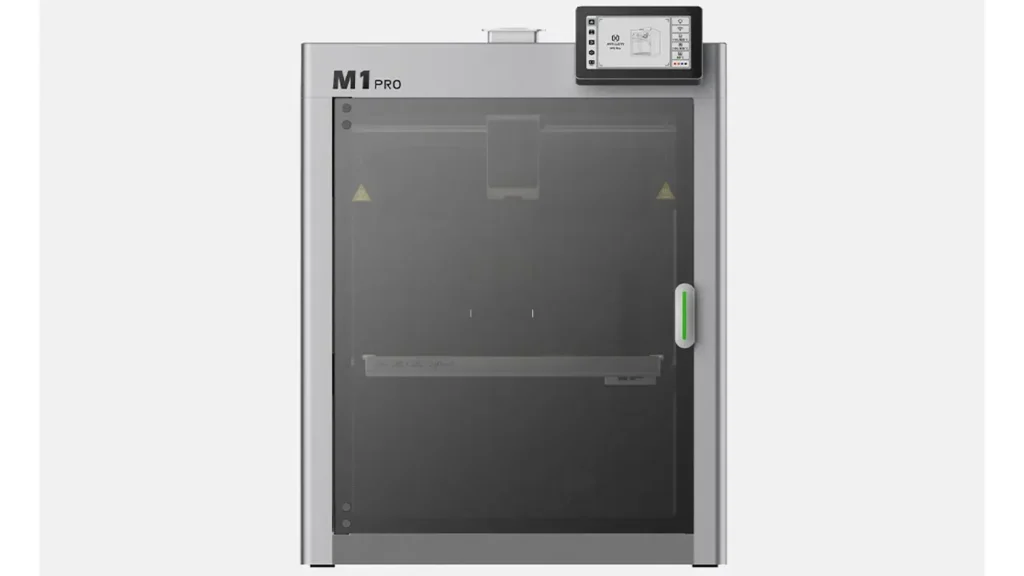
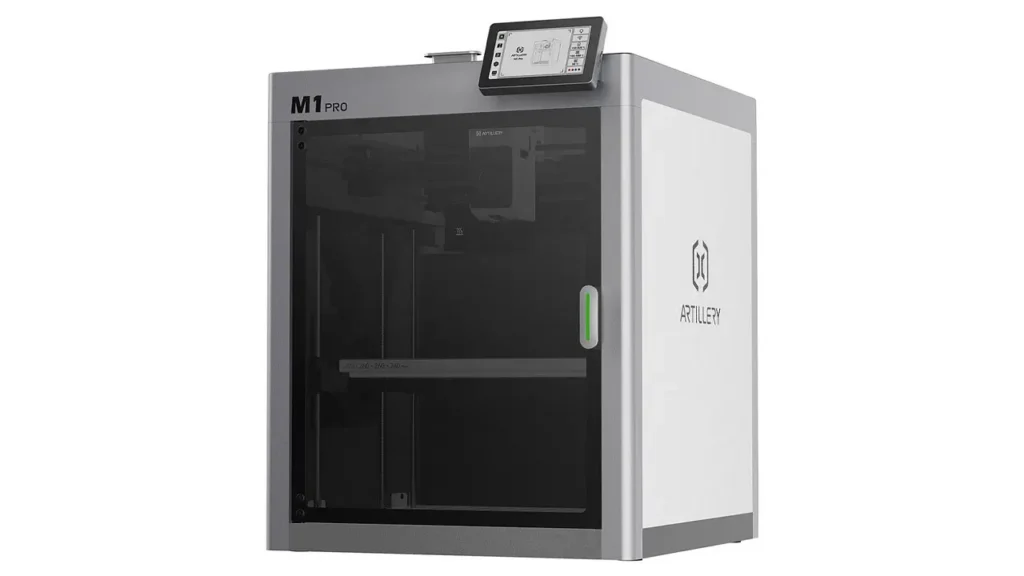
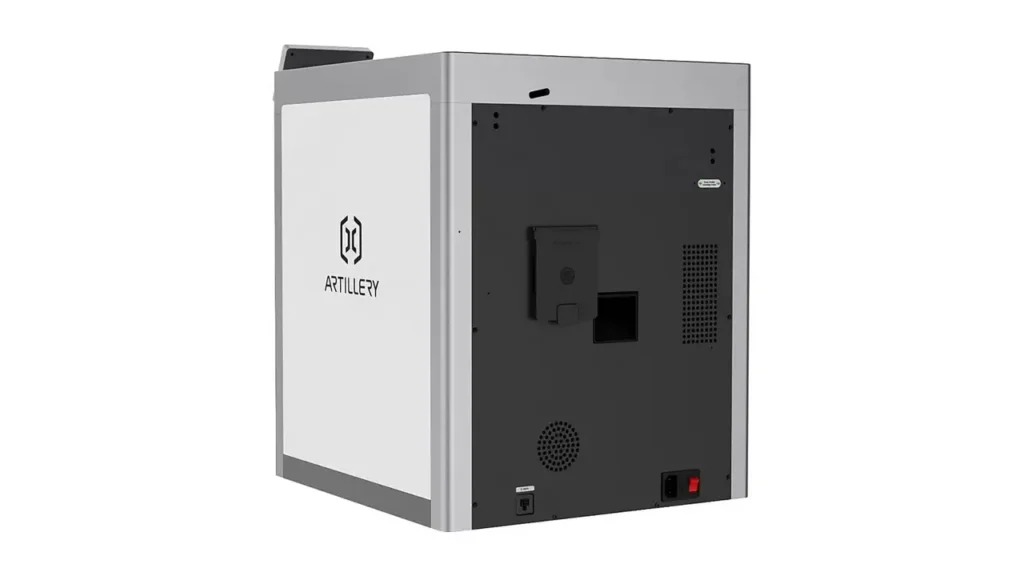
This Artillery M1 Pro 3D printer ships as a compact, closed-cabinet machine with a color touchscreen on the front. Listings mention a monolithic cast aluminum structure, a detail that matters more than it sounds. A rigid, one-piece frame helps reduce vibration, and vibration is the enemy of both speed and surface quality. Cheap flexing frames are the main reason budget fast printers produce ringing and wobbly walls.
Size, Weight, and Where It Will Live
Plan some desk space. Published figures put the printer at about 388 × 410 × 480 mm, and the shipping box weighs around 16.5 kg. That is not a pocket-sized machine, but it fits comfortably on a sturdy shelf or workbench. The shipping box is larger, at roughly 459 × 437 × 522 mm, so keep the packaging for a while if you might need to return or move the unit.
A word of caution that comes up in owner feedback: this kind of printer wants a firm, level surface. A wobbly table undermines the whole point of a rigid frame, and any machine pushing 600 mm/s will show it. Treat the surface under your printer as part of the printer.
The Enclosure and First Impressions
The closed design does a few jobs at once. It keeps drafts away from the print, which helps with warping on materials like ABS and ASA. It dampens noise a little. It also keeps curious fingers and pets away from a hotend that can reach very high temperatures. Some promotional bundles add extras such as a height extension kit or a spool of PLA, so check what your specific seller includes. The basic listing mentions the printer and a user manual, and accessories vary by retailer.
Artillery M1 Pro Specs: Core Technical Details
Build Volume and Motion System
Let’s get the numbers out in the open. The machine offers a 260 × 260 × 260 mm build volume, a generous cube that covers most hobby projects, from helmets in sections to functional enclosures and tool holders. For a mid-priced enclosed machine, that is a healthy size.
The motion system is the heart of the story. This is a CoreXY 3D printer, meaning the print head moves in X and Y through a pair of motors working together while the bed moves only vertically. Because the bed doesn’t whip back and forth, the design handles speed and acceleration far better than older bed-slinger layouts. That’s also why nearly every serious fast printer on the market uses it.
Hotend, Chamber, and Materials
Here are the main published figures, gathered in one place:
| Specification | Published value |
|---|---|
| Build volume | 260 × 260 × 260 mm |
| Motion system | CoreXY |
| Maximum print speed | 600 mm/s |
| Maximum acceleration | 20,000 mm/s² |
| Maximum hotend temperature | 320 °C |
| Heated chamber | Active, up to about 60 °C |
| Extruders | Single, 1.75 mm filament |
| Bed leveling | Automatic |
| Display | 4.3-inch color touchscreen |
| Connectivity | Wi-Fi, SD card, PC |
| Enclosure | Fully enclosed |
The 320 °C hotend and the actively heated chamber are the headline items. They put materials such as ABS, ASA, PC, and nylon-type filaments within reach, which is unusual at this price. Many enclosed printers only keep a passive chamber that warms up from the bed. An active heater is a different level of control.
Electronics and Firmware
The printer runs Artillery OS, which the company describes as a customized system built on Klipper. That’s good news if you like Klipper’s reputation for fast, smooth motion planning. Artillery has also noted that the machine does not ship with fully unlocked Klipper firmware, so deep tinkerers should know it’s a managed environment rather than a blank canvas. For most buyers, a polished out-of-the-box experience is exactly what they want, but if you love editing configuration files, read the fine print before you commit.
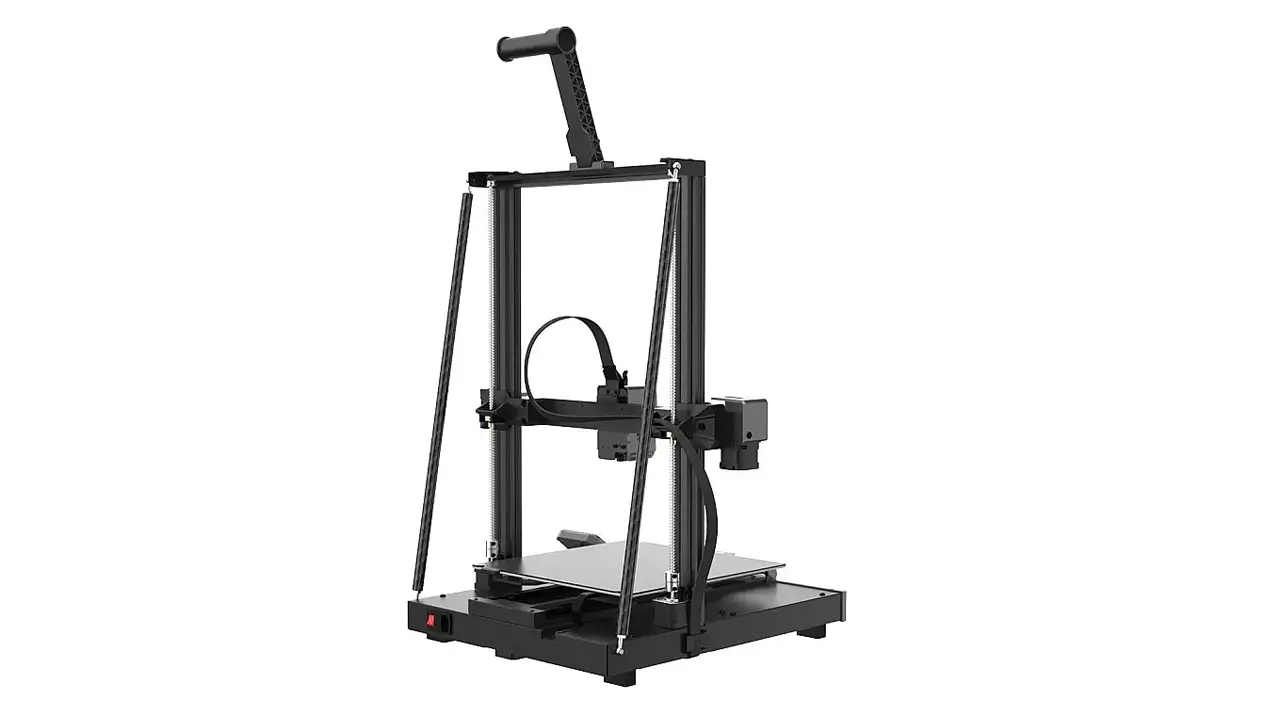
Artillery
Reliable and high-quality 3D printers from Artillery. Known for robust construction, excellent print quality, and great value for both beginners and advanced makers.
- • Robust Construction
- • Excellent Print Quality
- • Great Value for Money
- • User-Friendly Features
Speed and Performance: How Fast Is Fast?
A printer’s speed rating deserves some skepticism, so let’s be careful. The Artillery M1 Pro advertises a top speed of 600 mm/s and acceleration of 20,000 mm/s², which places it firmly in the high-speed 3D printing class. The second number matters more than the first. A printer rarely sustains its maximum speed on real models, because corners, small features, and infill transitions constantly slow the head down. High acceleration is what lets the machine get up to speed quickly and shorten total print time.
What the Numbers Mean in Practice
Think of a 600 mm/s rating like a car’s top speed. It tells you the ceiling, not your commute. In practice, you’ll likely run most models at a fraction of that, especially if you care about surface finish. Where the fast mode shines is on large, simple shapes: big infill areas, long straight walls, prototypes, and functional parts where a few rough lines on a hidden surface are acceptable. A part that used to take six hours on an older machine might finish in two or three, and that changes how you work. You iterate more, test more, and waste less time waiting.
Heat Is the Hidden Limit
Fast printing creates a second problem: plastic has to melt quickly enough to keep up with the flow. The 320 °C hotend helps, but the filament itself is the limit. Cheap or wet filament will fall apart at high speed, with under-extrusion, stringing, or weak layers. If you want the machine to perform as advertised, use decent filament, keep it dry, and tune your flow settings. Good results at speed come from good materials as much as from the printer itself.
Noise and Vibration
Owners of fast machines often mention noise, and it’s worth setting expectations. The enclosure softens the sound, and the rigid frame limits vibration, but a printer moving this quickly is not silent. If it will live in a bedroom or shared office, consider a quieter speed profile for overnight jobs.
Print Quality and Testing: What to Expect from Real Prints
PLA and PETG Basics
Speed is pointless if the parts look bad, so let’s talk quality. Based on the published hardware and early owner impressions, this printer should deliver clean, sharp results on PLA and PETG when tuned sensibly. Owners on retailer pages describe good prints straight out of the box, and one buyer called it the best printer they had owned. That’s a single voice, so treat it as encouragement rather than proof. As in any honest printer review, a few buyers also report troubles, and one wrote that impressive specs mean little if the machine doesn’t run correctly. That’s a fair reminder that individual units and setups differ.
For everyday PLA, expect good detail at moderate speeds and acceptable quality when you push harder. PETG benefits from the enclosure and the stable chamber, which reduce stringing caused by drafts.
ABS, ASA, PC, and Nylon
This is where the machine separates itself from basic open-frame budget printers. With a hotend that reaches 320 °C and a chamber that can warm toward 60 °C, materials that normally curl or crack have a fair chance of printing well. ABS and ASA are the obvious candidates for outdoor brackets, car interior parts, and anything exposed to sun or heat. Polycarbonate and nylon are possible too, though they’re demanding materials in any printer. Keep nylon dry, use a clean bed surface, and expect a learning curve.
One honest caution: abrasive filaments such as carbon fiber blends can wear a standard brass nozzle quickly, so if you plan to use them, check what nozzle your setup uses and consider an upgrade.
How to Test Your Own Unit
When your printer arrives, don’t jump straight into a twelve-hour project. Run a calibration cube, a small benchy-style boat, and a tall thin tower. These reveal dimensional accuracy, overhang handling, and vibration problems. Print the same model at a gentle speed and again at a fast one, then compare. You’ll learn your machine’s real comfort zone in about an hour, and you’ll know exactly how hard you can push it.
Ease of Use and Software: Touchscreen, Wi-Fi, and Slicers
Artillery M1 Pro Features That Make Daily Life Easier
The best printer is the one you actually use, and convenience features decide that. The Artillery M1 Pro features a 4.3-inch color touchscreen that handles the main controls, so you don’t need a computer for basic jobs. Automatic bed leveling takes one of the most annoying chores in the hobby off your plate. Together with the pre-calibrated setup, it gives the machine a “click, print, create” feel that the manufacturer clearly aims for.
Connectivity and Remote Control
You can send jobs by SD card, over Wi-Fi, or from a connected PC, which covers every working style. Retailer descriptions also mention a mobile app and the ability to monitor and control several printers from a single device, a handy feature if you ever grow into a small print farm. Pairing your phone with the printer lets you check progress without standing next to the machine, which is great for long overnight jobs.
Multi-Color Printing
Artillery has also announced a multi-color module, a separate box that lets the machine work with several filaments in one print. Later coverage says the printer now supports multi-color printing. If colorful parts matter to you, check the current availability and price of that module in your region before you plan around it, since add-ons change over time.
Slicers and Workflow
Because the firmware is Klipper-based, the printer fits the workflow most fast-printer fans already know: slice your model, send the file, and watch it go. Before you buy, confirm that your preferred slicer has a ready-made profile for this model, as that saves you hours of manual tuning. A good profile makes the difference between a printer that runs well on day one and one that needs a week of experiments.
The Learning Curve
Automation helps, but it doesn’t remove every challenge. One reviewer site rated the printer highly while noting that it isn’t aimed at absolute beginners, and that it needs a firm, level surface. That matches common sense: a fast machine rewards basic knowledge of materials, temperatures, and slicer settings.
Pros and Cons: The Honest Breakdown
What the M1 Pro Does Well
Start with the good news. The M1 Pro offers a combination that is genuinely rare below the $400 mark: a rigid CoreXY frame, a full enclosure, an active heated chamber, a 320 °C hotend, and high-speed capability in one package. Each of those features alone is common on pricier machines, but together at this cost they make the printer a strong value proposition.
Beyond the hardware, the setup is friendly. It arrives pre-assembled, levels itself, and offers a clear touchscreen and several connection options. The build volume is large enough for serious projects, and the engineering-material support means you won’t outgrow it after your first month of PLA. Early owner feedback is largely positive, with several buyers praising the price-to-performance ratio.
Where It Falls Short
Now the other side. The machine uses a single extruder, so multi-color work depends on the optional module. The firmware is customized rather than fully open, which will frustrate advanced users who want complete control. Some owners report that the printer needs a firm, level surface, and the machine is heavy enough that moving it around is a chore.
There’s also the matter of consistency. As with any budget-friendly printer from a smaller brand, individual experiences vary, and a few buyers describe problems. Support quality, spare part availability, and regional warranty handling matter more here than on a big-brand product, so check how your retailer handles returns before you pay.
Who Should Skip It
If you want a tiny desktop machine, or you demand a fully open, endlessly hackable platform, this isn’t it. And if you print nothing but small PLA figurines, you probably don’t need a heated chamber at all.
Comparison with Competitors: How It Stacks Up
The Price Bracket
The enclosed, fast, sub-$400 category has become crowded and competitive. Rivals include enclosed CoreXY models from big names like Creality and Elegoo, plus open-frame favorites from Bambu Lab, whose A1 line is widely loved for its polish. Each choice has a different philosophy, and prices shift often, so treat the figures below as rough guidance and check current offers.
Enclosed CoreXY Rivals
Direct competitors such as Elegoo’s Centauri Carbon and Creality’s K1-series machines offer a similar recipe: enclosed, CoreXY, fast. Some come with larger ecosystems, more community profiles, and stronger brand recognition. The M1 Pro’s advantage is its active chamber heating and its generous 260 mm cube at a competitive price, while rivals may offer slicker software or a bigger user base.
Open-Frame Alternatives
If you only print PLA and PETG, an open-frame machine like the Bambu Lab A1 can be easier and cheaper, and it has a famously smooth user experience. You give up the enclosure and engineering-material capability, though. That’s the central trade-off: simplicity versus versatility.
Best 3D Printer for Beginners?
So is this the best 3D printer for beginners? Honestly, it depends on the beginner. If you’re willing to read a bit and learn, the pre-assembled design and automation make it very approachable, and the long-term headroom is excellent. If you want the absolute simplest start with the biggest support community, a mainstream brand may be safer. Think of the M1 Pro as a strong second printer or a confident first printer for the curious.
The Artillery 3D Printer Price Advantage
Looking at the Artillery 3D printer price against its peers, the value story is clear. For about $349 or €349, you get a feature set that competitors often reserve for higher tiers. The company has also released a newer M1 Pro S1 version, priced a little lower in some regions, so it’s worth comparing both before you decide. The newer unit includes refinements such as an improved filament tube arrangement, though the core 260 mm build volume stays the same.
Price and Where to Buy
Launch Price and Street Prices
At launch, the machine was priced at $349 in the United States and €349 in the European Union. Since then, retailers have discounted it from time to time. Some European deals dipped to around €325, while recent listings sit near €350 to €360 with shipping, and one Spanish retailer showed a crossed-out recommended price of about €650 with a heavy discount. Those “was” prices are marketing, so judge the deal by what you actually pay, not by the strikethrough.
Smart Ways to Buy Artillery M1 Pro
If you plan to buy Artillery M1 Pro, start with the manufacturer’s regional store, because it usually has the clearest warranty terms and sometimes adds free accessories such as a height extension kit or a spool of PLA. Then compare authorized regional retailers, which may ship faster and handle returns locally. Watch for seasonal sales, since this category sees frequent promotions.
Be careful with duties and taxes. Some store pages note that prices include certain customs costs, but extra charges can still apply if your package is inspected, so read the checkout details closely. The manufacturer has also mentioned price adjustments tied to import duties in some markets.
Considering Used or Open-Box
Artillery runs a pre-owned section on its own store, where a “like new” M1 Pro has been listed at around $289. If you’re comfortable with a refurbished unit and the warranty terms are clear, that can save money. Just confirm what coverage applies before you click.
Final Buying Checklist
Before paying, confirm four things: the exact bundle contents, the warranty length in your country, the return policy, and whether a slicer profile exists for your software. Five minutes of checking can save you weeks of frustration.

AndreevWebStudio.com
Professional web development and design services. Custom WordPress sites, landing pages, e-commerce solutions, and 3D printing content creation for businesses and creators.
- • WordPress Development
- • Custom Web Design
- • E-Commerce Solutions
- • 3D Printing Content
Conclusion: Is It Worth Buying?
After going through the specifications, features, price, and owner feedback, the picture is fairly clear. The Artillery M1 Pro is a smart, ambitious machine that packs fast CoreXY motion, a full enclosure, an active heated chamber, and a 320 °C hotend into a package priced at the cost of a mid-range open-frame printer. If you want to try ABS or ASA, print larger parts, or simply spend less time waiting for jobs to finish, it delivers real value.
It isn’t perfect. The firmware is more closed than some enthusiasts would like, multi-color printing relies on an extra module, individual units can vary, and it works best on a stable, level surface. Buyers who want the biggest community and the most polished brand experience may still lean toward a larger name.
My verdict: for hobbyists who are ready to grow, small workshops, makers who need functional parts, and anyone tempted by the idea of engineering materials without a four-figure budget, this printer is well worth considering. Check the newer M1 Pro S1 as well, compare current prices, verify the warranty, and then decide. If the features match your projects, you’ll likely be very happy with your choice.
Discover more from bestchina3dprinters.com
Subscribe to get the latest posts sent to your email.