If you’ve been anywhere near the 3D printing community in the past couple of years, you’ve probably heard the name Creality Ender 3 V3 come up more than once. And there’s a very good reason for that. Released in January 2024, the Ender 3 V3 arrived as the flagship conclusion to Creality’s beloved V3 lineup — and it didn’t disappoint. This Creality Ender 3 V3 review takes a deep, friendly, and honest look at everything this machine brings to the table: from its innovative CoreXZ motion system to Klipper firmware, direct drive extruder, print quality results, and real-world speed performance.
Whether you’re a total beginner ready to dive into 3D printing or an experienced maker looking to upgrade your workshop without spending a fortune, the Creality Ender 3 V3 positions itself as one of the most exciting options in the sub-$400 budget category in 2026.
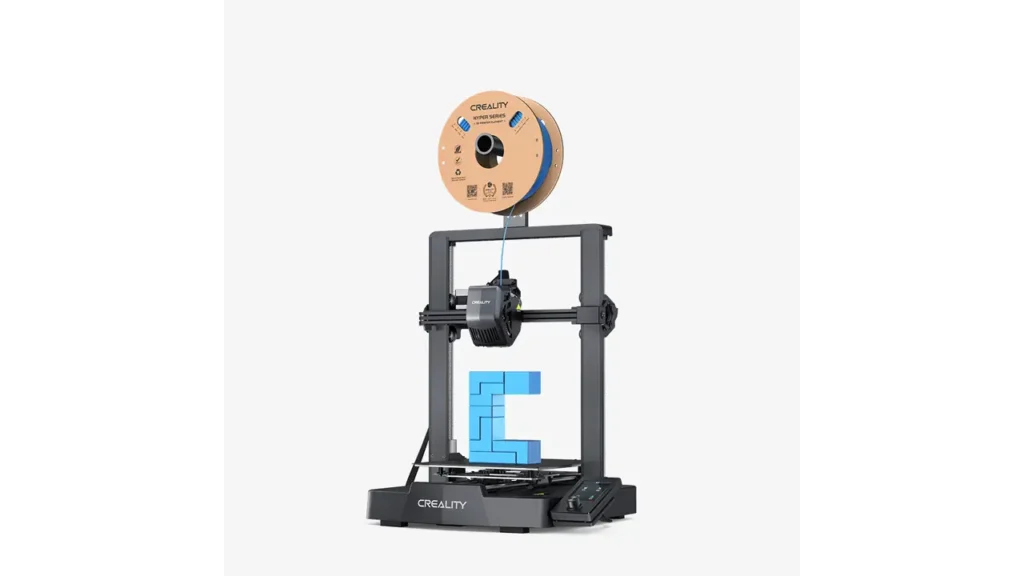
1. Creality Ender 3 V3 Overview — Who Is It For?
The Creality Ender 3 V3 is a bed-slinger FDM (Fused Deposition Modeling) 3D printer with a twist — it features an innovative CoreXZ motion system that sets it apart from virtually every other budget printer on the market. Instead of the more common CoreXY design, the Ender 3 V3 links the X-axis and Z-axis together using linear rods and timing belts, moving both axes simultaneously for dramatically faster and more precise motion.
This machine is aimed at two types of users:
- Enthusiasts and hobbyists who want a fast, reliable, open-source printer with Klipper firmware and room to tinker.
- Beginners who want a polished, near-plug-and-play experience with auto-leveling, a touchscreen, and excellent out-of-box print quality.
With a 4.3-inch color touchscreen, Wi-Fi connectivity, 8GB internal storage, and a build volume of 220 × 220 × 250 mm, the Ender 3 V3 punches well above its price class. It carries the DNA of Creality’s more expensive K1 series while remaining accessible to those on a budget.
2. Ender 3 V3 Specs Breakdown
Let’s get into the numbers. The Ender 3 V3 specs reveal a machine that is genuinely impressive on paper — and, as we’ll see, largely lives up to those numbers in practice.
| Specification | Details |
|---|---|
| Printing Technology | FDM (Fused Deposition Modeling) |
| Build Volume | 220 × 220 × 250 mm |
| Motion System | CoreXZ (belt-driven X and Z axes) |
| Max Printing Speed | 600 mm/s (peak) |
| Max Acceleration | 20,000 mm/s² |
| Extruder Type | Direct Drive (Tri-metal Unicorn Nozzle) |
| Nozzle Temperature | Up to 300°C |
| Bed Temperature | Up to 100°C |
| Firmware | Creality OS (Klipper fork), open-source root access |
| Display | 4.3″ Color Touchscreen |
| Connectivity | Wi-Fi, LAN, USB |
| Internal Storage | 8 GB |
| Frame Material | Die-cast aerospace aluminum alloy |
| Layer Height Range | 0.1 – 0.35 mm |
| Supported Filaments | PLA, PETG, TPU, ABS, PLA-CF, PETG-CF, PC blends |
| Leveling | Auto leveling + Input Shaping (one-tap) |
| Bed Surface | PEI Spring Steel (flexible, magnetic) |
| Hotend Heater | 60W ceramic heater |
| Slicer Software | Creality Print 5.1 (Orca Slicer-based), compatible with Cura, PrusaSlicer |
The combination of die-cast aluminum construction and a belt-driven Z-axis (replacing traditional lead screws) eliminates the Z-banding artifacts that plagued earlier Ender 3 models. The linear rods on both axes also mean smoother, more repeatable motion.
3. Ender 3 V3 Direct Drive Extruder Explained
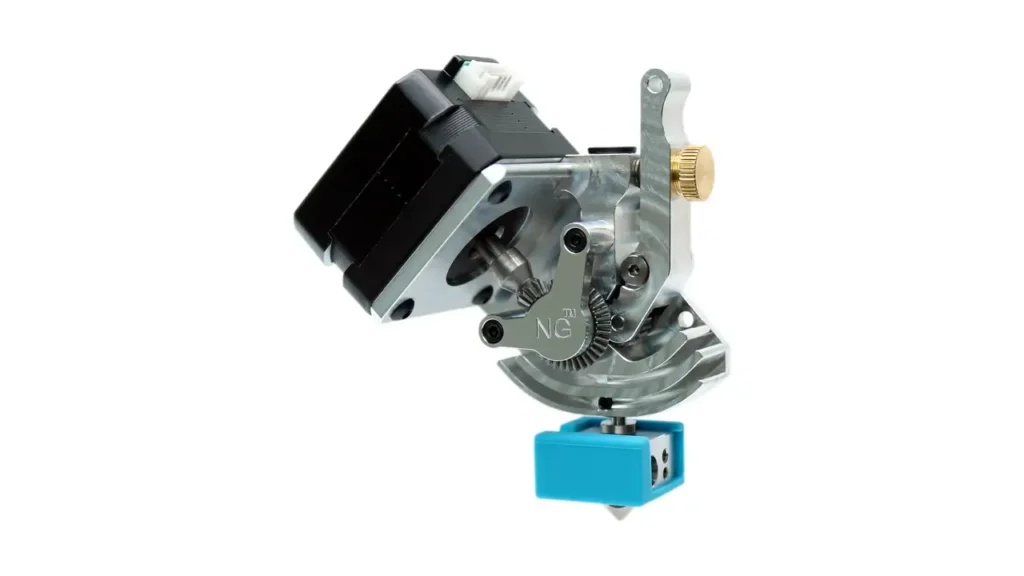
One of the headline features of the Ender 3 V3 is its direct drive extruder, and it’s well worth understanding why this matters. Previous Ender 3 models used a Bowden-style setup, where the extruder motor sits away from the hotend, pushing filament through a long PTFE tube. While lighter, Bowden systems struggle with flexible filaments and require higher retraction values to avoid stringing.
The Ender 3 V3 direct drive extruder changes this equation. The motor is positioned directly above the hotend, dramatically shortening the filament path. Here’s what that means in practice:
Better flexibility: The direct drive extruder makes TPU and other flexible filaments much easier to handle. With a Bowden setup, soft filaments can buckle inside the tube; the direct path on the V3 eliminates this problem almost entirely.
Precise retraction control: Shorter filament path = less retraction needed = less stringing and oozing on fine details. Retraction distances as low as 0.5–1mm typically work well on the V3, compared to 5–7mm on Bowden setups.
Clog-free design: Creality’s extruder kit on the V3 uses a bolster spring and a ball plunger mechanism, rated for over 1,000 hours of clog-free extrusion. The tri-metal “Unicorn” nozzle combines copper alloy body, titanium alloy heatbreak, and hardened steel tip — a combination that handles abrasive and high-temperature materials without premature wear.
The 60W ceramic heater surrounding the hotend can bring the nozzle from room temperature to full printing temperature in roughly 75 seconds, and it supports printing at up to 300°C — enough for most engineering-grade filaments including PLA-CF and PETG-CF composites.
4. Ender 3 V3 Klipper Firmware Performance
The Ender 3 V3 Klipper firmware is one of the most exciting aspects of this machine, especially for users who’ve been following the open-source 3D printing ecosystem. Creality ships the V3 with their own Klipper fork called Creality OS, which is pre-installed and ready to use right out of the box — no flashing required.
For those unfamiliar, Klipper is a 3D printer firmware that offloads motion calculations to a more powerful companion computer (or in this case, Creality’s onboard processor), enabling much more sophisticated motion control algorithms than traditional 8-bit or even 32-bit firmware.
Key Klipper-powered features on the Ender 3 V3 include:
Input Shaping (Resonance Compensation): This algorithm analyzes and compensates for mechanical vibrations in the frame, allowing the printer to move faster without introducing ringing or “ghosting” artifacts on print surfaces. On the V3, input shaping runs in a single tap during the initial self-check.
Linear Advance / Pressure Advance: This controls filament pressure inside the nozzle during acceleration and deceleration, resulting in sharper corners and more consistent extrusion — especially at higher speeds.
Real-world benefits: According to testing by Tom’s Hardware, the V3’s Klipper-driven slicer defaults cap speed at a more practical 200–300 mm/s for most print profiles, where the input shaping and pressure advance algorithms do their best work. The results are noticeably cleaner than printers without resonance compensation, even at moderate speeds.
Root access for power users: If Creality’s default OS feels too locked-down, users can install a fully open-source version of Klipper with root access. This opens the door to custom macros, advanced tuning, and community-developed configurations. The Ender 3 V3 on OrcaSlicer has an official profile available, making the transition to third-party tools seamless.
5. Ender 3 V3 Print Quality Test Results
Let’s talk about what actually comes off the build plate. The Ender 3 V3 print quality has impressed most independent reviewers, and real-world results back up the numbers on paper.
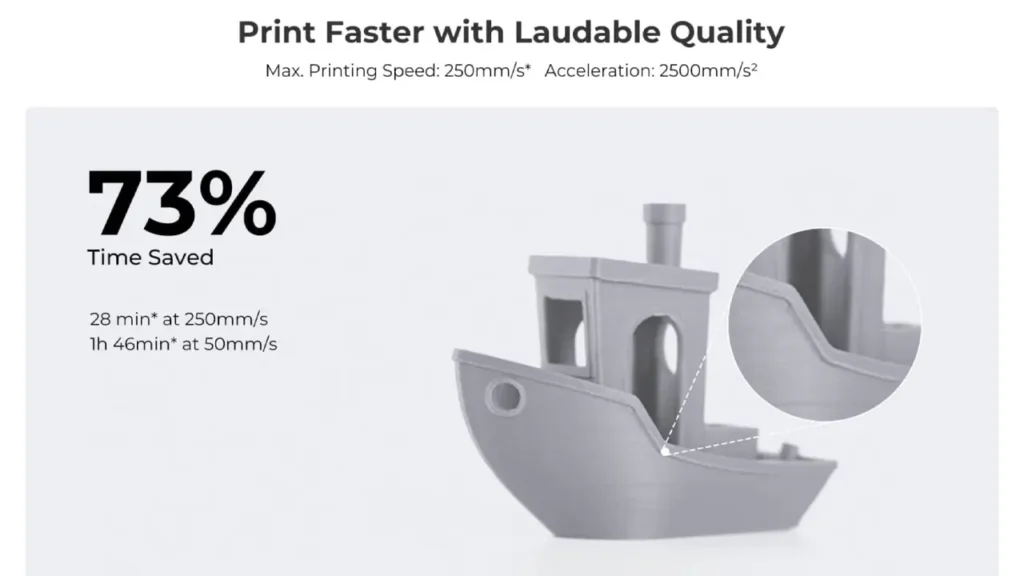
The Benchy Test: The classic 3DBenchy model — the 3D printing community’s go-to torture test — produced excellent results on the V3. Hull lines were clean, the cabin overhang showed minimal sagging, and chimney detail was sharp. Reviewers at Tom’s Hardware noted that the V3 produced great prints right out of the box, commenting on clear details, well-defined layers, and strong layer adhesion even in complex areas.
Layer Consistency: Thanks to the belt-driven Z-axis replacing lead screws, the Ender 3 V3 avoids the Z-banding artifacts that were common on older Ender 3 models. Layer lines are consistent and regular across tall prints, a significant improvement.
Overhang Performance: With its efficient part cooling setup, the V3 handles overhangs up to approximately 50–55 degrees without support material, comparable to printers in a higher price bracket. Beyond that, support structures are recommended.
Fine Detail: The combination of direct drive precision and input shaping resonance compensation yields noticeably sharper corners and cleaner surface finish compared to printers without these features. Figurines, functional parts, and decorative models all come out with a professional finish when sliced with appropriate settings.
For best results, using Creality Hyper PLA at around 200–220°C produces outstanding surface quality at 200–300 mm/s, which is where the V3 really shines as a daily driver.
6. Creality Ender 3 V3 Speed — Marketing vs Reality
Let’s address the big claim: 600 mm/s. Is the Ender 3 V3 actually that fast?
Technically, yes — the hardware is capable of achieving 600 mm/s peak speed with 20,000 mm/s² acceleration. In practice, those figures appear during speed test sequences, not during normal printing. According to Tom’s Hardware testing, the Creality Print slicer defaults to 200–300 mm/s for standard print profiles, which is still remarkably fast for a bed-slinger.
| Speed Scenario | Claimed / Actual | Notes |
|---|---|---|
| Peak Speed (marketing) | 600 mm/s | Achievable in speed test mode only |
| Slicer Default (Normal Profile) | 200–300 mm/s | Recommended for balanced quality/speed |
| Speed Boat (Benchy) Test | ~14 min 54 sec | Fastest bed-slinger in Tom’s Hardware tests |
| High-quality profile | 100–150 mm/s | For fine detail, figurines, miniatures |
| Max Acceleration | 20,000 mm/s² | Enables rapid direction changes at speed |
The bottom line: at 200–300 mm/s with input shaping active, the Ender 3 V3 is genuinely the fastest bed-slinger you can buy at this price point. The 600 mm/s headline is a peak capability, not a practical daily target — but even at half that speed, this machine easily outruns most of its competition.
7. Creality Ender 3 V3 Setup Guide
One of the most pleasant surprises with the Ender 3 V3 is how easy the setup process is. Creality has refined their assembly experience significantly over earlier Ender 3 generations.
Assembly time: The Ender 3 V3 ships approximately 95% pre-assembled. According to Creality’s documentation, the process is reduced to just 3 steps: attach the gantry to the base, connect the wiring harness, and power on. Most users complete this in 15–30 minutes.
First startup and self-check: On first power-on, the V3 runs a self-check sequence that includes verifying motor movement, fan operation, and heater function. This automated diagnostic is a welcome addition that helps catch any shipping-related issues before you start your first print.
Auto leveling: The Ender 3 V3 uses a strain sensor-based auto leveling system — the same approach found in Creality’s K1 series. A single tap on the touchscreen initiates a full bed mesh leveling procedure. The system probes multiple points across the bed and automatically compensates for any tilt or warping. There’s no manual adjustment needed.
Input Shaping calibration: After leveling, a one-tap input shaping calibration runs automatically. The printer vibrates at different frequencies, measuring resonance so the Klipper firmware can compensate. This takes about two minutes and significantly improves print quality at higher speeds.
First print: Load the included sample filament, select one of the pre-loaded test models from the internal storage, and hit print. For most users, the first print succeeds without any additional tuning.
8. Creality Ender 3 V3 Comparison with Competitors
How does the Ender 3 V3 stack up against its main rivals? Let’s take a clear-eyed look.
| Feature | Ender 3 V3 | Bambu Lab A1 | Anycubic Kobra 2 |
|---|---|---|---|
| Motion System | CoreXZ (bed slinger) | CoreXY | Cartesian (bed slinger) |
| Max Speed | 600 mm/s | 500 mm/s | 300 mm/s |
| Build Volume | 220×220×250 mm | 256×256×256 mm | 220×220×250 mm |
| Firmware | Klipper (open, root access) | Proprietary (Bambu OS) | Klipper-based |
| Extruder | Direct Drive | Direct Drive | Direct Drive |
| Auto Leveling | Yes (strain sensor) | Yes | Yes |
| Open Source | Yes (full root access) | Limited | Partially |
| Approx. Price (USD) | ~$299–$389 | ~$299–$349 | ~$179–$249 |
Against the Bambu Lab A1, the Ender 3 V3 holds its own on speed and edges ahead on openness — Bambu’s ecosystem, while polished, is more closed than Creality’s. The A1’s CoreXY design does give it a slight edge in stability at very high speeds, but the V3’s CoreXZ is genuinely competitive.
Against the Anycubic Kobra 2, the Ender 3 V3 is the clear winner in speed, firmware sophistication, and build quality — though the Kobra 2’s lower price makes it attractive for true beginners on a tight budget.
For makers who value open-source firmware, maximum speed, and long-term community support, the Ender 3 V3 is the strongest choice in its class.
9. Creality Ender 3 V3Price & Value
The Ender 3 V3 price at launch was set at $389 USD, but it has regularly been available on sale for around $299 USD through Creality’s official store and major retailers like Amazon.
In the EU market, pricing typically falls in the €299–€369 range depending on local import fees and retailer margins. Sales events like Black Friday, Creality’s anniversary promotions, and platform-specific deals (such as Amazon Prime Day) frequently drop the price further, sometimes to as low as €249–€269.
When you consider what $299–$389 buys you — CoreXZ kinematics, pre-installed Klipper firmware, 600 mm/s peak capability, a 4.3-inch touchscreen, Wi-Fi, die-cast aluminum frame, and full open-source access — the value proposition is genuinely impressive. Comparable features from Bambu Lab or Prusa typically cost significantly more.
For the feature set offered, the Ender 3 V3 represents some of the best value per dollar in the consumer 3D printing market in 2026.
10. Creality Ender 3 V3 Upgrades & Future Potential
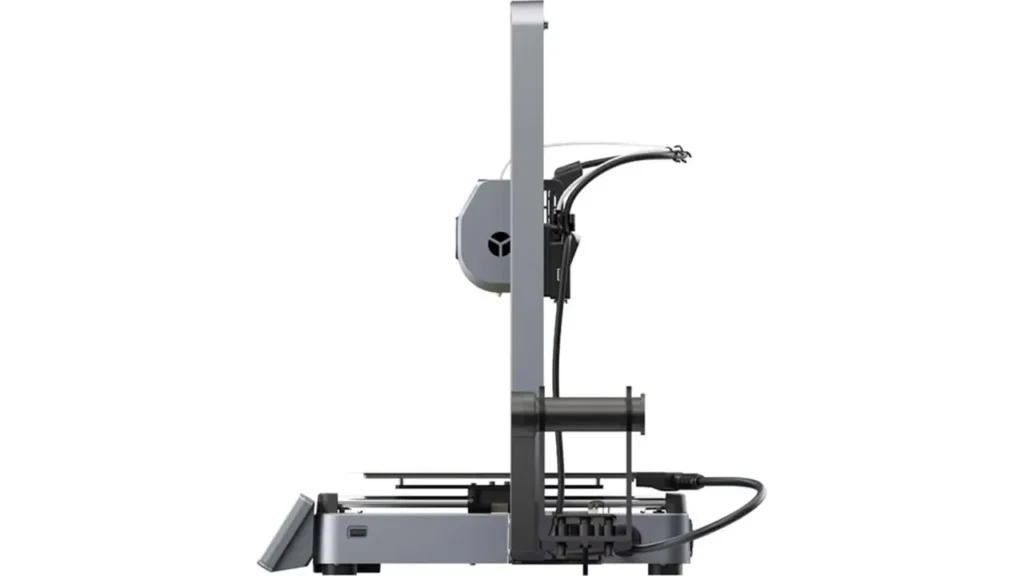
One of the great strengths of the Ender 3 V3 — and of the Ender 3 ecosystem in general — is its upgrade potential. Creality has built this machine to grow with you.
Nozzle swaps: The tri-metal Unicorn nozzle is designed for easy swapping. You can move to a 0.6mm nozzle for faster, thicker prints or a 0.2mm nozzle for extremely fine detail work. The hardened steel tip handles abrasive filaments like carbon fiber composites without wearing out quickly.
Hotend upgrades: The 60W ceramic hotend already supports up to 300°C, which covers the vast majority of filament types. For users interested in high-temperature engineering materials like nylon or polycarbonate at sustained temperatures, aftermarket high-flow hotend upgrades compatible with the V3’s mounting standard are available from the Creality community.
Enclosure potential: While the Ender 3 V3 doesn’t ship with an enclosure, adding one is straightforward. An enclosure is particularly useful for printing ABS, ASA, or PC blends, which benefit from a stable, warm ambient temperature. Several community-designed enclosure kits exist on Printables and Thingiverse specifically for the V3 form factor.
Firmware customization: Because the V3 runs Klipper with full root access, advanced users can install Mainsail or Fluidd web interfaces, add custom macros, enable resonance testing, or connect additional hardware like a Raspberry Pi camera for remote monitoring.
Long-term reliability: The shift from V-wheel carriages to linear rods, and from lead screws to belt-driven Z-axis, eliminates the two most common wear points on older Ender 3 models. The die-cast aluminum frame provides a rigid, durable base. Users who maintain their machine properly — keeping belts tensioned, nozzle clean, and bed surface in good condition — can expect many thousands of reliable print hours from the Ender 3 V3.
Final Verdict Creality Ender 3 V3
The Creality Ender 3 V3 is a genuinely exciting machine — not just for what it costs, but for what it represents. It takes the lessons learned from years of Ender 3 evolution and the trickle-down technology from Creality’s flagship K1 series, and packages them into an accessible, well-built, and extensively documented printer that both beginners and enthusiasts can love.
Its CoreXZ motion system is novel and effective, the pre-installed Klipper firmware adds real-world performance benefits, print quality is excellent out of the box, and the open-source foundation means it only gets better over time. If you’re looking for a fast, capable, and expandable 3D printer in the sub-$400 range in 2026, the Creality Ender 3 V3 is one of the strongest choices available.
Sources: Creality Official Website (creality.com), Tom’s Hardware Ender 3 V3 Review, 3DPros Ender 3 V3 Database, Amazon Official Product Listings.
If you’re exploring the latest tech beyond 3D printing, take a look at https://bestchinagadget.com/. The platform covers trending Chinese gadgets, smart devices, and innovative electronics worth your attention. It’s a smart next stop for discovering new tech releases, comparisons, and hands-on insights before your next purchase decision.
Discover more from bestchina3dprinters.com
Subscribe to get the latest posts sent to your email.