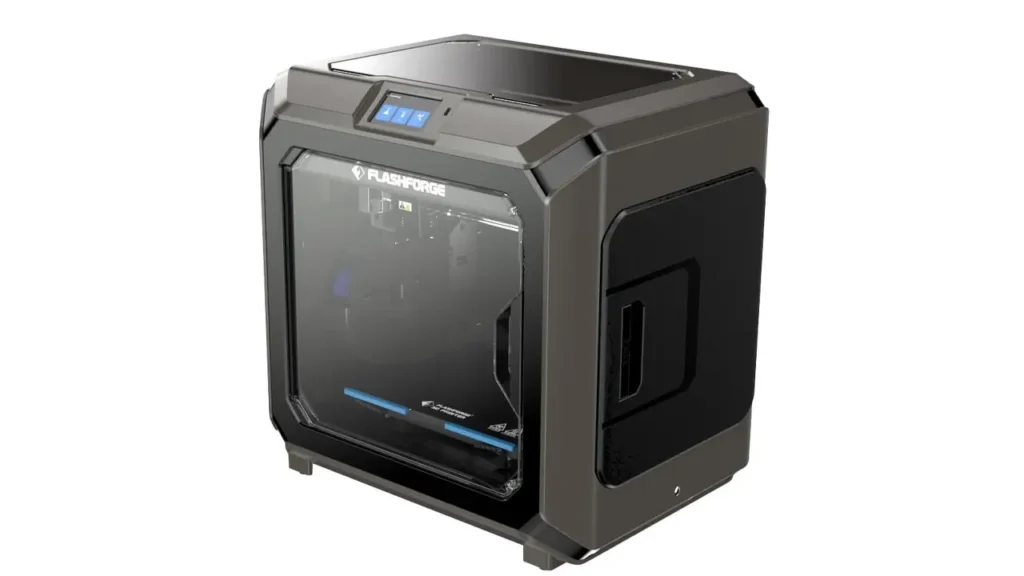
If you’re searching for a professional-grade 3D printer that can handle complex multi-material prints with precision, the Flashforge Creator 3 might just be what you need. This enclosed IDEX (Independent Dual Extruder) machine has been making waves in the professional 3D printing community, and for good reason.
Whether you’re an engineer prototyping functional parts, an educator teaching advanced manufacturing concepts, or a product designer pushing the boundaries of what’s possible with additive manufacturing, understanding what the Flashforge Creator 3 brings to the table is essential. In this comprehensive review, we’ll dive deep into specs, performance, pricing, and real-world applications to help you decide if this printer deserves a spot in your workshop.
Flashforge Creator 3 Review Overview
The Flashforge Creator 3 review consensus points to a machine designed for professionals who need reliability and versatility. Unlike many consumer-grade printers, this isn’t a hobbyist machine—it’s built for demanding environments where precision and repeatability matter.
Who should consider the Flashforge Creator 3?
- Engineering teams developing functional prototypes that require soluble supports or multi-material assemblies
- Educational institutions teaching advanced 3D printing techniques and material science
- Product designers who need to iterate quickly with different materials and colors
- Small manufacturing operations producing small-batch production runs with consistent quality
The Creator 3 sits in that sweet spot between affordable desktop printers and industrial workhorses. It offers professional features without the six-figure price tag, making advanced 3D printing techniques accessible to more users.
Flashforge Creator 3 Specs Breakdown
Understanding the Flashforge Creator 3 specs is crucial to knowing whether this printer can meet your specific needs. Let’s break down the technical specifications:
| Specification | Details |
|---|---|
| Build Volume | 300 x 250 x 200 mm |
| Nozzle Temperature | Up to 240°C |
| Heated Bed Temperature | Up to 120°C |
| Layer Resolution | 0.05 – 0.4 mm |
| Print Speed | 10 – 200 mm/s |
| Nozzle Diameter | 0.4 mm (standard) |
| Extruder System | Independent Dual Extruder (IDEX) |
| Display | 4.3″ Color Touchscreen |
| Connectivity | USB, Ethernet, WiFi |
| Supported Filaments | PLA, ABS, PETG, TPU, PVA, HIPS |
| Frame Construction | All-metal frame |
| Chamber Type | Fully enclosed |
| Dimensions | 530 x 485 x 460 mm |
| Weight | Approximately 20 kg |
The all-metal frame construction ensures stability during long prints, while the 4.3-inch color touchscreen provides an intuitive interface for adjusting settings on the fly. The connectivity options—USB, Ethernet, and WiFi—give you flexibility in how you send print jobs to the machine, which is particularly useful in professional environments where the printer might be shared among team members.
The nozzle temperature reaching 240°C and bed temperature up to 120°C means you can work with a wide range of materials, from basic PLA to more demanding engineering filaments like ABS and PETG.
Flashforge Creator 3 Build Volume Explained
The Flashforge Creator 3 build volume of 300 x 250 x 200 mm (approximately 11.8 x 9.8 x 7.9 inches) positions this printer in the mid-size category. But what does that really mean for your projects?
In practical terms, this build volume allows you to:
- Print functional prototypes for most consumer products
- Create mechanical parts that fit together as assemblies
- Produce architectural models at reasonable scales
- Manufacture small-batch production items
- Print multiple smaller objects simultaneously
The 300mm x-axis length is particularly useful for longer parts like brackets, rails, or enclosure components. The 250mm y-axis and 200mm z-axis provide enough vertical space for most applications without becoming unwieldy.
One thing to consider: when using IDEX features like mirror or duplication mode, your effective build volume per object is reduced since you’re printing two items side-by-side. However, the trade-off in productivity often makes this worthwhile.
For comparison, this build volume is larger than many consumer desktop printers (which often max out around 220 x 220 x 250 mm) but more compact than large-format industrial machines. It’s that goldilocks zone where you can handle serious projects without dedicating half your workshop to the printer.
Independent Dual Extruder (IDEX) System
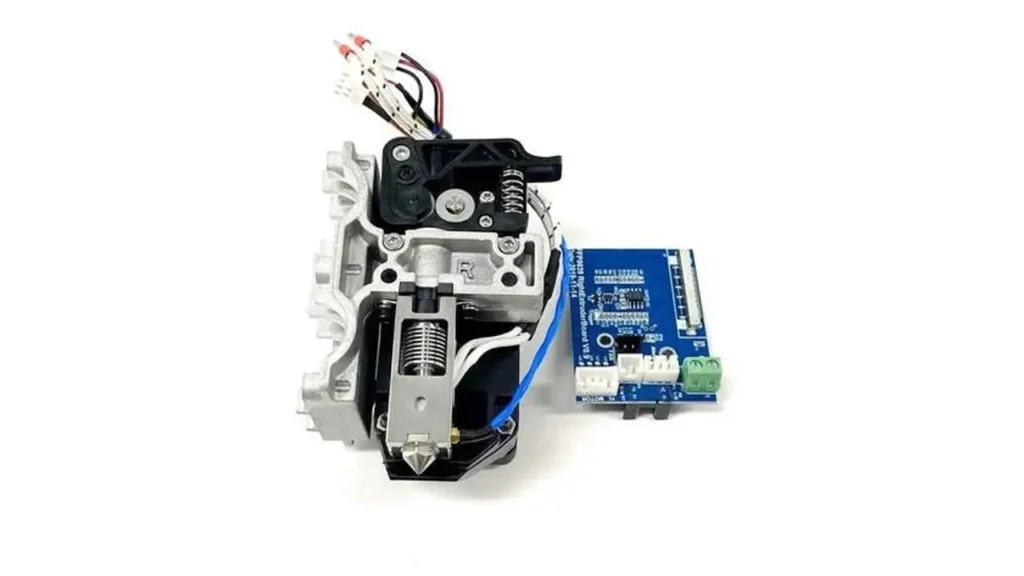
The Flashforge Creator 3 independent dual extruder system is where this printer truly shines. Unlike traditional dual extruder setups where both nozzles are fixed to a single carriage, IDEX technology gives each extruder its own independent movement along the x-axis.
What makes IDEX special?
Traditional dual extruder printers face a fundamental problem: when one nozzle is printing, the other idle nozzle sits right next to it, potentially oozing material or dragging across your print. IDEX solves this by parking the inactive extruder completely out of the way.
Key IDEX advantages:
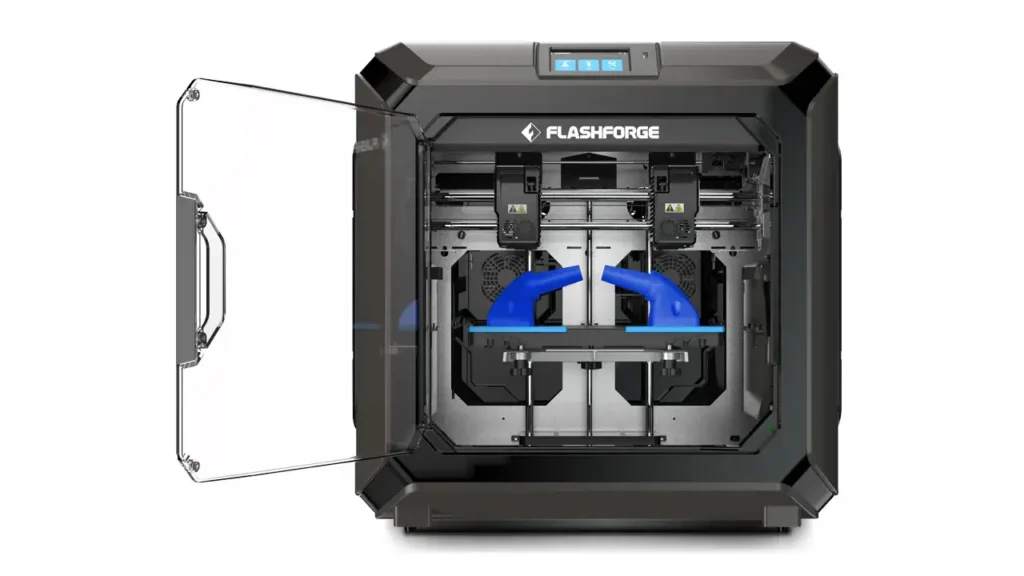
Mirror Mode: Print two identical objects simultaneously, mirrored along the center axis. This is perfect for producing symmetrical pairs—think left and right brackets, shoe insoles, or decorative items. You essentially double your productivity without doubling print time.
Duplication Mode: Print two identical objects at the same time. Instead of waiting for one print to finish before starting the second, you get both done in one go. This is invaluable for small production runs or when you need multiple copies of the same part.
Soluble Support Printing: Use one extruder for your model material (like PLA or ABS) and the other for soluble support material (like PVA). After printing, simply dissolve the supports in water, leaving behind a clean part with no marks or manual support removal required.
Multi-Material Printing: Combine different materials or colors in a single print. Create parts with rigid and flexible sections, or add colored accents without changing filament mid-print.
The IDEX system on the Creator 3 is implemented thoughtfully, with precise calibration tools built into the firmware to ensure both extruders are perfectly aligned. This attention to detail shows in the quality of dual-material prints.
Flashforge Creator 3 Dual Extruder Performance
When we talk about Flashforge Creator 3 dual extruder performance, we’re really discussing how well the printer executes on the promise of independent extrusion.
Multi-material printing quality:
The Creator 3 handles material transitions cleanly. The independent parking system means you don’t get the oozing and stringing that plagues traditional dual extruder designs. When printing with two colors or materials, the boundaries between them are crisp and well-defined.
Support material excellence:
This is where the dual extruder setup really earns its keep. Printing complex geometries with overhangs becomes dramatically easier when you can use a soluble support material like PVA. The Creator 3’s calibration between extruders is precise enough that support interfaces are clean and the supports dissolve away completely without leaving residue on your model.
Production efficiency:
In duplication or mirror mode, the Creator 3 genuinely doubles your output. The independent extruders work simultaneously without interfering with each other, and the results are remarkably consistent between the two prints. Quality doesn’t suffer when running in these modes—both prints maintain the same level of detail and accuracy you’d get from a single print.
Practical considerations:
The dual extruder system does require some learning curve. You’ll need to dial in settings for each material combination you use, and the initial calibration between extruders needs to be done carefully. However, once configured properly, the system is reliable and repeatable.
The Creator 3 includes helpful features like automatic nozzle offset calibration and detailed guides for setting up dual material prints. Flashforge’s slicer software, FlashPrint, includes presets for common dual material combinations, which helps flatten that learning curve.
Enclosed Printing Chamber Advantages
The Flashforge Creator 3 enclosed 3D printer design isn’t just about safety—it’s a critical feature for printing engineering-grade materials successfully.
Why enclosure matters:
Materials like ABS, Nylon, and Polycarbonate are notoriously sensitive to temperature fluctuations during printing. When different parts of your print cool at different rates, you get warping, layer separation, and cracking. An enclosed chamber maintains a stable ambient temperature throughout the print, eliminating these issues.
Benefits of the Creator 3’s enclosed design:
Temperature stability: The fully enclosed chamber traps heat from the heated bed and creates a consistent environment. This is essential for printing ABS without warping or for achieving good layer adhesion with Nylon.
Print quality improvement: Even with materials like PETG or standard PLA, the enclosed chamber helps. You’ll notice better surface finish, fewer drafting lines, and more consistent dimensional accuracy because there are no cold drafts affecting the print.
Reduced material limitations: The enclosure opens up your material options significantly. You can confidently print engineering thermoplastics that would be nearly impossible on an open-frame printer.
Noise reduction: As a bonus, the enclosure dampens the mechanical noise from the printer. While it’s not silent, it’s noticeably quieter than open-frame designs, which matters in office or educational environments.
Safety considerations: The enclosure keeps curious hands away from hot components and moving parts. In educational settings or shared workshops, this added safety layer is valuable.
Practical note: The enclosure does mean you need to consider ventilation, especially when printing materials like ABS that emit fumes. The Creator 3 is designed to work with external ventilation systems if needed, though for most applications in well-ventilated spaces, this isn’t necessary.
Professional Use Cases
The Flashforge Creator 3 professional 3D printer is designed with specific workflows in mind. Let’s explore where this machine excels in professional settings.
Engineering and prototyping:
Engineers use the Creator 3 for functional prototyping where parts need to fit together precisely. The dual extruder capability means you can print complex assemblies with moving parts or create prototypes that combine rigid and flexible materials. The soluble support feature is particularly valuable when prototyping parts with internal channels or complex geometries that would be impossible to support and clean manually.
Product design and development:
Product designers leverage the Creator 3 to iterate quickly through design concepts. The ability to print in multiple colors simultaneously helps stakeholders visualize final products better than monochrome prototypes. The mirror mode is perfect for producing symmetrical design elements, while the build volume accommodates most consumer product scales.
Educational environments:
Universities and technical schools use the Creator 3 to teach advanced manufacturing concepts. Students can learn about multi-material printing, understand how support structures work with soluble materials, and gain hands-on experience with professional-grade equipment. The enclosed design also provides extra safety in classroom environments.
Small-scale manufacturing:
Some businesses use the Creator 3 for low-volume production runs. The duplication mode makes it practical to produce small batches of identical parts efficiently. While it’s not designed for mass production, it bridges the gap between prototyping and full-scale manufacturing for certain applications.
Research and development:
R&D labs appreciate the Creator 3’s material versatility and precision. Researchers can experiment with different material combinations, test mechanical properties of various filaments, and produce specimens for testing without the overhead of larger industrial machines.
Price & Market Position
Let’s talk about the Flashforge Creator 3 price and where it sits in the competitive landscape.
The Flashforge Creator 3 typically retails in the range of $1,500 to $2,000 USD, depending on current promotions and where you purchase it. This positions it in the professional entry-level category—significantly more expensive than hobbyist machines but far more affordable than true industrial systems.
What are you paying for?
| Price Tier | Printer Examples | Key Features |
|---|---|---|
| Budget ($200-$500) | Ender 3, Anycubic Kobra | Single extruder, open frame, basic features |
| Enthusiast ($500-$1,000) | Prusa MK4, Bambu Lab P1S | Enclosed options, auto-leveling, better quality |
| Professional Entry ($1,500-$3,000) | Flashforge Creator 3, Raise3D E2 | IDEX, enclosed, professional features |
| Industrial ($5,000+) | Ultimaker S7, Stratasys systems | Premium materials, reliability, support |
Value proposition:
At its price point, the Creator 3 offers features typically found in more expensive machines. The IDEX system alone adds significant value—comparable IDEX printers from other manufacturers often cost $500-$1,000 more. The fully enclosed chamber, professional-grade frame construction, and reliable performance justify the investment for users who need these capabilities.
Competitive comparison:
Against direct competitors like the BCN3D Sigma series or Raise3D Pro2 Plus, the Creator 3 is competitively priced while offering similar feature sets. It’s less expensive than Ultimaker’s offerings while providing comparable dual extrusion capabilities.
Cost of ownership:
Beyond the initial purchase price, consider ongoing costs. Standard 1.75mm filament is readily available and affordable. Replacement nozzles and wear parts are reasonably priced. The Creator 3 doesn’t require proprietary materials or special consumables, which keeps operating costs predictable.
ROI considerations:
For professional users, the Creator 3 can pay for itself relatively quickly. The ability to run duplication mode effectively doubles your output for certain applications. The time saved on support removal when using soluble supports translates directly to labor cost savings. For educational institutions, one Creator 3 can serve multiple courses and projects simultaneously.
Final Verdict: Is Flashforge Creator 3 Worth It?
After exploring every aspect of the Flashforge Creator 3, let’s answer the crucial question: is it worth your investment?
The Creator 3 excels when:
You need reliable dual material printing for complex geometries with soluble supports. The IDEX system performs this task better than traditional dual extruder designs, and the results justify the investment if this is a regular part of your workflow.
You’re running small production batches where duplication or mirror mode can double your efficiency. The time savings compound quickly when producing multiple units of the same part.
You work with engineering materials like ABS, Nylon, or PC that require a stable thermal environment. The enclosed chamber makes these materials practical and reliable.
You need consistent, repeatable results in a professional setting where failed prints cost real time and money. The Creator 3’s reliability and build quality deliver on this expectation.
Consider alternatives if:
You primarily print with single materials in single colors. The dual extruder capabilities would go largely unused, making simpler printers more cost-effective.
You’re on a tight budget and learning 3D printing basics. The Creator 3’s advanced features come with a learning curve that might be overwhelming for beginners.
You need a larger build volume as a priority. While the Creator 3’s 300 x 250 x 200mm is respectable, if size is your main requirement, you can find larger single-extruder printers at similar or lower prices.
The verdict:
The Flashforge Creator 3 is a solid investment for professionals, educators, and serious makers who will utilize its IDEX capabilities and enclosed chamber design. It delivers professional-grade features at a price point that makes them accessible, and it does so with reliable performance and consistent quality.
It’s not the cheapest printer, but it’s also not pretending to be. What you’re buying is capability—the ability to tackle complex multi-material prints, produce small batches efficiently, and work with demanding materials successfully. For users who need these capabilities, the Creator 3 represents excellent value.
Ready to explore more professional 3D printing options? Visit bestchina3dprinters.com to discover comprehensive reviews, comparisons, and guides that help you find the perfect printer for your specific needs. Whether you’re upgrading from a hobbyist machine or expanding your professional workshop, we’ve got the insights you need to make an informed decision.
The Flashforge Creator 3 stands as a testament to how professional-grade 3D printing technology has become more accessible without sacrificing performance. If your projects demand dual material capabilities and the reliability to back them up, this printer deserves serious consideration in your decision-making process.
If you’re exploring professional machines like the Flashforge Creator 3, it makes sense to compare it with other leading models from China. The market is evolving fast, and new competitors appear every year. Check out this detailed overview of the best Chinese 3D printers to see how it stacks up:
https://bestchinagadget.com/best-chinese-3d-printers/
Discover more from bestchina3dprinters.com
Subscribe to get the latest posts sent to your email.