 Skip to content
 Introduction — Meet the Elegoo Centauri Carbon
If you’ve been shopping for a 3D printer lately, you’ve probably noticed that “fast, enclosed, and affordable” usually means picking two out of three. The Elegoo Centauri Carbon is one of the machines that quietly changed that math. It’s Elegoo’s first proper CoreXY printer, and it arrived with a feature list that looks like it belongs on something far more expensive.
For years, Elegoo was best known for two very different things: excellent resin printers like the Saturn series, and budget-friendly FDM machines like the Neptune line. The Centauri Carbon is the company’s confident step into the enclosed, high-speed CoreXY world — the same category dominated by names most makers already recognize. And instead of arriving as a bare-bones kit, this printer shows up mostly built, pre-calibrated, and genuinely ready to print.
This Elegoo Centauri Carbon review is written for the curious beginner and the value-hunting hobbyist alike. We’ll walk through the specs, the CoreXY motion system, the enclosed chamber, carbon fiber printing, the build volume, setup, price, and how it stacks up against the Bambu Lab P1S. By the end, you’ll have a clear, friendly picture of whether this machine deserves a spot on your desk. No jargon dumps, no hype — just an honest, easy-to-follow tour of what makes this printer interesting.
Let’s start where every good printer story starts: the numbers.


Key Specifications Overview
The first thing that grabs people about the Elegoo Centauri Carbon specs is the speed. This machine is rated for a maximum print speed of 500 mm/s with acceleration up to 20,000 mm/s². Those figures aren’t marketing fluff — they’re the kind of numbers you’d expect from serious CoreXY hardware, and they translate into prints that finish noticeably faster than on older Cartesian-style machines.
Feeding that speed is a hardened steel nozzle capable of reaching 320 °C, paired with a heated bed that climbs to 110 °C. The hotend supports a flow rate of around 32 mm³/s, which is what allows the printer to actually keep up with those high speeds instead of just moving fast and under-extruding. Print accuracy sits at about ±0.1 mm, with layer heights ranging from 0.1 to 0.4 mm — Elegoo recommends 0.2 mm as the everyday sweet spot.
Here’s a clean, mobile-friendly summary of the headline specifications drawn from official sources:
| Feature | Specification |
|---|---|
| Motion system | CoreXY, fully enclosed |
| Max print speed | 500 mm/s |
| Max acceleration | 20,000 mm/s² |
| Build volume | 256 × 256 × 256 mm |
| Nozzle temperature | Up to 320 °C (hardened steel) |
| Bed temperature | Up to 110 °C |
| Max flow rate | ≈ 32 mm³/s |
| Display | 4.3-inch capacitive touchscreen |
| Connectivity | Wi-Fi + USB flash drive, 8 GB internal storage |
| Weight | ≈ 17.5 kg |
Taken together, these specs put the Centauri Carbon firmly in “capable all-rounder” territory. It’s built to move fast, print hot, and stay stable while doing it.

Centauri Carbon 2 Combo
Advanced multi-material 3D printing system. High-speed CoreXY mechanics, carbon fiber compatibility, and versatile combo configuration for professional prototyping and production.
- • CoreXY High-Speed
- • Carbon Fiber Ready
- • Multi-Material Combo
- • Auto Bed Leveling
CoreXY Motion System Explained
If you’re newer to 3D printing, the phrase “CoreXY 3D printer” gets thrown around a lot, so let’s make it simple. In a traditional Cartesian printer, the bed usually moves back and forth on one axis while the print head handles the other. That works, but a moving bed carries weight, and weight limits how fast you can go before quality suffers.
A CoreXY system flips that logic. The print head is driven by two belts working together across the X and Y axes, while the bed only moves up and down. Because the moving parts are lighter and the motors stay put, the whole system can accelerate harder and change direction faster without shaking itself apart. That’s the secret behind the Centauri Carbon’s headline speeds.
Of course, speed is only useful if the frame can handle it. Elegoo addressed this with an integrated die-cast aluminum frame designed specifically to minimize vibration and keep everything rigid at high speeds. A wobbly frame at 500 mm/s would produce ugly artifacts, so this rock-solid chassis is doing real work behind the scenes.
To keep prints clean, the printer leans on two clever software tricks: automatic vibration compensation and pressure advance. Vibration compensation helps cancel out the ringing or “ghosting” that fast movement can leave on your walls, while pressure advance manages how filament is pushed and eased at corners so you get crisp edges instead of blobs. The result is a machine that’s fast without turning every print into a lesson about the downsides of speed.
Fully Enclosed Chamber & Material Support
One of the biggest practical advantages of this machine is that it’s a fully enclosed 3D printer. That enclosure isn’t just for looks — it traps heat inside the chamber and keeps the temperature stable while you print. A steady environment means better layer adhesion and far less warping or cracking, especially on larger parts that take hours to finish.
This matters most when you move beyond basic PLA. Materials like ABS and ASA are notorious for warping and lifting off the bed when they cool unevenly, which is exactly what tends to happen on open-frame printers in a drafty room. The Centauri Carbon’s sealed chamber gives these materials the calm, warm conditions they need. The enclosure is also ventilated with a filtered exhaust, so tougher materials can be printed more safely.
There is one honest caveat worth knowing. The chamber is warmed passively by the heated bed rather than by an active heater. That’s perfectly fine for ABS and ASA, but extremely temperature-sensitive engineering materials like polycarbonate may be a stretch, even though the nozzle and bed can technically hit high temperatures. For the vast majority of hobbyist and functional printing, though, the enclosure is a genuine upgrade over open machines. One small usability note reviewers mention: for everyday PLA, many users prefer to remove the top panel to let extra heat escape.
Carbon Fiber & Advanced Filaments
The word “Carbon” in the name isn’t decoration. This is a carbon fiber 3D printer at heart, built specifically to handle abrasive, reinforced filaments that would chew through a standard brass nozzle.
That’s where the hardened steel nozzle earns its keep. Carbon-fiber-reinforced materials — think PLA-CF, PETG-CF, or nylon-CF — contain tiny abrasive fibers that wear soft nozzles down quickly. A hardened steel nozzle rated to 320 °C shrugs that off, letting you print these advanced materials reliably over the long haul. Paired with a strong cooling setup inside the enclosed chamber, the Centauri Carbon is engineered to produce parts that are strong, lightweight, and more heat-resistant than typical PLA prints.
Why does anyone want carbon-fiber parts at home? Because they open up genuinely useful projects. These filaments are prized in areas like automotive, aerospace-style prototyping, and sporting equipment, where you want stiffness and low weight together. For a maker, that might mean functional brackets, drone frames, tool holders, or jigs that need to survive real-world stress rather than just sit on a shelf.
The machine also plays nicely with everyday filaments. It ships with a dual-sided flexible magnetic build plate: one side features a textured PEI surface, and the other has a coating tuned specifically for PLA adhesion. That means you can bounce between an engineering material one day and a colorful PLA model the next, just by flipping the plate. It’s a small feature that quietly makes the printer more versatile.
Build Volume & What You Can Print
Build volume is one of those specs that sounds boring until you actually run out of room mid-project. The Centauri Carbon build volume is a generous 256 × 256 × 256 mm cube, which sits comfortably above the entry-level standard and matches or beats several printers in higher price brackets.
That extra headroom is more useful than the numbers suggest. A true 256 mm cube gives you flexibility in three directions, not just a wide-but-short footprint. You can print a single large model, a batch of smaller parts all at once to save time, or tall vertical pieces that shorter printers simply can’t accommodate. For anyone doing small-batch production or multi-part assemblies, that “print everything in one go” capacity is a real time-saver.
To put it in everyday terms: a 256 mm cube is roomy enough for sizable cosplay props, functional enclosures, planters, tabletop terrain, replacement parts around the house, or a full tray of miniatures. You’re rarely going to feel boxed in for typical hobbyist projects.
There’s also a stability story tied to that volume. Printing tall or wide at high speed puts stress on the frame, and this is exactly why the die-cast aluminum construction matters. A larger build area is only worth having if the machine stays accurate while filling it, and the rigid frame is designed to keep quality consistent from the first layer to the last, even out near the edges of that generous cube.
Unboxing & Setup Out of the Box
Here’s the part that makes newcomers breathe a sigh of relief. The Elegoo Centauri Carbon setup process is refreshingly painless, because the printer arrives roughly 90% pre-assembled. This is not a weekend-long build project with a hundred screws and a prayer.
Out of the box, the machine is well protected with dense foam, and delicate components like the touchscreen and cable connections come individually wrapped — a sign of thoughtful packaging. For most people, actual setup takes somewhere in the neighborhood of 30 to 45 minutes. The main tasks are simple: unlock the heated bed by tightening a few clearly marked transit bolts, remove protective packaging, and follow the quick-start guide. Elegoo even includes a QR code that points to a video walkthrough, which is genuinely helpful if you’re doing this for the first time.
From there, the printer does a lot of the fussy work itself. It features fully automatic bed leveling and automatic Z-offset, which it sets by sensing nozzle pressure against the bed. If you remember the old days of 3D printing — squinting at a sheet of paper, twisting knobs, and re-leveling for what felt like forever — this hands-off calibration feels almost magical.
Everything is driven through a responsive 4.3-inch capacitive touchscreen that behaves more like a smartphone than a clunky menu system. One tip from reviewers: if you want to tweak a setting like speed, wait until the printer actually begins printing rather than adjusting during the leveling phase, or the change may not stick. Beyond that, it’s about as beginner-friendly as an enclosed CoreXY machine gets.
Polimerukr.com
Ukraine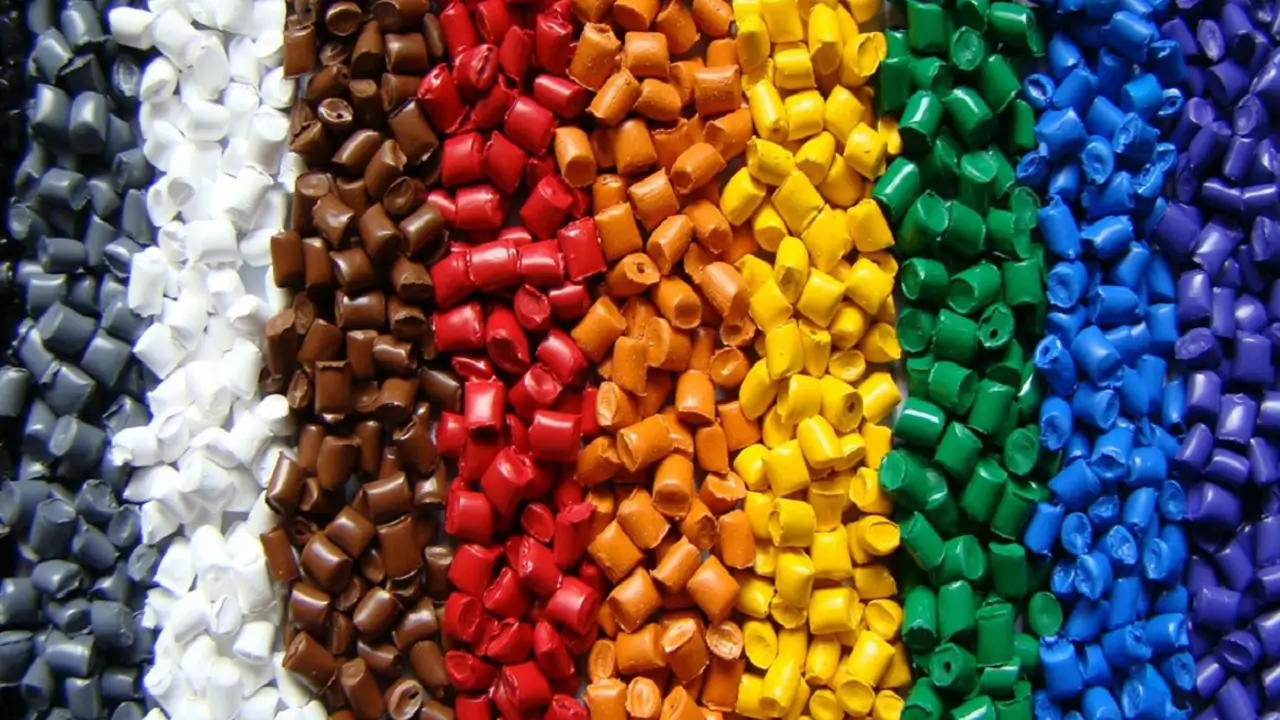
3D Printing Materials & Supplies
Your trusted source for high-quality 3D printing materials in Ukraine. Wide selection of filaments, resins, and accessories for all printer types with fast local shipping.
Price & Value for Money
Now for the number everyone actually cares about. The Elegoo Centauri Carbon price is the reason this machine made so much noise. It launched at around $299 USD, an unusually low figure for a feature-rich enclosed CoreXY printer. Since then, it has frequently been available in the $279 to $360 range, with sale events pushing it even lower — one promotion dropped it to roughly $279 from a $413 list price.
To understand why that’s impressive, you have to look at what you’re getting for the money: CoreXY motion, a fully enclosed chamber, a hardened steel 320 °C nozzle, automatic calibration, a chamber camera, and a die-cast aluminum frame. Historically, that combination lived a couple hundred dollars higher up the ladder. Elegoo essentially packed premium-tier features into a budget-tier price.
Here’s a quick, mobile-friendly look at the value picture:
| What You Get | Why It Matters |
|---|---|
| Enclosed CoreXY at ~$299 | Premium layout at a budget price |
| Hardened 320 °C nozzle | Handles abrasive carbon-fiber filament |
| Auto calibration + camera | Beginner-friendly, print monitoring |
| 256 mm³ build volume | Room for large or batched prints |
For a first printer, or a fast second machine for someone who already knows the hobby, the value proposition here is genuinely hard to argue with.
Centauri Carbon vs Bambu Lab P1S
No modern printer review is complete without a comparison, and the matchup everyone asks about is Elegoo Centauri Carbon vs Bambu Lab P1S. Both are enclosed CoreXY machines aimed at people who want speed and reliability without stepping into industrial pricing.
The headline difference is cost. The Centauri Carbon consistently undercuts the P1S by a significant margin — often by a couple hundred dollars or more. For a lot of buyers, that gap alone is decisive. What’s remarkable is that reviewers repeatedly describe the print results as surprisingly comparable, meaning you’re not sacrificing a huge amount of quality to save that money.
That said, the two machines aren’t identical, and being honest about the trade-offs matters:
| Aspect | Centauri Carbon | Bambu Lab P1S |
|---|---|---|
| Layout | Enclosed CoreXY | Enclosed CoreXY |
| Price | Notably lower | Higher |
| Mobile app control | Not available yet | Mature app ecosystem |
| Ecosystem maturity | Newer entrant | Well established |
The clearest gap is software convenience. As of early 2026, the Centauri Carbon has no dedicated mobile app for remote control, so phone-based monitoring and start-from-another-room notifications aren’t available the way they are on the P1S. Elegoo has indicated app development is underway, but there’s no confirmed timeline. If that feature is essential to you, it’s worth weighing. If you mostly print from a computer and value your budget, the Centauri Carbon makes a compelling case.
Verdict — Is It the Best Budget CoreXY?
So where does all of this land? After walking through the specs, the CoreXY motion, the enclosed chamber, carbon fiber support, the generous build volume, and that eye-catching price, the Elegoo Centauri Carbon comes across as one of the strongest value picks in the budget CoreXY 3D printer category.
The strengths are easy to list. You get true enclosed CoreXY performance, blazing speed with vibration compensation to keep quality intact, a hardened nozzle ready for advanced filaments, effortless auto-calibration, a roomy 256 mm cube, and a built-in camera for monitoring — all at a price that undercuts better-known rivals. For beginners, the near-plug-and-play setup removes most of the intimidation factor. For experienced makers, it’s a fast, capable workhorse that doesn’t drain your wallet.
The limitations are real but livable. There’s no mobile app yet, the interior lighting is on the dim side, the passive chamber isn’t ideal for the most extreme high-temperature engineering plastics, and printing everyday PLA often works best with the top panel removed. None of these are dealbreakers for the audience this printer is built for — they’re the kind of minor gripes you happily accept when you look at the receipt.
The bottom line is simple. If you want enclosed CoreXY speed and carbon-fiber capability without paying premium-brand prices, the Elegoo Centauri Carbon is one of the most sensible machines you can buy right now. It’s not flawless, but it delivers far more than its price tag suggests — and for most beginners and value-focused hobbyists, that’s exactly the kind of “punches above its weight” story worth getting excited about.
James Thornton 🇬🇧
Hands down the clearest Elegoo Centauri Carbon review I’ve read. The CoreXY section finally made me understand why the moving bed matters for speed, and the enclosed chamber part convinced me it can handle ABS and carbon-fiber filament with that 320°C hardened nozzle. The Centauri Carbon vs Bambu Lab P1S table is gold — renders perfectly on my phone. Every spec is from official sources, no fluff. This is now my go-to site for 3D printer research!
↗ bestchina3dprinters.comCarlos Medina 🇪🇸
Un análisis fantástico de la Elegoo Centauri Carbon. La explicación del sistema CoreXY y la cámara totalmente cerrada es clarísima, y la parte sobre la boquilla de acero endurecido a 320 °C y el filamento con fibra de carbono me convenció. La tabla comparativa con la Bambu Lab P1S y el precio de ~299 $ me ayudaron a decidirme. Todo se ve perfecto en el móvil e información fiable de fuentes oficiales. ¡Mi sitio de referencia para impresoras 3D!
↗ bestchina3dprinters.comDiscover more from bestchina3dprinters.com
Subscribe to get the latest posts sent to your email.
