 Skip to content
 Introduction: Meet the Anycubic Kobra X
If you have ever watched a multicolor 3D print come off the bed and thought, “That looks amazing, but the machines are too expensive,” the Anycubic Kobra X was built with you in mind. This is a printer designed to take four-color printing out of the premium category and put it firmly into the reach of hobbyists, families, and makers who are just getting curious about color.
The Anycubic Kobra X is a high-speed FDM (fused deposition modeling) desktop printer that ships with native multicolor capability. That means it can print with four filaments straight out of the box, with no external add-on box bolted onto the side. Instead of the bulky filament-switching units many multicolor systems rely on, Anycubic built the color engine directly into the printer’s toolhead. The result is a machine that feels simpler, faster, and less cluttered than you might expect at this price.
Across this article we will walk through everything in a friendly, easy-to-follow way: the specs, the speed, the multicolor technology, the smart features, the materials it can handle, the price, how it stacks up against the competition, and finally who this printer is really for. Whether you are shopping for your first color-capable machine or thinking about upgrading from an older single-color printer, this Anycubic Kobra X overview should give you a clear picture before you spend a cent. Let’s dig in.


Anycubic Kobra X Specs and Build Volume
Let’s start with the foundation. Getting familiar with the Anycubic Kobra X specs tells you a lot about what kind of projects it can realistically handle. This is a Cartesian-style FDM printer, which means it moves the print head and bed along straight X, Y, and Z axes — a reliable, well-understood design that keeps things approachable for newcomers.
The headline number for size is the Anycubic Kobra X build volume: a generous 260 × 260 × 260 mm cube. That places it comfortably in the mid-size desktop category. In plain terms, you have enough room to print larger models in a single piece instead of slicing them into sections and gluing them together later. It is also spacious enough to batch several smaller parts at once, which is handy when you are printing multiple color figurines or a set of matching items.
The direct-drive extruder feeds filament straight into the hotend over a very short path, which improves control — especially with flexible materials. The printer comes pre-installed with a 0.4 mm hardened steel nozzle that can reach up to 300 °C, and it accepts optional 0.25 mm brass and 0.6 mm / 0.8 mm hardened steel nozzles for different levels of detail or faster throughput. Underneath, a flexible steel PEI-coated spring plate heats up to 100 °C and pops your finished prints off with a gentle bend.
Here is a quick-reference table of the core specifications:
| Feature | Specification |
| Technology | FDM (Cartesian) |
| Build volume | 260 × 260 × 260 mm |
| Nozzle | 0.4 mm hardened steel, up to 300 °C |
| Heated bed | PEI spring steel, up to 100 °C |
| Colors out of box | 4 (expandable up to 19) |
Anycubic Kobra X Print Speed and Performance
Now for the part that makes many makers grin. The Anycubic Kobra X print speed is one of its biggest selling points, and it is a large reason the machine carries the “X” name. Anycubic lists a recommended everyday print speed of 300 mm/s, with a maximum print speed of up to 600 mm/s. To put that in perspective, older budget printers often cruised around 60 to 150 mm/s, so this is a meaningful jump.
Speed alone is not the whole story, though. Fast movement is only useful if the machine can control it, and that is where acceleration and motion tuning come in. The Kobra X supports a maximum acceleration of 20,000 mm/s². High acceleration lets the print head reach top speed quickly and change direction crisply, which keeps overall job times short instead of the head constantly ramping up and slowing down.
To keep quality high while moving fast, the printer uses vibration compensation and dynamic flow calibration. Vibration compensation helps reduce ringing — those faint echo-like ripples you sometimes see on the walls of fast prints. Dynamic flow calibration fine-tunes how much material is pushed out as speed changes, so extrusion stays consistent whether the head is racing across a straight line or navigating fine detail.
Anycubic pairs all this with active noise reduction and a quiet mode rated at 45 decibels or lower. That is roughly the sound level of a calm library, which matters if the printer lives in a shared room, a home office, or a bedroom. In everyday use, the takeaway is simple: you get noticeably shorter completion times without turning your workspace into a construction site. For anyone who prints regularly, faster jobs and a peaceful room together make a real difference in how often you actually reach for the machine.

Anycubic Kobra X
High-performance 3D printer from Anycubic. Advanced features, auto-leveling, and reliable construction for professional prototyping and high-quality printing results.
- • High-Speed Printing
- • Auto Bed Leveling
- • Direct Drive Extruder
- • Large Build Volume
Multicolor Printing and the ACE Gen 2 System
Here is the true centerpiece of this machine. The Anycubic Kobra X ACE Gen 2 system is what transforms it from a good budget printer into a genuine multicolor contender. Rather than relying on an external box that sits beside the printer and pushes filament through long tubes, Anycubic integrated the ACE Gen 2 engine directly into the toolhead.
Why does that matter so much? With a traditional external multicolor setup, every color change requires purging the old filament and priming the new one across a fairly long path. That produces waste — the little clumps of purged plastic that makers affectionately call “printer poop.” Because the ACE Gen 2 sits right at the toolhead, the filament path is dramatically shorter. Anycubic states the purge length drops from 160 mm to just 30 mm, an 81.25% reduction in cleaning waste per color change.
That reduction has three friendly side effects. First, you throw away far less filament, which saves money over time. Second, color swaps happen faster, so multicolor prints finish sooner. Third, the whole process becomes more reliable during long sessions, since there is less that can go wrong between colors.
The Kobra X prints four filaments right out of the box and can be expanded up to 19 colors by adding more units. That expandability is genuinely useful: you can start simple with a couple of colors and grow into ambitious rainbow projects later, without needing to replace the printer itself. The system also supports multi-material combinations, letting you mix filament types in a single print. This is the kind of feature that used to live behind four-figure price tags, and having it built into an affordable desktop machine is exactly why the Anycubic Kobra X multicolor 3D printer has drawn so much attention from the maker community this year.
How 4 Color Printing Works in Practice
Understanding the technology is one thing; knowing what it feels like to use is another. So how does Anycubic Kobra X 4 color printing actually play out on your desk? The short version is that it is more approachable than most people assume, though it does add a layer of learning compared to single-color printing.
Because the multicolor mechanism is integrated into the print head rather than routed through a separate external module, you load your filaments and the printer manages the switching internally as it works through the model. The slicing software assigns colors to different regions of your design, and the Kobra X handles the changeovers automatically during the print. From your side, you set it up, hit start, and watch the colors appear layer by layer.
There are practical points worth knowing for a smooth experience. Multicolor prints take longer than single-color ones because every color change involves a swap and a small purge, even with the reduced 30 mm path. Multicolor jobs also work best with PLA-focused models, where color transitions are clean and predictable. And while the setup is simpler than external AMS-style rigs, managing four spools does mean a little more filament handling than a one-color machine.
For a complete beginner who has never touched a 3D printer, that added complexity can feel like a lot at once. But for someone who already has a bit of experience, or who is patient and willing to follow the on-screen calibration wizard, the payoff is huge. Color models, layered signage, multicolor toys, and decorative pieces that would be impossible on a single-extruder machine suddenly become weekend projects. That accessibility is the whole point of the Kobra X.
Smart Features and Automation
A fast, colorful printer is only enjoyable if it does not demand constant babysitting, and this is an area where the Kobra X really tries to make life easy. It leans heavily on automation to reduce failed prints and simplify setup, which is exactly what newer makers appreciate.
Setup begins with automatic bed leveling. The Kobra X uses a next-generation leveling routine with 49-point data modeling and automatic deviation correction, targeting repeatability tighter than 0.02 mm across the X, Y, and Z axes. In everyday language, the printer measures the bed itself and adjusts so your crucial first layer sticks properly — no fiddly manual paper-under-the-nozzle ritual required.
The machine also includes a built-in 720p camera with AI-assisted monitoring. This little feature does more than let you peek at your print remotely. It powers Spaghetti Detection, which watches for the tangled mess that appears when a print fails and comes loose, and Object Skipping, which can move past a failed part on a multi-part plate so the rest of the batch keeps going. There is also power-loss recovery, so an unexpected outage does not automatically ruin hours of work — the print can resume where it left off.
Here is a summary of the automation highlights:
| Feature | What It Does |
| 49-point auto leveling | Measures and corrects the bed automatically |
| 720p AI camera | Remote monitoring and error detection |
| Spaghetti Detection | Spots failed, tangled prints |
| Object Skipping | Continues a batch past a failed part |
| Power-loss recovery | Resumes after an outage |
You can manage all of this through the Anycubic App for real-time monitoring and time-lapse videos, and prepare your models in Anycubic Slicer Next, which comes with predefined profiles so you are not starting from a blank slate.
Supported Materials and Filaments
Part of the fun of 3D printing is experimenting with different materials, and the Kobra X gives you a solid range to explore. Thanks to its hardened steel nozzle capable of 300 °C and a bed that reaches 100 °C, it comfortably handles the everyday filaments most makers use.
For single-material printing, the Kobra X supports PLA, PETG, TPU (in several hardness grades), PVA, and ABS. That covers the vast majority of desktop projects. PLA is the friendly all-rounder that is easy to print and great for models and decor. PETG offers more durability and a bit of flex for functional parts. TPU is the rubbery, bendable option for phone cases, grips, and flexible pieces, and the direct-drive extruder is genuinely helpful here since flexible filament prints best over a short, controlled path. PVA is water-soluble and useful as a dissolvable support material, while ABS suits tougher applications.
For multi-material printing, Anycubic lists supported combinations including PLA together with TPU, PLA together with PVA, and TPU together with TPU. Being able to combine materials in one print opens up creative possibilities — for example, a rigid body with flexible accents, or a detailed model with dissolvable supports that wash away cleanly.
One honest note for the enthusiasts: the Kobra X has an open-frame design rather than a fully enclosed heated chamber. Materials like PLA, PETG, and TPU thrive in this setup, but demanding engineering materials such as polycarbonate really benefit from an enclosed chamber to hold heat steady. If your work leans toward large-scale, high-temperature engineering plastics, this is a limitation worth keeping in mind. For the color prints, prototypes, toys, and home decor most people want, the material lineup is more than generous.
Anycubic Kobra X Price and Value
Let’s talk money, because the Anycubic Kobra X price is a huge part of its appeal and a big reason it keeps showing up in “best value” conversations. Anycubic launched the machine with a tiered campaign aimed at rewarding early buyers, which means pricing has shifted through several phases.
During the launch campaign, Anycubic offered a small refundable deposit that unlocked a discount off the final price. The early-bird price was set at $279, dropping to $259 for customers who placed the deposit and included a bundle of exclusive perks. Beyond the campaign windows, Anycubic’s official store has listed the base Kobra X configuration around the mid-$300 range, with combo bundles and additional color units priced higher. Because promotional pricing changes over time and varies by region and plug type, it is always worth checking the official store for the current figure before you buy.
Here is a simplified look at how the pricing tiers were structured during launch:
| Tier | Approx. Price |
| Early-bird with deposit | $259 (with perks) |
| Standard early-bird | $279 |
| Base config (post-launch) | Mid-$300 range |
The value story is straightforward. For a machine offering native four-color printing, 600 mm/s top speed, a 260 mm build volume, AI monitoring, and automatic leveling, landing under or around the $300 mark is a strong proposition. Features that once demanded a serious investment are packaged here at an entry-level price, which is precisely why so many first-time color buyers put the Kobra X on their shortlist.
Anycubic Kobra X vs Bambu A1 and the Competition
No buying decision happens in a vacuum, so let’s look at where this machine sits in the market. The most common matchup people search for is Anycubic Kobra X vs Bambu A1, since both target the affordable multicolor space and both aim at makers who want color without a premium CoreXY price tag.
The Kobra X’s defining advantage in this comparison is the placement of its multicolor engine. By building the ACE Gen 2 system directly into the toolhead, Anycubic shortens the filament path compared to external AMS-style boxes. Shorter paths mean faster color swaps and less purge waste — the 81.25% reduction Anycubic cites. For anyone who prints a lot of multicolor work, less waste and quicker changes add up meaningfully over time.
Positioning matters too. Anycubic aims the Kobra X squarely at buyers who want the best budget multicolor 3D printer they can find, prioritizing features per dollar. It delivers native four-color capability, high speed, and a mid-size build area at a price that undercuts many rivals in the segment. The open-frame design keeps costs down while still handling the most popular filaments beautifully.
Where the competition can pull ahead is in ecosystem polish and enclosure options for demanding materials. Fully enclosed machines hold heat better for engineering plastics, and some rival ecosystems have had more time to mature. But for the specific goal most shoppers have — affordable, reliable, colorful printing for models, toys, and decor — the Kobra X makes a compelling case. If you have been eyeing color printing but hesitated at higher price tags, this is a machine that removes much of that hesitation.
Verdict: Who Should Buy the Anycubic Kobra X
So where does all of this leave us? After walking through the specs, speed, color system, and value, this Anycubic Kobra X review comes down to a clear picture of who will love it and who might want to look elsewhere.
You should seriously consider the Kobra X if you want native four-color printing without spending a premium. Creative hobbyists gain a whole palette of possibilities that were previously locked behind expensive machines. Home users benefit from the quiet operation and compact footprint, which make it comfortable to run in a shared space. And value seekers get a remarkable amount of capability — high speed, a roomy build volume, AI monitoring, and automatic leveling — for an entry-level price. If you already own an older single-color printer or an earlier multicolor model and do a lot of color work, the reduced waste and faster swaps make the upgrade easy to justify.
You might want to skip it if your work centers on enclosed-chamber engineering materials like polycarbonate at large scale, since the open-frame design is not built for that. And if you are a complete beginner who wants the absolute simplest possible first experience, a single-color printer in the same price range will get you printing with a gentler learning curve — though many newcomers happily grow into the Kobra X’s color features.
Overall, the Anycubic Kobra X delivers a well-balanced blend of speed, color capability, automation, and affordability. It takes multicolor printing, once a luxury, and makes it genuinely accessible. For the maker who wants to add color to their creations without breaking the bank, it is one of the most sensible choices on the market right now — and an easy machine to recommend to anyone curious about where their creativity can go next.
Oliver Whitfield 🇬🇧
Best Anycubic Kobra X review I’ve come across. The ACE Gen 2 section finally made me understand how the multicolor engine sits right in the toolhead and cuts purge waste by 81.25%. Loved learning it prints 4 colors out of the box, expandable to 19, with a 260mm build volume and 600mm/s top speed. The Kobra X vs Bambu A1 table renders perfectly on my phone, and every spec is from official sources. My go-to site for 3D printer research!
↗ bestchina3dprinters.comLucía Ramírez 🇪🇸
Un análisis fantástico de la Anycubic Kobra X. La explicación del sistema ACE Gen 2 integrado en el cabezal y la reducción del desperdicio de filamento del 81,25% es clarísima. Me encantó saber que imprime 4 colores de fábrica, ampliable hasta 19, con un volumen de 260 mm y velocidad de hasta 600 mm/s. La tabla comparativa con la Bambu A1 y el precio de ~279 $ me ayudaron a decidirme. Todo se ve perfecto en el móvil e información fiable de fuentes oficiales. ¡Mi web de referencia!
↗ bestchina3dprinters.comيوسف الأحمدي 🇸🇦
مراجعة شاملة ومميزة لطابعة Anycubic Kobra X ثلاثية الأبعاد. أعجبني شرح نظام ACE Gen 2 المدمج في رأس الطباعة وكيف يقلل هدر الفيلامنت بنسبة 81.25%. رائع أنها تطبع 4 ألوان مباشرة وقابلة للتوسعة حتى 19 لوناً، مع حجم طباعة 260 مم وسرعة تصل إلى 600 مم/ث. المقارنة مع Bambu A1 وسعر 279 دولاراً ساعداني كثيراً في الاختيار. الجداول تظهر بوضوح تام على الهاتف والمعلومات موثوقة من مصادر رسمية. أنصح الجميع بزيارة الموقع!
↗ bestchina3dprinters.com李伟 🇨🇳
这篇Anycubic Kobra X评测非常专业、详尽。文章清楚地讲解了内置于打印头的ACE Gen 2多色系统如何将耗材浪费减少81.25%,以及出厂支持4色打印、可扩展至19色的强大功能。260mm打印尺寸、600mm/s最高速度和约279美元的价格介绍都很到位。与Bambu A1的对比表格特别实用。所有数据均来自官方资料,规格表在手机上显示得非常清晰。强烈推荐给所有3D打印爱好者!
↗ bestchina3dprinters.comCamille Dubois 🇫🇷
Un article remarquablement complet sur l’Anycubic Kobra X. Les explications sur le système ACE Gen 2 intégré à la tête d’impression et la réduction de 81,25 % des déchets de filament sont limpides, même pour un débutant. J’ai adoré découvrir l’impression 4 couleurs d’origine, extensible jusqu’à 19, avec un volume de 260 mm et une vitesse allant jusqu’à 600 mm/s. La comparaison honnête avec la Bambu A1 et le prix d’environ 279 $ sont très attractifs. Les tableaux s’affichent parfaitement sur mobile, données issues de sources officielles. Ma référence 3D !
↗ bestchina3dprinters.comFelix Bauer 🇩🇪
Ein exzellenter Testbericht zur Anycubic Kobra X — präzise, ehrlich und hervorragend strukturiert. Besonders gelungen sind die Erklärungen zum ACE-Gen-2-System direkt im Druckkopf, das den Filamentabfall um 81,25 % reduziert, sowie zum 4-Farb-Druck ab Werk, erweiterbar auf 19 Farben. Bauraum von 260 mm, bis zu 600 mm/s und ein Preis von rund 279 $ überzeugen. Der Vergleich mit der Bambu A1 hat mir die Kaufentscheidung enorm erleichtert. Alle Tabellen sind auch auf dem Smartphone perfekt lesbar. Absolute Empfehlung!
↗ bestchina3dprinters.comPolimerukr.com
Ukraine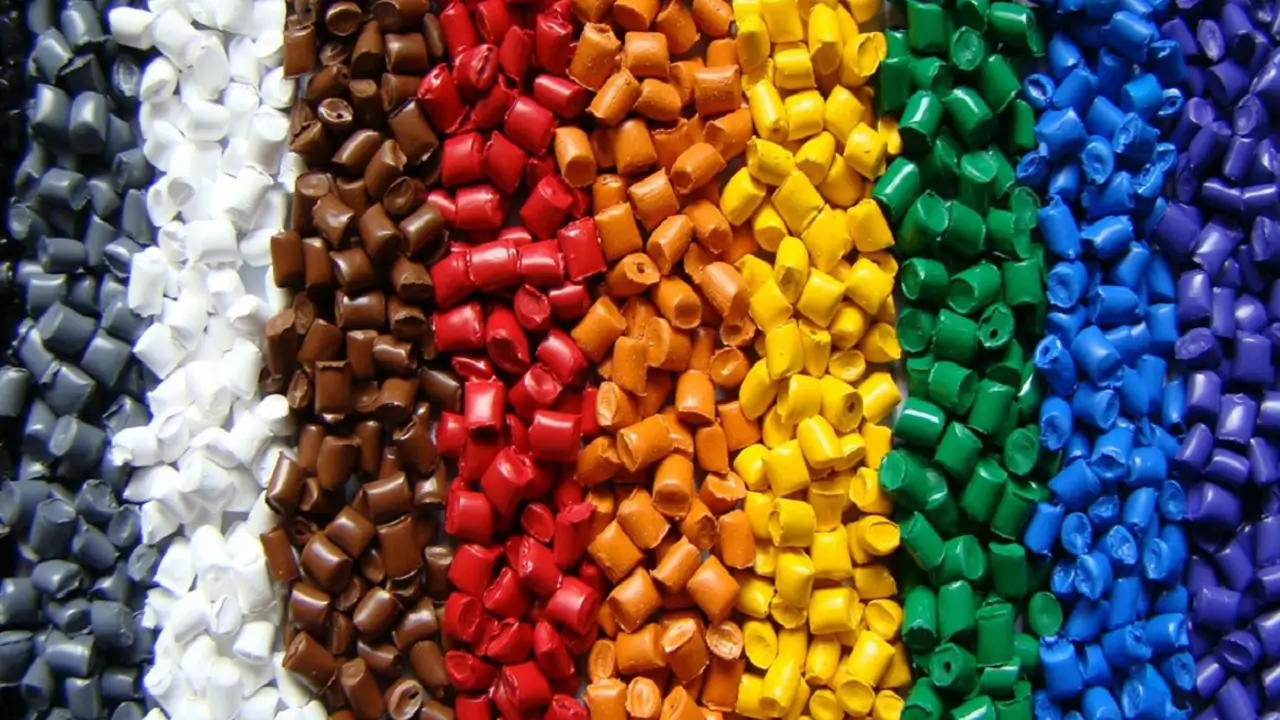
3D Printing Materials & Supplies
Your trusted source for high-quality 3D printing materials in Ukraine. Wide selection of filaments, resins, and accessories for all printer types with fast local shipping.
Discover more from bestchina3dprinters.com
Subscribe to get the latest posts sent to your email.
