Centauri Carbon 2 Combo Review: Fast CoreXY Multicolor 3D Printer
1. Introduction to the Centauri Carbon 2 Combo
The desktop 3D printing market moves fast, but every so often a machine lands that genuinely changes the conversation about what is possible at a given price. The Centauri Carbon 2 Combo is exactly that kind of machine. Released officially on January 26, 2026, the Elegoo Centauri Carbon 2 Combo arrives as the natural evolution of the well-loved original Centauri Carbon — only this time it comes packed with a built-in four-color printing system, an upgraded hotend, and a host of smart features that were previously reserved for machines costing two or three times as much.
What makes the Elegoo Centauri Carbon 2 Combo so exciting is not just any single specification. It is the combination: a fully enclosed CoreXY printer, capable of printing up to four colors in the same print, with a hardened nozzle that handles engineering materials, all for a price point that feels almost too good to be true. Reviewers who tested the machine confirmed it is significantly lower in price than any similar multi-color printer from its main competitors, Bambu Lab, Creality, and Prusa Research.
Whether you are a first-time printer buyer, a hobbyist tired of single-color prints, or a small workshop looking to add color capability without breaking the bank, the Centauri Carbon 2 Combo deserves your full attention. Let’s dig in.
2. Key Features of the Elegoo Centauri Carbon 2 Combo
Before getting into the deep technical detail, it helps to understand what the Elegoo CoreXY 3D printer brings to the table as a complete package. The Centauri Carbon 2 Combo is not a stripped-down budget machine with one or two headline features — it is a thoroughly engineered printer that covers most of the important bases.
Here is a summary of the standout features:
| Feature | Detail |
|---|---|
| Motion System | CoreXY with dual 4260 stepper motors |
| Max Print Speed | 500 mm/s |
| Acceleration | 20,000 mm/s² |
| Build Volume | 256 × 256 × 256 mm |
| Max Nozzle Temperature | 350 °C |
| Max Bed Temperature | 110 °C |
| Color System | CANVAS — up to 4 colors |
| Display | 5-inch color touchscreen |
| Connectivity | Wi-Fi (dual-band), USB Drive |
| Noise Level | 45 dB (Silent Mode) |
| Air Filtration | HEPA H12 + activated carbon filter |
| Frame | Integrated die-cast aluminum alloy |
| Price (USD) | $449 |
The Centauri Carbon 2 Combo review picture that emerges from this feature list is one of a printer that punches well above its weight class. A fully enclosed body, real engineering-filament capability, and a native four-color system — that combination at $449 is remarkable.
3. CoreXY Motion System and High-Speed Printing
Speed is one of the most talked-about topics in modern desktop 3D printing, and the Centauri Carbon 2 Combo delivers in a big way. At its core sits a CoreXY 3D printer 500 mm/s architecture that gives the machine a significant performance advantage over traditional bed-slinger designs.
In a CoreXY system, the print head moves in both the X and Y axes simultaneously, while the bed only moves up and down along the Z axis. This dramatically reduces the moving mass in the system, which in turn allows for much higher speeds and accelerations without introducing the ringing and ghosting artifacts that plague slower designs. Two powerful 4260 stepper motors independently control the X and Y axes, while low-friction metal linear rails ensure exceptionally smooth movement.
The result is a printer that can reach print speeds of up to 500 mm/s with an acceleration of 20,000 mm/s². These are not just marketing numbers — they are backed by the same performance architecture found in the original Centauri Carbon, a machine that already earned a strong reputation for speed in its price bracket.
To keep those high speeds from translating into messy output, the Centauri Carbon 2 Combo uses two key firmware technologies. Vibration compensation and Pressure Advance work in precise coordination to reduce oscillations and maintain accurate material flow, resulting in clean first layers, smooth surfaces, and finely detailed prints even at higher printing speeds.
The frame itself plays a supporting role here. The machine is built on an integrated die-cast aluminum alloy frame for maximum stability at high speeds. This rigid construction absorbs vibration at the source, something that cheaper all-plastic or partially-metal frames struggle to do at high acceleration values.
For anyone coming from a slower, entry-level printer, the speed difference in day-to-day printing is genuinely noticeable. Prototypes that used to take an evening can be done in an hour or two. For a small production environment or a maker churning through multiple iterations of a design, that time saving compounds quickly.
4. Multicolor Printing with the CANVAS System
This is the headline addition in the Centauri Carbon 2 Combo, and it is what earns the “Combo” designation in the name. The CANVAS multi material system is ELEGOO’s answer to the multi-filament systems offered by Bambu Lab, Creality, and Prusa — and it holds its own very well for the price.
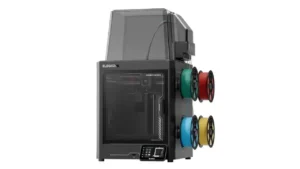
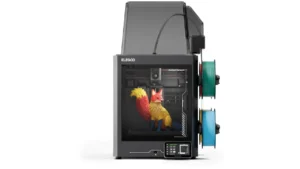
The CANVAS module mounts on a bracket at the top of the printer’s frame. Four PTFE tubes run from the top of the CANVAS module to a filament hub, which is attached to the toolhead. This design routes the filament cleanly into the single-nozzle print head, allowing the printer to switch between up to four colors within a single print job.
Centauri Carbon 2 Combo multicolor printing works through a system of intelligent filament management rather than just mechanical switching. The CANVAS system offers instant color switching enabled by independent motor control and minimized feed paths, keeping the whole family’s creativity flowing.
One of the smartest elements of the CANVAS system is its RFID integration. The system supports automatic filament loading, intelligent filament backup and RFID detection, which automatically identifies filament types and properties, with suitable print parameters suggested instantly, making multicolor printing not only easier but significantly more reliable. In practice, this means that if you are using ELEGOO’s own RFID-tagged filament, you simply wave the spool at the reader on the CANVAS module, and the printer sets itself up automatically.
Tangle detection is another practical feature. Tangles are automatically detected and trigger a pause, while an upgraded spool holder tightly rewinds unused filament to minimize tangles and waste. And for long print jobs, the auto refill function means that when one spool runs out, printing continues smoothly with the next.
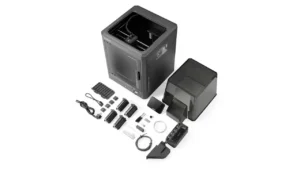
It is worth noting that the CANVAS system uses a purge-based color transition approach — meaning when switching between colors, the printer extrudes a small amount of waste filament to clear the nozzle before resuming with the new color. This is standard practice for single-nozzle multi-color systems. The waste chute is attached at the back of the printer. Users will need to print the filament waste bin themselves using the model file included on the USB drive.
5. Build Volume and Hardware Specifications
The Centauri Carbon 2 Combo specs tell a story of a well-rounded machine with practical dimensions for the hobbyist, maker, and small business user. The build volume of 256 × 256 × 256 mm gives you a generous cubic workspace that is suitable for most prototyping, functional parts, figurines, household gadgets, and multi-part assemblies.
At 256 × 256 × 256 mm, the build volume is not particularly large, but printing parts that nearly fill the entire build plate is possible without any issues. In real terms, this is enough space to print medium-to-large objects in a single session, or to run multiple smaller parts simultaneously.
The print surface is a dual-sided flexible spring steel sheet. One side is a specific PLA surface for smooth, warp-free prints at lower temperatures, while the other is a textured PEI side for superb adhesion and easy release. Having two surfaces in one plate is genuinely useful — you simply flip the plate depending on the material you are working with.
Below are the full 256x256x256 build volume 3D printer hardware specifications:
| Specification | Value |
|---|---|
| Build Volume | 256 × 256 × 256 mm |
| Machine Dimensions | 398 × 404 × 490 mm |
| Machine Weight | ~17.65 kg |
| Max Bed Temperature | 110 °C |
| Print Surface | Dual-sided flexible spring steel sheet |
| Min Layer Height | 0.08 mm |
| Max Layer Height | 0.48 mm |
| Nozzle Diameter (included) | 0.4 mm |
| Bed Leveling | Automatic |
| Input Power | AC 100–240V, 50/60 Hz |
| Rated Power | 1100W @ 220V / 350W @ 110V |
| Operating Temp. | 5 °C to 40 °C |
The enclosure itself is fully enclosed with a transparent tempered glass front door, reinforced with shatter-proof film. A large “top hat” thermal cover sits over the CANVAS module to complete the enclosure when printing with materials that need a stable chamber environment. The printer has dual built-in LED strips for well-lit visibility during prints, and an internal chamber camera for remote monitoring.
Automatic bed leveling and Auto Z offset calibration run at startup, meaning you do not need to manually tweak the first layer — the printer handles it for you.
6. High Temperature Hotend and Material Compatibility
One of the most important upgrades in the Centauri Carbon 2 Combo over more basic budget printers is its high temperature 350°C nozzle. This is not just a cosmetic specification — it fundamentally determines what materials you can print with.
The Centauri Carbon 2 is equipped with a hardened steel high-temperature nozzle rated up to 350 °C, offering excellent wear resistance, consistent extrusion, and suitability for both standard filaments and demanding high-performance materials.
In practical terms, this means the printer can handle a wide range of filaments:
| Filament Type | Typical Use Case |
|---|---|
| PLA | Prototypes, figurines, household items |
| PETG | Functional parts, moderate heat resistance |
| TPU | Flexible parts, gaskets, wearables |
| ABS / ASA | UV-resistant outdoor parts, automotive |
| PLA-CF / PA-CF | Carbon-fiber reinforced, high strength |
| PC (Polycarbonate) | High impact resistance, engineering use |
| PET | Food-safe containers, clear parts |
During testing, the printer handled engineering materials well, with the hardened steel nozzle reaching 350 °C, and managed to print PAHT CF and several types of polycarbonate without warping or other issues, even without active chamber heating.
The thermal management system is a notable engineering effort. A newly developed louvre system automatically regulates airflow by opening or closing vents depending on the material in use — actively reducing chamber temperature when printing PLA, while technical filaments benefit from a stable, enclosed environment.
There is also a high-temperature silicone nozzle wiper (rated to 350 °C) with precision edges that ensures clean nozzle surfaces and clog-free extrusion between color changes. Magnetic attachment on the printhead cover makes nozzle swaps quick and tool-free.
One practical note for users working with high-temperature materials: the loading routine’s preset temperature of 250 °C is well-suited for PLA, TPU, and PETG, but it does not automatically adjust for higher-temperature materials like PC or PA, so users will need to manually preheat the nozzle when clearing these filaments. This is a minor workflow consideration rather than a serious flaw, and it may be addressed in a future firmware update.
Anycubic Photon P1
Professional Resin 3D Printer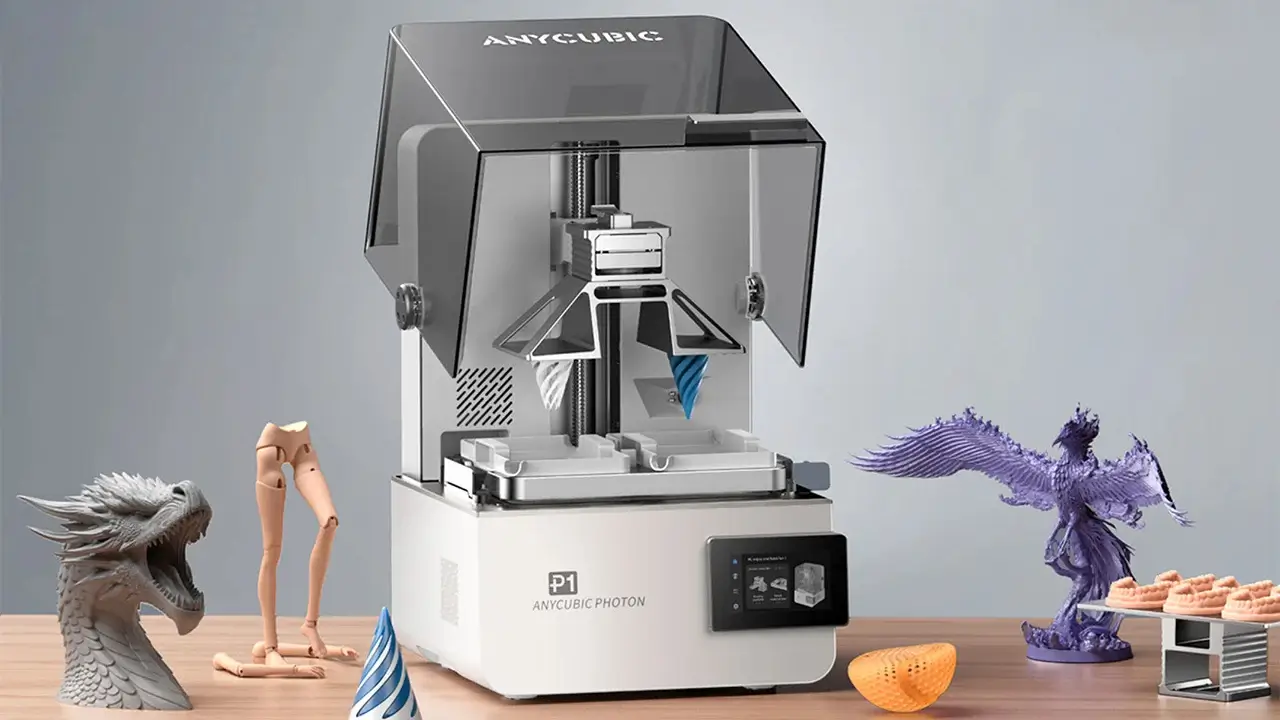
We are pleased to inform you that the first batch of our new Photon P1 has arrived! During the Anycubic EU store's 1st Launch Anniversary Sale, special packages are available.
Available Bundles:
Why Choose Photon P1?
Reliable & High Quality
- Ball screws + linear guide rails (±0.01mm accuracy)
- Wave Release Technology (60% less release force)
- LighTurbo 4.0 with Aspherical Fresnel Lens
- 1000ml Thermal-Controlled Resin Vat (up to 40°C)
Excellent Compatibility
- Supports Ultra-Viscous 8000cps Resin
- 6.5L build volume
- Dual-Material Print Kit (optional)
- Simultaneous dual-color/dual-material printing
Intelligent Assistant 3.0
- Auto-Leveling with Self-Check
- Dynamic Release 3.0
- Dynamic Light-Off Compensation 3.0
- AI Inspection (build plate, resin level, residue)
Experience Upgrade
- Resin Drip Hanger
- Stepless Hinged Lid
- Quick-Release Build Plate & Resin Vat
- Quiet Printing (≤45 dB)
7. Software and Smart Features
A capable printer is only as good as the software ecosystem around it, and the Centauri Carbon 2 Combo benefits from ELEGOO’s steadily maturing software platform. The printer ships with ElegooSlicer as the recommended slicing software, and integrates with the broader ELEGOO ecosystem for a streamlined end-to-end workflow.
ElegooSlicer simplifies complex projects and streamlines workflows with advanced yet intuitive slicing software, and users can seamlessly browse, download, and print 3D models from Nexprint’s vast library with one-click integration. Nexprint is ELEGOO’s model library and community platform, where thousands of creators share designs, many of which are optimized for ELEGOO printers. It aggregates models from multiple platforms, making it a useful single destination for browsing.
Remote monitoring and control are handled by the ELEGOO Matrix app. Whether at home or on the go, users can control their ELEGOO 3D printer with the ELEGOO Matrix app, monitor prints in real time via the built-in camera, and even create timelapse videos of projects.
The onboard interface is a 5-inch color capacitive touchscreen. The touchscreen is as intuitive and easy to use as a smartphone, and with support for 11 languages, even beginners can get started quickly and confidently without a steep learning curve.
Other smart features worth noting include:
- Power loss recovery — if there is a power cut mid-print, the printer can resume from where it left off
- Filament runout sensor — alerts the user and pauses the print when a spool runs empty
- Clog detection — monitors extrusion and flags blockages before they ruin a print
- Fan self-check — verifies that all cooling fans are operating correctly at startup
- OTA firmware updates — software updates delivered over Wi-Fi without needing a computer
- 8 GB onboard ROM — generous storage for print files and firmware
The built-in camera is useful not just for monitoring but for creating timelapse recordings of your prints — a satisfying and shareable result of long print sessions. Dual LED strips inside the chamber ensure the camera always has a clear, well-lit view of the print in progress.
8. Performance and Print Quality
When all the specs are accounted for, what actually matters is how the Centauri Carbon 2 Combo performs in real use. The answer, based on multiple published reviews, is: very well — particularly for a budget multicolor 3D printer.
Testers who evaluated the machine found a fantastic all-around experience, better than expected, with the printer producing results quickly and precisely, comparable to higher-priced competitors.
Single-color print quality is excellent. The vibration compensation and Pressure Advance firmware combination keeps output clean even at elevated speeds. Layer lines are consistent, overhangs come out well, and fine details are preserved. For PLA and PETG, which are the everyday workhorses of desktop 3D printing, the machine performs reliably across a wide range of settings.
Multicolor output is genuinely impressive for the price. The CANVAS system transitions between filaments cleanly, and the purge system is effective at preventing color contamination between changes. The badge-style test prints and more complex multicolor models come out with well-defined color boundaries and no significant bleeding between zones.
TPU (flexible filament) is supported and, TPU works beautifully on the Centauri Carbon 2 Combo — a material that many single-extrusion printers struggle with due to its flexible nature causing feed issues. The printer handles it without the need for special modifications beyond installing the Flexible Filament Printing Adapter included on the USB drive.
Engineering filaments including polycarbonate and PA-CF also perform well. The machine is fast, capable, and surprisingly strong with engineering materials, even without an actively heated chamber, and print quality is excellent across a range of material types.
The HEPA H12 and activated carbon filtration system is a practical bonus for home users. It handles the VOCs and ultrafine particles produced during printing, and combined with the quiet 45 dB Silent Mode, makes the printer genuinely comfortable to run in a living space or home office.
9. Who Should Buy the Centauri Carbon 2 Combo?
The Elegoo Centauri Carbon 2 Combo is a versatile machine, but it is particularly well suited to specific types of users. Let’s look at who will get the most out of it.
Makers and hobbyists are the natural primary audience. If you have been printing in single color and want to step up to multicolor without committing to a premium-priced machine, the Centauri Carbon 2 Combo is the most accessible gateway available today. The CANVAS system is beginner-friendly, the touchscreen is intuitive, and the overall setup process — while involving a few more assembly steps than some rivals — is well-guided and takes less than thirty minutes.
Families are explicitly in ELEGOO’s sights with this machine. The four-color system opens up creative possibilities for everyone in the household, from children printing colorful toys and decorations to adults working on more complex projects. The quiet operating mode and air filtration system make it a responsible choice for a shared living environment.
Small businesses and micro-studios using 3D printing for short-run production, product mockups, or customer samples will appreciate the combination of speed and multicolor capability. The ability to produce a colored prototype in a single print — rather than assembling multiple single-color pieces — is a significant workflow advantage.
Engineering and prototyping users will benefit from the high-temperature nozzle and the range of compatible technical filaments. If your work involves functional parts in ABS, ASA, PC, or carbon-fiber-reinforced materials, the Centauri Carbon 2 Combo handles all of these reliably.
Upgrading from a basic printer is another compelling use case. If you currently own a budget bed-slinger and are frustrated by its speed or material limitations, the jump to an enclosed CoreXY with engineering-material support is a meaningful upgrade in every dimension.
The one scenario where the Centauri Carbon 2 Combo may not be the ideal choice is for users who need more than four colors, or who require a significantly larger build volume. For those use cases, other machines in ELEGOO’s lineup or from other manufacturers may be more suitable.
10. Final Verdict: Centauri Carbon 2 Combo Review
After covering all the hardware, software, and real-world performance, the Centauri Carbon 2 Combo review concludes with a clear recommendation: this is one of the best value propositions in the desktop 3D printing market right now.
Let’s summarize the key strengths:
CoreXY high speed — Up to 500 mm/s with 20,000 mm/s² acceleration puts this printer in the same performance tier as machines costing significantly more. The rigid die-cast aluminum frame and vibration compensation firmware ensure that speed does not come at the cost of quality.
Multicolor printing — The CANVAS system delivers genuine four-color capability with RFID-assisted filament management, automatic tangle detection, and auto-refill support. It is well-designed for the price and produces clean, reliable color transitions.
Engineering filament support — A 350 °C hardened steel nozzle and a 110 °C heated bed, combined with smart thermal management, open up the full range of consumer engineering filaments from flexible TPU to carbon-fiber-reinforced PA and polycarbonate.
Smart features — Remote monitoring, OTA updates, RFID filament detection, power loss recovery, and a built-in HEPA filtration system make this a complete, modern printer rather than a bare-bones machine.
Affordable price segment — At $449, the Elegoo Centauri Carbon 2 Combo is one of the most affordable ways to get into enclosed, four-color CoreXY printing.
Are there any drawbacks? A few minor ones. The filament loading routine does not automatically adjust temperature for high-temperature materials, requiring a manual step when switching between, say, PLA and polycarbonate. The spool holders are functional but could be more robust. And the purge-based color switching, while standard for this category, does produce a small amount of filament waste with each color change.
None of these are dealbreakers, and for the price, the trade-offs are entirely reasonable. The Centauri Carbon 2 Combo sets a new benchmark for what an accessible multicolor 3D printer can and should be. If you have been waiting for the right moment to get into multicolor 3D printing without overspending, that moment has arrived.
Related
Discover more from bestchina3dprinters.com
Subscribe to get the latest posts sent to your email.