1. Introduction
If you’ve been searching for the best small 3D printer in 2026 that won’t break the bank but still delivers genuinely impressive performance, the Kingroon KP3S Pro V2 deserves your full attention. This compact FDM machine punches well above its weight class, offering a feature set that not long ago would have been reserved for printers costing two or three times as much. We’re talking Klipper firmware out of the box, linear rail guides on all axes, direct drive extrusion, automatic bed leveling, and built-in WiFi connectivity — all wrapped up in a footprint small enough to sit comfortably on your desktop.
Kingroon is a Shenzhen-based company that has been building a quiet but solid reputation in the 3D printing community since 2015. Their KP3S lineup has gone through several iterations, with each generation bringing meaningful improvements. The Pro V2 is the most ambitious step yet — the first in the series to achieve high-speed printing with accelerometer-based input shaping. For hobbyists, makers, students, and even small businesses looking to explore additive manufacturing without committing to a high-end budget, the KP3S Pro V2 is one of the most interesting propositions on the market today.
In this review we’ll walk you through every aspect of the printer: specs, design, Klipper setup, print quality, speed, and real-world usability. Let’s get into it.
2. Key Specifications Overview
Before diving into the hands-on experience, let’s lay out the core Kingroon KP3S Pro V2 specs in a clear and easy-to-read format. Everything listed here comes directly from Kingroon’s official product page and verified third-party hardware databases.
| Specification | Details |
|---|---|
| Printer Type | FDM / FFF Cantilever |
| Build Volume | 200 x 200 x 200 mm |
| Machine Dimensions | 345 x 330 x 506 mm |
| Machine Weight | ~6 kg |
| Firmware | Klipper (pre-installed, no Raspberry Pi required) |
| Mainboard | MKS Pi (all-in-one Klipper board) |
| Motion System | Linear rail guides on X, Y, and Z axes |
| Extruder | 9.5:1 dual metal gear, direct drive |
| Nozzle | 0.4 mm (standard), up to 260°C |
| Hot End Heater | Ceramic heating tube |
| Bed Temperature | Up to 100°C |
| Bed Leveling | Automatic (inductive sensor) |
| Max Print Speed | 500 mm/s (recommended: 350 mm/s) |
| Acceleration | Up to 10,000 mm/s² |
| Vibration Compensation | ADXL345 accelerometer (Input Shaping) |
| Filament Diameter | 1.75 mm |
| Supported Materials | PLA, PETG, TPU, ABS |
| Connectivity | WiFi, Ethernet (RJ-45), USB drive |
| Display | 1.28-inch monochromatic LCD with rotary knob |
| Power Supply | Internal PSU, 300W |
| Price (approx.) | ~$279 USD |
These numbers tell a compelling story on paper. But specs only mean so much — let’s see how they translate in the real world.
3. Design and Build Quality
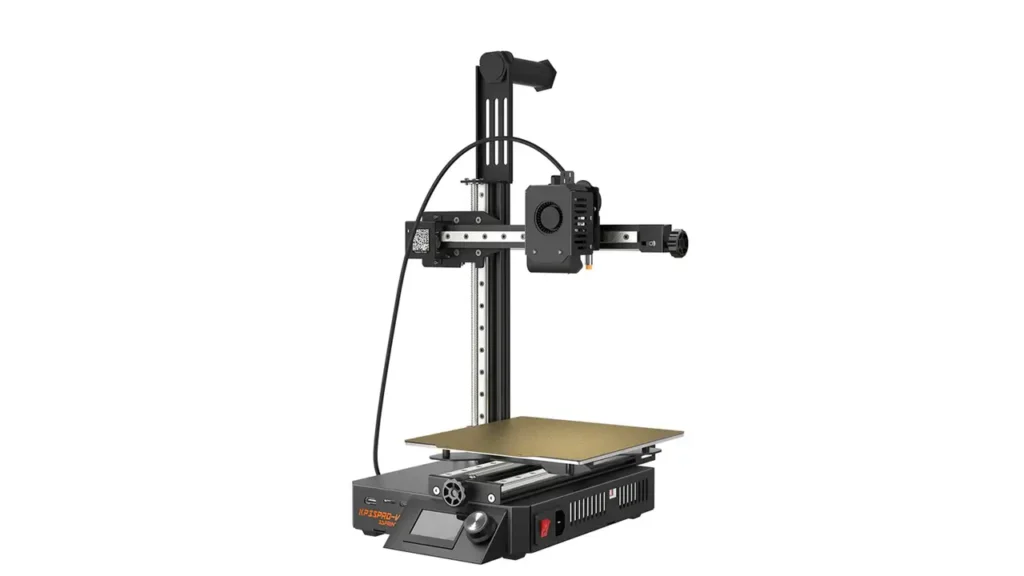
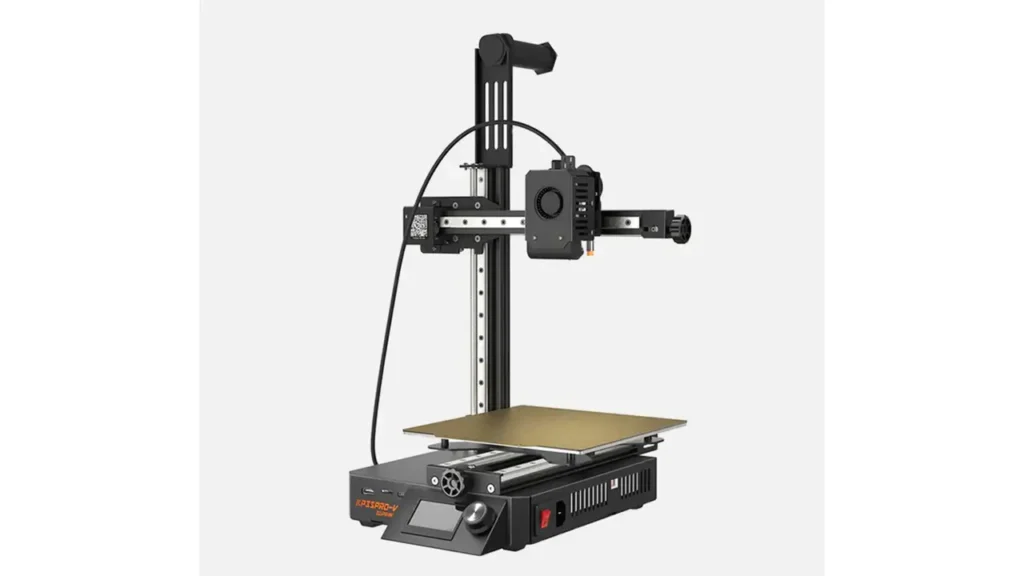
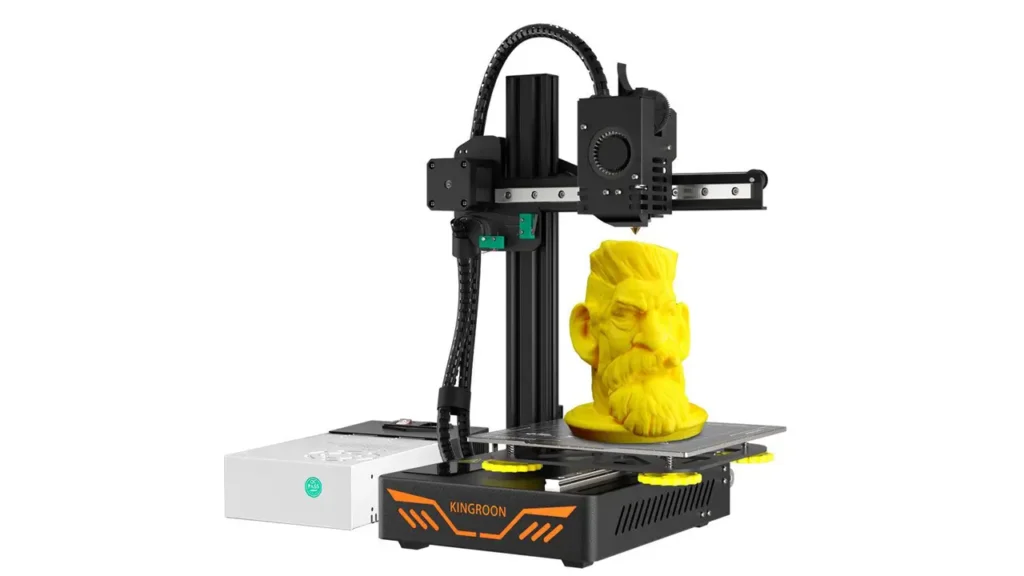
The Kingroon KP3S Pro V2 takes a classic cantilever approach to its frame design — a style where the print head is supported on a single side rather than spanning across a full bridge. This keeps the machine small and light, resulting in overall machine dimensions of 345 x 330 x 506 mm and a weight of just 6 kg. That’s genuinely compact. You can place it next to your monitor on a mid-sized desk without it dominating your workspace.
The aesthetic leans distinctly industrial. The main body is finished in matte black throughout — frame, Z-axis, X-axis, spool holder, display case, and control knobs all match. Unlike some printers that hide their mechanical innards behind plastic covers, the KP3S Pro V2 wears its engineering on its sleeve: axis rods, screws, and motors are all visible. Some users love this look; it feels purposeful and machine-like rather than toy-like. Others might prefer a cleaner exterior. Either way, the build quality itself is solid. The robust metal extrusion construction gives the printer a sturdy feel that belies its price tag.
One welcome design detail is the rotary control knob, which features a ring light around its base. It’s a small touch, but it makes locating and using the printer in a dimly lit workshop noticeably easier.
The printer ships substantially pre-assembled. The two main sections — the base and the X/Z axis gantry — arrive connected to each other inside the packaging. Assembly is relatively quick and involves attaching the X/Z assembly to the base, locking in the Z-axis fixing block, threading the lead screw, and installing the filament holder and display. Most users complete full assembly in under 30 minutes.
One important caution noted by multiple reviewers: be very careful when removing the two pre-connected sections from the packaging. If you’re too rough here, you risk breaking the internal connectors. Take your time with the unboxing and you’ll be fine.
The internal power supply is another practical design choice. With the PSU housed inside the machine body, you only need to plug in a single power cable — no separate external brick to manage or hide away.
Polimerukr.com
Ukraine
3D Printing Materials & Supplies
Your trusted source for high-quality 3D printing materials in Ukraine. Wide selection of filaments, resins, and accessories for all printer types with fast local shipping.
4. Klipper Integration
This is where the KP3S Pro V2 genuinely separates itself from printers in its price range. Klipper is an open-source firmware that offloads printer control calculations from the printer’s own microcontroller to a more powerful computer — traditionally a Raspberry Pi running alongside the machine. The result is faster, smoother, more configurable printing. Klipper is beloved in the enthusiast community for its flexibility, its active development, and the sheer depth of tuning options it unlocks.
The challenge with Klipper historically has been the setup barrier. Installing it required flashing firmware, configuring a Pi, wiring things together, and spending an afternoon debugging. The KP3S Pro V2 eliminates all of that. It ships with Klipper pre-installed on an MKS Pi mainboard — an all-in-one solution that handles everything internally. No Raspberry Pi required. No additional hardware to source. You plug it in, connect it to your network, and you’re running Klipper within minutes.
This makes the KP3S Pro V2 one of the most accessible entry points into budget 3D printer Klipper territory currently available. For a user who has heard about Klipper but found the traditional setup process daunting, this printer removes the friction almost entirely.
From the Klipper interface — accessed via a web browser by navigating to the printer’s IP address on your local network — you get the full Klipper experience. That means real-time control, macro support, detailed telemetry, remote monitoring, and the ability to fine-tune virtually every aspect of the machine’s behavior. Advanced users will appreciate the ability to push configurations further over time; beginners will appreciate that the defaults are already well-optimized.
The Klipper 3D printer setup on the KP3S Pro V2 also includes two particularly valuable features baked in: Input Shaping (via the ADXL345 accelerometer mounted in the print head) and Pressure Advance. Together, these dramatically reduce print artifacts like ghosting and ringing — the wavy surface imperfections that appear when a printer vibrates at high speeds. The accelerometer allows the printer to calibrate its own resonance compensation directly through the LCD menu, making the process accessible without needing to connect a laptop.
5. Extruder and Printing System
The direct drive 3D printer cheap comparison is where the KP3S Pro V2 really shines for budget-conscious users. A direct drive extruder places the filament drive motor directly above the hot end, rather than at a remote location connected by a long Bowden tube. The practical benefits are significant: better retraction control, improved handling of flexible materials like TPU, and reduced stringing in general.
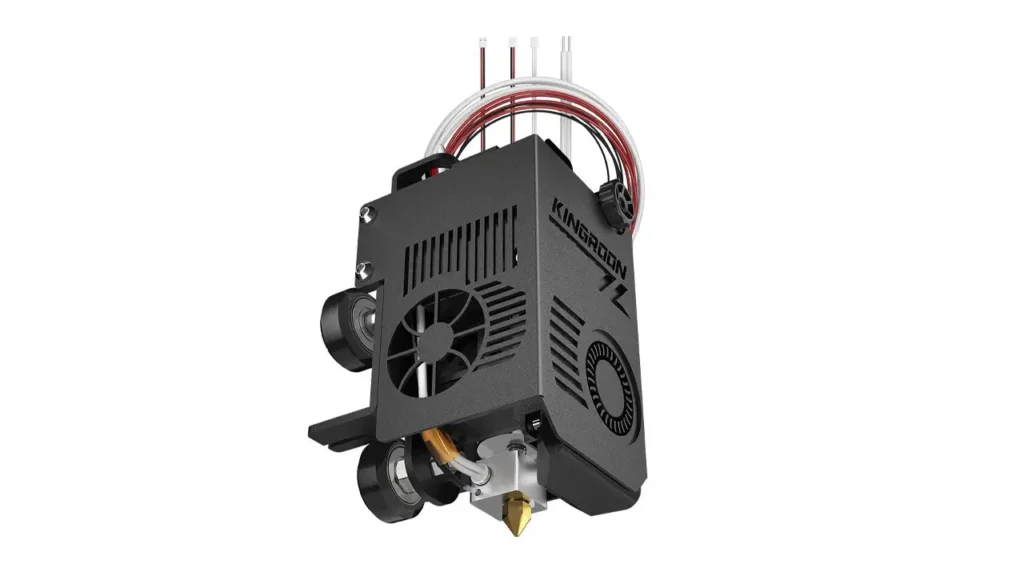
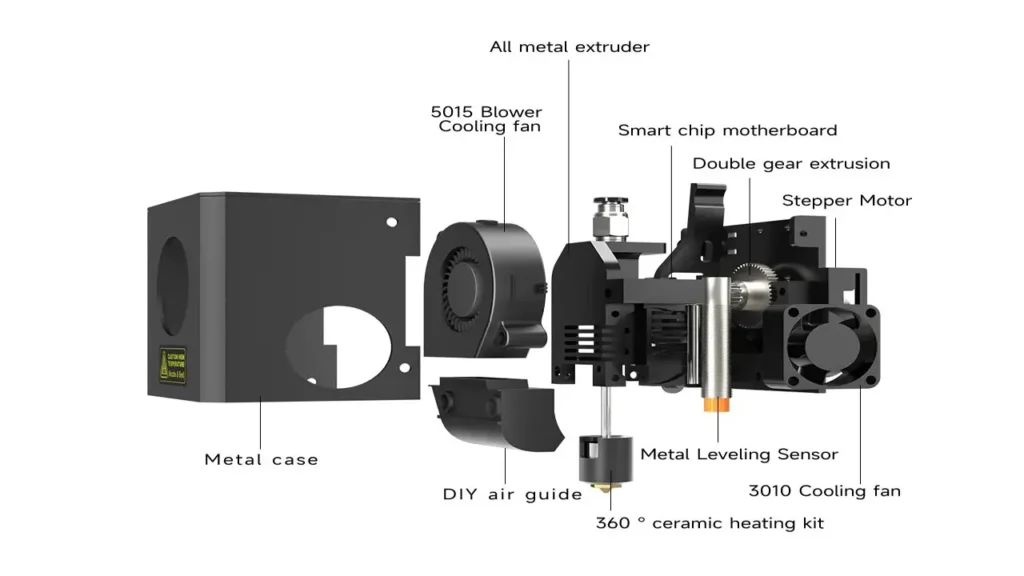
The KP3S Pro V2 uses a 9.5:1 gear ratio dual metal gear extruder. That high gear ratio means the motor generates substantial grip force on the filament — important when printing at speed, where you’re pushing material through the nozzle rapidly and need consistent, reliable feeding. The all-metal construction of the extruder also means it can handle higher-temperature filaments without the gears deforming over time, as can happen with plastic-bodied alternatives.
The hot end itself uses a ceramic heating tube rather than a conventional cartridge heater. Ceramic heaters offer more stable temperature control and faster heat-up times compared to standard resistive heating elements. Combined with the high-flow capability of the hot end design, this translates to the printer being able to sustain high print speeds without the nozzle temperature dropping and causing under-extrusion.
Nozzle temperature maxes out at 260°C, which comfortably covers PLA, PETG, TPU, and ABS. The heated bed reaches up to 100°C — sufficient for ABS adhesion, though printing ABS in an open-frame printer always benefits from an enclosure to maintain ambient temperature.
The print head also incorporates a 5015 blower fan for parts cooling. Effective parts cooling is crucial for print quality at speed — it solidifies each layer quickly, allowing the next layer to be deposited without deforming the one below. For a compact printer at this price, the cooling system is well thought out, though some community members have developed and shared fan duct remixes for improved airflow geometry.
6. Connectivity Features
One of the standout selling points of the KP3S Pro V2 is how well-connected it is for a machine in this price bracket. The Kingroon KP3S Pro V2 WiFi capability allows you to control the printer from any device on your network — laptop, tablet, smartphone, or desktop — simply by opening a browser and navigating to the printer’s IP address. This gives you full access to the Klipper web interface, which means you can start prints, monitor progress, adjust settings, upload files, and manage the machine without being physically present at the printer.
For users who prefer a wired connection, an RJ-45 Ethernet port is also provided. This is particularly useful in workshop environments where WiFi reliability might be inconsistent, or for users who want the lowest possible latency in their remote control setup. The flexibility of having both options is a meaningful quality-of-life feature.
If neither network option is available — say you’re setting up in a garage with no network access — the printer also accepts print files from a USB drive. The combination of affordable 3D printer with WiFi capability plus wired backup plus USB local storage covers essentially every workflow scenario a home or small-business user is likely to encounter.
The front face of the base section provides an HDMI port, a TF card slot, and a USB Type-C connection. The LCD display itself is a 1.28-inch monochromatic screen — not a touchscreen, but paired with the rotary knob it provides clear, responsive navigation through menus. The live printing screen shows nozzle temperature, bed temperature, fan speed, feed rate, print progress as a percentage, elapsed time, and live X/Y/Z axis coordinates. It’s a compact display, but the information density is practical.
7. Printing Speed and Performance
Speed is arguably the headline feature of the KP3S Pro V2, and the Kingroon KP3S Pro V2 speed numbers are genuinely impressive for this price tier. Kingroon rates the maximum print speed at 500 mm/s, with a recommended operational speed of 350 mm/s. For context, many printers at this price point top out at 100–150 mm/s before quality begins to deteriorate noticeably.
The acceleration figure is equally notable: up to 10,000 mm/s². High acceleration is what actually makes high-speed printing practical day to day. A printer that can reach 350 mm/s but takes a long time to get there — because it accelerates slowly — won’t actually print much faster than a conventional machine. The combination of high acceleration and high top speed, made possible by the linear rail motion system and Input Shaping compensation, means real-world print times are substantially reduced compared to budget printers of previous generations.
The ADXL345 accelerometer at the heart of the Input Shaping system actively measures vibrations during a calibration routine and feeds that data back into the Klipper firmware. The firmware then applies resonance compensation in real time during printing, counteracting the mechanical vibrations that would otherwise introduce ghosting artifacts. Kingroon’s implementation uses a single accelerometer on the print head and claims its algorithms allow calibration of both X and Y axes from this single sensor.
In terms of Kingroon KP3S Pro V2 performance across different materials, the printer handles PLA and PETG excellently at recommended speeds. TPU is manageable thanks to the direct drive extruder’s tight filament path control. ABS is printable but, as with any open-frame printer, ambient temperature management matters. For most hobbyist and maker use cases — figurines, functional prototypes, enclosures, mounts, cosplay parts — the printer performs admirably.
The 300W internal power supply ensures the heated bed reaches operating temperature quickly, reducing the wait time before a print can begin. Fast bed heat-up is a minor but genuinely appreciated quality-of-life improvement for users who run multiple prints per day.
8. User Experience
For a printer that sits at this intersection of budget pricing and enthusiast-grade features, the user experience of the KP3S Pro V2 is thoughtfully considered — though not without a few rough edges that are worth knowing about upfront.
Out of the box, the assembly process is manageable for most users. The printer arrives substantially pre-assembled, and the remaining steps are mostly straightforward. That said, several reviewers have noted that the instruction manual has some gaps — particularly around the use of T-nuts during the initial frame attachment step. If you’ve assembled a printer before, you’ll navigate these without much trouble. First-timers may need to supplement the manual with online videos or community forum posts.
Once assembled and connected to your network, first-time Klipper users will find the web interface intuitive after a brief learning curve. The sequence for getting your first print underway involves setting the Z offset, running the automatic bed leveling routine (which creates a compensation mesh across the bed surface), and then running the Input Shaper calibration. These steps are all accessible directly from the LCD menu, which keeps the process reasonably accessible even without a computer at hand.
The auto bed leveling system uses an inductive proximity sensor to probe the bed surface at multiple points and build a height map. Klipper then compensates for any bed irregularity in real time during printing, which significantly reduces the occurrence of first-layer adhesion failures — one of the most common frustrations for new 3D printing users.
Community-generated content is a genuine asset here. The broader Klipper community is large and active, meaning that guides, config files, macro libraries, and troubleshooting resources are widely available online. And within the KP3S-specific community, users have shared practical upgrades like improved fan duct designs and connector guides for the Canbus connection on the extruder — small but useful enhancements that the community has proactively developed.
A note on noise: the machine operates at a moderate noise level. The main source of audible sound is not the motion system (the linear rails are smooth and quiet) but rather the fans — particularly the parts cooling fan during active printing. For use in a dedicated workshop or garage this is rarely an issue. For use in a shared living space or office environment, some users may wish to take note.
9. Pros and Cons
Here’s a balanced breakdown of the KP3S Pro V2’s strengths and the areas where it falls short:
| ✅ Pros | ⚠️ Cons |
|---|---|
| Klipper pre-installed — no Raspberry Pi needed | Assembly instructions have some gaps and inconsistencies |
| High print speed (up to 350 mm/s recommended) | Some units arrive with extruder miscalibration out of the box |
| Linear rail guides on all three axes | Fan duct can be loose — may need tightening or community replacement |
| Input Shaping via built-in ADXL345 accelerometer | Small LCD display — not a touchscreen |
| WiFi + Ethernet + USB connectivity | Open-frame design limits ABS printing without enclosure |
| Direct drive extruder with 9.5:1 gear ratio | Kingroon’s customer support can be inconsistent |
| Automatic bed leveling included | Print progress percentage on display can be slightly inaccurate |
| Compact footprint — fits on a standard desk | Cantilever design less rigid than CoreXY at maximum speeds |
| Ceramic heater for fast, stable temperatures | No dedicated user forum from Kingroon officially |
| Strong bang-for-buck value at ~$279 | Best suited to users with some technical willingness to tinker |
The pros list here is genuinely strong for a sub-$300 printer. The cons are mostly minor and manageable — none of them represent fundamental design flaws. The loose fan duct and occasional out-of-box calibration issues are the kinds of things the community has already documented solutions for, and addressing them takes only a few minutes.
10. Final Verdict
The Kingroon KP3S Pro V2 is a remarkable machine for what it costs. At approximately $279, it delivers a hardware specification that would have been inconceivable at this price point just a few years ago: Klipper firmware without any additional hardware, linear rail motion on all axes, a direct drive extruder with serious grip force, Input Shaping with a built-in accelerometer, automatic bed leveling, and comprehensive wireless connectivity. That’s a genuinely impressive checklist.
Is it perfect? No. The assembly instructions could be clearer. Some units ship with minor calibration issues that require a quick fix before they’re fully dialed in. The small LCD display is functional but won’t win any elegance awards. And users who want to print ABS reliably will eventually want to build or buy an enclosure for the open frame.
But in the context of what the Kingroon KP3S Pro V2 review community has consistently found — strong print quality at speed, a well-designed motion system, and a solid foundation for tuning and improvement over time — the value equation is hard to argue with. If you have a moderate level of technical comfort and you’re looking for the best small 3D printer in 2026 on a budget, this machine deserves to be at the top of your shortlist.
For absolute beginners with no 3D printing experience at all, it’s still a viable choice — especially given the pre-configured Klipper setup — but be prepared to invest a few hours learning your way around the interface and dialing in your first prints. The learning curve is real, but so is the reward on the other side of it.
For experienced users looking for a compact secondary machine, a workshop printer, or a capable starter rig for a new project, the KP3S Pro V2 is an easy recommendation. It’s fast, it’s well-connected, it’s compact, and it’s priced to make the decision simple.
🇺🇸 English
Great review of the Kingroon KP3S Pro V2! The article is well-structured, easy to follow, and actually useful for making a buying decision. I especially liked the detailed breakdown of Klipper performance and WiFi features. This site consistently delivers high-quality 3D printer content.
🇪🇸 Español
Excelente análisis del Kingroon KP3S Pro V2. La información es clara y bien organizada, perfecta tanto para principiantes como para usuarios avanzados. Me gustó mucho la explicación sobre Klipper y el rendimiento. Muy buen sitio para aprender sobre impresoras 3D económicas.
🇸🇦 العربية
مراجعة رائعة لطابعة Kingroon KP3S Pro V2. المقال منظم وسهل الفهم ويقدم معلومات مفيدة جدًا قبل الشراء. أعجبني شرح نظام Klipper والأداء العام للطابعة. موقع مميز لكل المهتمين بالطباعة ثلاثية الأبعاد.
🇨🇳 中文
这篇关于 Kingroon KP3S Pro V2 的评测非常专业!内容清晰、结构合理,对 Klipper 和打印性能的分析特别有帮助。对于想购买入门级3D打印机的人来说,这是一个非常值得参考的网站。
🇫🇷 Français
Très bon article sur la Kingroon KP3S Pro V2. Les explications sont claires et détaillées, особенно sur Klipper et les performances d’impression. Le site est une excellente ressource pour découvrir des imprimantes 3D abordables et performantes.
🇩🇪 Deutsch
Sehr gute Bewertung des Kingroon KP3S Pro V2. Der Artikel ist übersichtlich und liefert viele nützliche Details, особенно zur Klipper-Integration und Druckgeschwindigkeit. Eine tolle Website für alle, die sich für günstige 3D-Drucker interessieren.
Flashforge
Jinhua, China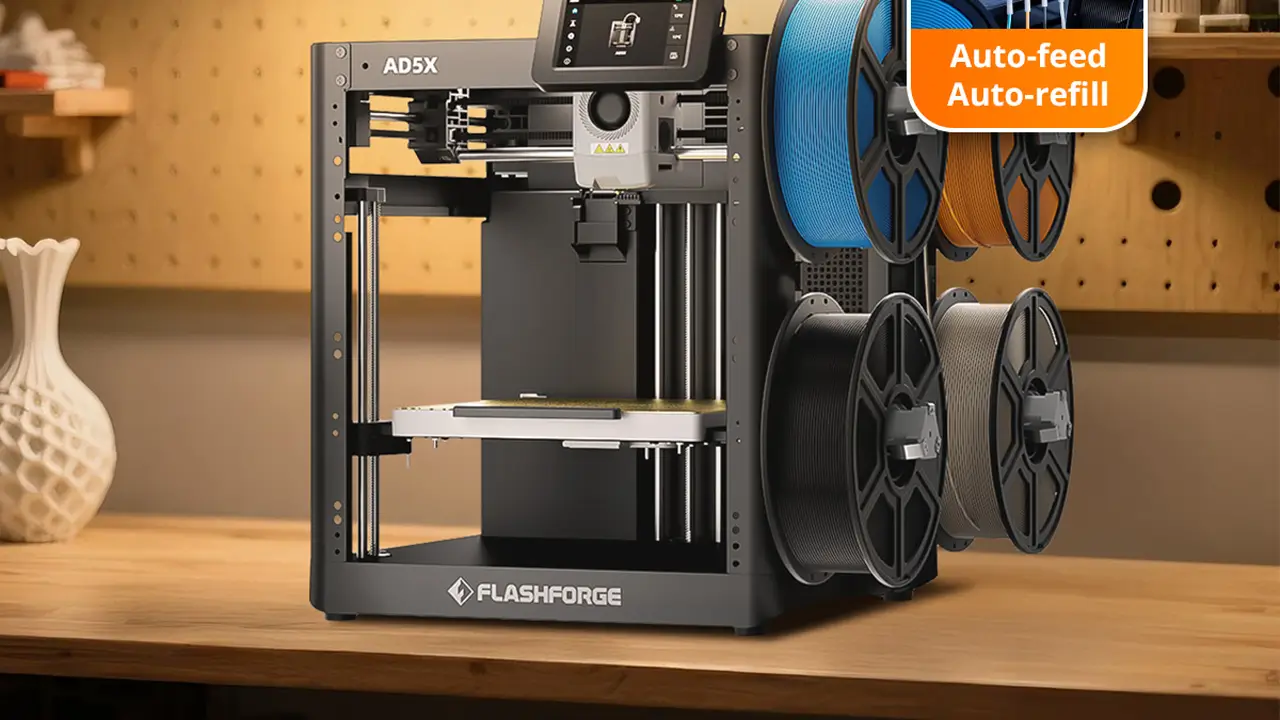
Industrial Stability
Industrial stability with intuitive controls. Reliable mechanics, enclosed enclosures for stable ABS and nylon printing, high-quality assembly for education and professional use.
Discover more from bestchina3dprinters.com
Subscribe to get the latest posts sent to your email.