 Skip to content
 If you’ve been searching for a compact, capable, and beginner-friendly 3D printer that doesn’t force you to compromise on features, this Qidi X-Smart 3 review is exactly what you need to read before making your decision. In a market flooded with options, the Qidi X-Smart 3 stands out as one of the most compelling enclosed desktop FDM printers available today — and a serious contender for the best starter 3D printer 2026 title.
Packed with CoreXY motion, Klipper firmware, a heated enclosure, and blazing-fast print speeds, this little machine punches well above its weight class. Whether you’re a complete newcomer or a hobbyist upgrading from an older open-frame printer, let’s dive in and find out if the X-Smart 3 is the right machine for you.


Qidi X-Smart 3 Specifications Overview
Before getting into the hands-on experience, let’s look at the numbers. The Qidi X-Smart 3 specs paint a picture of a machine that was engineered to compete with printers twice its price. The build volume of 175 × 180 × 170 mm gives you enough room for the vast majority of everyday projects, from functional parts and household gadgets to tabletop miniature bases and decorative objects. Beneath that modest footprint hides serious hardware: a quad-core 64-bit processor, a high-flow direct drive extruder, and an all-metal hot end rated for high-temperature filaments.
Here is the complete specification table:
| Specification | Details |
|---|---|
| Build Volume | 175 × 180 × 170 mm |
| Motion System | CoreXY |
| Max Print Speed | 500 mm/s |
| Max Acceleration | 20,000 mm/s² |
| Flow Rate | 30 mm³/s |
| Nozzle Max Temp | 300 °C |
| Bed Max Temp | 120 °C |
| Extruder Type | Direct Drive, Gear Ratio 9.5:1 |
| Extruder Weight | 600 g |
| Processor | RK3328 Quad-Core Cortex-A53, 1.5 GHz |
| Memory | 1 GB DDR3 RAM, 8 GB eMMC Storage |
| Display | 4.3-inch Color Touchscreen, 480 × 272 px |
| Bed Leveling | Automatic, 16-point |
| Connectivity | Wi-Fi, Ethernet, USB |
| Firmware | Klipper |
| Supported Filaments | PLA, PETG, ABS, ASA, TPU, PC, Nylon |
| Standard Nozzle | 0.4 mm brass (0.2, 0.6, 0.8 mm available) |
| Build Plate | Double-sided flexible magnetic PEI plate |
| Enclosure | Yes, fully enclosed with heated chamber |
| Filament Detection | Yes |
| Machine Dimensions | 370 × 362 × 397 mm |
| Net Weight | 10.5 kg |
Key Features of Qidi X-Smart 3
What makes the Qidi X-Smart 3 features so impressive is that you’re getting a set of capabilities that, until recently, was reserved for mid-range and professional machines. Let’s break down what’s actually inside this compact box.
The CoreXY motion system is the foundation of everything. Unlike the more common Cartesian or bed-slinger designs where the print bed moves back and forth (adding vibration and limiting speed), CoreXY moves only the print head along the X and Y axes. The bed moves only on the Z axis. This dramatically reduces inertia, allows for much higher acceleration, and results in cleaner, sharper prints — especially at high speeds. Combined with Input Shaper (a Klipper feature that actively compensates for resonance vibrations), the X-Smart 3 is capable of printing at 500 mm/s without the ringing artifacts that plague cheaper fast printers.
Speaking of Klipper — this is a big deal. Klipper is an open-source firmware platform that runs on a separate single-board computer rather than the printer’s microcontroller. It enables real-time pressure advance, input shaper calibration, and incredibly fast processing of print commands. Having Klipper out of the box on an entry-level machine is genuinely unusual, and it gives users a path to grow and tune the printer as their skills develop.
The enclosure is another highlight that’s especially relevant for a beginner-friendly enclosed 3D printer. The fully enclosed chamber traps heat generated during printing, creating a more stable thermal environment. This is critical when printing materials like ABS and ASA, which are prone to warping and layer delamination if they cool too quickly. Most open-frame printers at this price simply cannot handle ABS reliably. The X-Smart 3 can.
The direct drive extruder with a 9.5:1 gear ratio and a weight of just 600 g delivers excellent filament control, particularly for flexible materials like TPU. And the all-metal hot end rated to 300 °C opens the door to polycarbonate and nylon, materials that most consumer printers cannot touch.
Qidi Tech
Shenzhen, China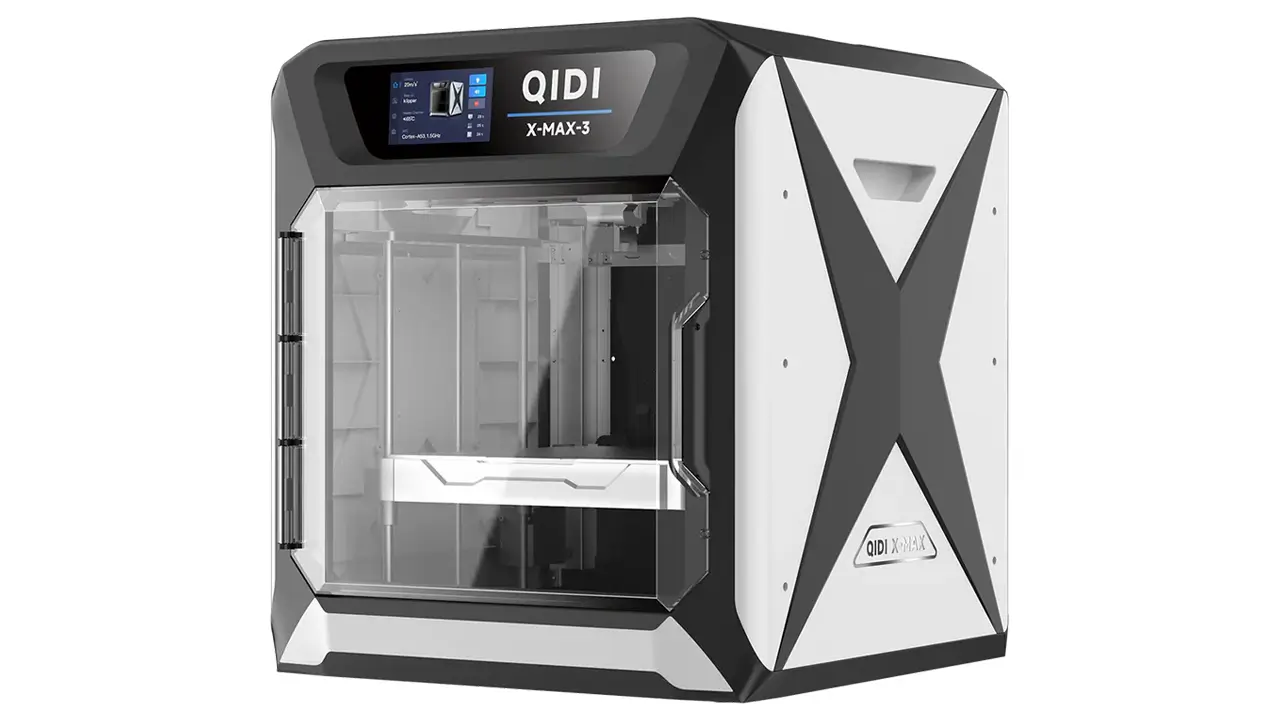
Engineering Printers
Professional-grade printers for engineering materials. Enclosed chambers, high-temperature hotends, and industrial reliability for demanding applications.
Qidi X-Smart 3 Build Quality and Design
Pick up the Qidi X-Smart 3 and the first thing you notice is that it feels solid. The frame is constructed from metal, and the enclosure panels are made from rigid acrylic. The overall machine dimensions of 370 × 362 × 397 mm make it relatively compact for a fully enclosed printer, fitting comfortably on a desk, shelf, or workbench without dominating the entire space.
The overall weight of 10.5 kg tells you there’s real metal in here, not just plastic clips and thin sheet metal. The carbon fiber rods used in the motion system contribute to both light weight and rigidity — an important combination when you’re running the print head at 20,000 mm/s² acceleration.
The double-sided magnetic flexible PEI build plate is a premium touch that many printers at this price either skip or substitute with inferior alternatives. The textured side provides excellent adhesion during printing, and the smooth side is ideal for prints where you want a clean, glass-like bottom surface. When the print finishes, you simply flex the plate slightly and the model pops off without tools or force.
The 4.3-inch full-color touchscreen is responsive and well-organized. The interface is clean and intuitive, showing print progress, temperatures, speeds, and controls in a logical layout. The overall aesthetic of the machine is professional — a black enclosure with clean lines that looks right at home in a home office or studio.
Qidi X-Smart 3 Setup Process
One of the most common concerns for people buying their first 3D printer is the setup process. The Qidi X-Smart 3 setup is remarkably painless. The printer ships approximately 95% pre-assembled, meaning there’s very little mechanical assembly required when it arrives. Most of the work involves removing the shipping tie-wraps that hold the moving components in place during transit — a job that takes just a few minutes.
After powering on, the touchscreen walks you through a guided setup sequence that covers everything a first-time user needs. The process includes automatic 16-point bed leveling, running the Input Shaper calibration (which the firmware walks you through step by step), and cleaning the carbon fiber rods. From opening the box to completing the first test print, most users report a total time of around 10 to 15 minutes.
The printer also includes a roll of ABS filament in the box — an interesting choice that signals confidence in the machine’s enclosure capabilities. Most entry-level printer manufacturers ship PLA because it’s easier and more forgiving. Qidi ships ABS because the X-Smart 3 can genuinely handle it from day one. The package also includes a glue stick, an Ethernet cable, spare parts, and useful tools — a thoughtful and complete bundle.
Wi-Fi, Ethernet, and USB connectivity means you can integrate the printer into your workflow in multiple ways. Ethernet is particularly valuable in workshop, school, or office environments where a stable wired connection is preferred over wireless.
Print Quality Test Results
The Qidi X-Smart 3 print quality is where things get genuinely exciting. Testing across multiple materials reveals a machine that consistently delivers clean, dimensionally accurate results.
With PLA, the results are outstanding even at elevated speeds. Surface finish is smooth, layer lines are even and well-defined, and overhangs up to around 50 degrees print cleanly without support modifications. Fine details on models like figurines or mechanical parts show excellent fidelity. The Input Shaper calibration makes a visible difference — ringing artifacts that appear on uncalibrated fast printers are effectively absent here.
PETG prints beautifully on this machine. The direct drive extruder handles PETG’s tendency to string better than a Bowden setup would, and the heated enclosure prevents the slight warping that PETG can exhibit on cold, drafty open-frame printers. Adhesion on the PEI plate is strong during printing and releases cleanly after cooling.
ABS testing is where the enclosure really justifies its existence. On an open-frame printer, printing a large ABS part is a frustrating exercise in warp management — corners lift, layers crack, and the smell of styrene fills the room. On the X-Smart 3, the enclosed environment keeps the ambient temperature stable, dramatically reducing warping and layer separation. Parts come out dimensionally accurate and structurally solid. This is a meaningful advantage for anyone who needs functional parts that must tolerate heat or mechanical stress.
TPU and flexible filaments benefit enormously from the direct drive design. The short filament path between the drive gears and the nozzle gives precise control over soft materials that would buckle in a long Bowden tube. TPU at 50A hardness prints reliably without jamming or under-extrusion.
Is Qidi X-Smart 3 Beginner Friendly?
This is probably the most important question in the whole review: is the Qidi X-Smart 3 beginner friendly? The answer is a confident yes — with a small asterisk.
The user experience is designed with newcomers in mind at every touchpoint. The guided on-screen setup eliminates the guesswork of initial calibration. The automatic 16-point bed leveling means you don’t need to learn the delicate art of manual leveling before your first print. The QIDI Slicer software — built on PrusaSlicer — includes both a Normal mode and an Expert mode, so complete beginners can start with pre-configured print profiles and adjust settings as their confidence grows.
The filament detection sensor is a practical, beginner-friendly safety net. If your spool runs out mid-print, the printer pauses and waits for you to reload filament rather than silently printing in air and wasting hours of time.
The touchscreen interface requires no computer connection for basic operation. You can transfer files via USB stick, initiate prints directly from the screen, monitor temperatures, and even control print speed and fan settings on the fly. For a beginner who just wants to press a button and get a result, this is genuinely approachable.
The asterisk is this: Klipper firmware offers far more depth and customization than beginner-focused firmware like Marlin in easy mode. You are unlikely to need that depth as a beginner, but it is there when you want it. The learning curve of Klipper only becomes relevant when you deliberately seek it out, and nothing about the default experience pushes you toward complexity you’re not ready for.
Qidi X-Smart 3 vs Bambu Lab A1
The Qidi X-Smart 3 vs Bambu Lab A1 comparison is one of the most natural conversations in this price bracket, so let’s look at it honestly.
| Feature | Qidi X-Smart 3 | Bambu Lab A1 |
|---|---|---|
| Motion System | CoreXY | CoreXY |
| Max Print Speed | 500 mm/s | 500 mm/s |
| Enclosure | Yes — fully enclosed, heated | No — open frame |
| Build Volume | 175 × 180 × 170 mm | 256 × 256 × 256 mm |
| Nozzle Max Temp | 300 °C | 300 °C |
| ABS / ASA Support | Excellent (enclosed) | Limited (open frame) |
| Firmware | Klipper (open source) | Bambu proprietary |
| Connectivity | Wi-Fi, Ethernet, USB | Wi-Fi, USB |
| Slicer Software | QIDI Slicer (PrusaSlicer-based) | Bambu Studio (proprietary) |
| Multi-material Option | No (single extruder) | Yes (AMS compatible) |
| Ecosystem Openness | Open — works with any slicer | More proprietary |
The story here comes down to what matters most to you. The Bambu Lab A1 offers a significantly larger build volume and the option to add multi-material printing via the AMS system — a genuine differentiator if you want to print multi-color objects. Its software ecosystem is polished, fast, and very beginner-friendly.
The Qidi X-Smart 3 counters with its fully enclosed heated chamber — the single biggest material capability advantage in this comparison. If you intend to print ABS, ASA, or any engineering-grade material that needs a controlled thermal environment, the X-Smart 3 wins that category decisively. The Bambu A1’s open-frame design simply cannot replicate what a proper enclosure provides for warping-prone filaments. Additionally, Ethernet connectivity and the open Klipper/PrusaSlicer stack give the X-Smart 3 more flexibility and long-term customization potential.
If you primarily print PLA in large formats and want the smoothest possible plug-and-play experience, the A1 is an excellent machine. If material versatility and engineering-grade printing matter to you, the X-Smart 3 is the stronger choice.
Price and Value for Money
The Qidi X-Smart 3 price sits in the range of approximately $350–$420 USD depending on the retailer and any ongoing promotions. For context, that positions it as an entry-level machine in terms of cost, while delivering a feature set that genuinely competes with mid-range printers.
Let’s think about what that price actually buys you: a CoreXY motion system, Klipper firmware, a fully enclosed heated chamber, a direct drive extruder with a 9.5:1 gear ratio, automatic 16-point bed leveling, Input Shaper calibration, a 4.3-inch color touchscreen, Wi-Fi plus Ethernet connectivity, filament runout detection, a flexible magnetic PEI build plate, and a 300 °C capable all-metal hot end. To assemble that feature list from any other brand in this price range is essentially impossible.
The machine also ships with a roll of ABS filament, spare nozzles, tools, a glue stick, and an Ethernet cable. It’s a complete out-of-the-box experience with minimal additional investment needed to get started.
For ongoing costs, replacement nozzles and consumables are reasonably priced. The open Klipper firmware means you’re not locked into proprietary software subscriptions. QIDI also offers a 1-year warranty and lifetime technical support — a reassuring commitment for first-time buyers who may need help along the way.
When you compare the Qidi X-Smart 3 price to what it delivers in terms of speed, material range, and feature depth, the value proposition is genuinely hard to argue with. You are not paying a premium brand tax. You are paying for hardware.
Final Verdict: Should You Buy Qidi X-Smart 3?
After a thorough Qidi Tech X-Smart 3 review across every relevant dimension — specs, build quality, setup, print performance, ease of use, and value — the conclusion is clear: this is one of the most capable and well-rounded entry-level 3D printers on the market in 2026.
The Qidi X-Smart 3 is an ideal choice if you are a beginner who wants a machine that grows with you. The guided setup, automatic bed leveling, and user-friendly QIDI Slicer software make it accessible from day one. But the Klipper firmware, CoreXY motion, and full material support mean you won’t outgrow it in six months. It’s a one-time purchase that serves you from your first PLA phone stand all the way to functional ABS mechanical parts and flexible TPU gaskets.
It’s also a strong choice if you’re an experienced hobbyist looking to add an enclosed machine to your workshop without spending $700–$900 on the larger X-Plus 3 or X-Max 3 siblings. The X-Smart 3 shares the same core technology as those bigger siblings — the same processor, the same firmware, the same extruder architecture — just in a smaller, more affordable package.
The honest limitations are worth noting. The build volume of 175 × 180 × 170 mm is smaller than some competitors at this price, so if large-format printing is your main goal, you may want to look at the X-Plus 3 or consider a bed-slinger design. There is also no built-in multi-material or multi-color capability, unlike some competing machines.
But for the overwhelming majority of users — beginners getting started, hobbyists printing functional and decorative parts, makers who need material versatility in a compact form — the Qidi X-Smart 3 delivers exceptional value, reliable performance, and a genuinely pleasant user experience.
The 3D printer market in 2026 is competitive, fast-moving, and exciting. There are great machines being released regularly. To stay up to date with the latest reviews, comparisons, and recommendations for the best printers from Qidi and other leading brands, make sure to follow bestchina3dprinters.com — your go-to resource for honest, in-depth 3D printer coverage.
Frequently Asked Questions (FAQ)
What filaments can the Qidi X-Smart 3 print? The Qidi X-Smart 3 supports PLA, PETG, ABS, ASA, TPU, Nylon, and Polycarbonate. The all-metal hot end reaches 300 °C and the heated bed reaches 120 °C, enabling a wide range of standard and engineering-grade filament materials.
How difficult is the Qidi X-Smart 3 setup? Setup is very straightforward. The printer arrives approximately 95% pre-assembled. After removing shipping tie-wraps and powering on, a guided on-screen wizard walks you through leveling and calibration. Most users are printing within 10–15 minutes of opening the box.
Does the Qidi X-Smart 3 require a computer to operate? No. The printer has a 4.3-inch color touchscreen for standalone operation. You can transfer files via USB stick and control all basic functions directly from the screen without a connected computer.
Is Klipper firmware difficult for beginners? Not at the default level. QIDI pre-configures Klipper with optimized profiles and a guided calibration process. Beginners simply follow the on-screen instructions. The deeper customization options of Klipper are available when you’re ready to explore them, but they are not required for everyday printing.
How does the Qidi X-Smart 3 compare to the Bambu Lab A1? The X-Smart 3 has a smaller build volume but offers a fully enclosed heated chamber — a major advantage for printing ABS, ASA, and engineering materials that warp on open-frame printers. The A1 offers a larger print area and optional multi-material support. The best choice depends on whether material versatility or build volume is your priority.
What is the warranty on the Qidi X-Smart 3? QIDI provides a 1-year warranty with lifetime technical support on the X-Smart 3, covering manufacturing defects and offering assistance throughout the life of the machine.
Can I use third-party slicers with the Qidi X-Smart 3? Yes. While QIDI Slicer (based on PrusaSlicer) is the recommended software, the X-Smart 3 is compatible with Ultimaker Cura, Simplify3D, and other popular slicers. The open Klipper firmware ensures broad software compatibility.
What is the print speed of the Qidi X-Smart 3? The maximum print speed is 500 mm/s with a maximum acceleration of 20,000 mm/s². Real-world print speeds for quality results typically range from 150–300 mm/s, which is still significantly faster than most printers in its class.
🇺🇸 English:
This review of the Qidi X-Smart 3 is exactly what I was looking for. Clear structure, real insights, and no fluff. The website is very easy to navigate, and I like how everything is focused on practical information. Definitely bookmarking it for future 3D printer research.
🇪🇸 Español:
Este análisis del Qidi X-Smart 3 es muy completo y fácil de entender. Me gustó la estructura clara y la información práctica. El sitio web es rápido y bien organizado, perfecto para encontrar reseñas de impresoras 3D modernas.
🇸🇦 العربية:
مراجعة رائعة لطابعة Qidi X-Smart 3. الشرح واضح ومفيد حتى للمبتدئين. الموقع منظم بشكل ممتاز ويقدم معلومات دقيقة بدون تعقيد. أنصح به لأي شخص يبحث عن أفضل طابعات ثلاثية الأبعاد.
🇨🇳 中文:
这篇关于 Qidi X-Smart 3 的评测非常专业,信息清晰且实用。网站结构很好,加载速度快,内容对新手也很友好。我会继续关注这个网站获取更多3D打印机信息。
🇫🇷 Français:
Excellent article sur la Qidi X-Smart 3. Les informations sont claires, bien structurées et vraiment utiles. Le site est moderne et agréable à lire. Une très bonne source pour les amateurs d’impression 3D.
🇩🇪 Deutsch:
Sehr guter Testbericht zum Qidi X-Smart 3. Alles ist klar erklärt und gut strukturiert. Die Website wirkt professionell und bietet viele hilfreiche Informationen. Perfekt für alle, die sich für 3D-Druck interessieren.
Polimerukr.com
Ukraine
3D Printing Materials & Supplies
Your trusted source for high-quality 3D printing materials in Ukraine. Wide selection of filaments, resins, and accessories for all printer types with fast local shipping.
Discover more from bestchina3dprinters.com
Subscribe to get the latest posts sent to your email.
