 Skip to content
 Introduction to the Elegoo Neptune 3 Pro
If you have been looking for a reliable, feature-packed 3D printer that does not require you to empty your wallet, the neptune 3 pro 3d printer by Elegoo deserves a serious spot on your shortlist. In the world of desktop FDM printing, where the market grows more competitive every year, this machine has carved out a strong reputation for offering premium features at an accessible price point — making it one of the best budget 3d printer options you can find in 2026.
Elegoo, founded in 2015, aims to democratize 3D printing by offering high-quality printers at accessible prices. Their diverse range caters to a wide range of users. Beginners benefit from user-friendly features like auto-bed leveling and clear instructions, while a thriving online community offers a wealth of troubleshooting tips and shared experiences. Hobbyists and professionals alike appreciate the excellent value proposition: Elegoo printers deliver high-quality parts, solid build features, and reliable performance without breaking the bank.
The Neptune 3 Pro is a direct evolution of the original Neptune 3, bringing meaningful improvements that make it more capable right out of the box. Whether you are a first-time maker just entering the hobby or a seasoned enthusiast looking for a dependable workhorse, this printer has something compelling to offer. Let us take a deep, friendly, and informative look at everything this machine brings to the table.


Design and Build Quality
First impressions matter, and the Neptune 3 Pro makes a strong one. The plain black frame found on its predecessor has been replaced with gray aluminum profiles featuring painted accent stripes and the bold “Create the Future” motto stamped on the front panel. It is a distinctive, modern aesthetic that gives the machine a cyberpunk-inspired personality on any workbench.
The frame is constructed from sturdy aluminum extrusions, which provides a stable and rigid base essential for consistent printing. The dual Z-axis lead screws paired with dual stepper motors ensure that the gantry moves smoothly and evenly, preventing any tilting or sagging during long print sessions — a common weakness found on cheaper single-leadscrew machines in this price category.
Among the most appreciated elegoo neptune 3 pro features is the gantry-mounted LED light bar. This integrated lighting illuminates the print area even in dimly lit rooms, allowing you to monitor print progress without shining a flashlight at the machine. It is a small but genuinely thoughtful addition that improves the daily user experience significantly.
The overall build quality feels solid and purposeful. Nothing flexes or rattles unexpectedly, and the components fit together with reassuring precision. For a printer in this price bracket, the Neptune 3 Pro punches noticeably above its weight when it comes to physical construction.

Elegoo Neptune 3 Pro
Reliable mid-range 3D printer from Elegoo. Direct drive extruder, auto-leveling, and sturdy construction for consistent printing of prototypes and functional parts.
- • Direct Drive Extruder
- • Auto Bed Leveling
- • Silent TMC Drivers
- • Resume Print Function
Key Specifications — Neptune 3 Pro Specs
Before diving deeper into performance and user experience, it is worth laying out the core neptune 3 pro specs in a clear format. Here is a comprehensive overview of what this machine offers technically:
| Specification | Details |
|---|---|
| Printing Technology | FDM (Fused Deposition Modeling) |
| Build Volume | 225 × 225 × 280 mm |
| Extruder Type | Dual-Gear Direct Drive |
| Nozzle Diameter | 0.4 mm (standard) |
| Max Nozzle Temperature | 260°C |
| Max Bed Temperature | 100°C |
| Bed Leveling | Automatic 36-point inductive sensor |
| Max Print Speed | 180 mm/s |
| Filament Diameter | 1.75 mm |
| Supported Materials | PLA, PLA+, ABS, PETG, TPU, ASA |
| Build Platform | Magnetic PEI Spring Steel Sheet |
| Display | 4.3-inch removable capacitive touchscreen |
| Connectivity | MicroSD card |
| Motherboard | STM32 with silent stepper drivers |
| Noise Level | 47–48 dB |
| Hotbed Power | 250W |
| Z-Axis | Dual lead screws, dual motors |
| Additional Features | Filament runout sensor, resume printing, LED bar, belt tensioners |
The build volume of 225 × 225 × 280 mm is particularly noteworthy. The extra height compared to many competing printers in this class means you can tackle taller models — figurines, vases, functional mechanical parts — without having to split your design into multiple pieces. For most everyday hobbyist and maker projects, this volume covers the vast majority of use cases comfortably.
Printing Performance — Neptune 3 Pro Print Quality
When it comes to real-world neptune 3 pro print quality, this machine delivers results that consistently impress at its price point. The combination of a rigid dual-leadscrew frame, a well-tuned direct drive extruder, and the PEI print surface creates conditions where quality prints come naturally rather than through constant troubleshooting.
The PEI magnetic platform deserves special recognition here. Prints stick reliably during the printing process and release cleanly once the plate cools down — simply flex the spring steel sheet and models pop right off with minimal effort. This eliminates the frustration of prints bonding too aggressively to the build surface, which is a common complaint with older glass or bare magnetic beds.
Wall quality on standard PLA prints is smooth and consistent. Fine details such as text embossing, small geometric features, and organic curves reproduce cleanly at standard layer heights of 0.2 mm. At 0.1 mm layer height, the Neptune 3 Pro produces noticeably refined surfaces that require very little post-processing.
The STM32 motherboard paired with silent stepper motor drivers keeps noise at a remarkably low 47 to 48 dB during operation. This makes the printer genuinely pleasant to run in a home office or shared workspace environment, unlike older generation machines that sounded like they were grinding gravel.
Compared to competitors in the same price range, the Neptune 3 Pro holds its own confidently. Where similarly priced Bowden-drive machines sometimes struggle with stringing or retraction tuning, the direct drive system on the Neptune 3 Pro gives it a natural advantage in producing clean, artifact-free prints with minimal tweaking.
Direct Drive System Explained — Neptune 3 Pro Direct Drive
The neptune 3 pro direct drive extruder system is one of the most important upgrades that sets this printer apart from budget alternatives that still rely on Bowden tube setups. Understanding why this matters will help you appreciate the practical benefits in everyday printing.
In a Bowden configuration, the extruder motor sits away from the hotend, and filament travels through a long tube to reach the nozzle. This distance introduces a delay between the motor’s movement and the actual filament flow, which makes retractions less precise and flexible filaments like TPU notoriously difficult to manage.
The Neptune 3 Pro places the dual-gear extruder motor directly on the print head, right above the hotend. This short filament path gives the motor immediate, direct control over material flow. The dual-gear mechanism grips the filament from both sides rather than just one, dramatically reducing slippage and improving consistency across the entire print.
The practical benefits are significant. TPU and other flexible filaments, which are practically impossible to print reliably on Bowden machines without extensive modification, become straightforward on the Neptune 3 Pro. The direct drive system handles the squishiness of flexible materials without the feeding issues that plague less capable setups.
The machine is equipped with three cooling fans and an improved aluminum heat sink. Elegoo also incorporated a TC4 titanium alloy throat pipe which helps reduce heat creep, keeping the cold zone genuinely cold and preventing premature melting of filament before it reaches the nozzle. This design contributes to cleaner retractions and fewer clogs during extended print sessions.
For anyone who wants to explore beyond standard PLA — printing flexible phone cases, gaskets, wearable components, or engineering-grade materials like PETG and ABS — the neptune 3 pro direct drive system makes this a genuinely versatile machine.
Elegoo
Shenzhen, China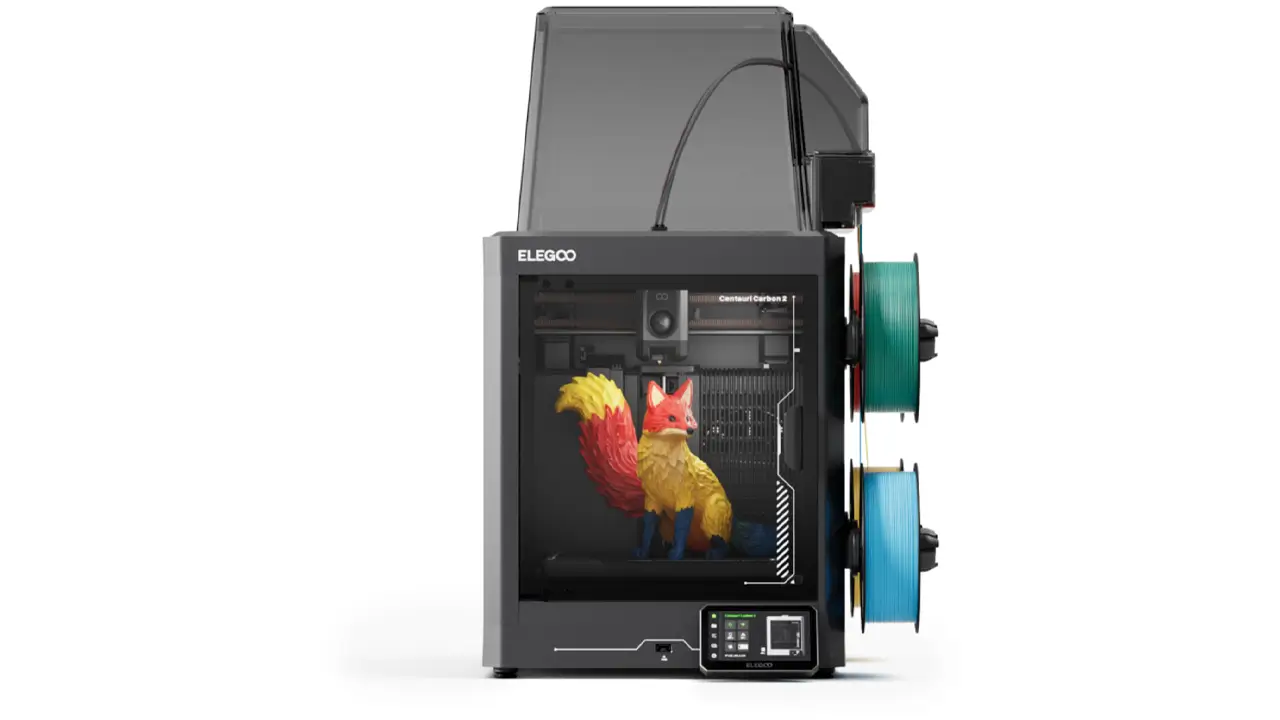
Resin & FDM Printers
Leading manufacturer of resin and FDM 3D printers. Saturn series for high-detail resin printing, Neptune series for reliable FDM. Perfect for miniatures, jewelry, and prototyping.
Auto Bed Leveling and Ease of Use
One of the most common frustrations for newcomers to 3D printing is bed leveling. Getting the first layer just right — not too close, not too far — can feel like a never-ending battle on printers that rely on manual knob adjustments. The Neptune 3 Pro completely sidesteps this problem with an automatic 36-point inductive sensor leveling system.
This makes it a standout affordable 3d printer with auto leveling that actually works reliably in practice. The inductive sensor probes 36 points across the print surface before each print, building a detailed mesh map of any warps or imperfections in the bed. The printer then compensates for these variations in real time during the first layer, ensuring consistent adhesion across the entire surface.
There are no bed leveling knobs to turn. The system is fully automatic — you simply press the leveling button on the touchscreen and let the printer do the work. For a beginner, this removes one of the most intimidating and time-consuming aspects of getting started with FDM printing.
The 250W heated bed reaches 100°C quickly, which is sufficient for printing PLA, PETG, and ABS without long waits. The removable 4.3-inch capacitive touchscreen is intuitive and responsive, with a model preview function that lets you see a thumbnail of the file you are about to print — a small but genuinely handy feature that prevents accidentally starting the wrong print. The screen can also be detached from the printer and held in hand while navigating menus, which is an unusual and practical design choice.
The filament runout sensor pauses the print automatically when the spool runs dry, and the resume printing function lets you reload filament and continue from exactly where the machine stopped. For long overnight prints, these features provide meaningful peace of mind.
Setup Process — Neptune 3 Pro Setup
The neptune 3 pro setup experience is refreshingly straightforward, especially compared to printers that arrive as a bag of loose parts with a minimal instruction sheet. Elegoo ships the Neptune 3 Pro with the majority of components pre-assembled at the factory — the wiring, belts, and most mechanical sub-assemblies arrive ready to go.
Assembly primarily involves attaching the vertical gantry frame to the base unit and securing it with the included bolts. This process typically takes only 15 to 30 minutes for most users, including someone doing it for the very first time. The printed instruction booklet is clear and well-organized, and the included microSD card contains a step-by-step video tutorial that walks you through every stage of assembly in detail.
Once physically assembled, the printer includes a digital calibration wizard accessible through the touchscreen that guides you through the initial setup steps, including the first automatic bed leveling run. The machine comes with a small sample of white PLA filament so you can run your first test print immediately after setup without needing to purchase filament separately.
The included accessory kit is generous. Along with the tools needed for assembly, you receive side cutters, a plastic scraper for print removal, two spare nozzles, and the microSD card with a USB adapter. It is the kind of thoughtful kit that shows Elegoo understands what users actually need on day one.
For absolute beginners, the Neptune 3 Pro represents one of the smoothest entry points into FDM 3D printing available at this price level. The learning curve is present — as with any 3D printer — but the hardware does its best to keep it manageable.
Slicer Compatibility — Neptune 3 Pro Cura Settings
Every 3D printer needs slicer software to convert a 3D model file into the print instructions the machine actually uses. The Neptune 3 Pro is compatible with all major slicing applications, including Ultimaker Cura, PrusaSlicer, and Elegoo’s own bundled slicer software included on the microSD card.
For neptune 3 pro cura settings, here are the recommended baseline profile values that produce reliable results on standard PLA:
| Setting | Recommended Value (PLA) |
|---|---|
| Layer Height | 0.2 mm |
| Print Speed | 50–80 mm/s |
| Nozzle Temperature (PLA) | 200–220°C |
| Bed Temperature (PLA) | 55–65°C |
| Retraction Distance | 1–2 mm (direct drive) |
| Retraction Speed | 35–45 mm/s |
| Infill Density | 15–20% (general use) |
| Cooling Fan Speed | 100% (after first layer) |
| Nozzle Temperature (TPU) | 220–230°C |
| Print Speed (TPU) | 20–30 mm/s |
One important note for direct drive machines: retraction distances should be kept short — typically 1 to 2 mm. Users coming from Bowden setups who try retraction values of 5 to 7 mm will find that excessive retraction causes grinding and jams on direct drive printers. Keeping retraction minimal is one of the key slicer adjustments to make when switching to a direct drive system.
Elegoo’s own bundled slicer software supports model preview thumbnails that display on the touchscreen, which is a convenience feature not universally supported by third-party slicers without additional configuration. For users who want the full touchscreen preview experience out of the box, starting with Elegoo’s slicer is recommended before transitioning to Cura or PrusaSlicer once you are comfortable with the workflow.
Comparison: Neptune 3 Pro vs Neptune 4
The neptune 3 pro vs neptune 4 question comes up constantly in maker communities, and it is a genuinely interesting comparison because the two machines are aimed at somewhat different users despite sharing similar physical footprints.
| Feature | Neptune 3 Pro | Neptune 4 |
|---|---|---|
| Firmware | Marlin | Klipper |
| Max Print Speed | 180 mm/s | 500 mm/s |
| Max Nozzle Temp | 260°C | 300°C |
| Max Bed Temp | 100°C | 110°C |
| Connectivity | MicroSD | MicroSD, USB-C, LAN (Wi-Fi) |
| Nylon Support | Limited (260°C max) | Yes (300°C) |
| Setup Complexity | Simple, standalone | Requires network config |
| Price Range | $200–$250 | $280–$320 |
| Best For | Beginners, reliability seekers | Speed-focused, tech-savvy users |
The Neptune 4’s most dramatic advantage is its printing speed: at up to 500 mm/s, it is nearly three times faster than the Neptune 3 Pro’s 180 mm/s maximum. This is made possible by Klipper firmware, which offloads complex motion calculations to a more powerful onboard processor. For users who run many prints regularly and where time genuinely equals money, this speed advantage is significant.
However, Klipper comes with a different kind of setup experience. The Neptune 4 requires connecting to your home network, accessing a web interface, and becoming comfortable with a configuration file called printer.cfg for advanced tuning. For a complete beginner, this can feel intimidating compared to the plug-and-play simplicity of the Marlin-based Neptune 3 Pro.
The Neptune 3 Pro, by contrast, is entirely self-contained. Everything is controlled directly from the touchscreen — no network, no IP address, no browser interface required. You insert the MicroSD card, select your file, and print. That simplicity is genuinely valuable for users who want their 3D printer to work reliably without becoming an IT project.
The Neptune 4 also supports higher temperatures — 300°C at the nozzle versus 260°C on the Neptune 3 Pro — which opens the door to engineering materials like Nylon. The bed temperature of 110°C versus 100°C also provides slightly better adhesion for materials that require it.
The honest conclusion: if you are on a tight budget, value simplicity, or are new to 3D printing, the Neptune 3 Pro delivers roughly 90% of the capability at approximately 70% of the cost. If speed is your top priority and you are comfortable with a more software-driven workflow, the Neptune 4 justifies its higher price.
Elegoo Neptune 3 Pro
Reliable mid-range 3D printer from Elegoo. Direct drive extruder, auto-leveling, and sturdy construction for consistent printing of prototypes and functional parts.
- • Direct Drive Extruder
- • Auto Bed Leveling
- • Silent TMC Drivers
- • Resume Print Function
Final Verdict — Elegoo Neptune 3 Pro Review
After examining every aspect of this machine, the elegoo neptune 3 pro review conclusion is clear: this is one of the most well-rounded budget 3D printers available in 2026, and it continues to hold its value even as newer, faster machines enter the market.
What the Neptune 3 Pro gets right:
The combination of a dual-gear direct drive extruder, automatic 36-point bed leveling, a PEI magnetic print surface, dual Z-axis leadscrews, and silent stepper drivers in a sub-$250 package is genuinely remarkable. These are features that were once reserved for mid-range machines priced significantly higher. The result is a printer that works reliably from the first print and continues to do so without constant maintenance or recalibration.
The beginner experience is particularly strong. Quick assembly, clear documentation, a generous accessory kit, automatic leveling, and an intuitive touchscreen mean that a first-time user can realistically go from opening the box to completing their first print within a single afternoon.
Where the Neptune 3 Pro has limitations:
The printing speed of 180 mm/s, while adequate for most use cases, is not competitive with newer Klipper-based machines. Users who run production volumes or need rapid iteration on designs will eventually feel this limitation. The MicroSD-only connectivity also feels dated in a world where wireless printing is increasingly standard. There are no onboard network features, which means carrying a card back and forth between your computer and the printer every time.
Who should buy the Neptune 3 Pro:
This printer is an ideal choice for hobbyists, students, makers, and small creative businesses entering 3D printing for the first time. It is also a strong option for anyone who wants a reliable, no-drama second printer dedicated to specific materials like TPU or ABS. The direct drive system makes flexible filament printing approachable, and the solid frame handles ABS reasonably well with minor enclosure additions.
Return on investment:
At its current price of approximately $200 to $250, the Neptune 3 Pro represents exceptional value for money. The machine is durable, upgradeable, and supported by an active community. Users who need more than this printer offers in two or three years will find that it retains resale value well, making it a low-risk first purchase in the 3D printing hobby.
In summary, the Elegoo Neptune 3 Pro 3D printer is not the flashiest machine on the market in 2026. It will not win speed competitions against Klipper-powered competitors. But it is a dependable, capable, and thoughtfully designed printer that consistently delivers quality results without drama. For makers who value reliability, simplicity, and proven performance over cutting-edge specs, the Neptune 3 Pro remains a smart investment that will serve you well for years to come.
Polimerukr.com
Ukraine
3D Printing Materials & Supplies
Your trusted source for high-quality 3D printing materials in Ukraine. Wide selection of filaments, resins, and accessories for all printer types with fast local shipping.
🇺🇸 John Miller – ⭐⭐⭐⭐⭐
Excellent breakdown of the Neptune 3 Pro! The article is clear, detailed, and actually useful for decision-making. I especially liked the comparison section.
🔗 https://bestchina3dprinters.com/
🇪🇸 Carlos Ramírez – ⭐⭐⭐⭐⭐
Muy buen artículo, explica perfectamente las características del Neptune 3 Pro. El sitio es rápido y fácil de usar. Definitivamente volveré.
🔗 https://bestchina3dprinters.com/
🇸🇦 أحمد الزهراني – ⭐⭐⭐⭐⭐
مراجعة احترافية ومفيدة جداً. الموقع يقدم معلومات دقيقة وسهلة الفهم حتى للمبتدئين في الطباعة ثلاثية الأبعاد.
🔗 https://bestchina3dprinters.com/
🇨🇳 李伟 (Li Wei) – ⭐⭐⭐⭐⭐
这篇文章非常详细,涵盖了Neptune 3 Pro的所有重要信息。网站内容专业,阅读体验很好。
🔗 https://bestchina3dprinters.com/
🇫🇷 Pierre Dubois – ⭐⭐⭐⭐⭐
Très bon article, bien structuré et informatif. Le site est clair et professionnel, parfait pour découvrir les imprimantes 3D.
🔗 https://bestchina3dprinters.com/
🇩🇪 Michael Schneider – ⭐⭐⭐⭐⭐
Sehr informativer Beitrag über den Neptune 3 Pro. Die Website wirkt seriös und bietet echten Mehrwert. Klare Empfehlung!
🔗 https://bestchina3dprinters.com/
Discover more from bestchina3dprinters.com
Subscribe to get the latest posts sent to your email.
