 Skip to content
 Introduction to the Elegoo Neptune 4 Max
If you’ve been shopping around for a large format 3D printer that doesn’t ask you to empty your bank account, you’ve probably already come across the name Elegoo. Founded in 2015 with a clear mission — to make 3D printing accessible and affordable — Elegoo has built a loyal community of makers, hobbyists, engineers, and creators around the world. Their Neptune series has been particularly well-received, and the Elegoo Neptune 4 Max is arguably the most ambitious machine in that lineup.
So what exactly is the Neptune 4 Max? Think of it as the big, fast, capable sibling in the Neptune family. It takes everything that made the Neptune 3 Max a fan favourite and upgrades it with modern firmware, smarter calibration, and a seriously upgraded hotend. The result is a printer that can tackle enormous projects at speeds most desktop printers can only dream of.
Whether you’re a cosplay creator printing life-size helmets, an architect producing scaled building models, a product designer prototyping large enclosures, or simply a maker who is tired of splitting prints into multiple pieces — the Neptune 4 Max was built for you. In this review, we’ll walk through every important aspect of this machine: the build volume, print speed, firmware intelligence, extruder design, cooling performance, real-world user feedback, and how it stacks up against its closest sibling, the Neptune 4 Plus.
Let’s get into it.


Massive Build Volume — Print Big Without Compromise
The headline feature of the Elegoo Neptune 4 Max is, without question, its enormous build volume. With a spacious print area of 420 x 420 x 480 mm, the printer allows you to bring the most ambitious designs to life, whether you’re printing a single massive object or filling the bed with dozens of smaller parts in one go.
To put that into perspective, a standard desktop FDM printer like the popular Ender 3 series offers roughly 220 x 220 x 250 mm of usable space. The Neptune 4 Max gives you nearly four times the printable surface area and almost double the height. That’s not a minor upgrade — that’s a fundamentally different class of machine.
In real terms, 420 mm on the X and Y axes means you can print objects like full-sized cosplay helmet shells, large drone frames, architectural scale models, workshop jigs, and decorative wall panels without ever needing to split a model into parts. The 480 mm of vertical space adds another dimension of freedom, allowing tall figurines, lamp posts, vases, and structural columns to be printed in a single session.
What makes this build volume even more impressive is the value at which it’s delivered. Many printers with comparable print areas sit in the premium segment of the market. The Neptune 4 Max positions itself firmly in the budget-friendly zone, making it one of the best large 3D printers available for makers who want capability without the premium price tag.
The print bed itself uses a dual-sided flexible PEI spring steel plate — one side features a textured PEI surface for excellent adhesion and easy print removal across a wide range of materials, while the other is optimized specifically for PLA. The magnetic attachment makes swapping the plate quick and effortless, and the flex-and-pop removal method means even stubborn prints release cleanly without tools.

Elegoo Neptune 4 Max
Large-format high-speed 3D printer from Elegoo. Klipper firmware, auto-leveling, and spacious build volume for professional prototyping and large-scale printing projects.
- • 420×420×480 mm Build
- • Klipper Firmware
- • Auto Bed Leveling
- • High-Speed Printing
High-Speed Printing Performance — 500mm/s Is Real
Speed is one of the biggest selling points of the Neptune 4 Max, and Elegoo has not been shy about the numbers. The printer is rated for a maximum print speed of 500 mm/s, with an acceleration of up to 8,000 mm/s². By comparison, a traditional Marlin-based printer typically tops out around 60–80 mm/s in practical use. The Neptune 4 Max is in a completely different league.
The default out-of-the-box speed is set to 250 mm/s, which is already twice what most older desktop printers can achieve. Experienced users who want to push the limits can unlock the full 500 mm/s, though it’s worth noting that achieving this at full print quality requires careful slicer profile tuning and works best on lightweight, less geometrically complex models.
For typical everyday printing — functional parts, organizers, props, household items — a range of 250 to 350 mm/s gives an excellent balance of speed and surface quality. Large models that would have taken 20–30 hours on an older machine can often be completed in 8–12 hours on the Neptune 4 Max, which is a meaningful real-world benefit for any active maker or small workshop.
The high-speed capability is powered by the Klipper firmware running on a dedicated ARM 64-bit quad-core processor clocked at 1.5 GHz. This is the technical foundation that makes the speed possible — and we’ll dig into it more in the next section. For now, it’s worth underlining that the Neptune 4 Max is a genuinely fast FDM 3D printer, not just one that claims to be.
Klipper Firmware and Smart Features
If you’ve been following the 3D printing world over the past few years, you’ve likely heard a lot about Klipper. This open-source firmware has become the gold standard for high-performance FDM printing, and the Neptune 4 Max comes with it pre-installed straight out of the box.
So what does Klipper actually do differently from traditional Marlin firmware? The core difference is where the computational work happens. Klipper offloads the heavy motion planning calculations to a dedicated onboard processor — in this case, the ARM 64-bit quad-core chip at 1.5 GHz with 8 GB of ROM storage — rather than the relatively underpowered microcontroller that runs the printer hardware. This separation means the motion system can be commanded far more precisely, enabling smoother acceleration, higher speeds, and better overall print quality.
Two of the most important Klipper features on the Neptune 4 Max are Input Shaping and Pressure Advance.
Input Shaping is a vibration compensation system. When a printer moves at high speeds, the frame and carriage naturally vibrate. Those vibrations show up in your prints as a ringing or ghosting artifact — wavy patterns on surfaces near sharp corners and edges. Input Shaping measures the resonance frequencies of the printer using accelerometers mounted on both the X and Y axes, then mathematically cancels out those vibrations in the motion commands. The Neptune 4 Max includes dedicated accelerometers on both axes specifically for this automatic calibration process.
Pressure Advance is the complementary feature that handles filament flow. At high speeds, the extruder tends to over-pressure the hotend, causing tiny blobs at corners and inconsistent extrusion on starts and stops. Pressure Advance compensates by adjusting the extruder motor ahead of direction changes, keeping the flow smooth and consistent. The result is sharper corners, cleaner bridges, and better overall surface quality even at elevated speeds.
Beyond print quality improvements, Klipper also enables convenient connectivity. The Neptune 4 Max supports both Wi-Fi and LAN control, meaning you can monitor and manage your printer remotely through a browser-based interface without ever touching the printer’s touchscreen. You can upload files, start and stop prints, monitor live camera feeds if you add a webcam, and run calibrations — all from your computer, tablet, or phone on the same network.
The touchscreen itself is a 4.3-inch color display that provides easy access to all key printer functions: leveling, temperature control, print management, and settings. It’s intuitive and well-organized, though some users report occasional minor freezes during very long prints, which firmware updates have progressively addressed.
Elegoo
Shenzhen, China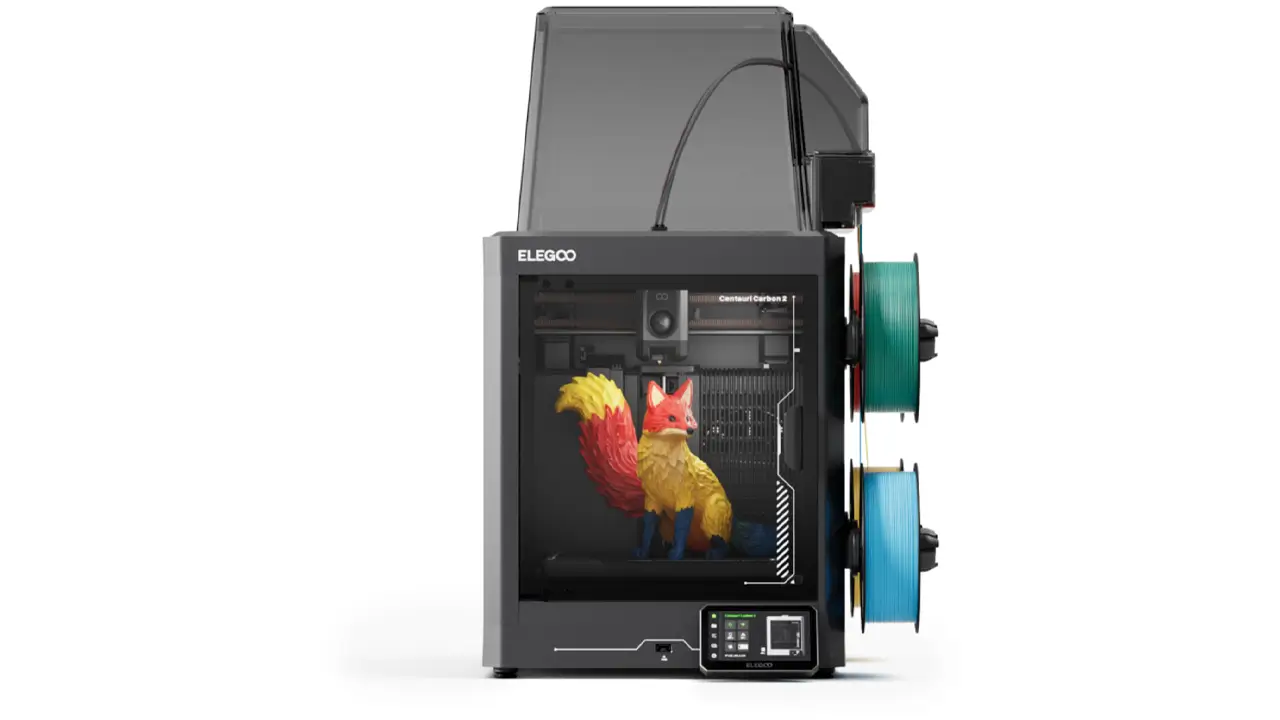
Resin & FDM Printers
Leading manufacturer of resin and FDM 3D printers. Saturn series for high-detail resin printing, Neptune series for reliable FDM. Perfect for miniatures, jewelry, and prototyping.
Direct Drive Extruder and Hotend — Engineered for Versatility
The extruder and hotend are the heart of any FDM printer, and Elegoo has done a solid job engineering both on the Neptune 4 Max for performance across a wide range of materials.
The Neptune 4 Max uses a dual-gear direct drive extruder with a 5.2:1 gear reduction ratio. The dual-gear design grips the filament from both sides simultaneously, providing a significantly stronger and more consistent feeding force compared to single-gear systems. The high gear ratio multiplies the motor torque, which is especially important for printing flexible materials like TPU, which can be notoriously difficult for weaker extruders to feed reliably.
Because it’s a direct drive system — meaning the extruder motor sits directly above the hotend on the printhead carriage — the filament path from the gears to the nozzle is extremely short. This short path dramatically reduces the chance of grinding, slipping, or inconsistent feeding, and it makes the system much more responsive for retraction tuning. Direct drive systems are generally superior to Bowden tube setups for flexible filaments and for achieving precise retraction with minimal stringing.
The hotend itself is rated for temperatures up to 300°C, which unlocks a broad spectrum of printable materials. The heating element is a 60W ceramic unit seated in a brass heating block, providing fast and stable temperature recovery even during demanding high-speed prints. A titanium alloy heatbreak connects the hot zone to the cold zone, which minimizes heat creep — a common cause of clogging in budget hotends — and contributes to a more consistent melt zone.
The materials officially supported by the Neptune 4 Max include:
- PLA and PLA+
- PETG
- ABS and ASA
- TPU (flexible)
- Nylon
This is an excellent range for a printer at this price point. PLA and PETG cover the vast majority of everyday hobbyist and functional printing. ABS and ASA open the door to heat-resistant parts, automotive accessories, and outdoor-safe components. TPU enables grips, gaskets, phone cases, and wearable items. Nylon rounds things out for high-strength engineering applications.
Print Quality and Cooling System
Print quality at high speeds is only achievable if the cooling system can keep up with the rate at which molten filament is being deposited. The Neptune 4 Max addresses this with a dedicated curtain-style cooling fan mounted on the X-axis gantry.
This large curtain fan is designed to deliver a wide, even airflow across the print surface, ensuring that each layer cools rapidly and consistently before the next is deposited on top. Rapid and even cooling is especially critical at high print speeds, because the faster you print, the less time each layer has to solidify before the next begins. Without adequate cooling, tall objects can lean, bridges sag, and overhangs lose definition.
At the optimal everyday print speed of around 140–250 mm/s, the cooling system performs very well. Users report clean overhangs, solid bridges, and consistent layer lines on standard geometries. At the maximum 500 mm/s speed, some reduction in quality is expected on complex overhangs, and careful tuning of fan speed and print settings in the slicer becomes more important.
The printer is also equipped with an LED light strip integrated into the top arc frame, which provides excellent illumination of the print area during a job. An additional LED is positioned directly on the printhead, shining light straight onto the nozzle zone. This makes it much easier to visually monitor the first layer as it’s being laid down — a genuinely useful feature that many competing printers skip.
Structural rigidity also plays a role in print quality. The Neptune 4 Max uses two vertical support braces on either side of the gantry frame to counteract the forces generated during high-speed motion. These braces help maintain frame stiffness, reduce vibration transmission, and contribute to more consistent layer registration — especially important during fast printing where motion forces are at their greatest.
A dual Z-axis lead screw system, driven by two independent motors, ensures that the print bed rises and falls with excellent levelness and synchronization throughout a print. This design prevents the kind of Z-axis binding or tilt that can cause layer shifts in tall prints.
Polimerukr.com
Ukraine
3D Printing Materials & Supplies
Your trusted source for high-quality 3D printing materials in Ukraine. Wide selection of filaments, resins, and accessories for all printer types with fast local shipping.
Full Technical Specifications
| Parameter | Specification |
|---|---|
| Build Volume | 420 x 420 x 480 mm |
| Max Print Speed | 500 mm/s (default 250 mm/s) |
| Acceleration | Up to 8,000 mm/s² |
| Firmware | Klipper (pre-installed) |
| Processor | ARM 64-bit Quad-Core 1.5 GHz |
| Storage | 8 GB ROM |
| Extruder Type | Dual-Gear Direct Drive, 5.2:1 ratio |
| Max Nozzle Temperature | 300°C |
| Heating Element | 60W Ceramic |
| Max Bed Temperature | 85°C |
| Auto Bed Leveling | 121-point automatic |
| Supported Filaments | PLA, PLA+, PETG, ABS, ASA, TPU, Nylon |
| Connectivity | Wi-Fi, LAN, USB, MicroSD |
| Display | 4.3-inch Color Touchscreen |
| Power Supply | 400W |
| Machine Weight | 18.1 kg |
| LED Lighting | 30 LEDs (arc frame) + nozzle LED |
| Smart Features | Input Shaping, Pressure Advance, Filament Runout Sensor |
Real User Experience and Community Feedback
No review is complete without considering what real users actually experience after unboxing and setting up the Neptune 4 Max. The 3D printing community — across forums, Reddit, YouTube, and dedicated Facebook groups — is vocal, honest, and thorough in its feedback.
Assembly is generally reported as straightforward. The printer ships partially pre-assembled, and most users complete the build within 30 to 45 minutes. The box includes an illustrated manual and a video on the included USB drive that walks you through every step. The recommended approach is to watch the assembly video in full before touching any parts — something most experienced builders would agree is good practice with any large machine.
Initial setup and calibration take around 20 minutes. The 121-point auto bed leveling system scans the entire bed surface and builds a mesh that the printer uses to compensate for any unevenness during printing. Given the large 420 x 420 mm bed area, this process is slightly longer than on smaller printers, but it’s automated and requires minimal user involvement.
One area where real users have noted a learning curve is dialing in the first layer height precisely. Because the bed is so large, minor flatness variations across the entire surface are harder to fully compensate for than on smaller beds. Users printing very large parts that use the full bed area sometimes find that corners need extra attention during the Z-offset calibration. The best results come from taking the time to properly set Z-offset and run a few test patches before committing to a long print.
Long-time members of the Neptune community also highlight how significantly Elegoo has improved the firmware through over-the-air updates since launch. Early batches of the Neptune 4 Max had issues including loud sensorless homing noises and occasional instability. These have been progressively resolved through updates, and the 2025–2026 firmware versions are widely considered stable and reliable.
The Elegoo community itself is another genuine asset. Whether you encounter a first-layer adhesion issue, want tips for printing Nylon without an enclosure, or need advice on upgrading to a larger nozzle for faster prints, active users in Neptune-dedicated communities are consistently quick to help. Elegoo’s own support team is also noted for being responsive and willing to send replacement parts for verified defects.
Elegoo Neptune 4 Max
Large-format high-speed 3D printer from Elegoo. Klipper firmware, auto-leveling, and spacious build volume for professional prototyping and large-scale printing projects.
- • 420×420×480 mm Build
- • Klipper Firmware
- • Auto Bed Leveling
- • High-Speed Printing
H2: Neptune 4 Max vs Neptune 4 Plus — Which One Is Right for You?
If you’re considering the Neptune 4 Max, you’ve almost certainly looked at its smaller sibling, the Neptune 4 Plus. They share a great deal of DNA, but there are meaningful differences that should guide your decision.
| Feature | Neptune 4 Max | Neptune 4 Plus |
|---|---|---|
| Build Volume | 420 x 420 x 480 mm | 320 x 320 x 385 mm |
| Max Print Speed | 500 mm/s | 500 mm/s |
| Max Bed Temperature | 85°C | 110°C |
| LED Count | 30 LEDs | 24 LEDs |
| Firmware | Klipper | Klipper |
| Extruder | Dual-Gear Direct Drive | Dual-Gear Direct Drive |
| Machine Weight | 18.1 kg | ~14 kg |
| Ideal For | Large single-piece prints, cosplay, props | High-temp materials, moderate large prints |
The most significant practical difference between the two machines is the bed temperature ceiling. The Neptune 4 Plus reaches 110°C on the heated bed, while the Neptune 4 Max tops out at 85°C. For most common materials — PLA, PETG, TPU, and standard ABS — 85°C is perfectly sufficient. However, if you plan to print high-temperature engineering materials that require bed temperatures above 85°C, the Neptune 4 Plus has an edge in that specific category.
The build volume advantage, on the other hand, belongs firmly to the Neptune 4 Max. At 420 x 420 x 480 mm versus 320 x 320 x 385 mm, the Max offers substantially more usable printing real estate — especially in height, which is often the limiting dimension for cosplay pieces, large vases, and tall structural parts.
For the majority of large format printing applications, the Neptune 4 Max is the clear choice within the Neptune 4 family. If you’re prioritizing extreme bed temperatures for specialty materials, consider the Plus. If you’re prioritizing sheer print size and versatility, the Max is the answer.
Pros and Cons
Pros:
- Enormous 420 x 420 x 480 mm build volume — one of the largest available at this price point
- Genuine 500 mm/s top speed with 8,000 mm/s² acceleration powered by Klipper firmware
- Pre-installed Input Shaping and Pressure Advance for high-quality prints at high speeds
- Dual-gear direct drive extruder with 5.2:1 ratio supports a wide range of filaments including TPU and Nylon
- 300°C hotend with a 60W ceramic heater and titanium alloy heatbreak for reliable high-temperature extrusion
- 121-point automatic bed leveling for consistent first layers across the large bed surface
- Wi-Fi and LAN connectivity for remote monitoring and control via Klipper interface
- 400W power supply provides stable, consistent heating performance
- Built-in LED lighting (30 LEDs on arc frame plus nozzle light) for excellent visibility during printing
- Active community support and responsive Elegoo customer service
- Excellent value for money compared to competing large format printers
Cons:
- Large physical footprint — requires a dedicated, sturdy workspace
- Bed temperature maximum of 85°C may be limiting for certain high-temperature engineering materials
- Machine weight of 18.1 kg makes it difficult to move once placed
- Initial assembly and calibration of a large bed requires patience and care
- Very large full-bed prints can occasionally show minor corner adhesion challenges requiring Z-offset fine-tuning
- Cable management around the curtain fan can require attention on extended print sessions
Final Verdict — Who Should Buy the Elegoo Neptune 4 Max?
After going through every feature, specification, and piece of real-world feedback, the conclusion is straightforward: the Elegoo Neptune 4 Max is an outstanding large format 3D printer for anyone who has genuinely outgrown the limitations of standard desktop machines.
It is the right printer for you if:
You create cosplay props, helmets, armor pieces, or large character models and you’re tired of splitting prints and gluing them together. The Neptune 4 Max lets you print full-size helmet shells, chest plates, and large accessories in single uninterrupted runs.
You’re a product designer or engineer who needs to prototype large housings, enclosures, structural parts, or functional assemblies. The combination of Klipper’s smart motion system and the 300°C hotend means you can work with engineering-grade filaments as well as everyday PLA and PETG.
You’re a workshop or small studio operator who wants one machine that can handle batch production of smaller parts across the full bed area, or individual large prints with equal confidence.
You’re an architect or designer producing large-scale physical models, decorative installations, or structural prototypes where scale accuracy matters.
You value speed without sacrificing quality. The Klipper-powered 500 mm/s capability combined with Input Shaping and Pressure Advance means the Neptune 4 Max doesn’t just go fast — it goes fast while maintaining the surface quality and dimensional accuracy that makes prints actually usable.
The Neptune 4 Max is not a printer for someone with very limited desk space, or someone whose needs are fully met by a standard-sized machine. It’s a serious tool for serious making. But if your projects have been limited by build volume, if you’ve been splitting models in CAD that should be printed whole, or if you simply want more — this is the printer to get.
For more reviews, comparisons, and expert buying guides on the best 3D printers available today, visit bestchina3dprinters.com.
AndreevWebStudio.com
Professional web development and design services. Custom WordPress sites, landing pages, e-commerce solutions, and 3D printing content creation for businesses and creators.
- • WordPress Development
- • Custom Web Design
- • E-Commerce Solutions
- • 3D Printing Content
🇺🇸 English Review
Excellent review of the ELEGOO Neptune 4 Max! The article explains the printer features clearly, especially the massive build volume and high-speed printing. I also liked the real-world examples and clean website design. Definitely one of the best 3D printing resources online.
🔗 bestchina3dprinters.com
🇪🇸 Reseña en Español
Muy buen análisis de la ELEGOO Neptune 4 Max. El artículo es claro, moderno y fácil de entender incluso para principiantes en impresión 3D. El sitio tiene muchas reseñas útiles y contenido actualizado sobre impresoras 3D chinas.
🔗 bestchina3dprinters.com
🇸🇦 مراجعة باللغة العربية
مقال رائع ومفصل عن طابعة ELEGOO Neptune 4 Max. أعجبني شرح السرعة الكبيرة وحجم الطباعة الضخم بطريقة احترافية وسهلة الفهم. الموقع ممتاز لمحبي الطابعات ثلاثية الأبعاد والتقنيات الحديثة.
🔗 bestchina3dprinters.com
🇨🇳 中文评价
这篇关于 ELEGOO Neptune 4 Max 的评测非常专业!文章详细介绍了打印速度、打印尺寸以及实际使用体验。网站内容丰富,非常适合寻找中国3D打印机信息的用户。
🔗 bestchina3dprinters.com
🇫🇷 Avis en Français
Très bon article sur la ELEGOO Neptune 4 Max. Les explications sont claires et bien structurées, avec des informations utiles sur la vitesse d’impression et le grand volume d’impression. Le site est moderne et très utile pour les passionnés de technologie et d’impression 3D.
🔗 bestchina3dprinters.com
🇩🇪 Deutsche Bewertung
Ausgezeichneter Bericht über den ELEGOO Neptune 4 Max. Der Artikel erklärt die Funktionen des Druckers sehr verständlich und professionell. Besonders gefallen haben mir die technischen Details und die hochwertigen Bilder auf der Website.
🔗 bestchina3dprinters.com
Discover more from bestchina3dprinters.com
Subscribe to get the latest posts sent to your email.
