Why Flashforge Firmware Updates Matter in 2026
If you own a Flashforge 3D printer, you already know the machine is capable of impressive results straight out of the box. But here’s something many users overlook: the firmware running inside your printer is just as important as the hardware itself. Think of firmware as the brain of your 3D printer — it controls every movement, every temperature reading, every retraction, and every speed decision. In 2026, firmware development for desktop 3D printers has reached a genuinely exciting level of maturity, and Flashforge users have more options than ever before.
The Flashforge firmware update 2026 landscape covers everything from official manufacturer releases that bring stability and new feature support, to community-driven modifications that unlock capabilities the factory never intended you to have. Whether you are a beginner who just wants reliable prints or a power user chasing sub-second acceleration and millimeter-perfect dimensional accuracy, understanding your firmware options is the single most impactful thing you can do this year.
Modern firmware improvements in 2026 focus on three core areas. First, motion control algorithms have become significantly more sophisticated — reducing ringing artifacts and ghosting without sacrificing speed. Second, thermal management has improved, with smarter PID loops and runaway protection that keeps your machine safer and your temperatures more consistent. Third, connectivity and interface improvements mean your printer can communicate better with slicers, OctoPrint instances, and home automation systems. A solid Flashforge firmware guide will walk you through all of this, and that is exactly what this article aims to be.
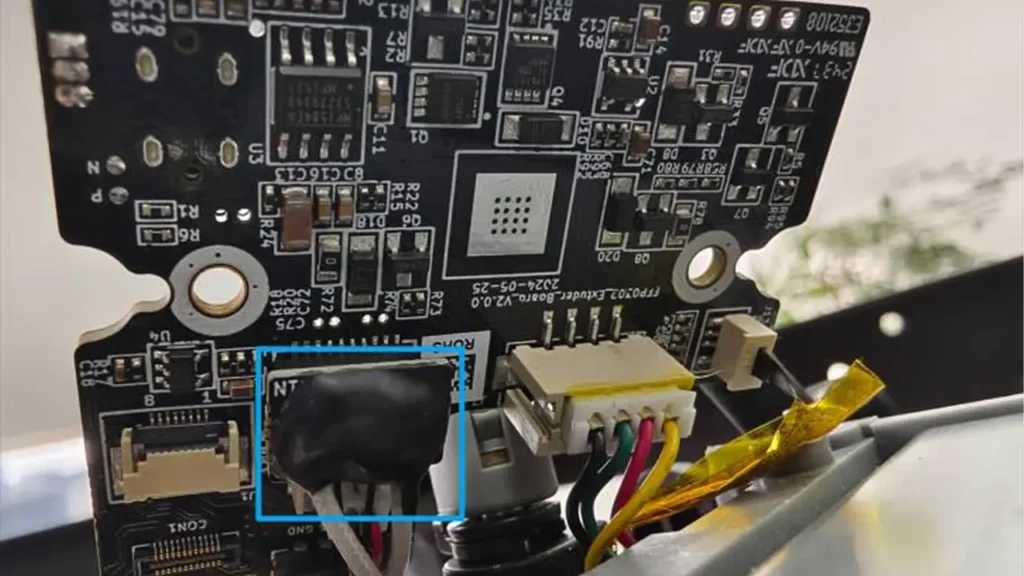
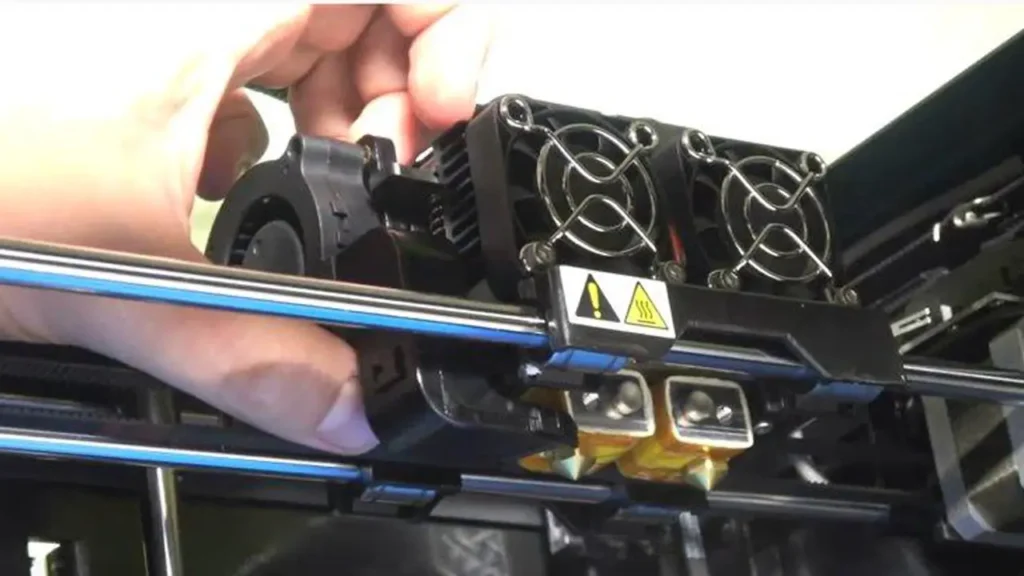
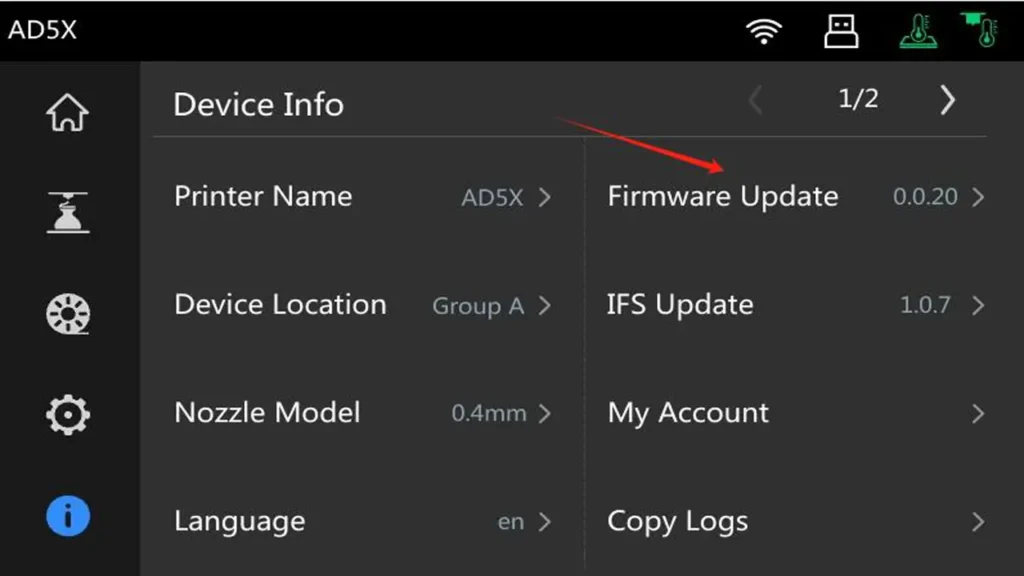
Supported Flashforge Models for Custom Firmware
Before diving into the technical side, it is important to know which machines are actually compatible with the modifications and updates discussed here. Flashforge produces several product lines, and each has its own firmware ecosystem.
The Adventurer Series — including the Adventurer 3, Adventurer 4, and the newer Adventurer 5M and 5M Pro — has seen the most active community development. The Adventurer 5M Pro in particular ships with a relatively open architecture and has attracted significant attention from modders due to its CoreXY motion system and capable mainboard. Official firmware updates for this line have been frequent through 2025 and into 2026, adding features like improved input shaping support and enhanced filament runout handling.
The Creator Series — including the Creator 3 Pro and Creator 4 — targets professional dual-extrusion printing. These machines run a more tightly controlled firmware environment, and Flashforge custom firmware options are more limited here. However, official updates have brought notable improvements to IDEX (Independent Dual Extrusion) calibration routines and soluble support material handling. If you own a Creator series machine, your best upgrade path will typically follow the official Flashforge printer upgrades channel rather than deep community modifications.
The Guider Series — particularly the Guider 3 and Guider 3 Plus — is aimed at industrial and semi-professional environments. These printers use enclosed chambers and high-temperature capable hotends. Firmware updates here prioritize stability, safety certification compliance, and integration with fleet management software. Community modding is less common, but official Flashforge releases have added features like remote monitoring enhancements and improved chamber temperature regulation.
Understanding which series you own shapes every decision that follows. Always verify your specific model number before downloading any firmware file.
Flashforge
Jinhua, China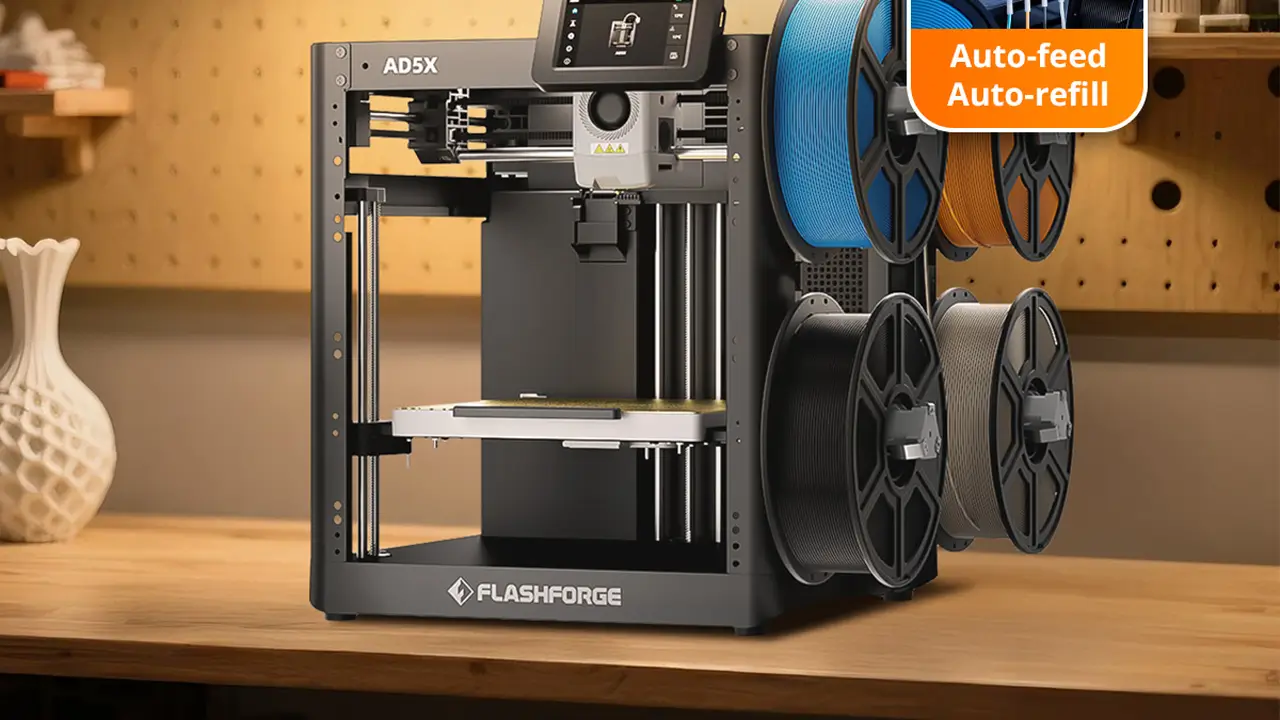
Industrial Stability
Industrial stability with intuitive controls. Reliable mechanics, enclosed enclosures for stable ABS and nylon printing, high-quality assembly for education and professional use.
Official Firmware vs Custom Firmware
This is the question every Flashforge owner eventually asks: should I stick with what Flashforge provides, or should I explore what the community has built?
Official firmware comes with clear advantages. It is tested specifically for your hardware, it preserves your warranty, and it receives support through Flashforge’s official channels. Official releases in 2026 have been genuinely good — Flashforge has been listening to its user community and incorporating features that previously required third-party modifications. The official update process is also simple: download the file from Flashforge’s website, transfer it to the printer via USB drive or the touchscreen interface, and follow the on-screen prompts. There is very little that can go wrong.
The Flashforge advanced settings accessible through official firmware have expanded considerably. You now have more granular control over print profiles, better access to temperature compensation tables, and improved calibration wizards. For the vast majority of users, official firmware in 2026 is genuinely excellent.
Custom firmware, on the other hand, opens doors that official releases keep locked. The most significant Flashforge performance upgrade available through custom firmware comes from replacing or heavily modifying the underlying motion control system. Community members have developed patches that expose additional configuration parameters, enable features borrowed from Marlin’s latest development branches, and in some cases completely replace the stock system with Klipper. The trade-off is real: you gain capability but accept responsibility. Custom firmware voids your warranty, requires technical comfort with file systems and configuration editing, and carries a non-zero risk of bricking your machine if something goes wrong.
The honest recommendation: start with official firmware, learn its limits, and only move to custom solutions when you have a specific need that official releases genuinely cannot meet.
| Feature | Official Firmware | Custom Firmware |
|---|---|---|
| Warranty | Preserved | Voided |
| Installation Difficulty | Easy | Moderate to Advanced |
| Advanced Motion Control | Limited | Full Access |
| Klipper Support | No | Yes (select models) |
| Manufacturer Support | Full | Community Only |
| Risk Level | Very Low | Low to Medium |
Installing Klipper on Flashforge Printers
Klipper is a firmware project that moves the heavy computational work of 3D printing from the printer’s mainboard to a separate host computer — typically a Raspberry Pi. The mainboard handles low-level step timing with extreme precision, while the Pi handles path planning, configuration, and the user interface. The result is dramatically improved motion control, faster printing, and an enormous degree of configurability.
The Flashforge Klipper mod community has grown significantly, with the Adventurer 5M and 5M Pro being the most popular targets. Here is what you need to get started:
Required Hardware:
- Raspberry Pi 4 (2GB or 4GB RAM recommended) or a compatible single-board computer
- MicroSD card (16GB minimum, quality brand recommended)
- USB-A to USB-B cable or appropriate connection for your specific model
- Basic tools for accessing the printer’s mainboard compartment
Software Setup Overview:
You will flash the Raspberry Pi with a Klipper-compatible operating system — the most popular option being Mainsail OS or Fluidd Pi, both of which bundle Klipper, Moonraker (the API layer), and a web interface into a single image. After configuring your network settings, you connect the Pi to the printer and flash a Klipper-compatible binary to the mainboard.
The configuration file — called printer.cfg — is where the real work happens. This plain text file defines every parameter of your printer: stepper motor specifications, thermistor types, bed dimensions, endstop positions, and much more. The Klipper community maintains configuration examples for compatible Flashforge models that give you a solid starting point.
Flashforge speed optimization is one of the most compelling reasons to pursue this path. Klipper’s input shaper feature — which we will cover in the next section — can allow print speeds of 200mm/s to 300mm/s or beyond while maintaining quality that stock firmware cannot achieve at even half those speeds. The math is simple: faster printing with better quality means more value from the same machine.
One important note: Klipper installation on Flashforge printers requires comfort with Linux command line basics, SSH connections, and file editing. If these concepts are unfamiliar, spend an afternoon with the official Klipper documentation before attempting the installation.
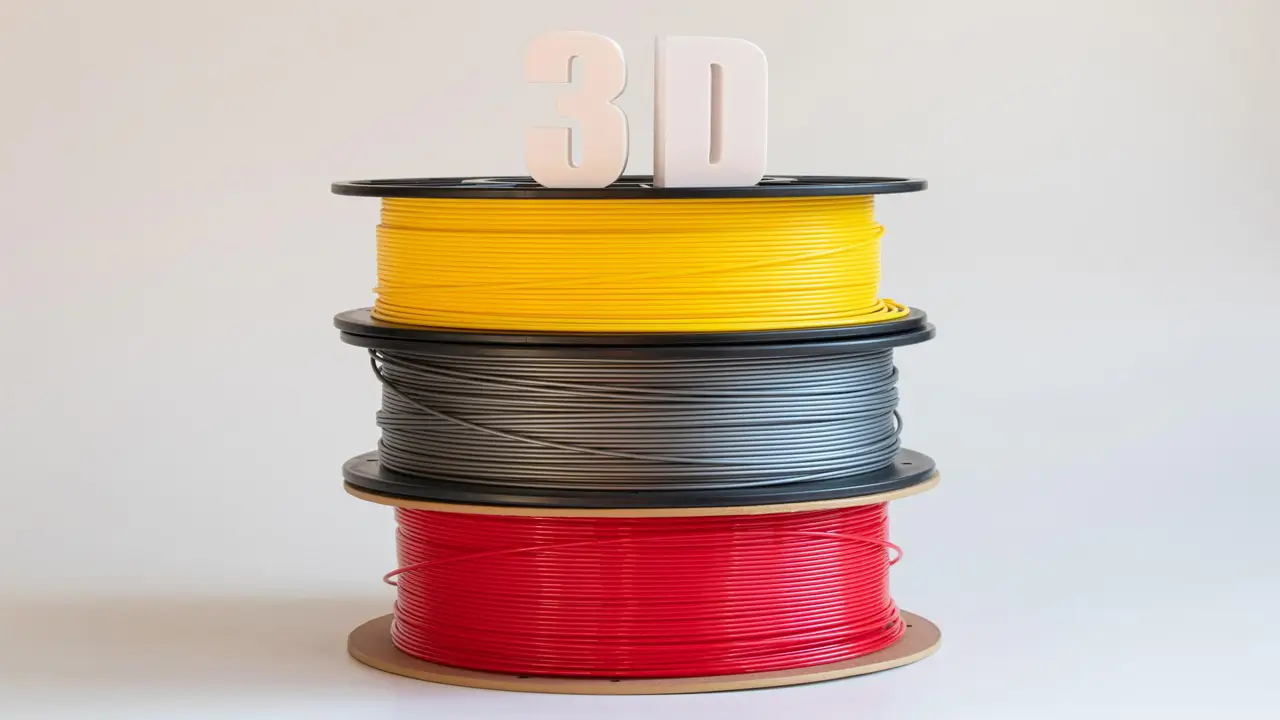
Flachforge Filament
Premium quality filaments for reliable 3D printing. Wide range of materials including PLA, PETG, ABS, and specialty filaments optimized for consistent extrusion and excellent print results.
- • PLA, PETG, ABS Options
- • Precise Diameter Control
- • Tangle-Free Spools
- • Vibrant Colors
Best Mods for Faster Printing
Speed is one of the most discussed topics in the 3D printing community, and for good reason. Faster printing means more parts per day, quicker iteration on designs, and more productivity from your machine. Here are the most impactful Flashforge mods for speed in 2026.
Acceleration Tuning and Input Shaping
Input shaping — also called resonance compensation — is the single biggest speed unlock available through firmware. When a print head changes direction rapidly, the mechanical system vibrates. These vibrations show up in your prints as ringing or ghosting: wavy artifacts near sharp corners and edges. Traditional solutions involved simply printing slower to avoid exciting these resonances. Input shaping mathematically compensates for the resonances, allowing fast direction changes without the artifacts.
Implementing input shaping properly requires measuring your printer’s resonant frequencies. With Klipper, this is done using an accelerometer (ADXL345 is the most common, costs a few dollars) mounted temporarily to the toolhead. Klipper runs a test sequence, analyzes the data, and suggests optimal filter parameters. Once configured, you can often double your print speed with no quality penalty. This is genuine Flashforge speed optimization that would have been extremely difficult to achieve just a few years ago.
Cooling Improvements
Print speed is ultimately limited by how quickly your layer can solidify before the next layer is deposited. Better part cooling directly enables faster printing. Common hardware upgrades include replacing stock fans with higher-CFM alternatives, printing improved fan duct designs (widely available on Printables and Thingiverse), and adding a second cooling fan for more uniform airflow around the nozzle. These physical changes cost very little and can make a meaningful difference.
Pressure Advance / Linear Advance
Both Klipper (Pressure Advance) and Marlin (Linear Advance) offer firmware-level compensation for the elastic behavior of filament in the extruder. When the toolhead accelerates, extruder pressure builds up and filament tends to ooze. When it decelerates, that pressure releases. Without compensation, you get blobs at corners and thin lines in the middle of straight runs. With proper tuning, this effect is eliminated, allowing you to push speeds higher without sacrificing corner quality.
| Modification | Speed Gain Potential | Difficulty | Cost |
|---|---|---|---|
| Input Shaping (Klipper) | 50–150% faster | Medium | $5–$15 (accelerometer) |
| Pressure Advance Tuning | 10–30% improvement | Low | Free (firmware only) |
| Cooling Fan Upgrade | 15–25% faster | Low | $10–$30 |
| Klipper Full Install | Up to 3x stock speed | High | $35–$80 (Pi + accessories) |
Print Quality Improvements After Firmware Tweaks
Speed gets the headlines, but Flashforge print quality improvement is often the more meaningful goal for users printing functional parts or detailed models. Here is where thoughtful Flashforge 3D printer tuning pays off most visibly.
Retraction Tuning
Retraction is the brief backward pull of filament before the toolhead travels across an open gap, preventing ooze and stringing. Getting retraction right is a balancing act: too little and you get strings everywhere, too much and you get grinding or jams. Firmware control over retraction distance, speed, and restart distance gives you precise control. With Klipper and Pressure Advance working together, you can often reduce retraction distances significantly compared to what stock firmware requires, reducing the mechanical stress on your extruder and improving reliability.
Vibration Compensation
Beyond input shaping for speed, vibration compensation also directly improves quality at moderate speeds. Even at conservative velocities, mechanical resonances can introduce subtle texture variations in your prints. Properly tuned resonance compensation produces visually smoother surfaces, which matters enormously when printing display models or parts with tight tolerances.
Z-Offset and Mesh Bed Leveling
Modern firmware offers sophisticated bed compensation. Rather than relying on a single Z-offset value, mesh bed leveling maps the actual surface topology of your print bed across a grid of probe points and compensates in real time during printing. This means the first layer is consistent across the entire bed surface, not just near the calibration point. For large prints especially, this is a dramatic quality improvement. Klipper’s implementation of this, called bed mesh, is highly configurable and works beautifully with BLTouch or CR Touch probe upgrades.
Advanced Settings Every Power User Should Enable
If you have been printing for a while and feel confident in your machine’s baseline behavior, these Flashforge advanced settings represent the next level of control.
PID Tuning
PID (Proportional-Integral-Derivative) tuning optimizes how your printer’s firmware manages heater temperatures. Stock PID values are conservative — they keep temperatures stable but may allow small oscillations or slow response times. Running a PID autotune sequence (available in both Marlin and Klipper) tailors the algorithm to your specific heater block, thermistor, and environmental conditions. The result is rock-solid temperature stability, which directly improves layer consistency and reduces the chance of under-extrusion caused by temperature dips.
Linear Advance / Pressure Advance
Already mentioned in the speed section, these features deserve emphasis here for their quality impact. For Flashforge performance upgrade purposes, properly tuned pressure advance is arguably the single highest-impact firmware parameter you can set. Print a calibration tower, find the value where corners are sharp without bulging, and apply it. The difference on corner-heavy prints is immediately visible.
Stepper Current Optimization
Your stepper motors are driven at a current level set in firmware. Factory defaults are conservative to ensure reliability across a wide range of conditions. Increasing stepper current slightly can improve torque and reduce missed steps at higher speeds, but too much current causes motors to overheat and can damage drivers. Finding the right balance — typically within 10-20% of stock values — requires attention to motor temperatures during extended prints.

AndreevWebStudio.com
Professional web development and design services. Custom WordPress sites, landing pages, e-commerce solutions, and 3D printing content creation for businesses and creators.
- • WordPress Development
- • Custom Web Design
- • E-Commerce Solutions
- • 3D Printing Content
Recommended Hardware Upgrades for 2026
Firmware can only take you so far. Some performance and quality gains require physical changes to the printer. Here are the most worthwhile Flashforge printer upgrades for 2026, ranked by impact-to-cost ratio.
All-Metal Hotend
The stock hotend on many Flashforge models uses a PTFE-lined heat break that limits maximum printing temperatures to approximately 240°C. An all-metal hotend removes this limitation, enabling materials like PA (nylon), PC (polycarbonate), and high-temperature TPU. If you print only PLA and PETG, this upgrade is optional. If you want to expand your material range, it is essential.
Direct Drive Extruder Conversion
Bowden extruder systems — where the motor sits on the frame and pushes filament through a tube to the hotend — are lightweight and enable fast head movement, but they struggle with flexible filaments and require more retraction distance. Converting to direct drive (motor mounts directly on the toolhead) improves flexibility filament handling dramatically and can improve overall print quality by reducing the path length filament must travel. The trade-off is added weight on the toolhead.
Mainboard Replacement
For users committed to long-term Flashforge mods, replacing the mainboard with a more capable option — such as a BTT (BigTreeTech) SKR series board — provides access to 32-bit processing, quieter TMC stepper drivers, and better connectivity. This is a significant undertaking requiring rewiring and configuration work, but the result is essentially a brand-new printing brain in your familiar machine.
Better Bed Surface
PEI spring steel sheets have become the default recommendation for print surfaces in 2026. They provide excellent adhesion when warm and easy part release when cool, with no adhesives required for most materials. This is the lowest-effort, highest-convenience upgrade on this list.
Common Firmware Installation Mistakes
Even experienced users make errors during firmware updates. A good Flashforge firmware guide should be honest about the pitfalls.
Not Backing Up Your Current Firmware
Before flashing anything — official update or custom modification — back up your current firmware binary and your current printer configuration. If anything goes wrong, you want to be able to restore exactly what was working. Many users skip this step and regret it deeply.
Bootloader Risks
Some modifications require flashing or modifying the bootloader — the small piece of code that loads before the main firmware. The bootloader is essentially your recovery lifeline. If it is corrupted, recovering the printer becomes significantly more difficult and may require specialized hardware programmers. Never flash a bootloader from an untrusted source, and understand exactly what a modification is doing before proceeding.
Downloading Firmware from Unofficial Sources
This cannot be emphasized enough: for Flashforge custom firmware that is supposed to be based on official releases, download only from Flashforge’s official website. Third-party repackaged firmware files have historically contained modifications ranging from harmless to genuinely dangerous. Community-developed firmware like Klipper should be sourced directly from the official Klipper GitHub repository.
Skipping the Test Print After Update
After any firmware change, run a basic test print before committing to a long job. Check temperatures, watch the first layer carefully, and verify that all motion axes are behaving correctly. This takes fifteen minutes and can save you from discovering a problem three hours into an overnight print.
Polimerukr.com
Ukraine
3D Printing Materials & Supplies
Your trusted source for high-quality 3D printing materials in Ukraine. Wide selection of filaments, resins, and accessories for all printer types with fast local shipping.
Final Verdict: Are Flashforge Mods Worth It?
After covering everything from official updates to Klipper installations, the honest answer is: it depends on what you want from your machine and how much time you are willing to invest.
For most users, the Flashforge firmware update 2026 story begins and ends with official releases from Flashforge’s support page. These updates are genuinely good this year — better than they have ever been — and they deliver meaningful improvements in print quality, speed, and reliability without any risk or technical complexity. If you have not updated your firmware in the past six months, do it today.
For users who want to push further, the community modifications — especially Klipper on compatible models — represent a genuine transformation. The combination of input shaping, pressure advance, mesh bed leveling, and flexible configuration produces Flashforge print quality improvement results that are simply not achievable on stock firmware, no matter how well-tuned. The investment is real: you will spend time learning, configuring, and troubleshooting. But the payoff is a machine that prints faster and better than it did from the factory.
The best upgrade path for 2026 looks like this: update to official firmware first, learn what your machine can do, identify your specific limitations, and then choose targeted modifications that address those limitations. Spend money on hardware upgrades like PEI surfaces and better cooling before spending time on complex firmware modifications. And always, always back up before you flash.
Flashforge builds solid machines. With the right firmware knowledge and a thoughtful approach to modifications, they become exceptional ones.
🇺🇸 “Excellent breakdown of Flashforge firmware updates and mods for 2026. The optimization tips actually improved my print speed and surface quality. One of the best 3D printing resources online right now.”
👉 https://bestchina3dprinters.com
🇪🇸 “Muy buen artículo sobre actualizaciones de firmware para Flashforge. Las explicaciones son claras y las mejoras realmente ayudan a imprimir más rápido y con mejor calidad. Sitio totalmente recomendado.”
👉 https://bestchina3dprinters.com
🇸🇦 “مقال رائع ومفيد جدًا لعشاق طابعات Flashforge ثلاثية الأبعاد. شرح التعديلات وتحديثات الفيرموير كان واضحًا وساعدني على تحسين سرعة الطباعة والجودة بشكل ملحوظ.”
👉 https://bestchina3dprinters.com
🇨🇳 “这篇关于 Flashforge 固件升级和改装的文章非常专业。内容详细,优化技巧实用,让我的打印速度和稳定性提升了很多。”
👉 https://bestchina3dprinters.com
🇫🇷 “Très bon guide sur les mises à jour firmware Flashforge 2026. Les conseils d’optimisation sont utiles et faciles à appliquer. Le site devient une vraie référence pour l’impression 3D.”
👉 https://bestchina3dprinters.com
🇩🇪 “Fantastischer Artikel über Flashforge Firmware-Updates und Mods. Die Tipps zur Leistungssteigerung haben meine Druckqualität deutlich verbessert. Sehr empfehlenswerte Website für 3D-Druck-Fans.”
👉 https://bestchina3dprinters.com
Discover more from bestchina3dprinters.com
Subscribe to get the latest posts sent to your email.