 Skip to content
 Snapmaker U1
If you’ve been paying close attention to the desktop 3D printing world lately, there’s one name that’s been making serious waves: the Snapmaker U1. This machine didn’t arrive quietly — it roared onto the scene through one of the most successful crowdfunding campaigns in 3D printing history, and for very good reason. Whether you’re a hobbyist tired of filament waste, a maker who loves premium hardware, or a creative professional looking for a reliable multi-color workhorse, the Snapmaker U1 has something genuinely exciting to offer.
This Snapmaker U1 review is here to walk you through everything you need to know — the design, the specs, the real-world printing performance, the software ecosystem, the price, and how it stacks up against the competition. We’ll be honest, thorough, and friendly throughout, so by the end, you’ll know exactly whether this machine deserves a spot on your workbench.
Let’s dive in.


2. What Is the Snapmaker U1?
At its core, the Snapmaker U1 is a high-speed, four-toolhead desktop 3D printer built around a completely new approach to multi-color and multi-material printing. It is a machine designed for both hobbyists and professionals, bringing a tool-changing system to the desktop that was previously only found on much more expensive, industrial-grade equipment.
The defining innovation here is Snapmaker’s proprietary SnapSwap system. With four toolheads preloaded and pre-heated with their own filaments, the SnapSwap system lets the U1 switch between materials by simply swapping toolheads — cutting wait time from approximately two minutes down to only five seconds. That’s not a small improvement. That’s a fundamental rethinking of how multi-color printing works at the desktop level.
Traditional multi-material printers use a single nozzle and flush out the old filament before loading the next color. This purging process wastes enormous amounts of plastic and adds significant time to every print job. The U1 only purges the tiny amount of filament that has actually degraded by the time a new print begins or during flow-rate calibration, cutting filament waste by up to 80% on every print. According to Snapmaker’s own lab tests, the U1 uses roughly 17% to 47% of the filament that other single-head printers consume for the same multi-color prints.
The numbers behind this launch tell an equally impressive story. The Snapmaker U1 Kickstarter campaign raised over $20.6 million from more than 20,680 backers, making it the most funded 3D printer project in crowdfunding history. That level of community excitement speaks volumes about how hungry the maker world has been for a machine like this.
One important clarification before we go further: the Snapmaker U1 is exclusively designed for 3D printing and does not support expansion into a 3-in-1 multifunction printer. Unlike Snapmaker’s older product lines, the U1 is a dedicated, highly specialized machine. Its entire engineering focus is on doing one thing — multi-color, multi-material 3D printing — better than anything else at its price point.
Flashforge Creator 5
Professional 3D Printer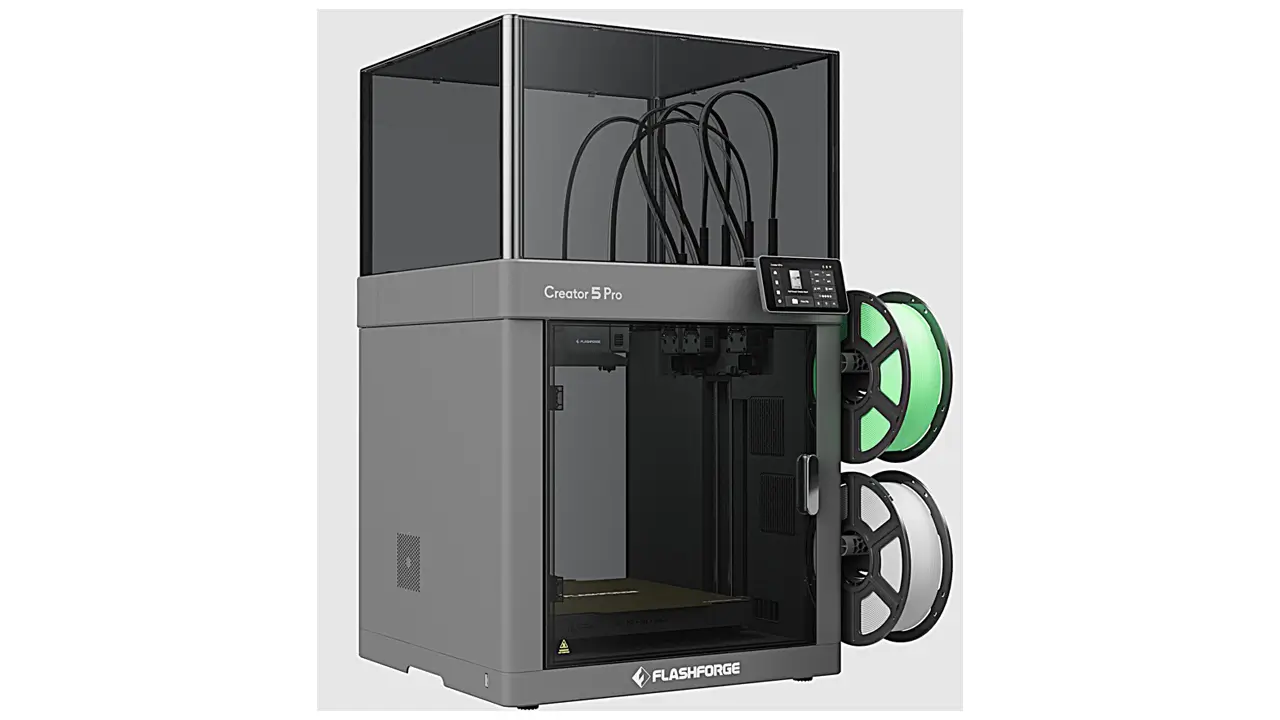
Professional FDM Printer
Next-generation professional 3D printer from Flashforge. Advanced CoreXY mechanics, independent dual extrusion, and intelligent features for education, business, and professional applications.
3. Design & Build Quality
Walk up to the Snapmaker U1 and the first thing you notice is how purposeful it looks. This is a compact 3-in-1 3D printer in spirit — compact in footprint, refined in appearance, and clearly engineered with care. The machine features a sleek, modern, semi-enclosed design with a transparent back panel and a front door that gives you easy access and clear visibility of the print in progress.
The overall dimensions come in at 580mm x 540mm x 500mm, and the machine weighs approximately 26kg including the toolheads. It’s substantial enough to feel solid and premium on a workbench, yet compact enough not to dominate an entire desk.
The frame is sturdy and rigid, which directly contributes to the excellent print quality users have reported. One design highlight worth calling out is the X-axis construction: the U1 uses carbon fiber rods for its X-axis, keeping the moving parts lightweight while maintaining the stiffness needed for high-speed, high-precision operation. This is a smart engineering choice that directly enables the machine’s 500mm/s top print speed.
The toolhead locking mechanism is another standout design element. The U1 uses steel-ball kinematic couplings to position and lock each toolhead precisely into place. There are no screws, no magnets, and no additional motors involved. The system clicks each head into perfect alignment and locks it rock solid — and Snapmaker has tested this mechanism to over one million swaps without failure. That’s the kind of engineering confidence that earns trust.
The outer shell has been noted by some reviewers as being thinner and more flexible than the aluminum and steel panels you’d find on machines like Bambu Lab or Prusa. Snapmaker made this choice to keep the price accessible, and it doesn’t appear to affect print quality or long-term reliability. It’s a trade-off worth knowing about, but not one that should be a dealbreaker.
The machine ships with front, back, and side panels installed by default, giving it a clean, semi-enclosed look out of the box. An optional top cover (the U1 Top Cover, sold separately for $149) is available for users who want a fully enclosed environment, enabling higher-temperature materials like ABS, ASA, and carbon-fiber-reinforced polymers.
Overall, the design strikes a thoughtful balance between premium aesthetics and practical accessibility.
4. Technical Specifications
Here is a comprehensive look at the Snapmaker U1’s official technical specifications, presented in a mobile-friendly format:
| Specification | Details |
|---|---|
| Build Volume | 270 x 270 x 270 mm |
| Print Speed (Max) | 500 mm/s |
| Acceleration (Max) | 20,000 mm/s² |
| Number of Toolheads | 4 (stainless steel) |
| Toolhead Swap Time | ~5 seconds |
| Volumetric Flow Rate | Up to 32 mm³/s |
| Motion System | CoreXY |
| X-Axis | Carbon fiber rods |
| Toolhead Coupling | Steel-ball kinematic coupling |
| Firmware | Klipper (modified, open source) |
| API Management | Moonraker |
| Web Client | Fluidd |
| Slicer Software | Snapmaker Orca (based on OrcaSlicer) |
| Supported Filaments | PLA, PETG, TPU, PVA, PET, ABS, ASA, PA, PC, CF/GF Polymers |
| Filament Diameter | 1.75 mm |
| Bed Leveling | Automatic mesh bed leveling |
| Toolhead Alignment Sensor | Eddy current sensor |
| Camera | Built-in 2MP chamber camera |
| Display | 5-inch touchscreen |
| Connectivity | Wi-Fi, USB, LAN mode |
| Voltage Range | 100–240V (universal) |
| Noise Level | 55 dB at 1 meter (normal speed) |
| Machine Dimensions | 580 x 540 x 500 mm |
| Weight | ~26 kg (incl. toolheads) |
| Operating Environment | 15°C to 30°C recommended |
| Warranty | 1 year (2 years for EU/Switzerland/Norway/Iceland) |
| Retail Price | $899 / €899 |
These numbers paint a clear picture: this is a serious, enthusiast-grade machine offered at a price that was previously unthinkable for tool-changing 3D printers.
5. 3D Printing Performance
This is where the Snapmaker U1 really shines — and where it separates itself from the crowd. The combination of a CoreXY motion system, carbon fiber X-axis rods, and a top speed of 500mm/s with 20,000mm/s² acceleration places the U1 firmly in the high-performance category of desktop 3D printers.
Real-world testing has confirmed the promise. Reviewers from outlets including Tom’s Hardware have praised the machine’s accuracy and tolerance results from the very first prints. One tester noted that the U1 produced nearly as clean a first print as a Prusa XL or Core One — but significantly faster. That combination of speed and precision is genuinely difficult to achieve, and it speaks to the quality of both the hardware and the calibration systems built into the machine.
The U1’s automatic calibration process is fully hands-free. An eddy current sensor handles toolhead alignment, and after initial setup, the machine runs a full calibration routine including vibration tests for input shaping. Input shaping helps reduce ghosting and ringing artifacts at high speeds, while Pressure Advance controls material flow during direction changes to produce sharp corners and clean wall surfaces. These are features you’d typically find on more expensive prosumer machines.
Multi-color performance is exceptional. The tool-changing mechanism is reliable and precise, and automatic alignment ensures there is no layer shifting between color changes. A four-color print that might take over a day on a conventional filament-switching printer can be completed in a fraction of the time. For example, a four-color dragon figure was completed in just five hours, and a complex bridge print using PVA support material was finished in 15.5 hours.
In terms of materials, the U1 officially supports PLA, PETG, TPU, PVA, PET, ABS, ASA, PA, PC, and carbon-fiber or glass-fiber reinforced polymers. The direct-drive extruder configuration on each toolhead handles flexible materials like TPU particularly well, since Bowden-style setups typically struggle with flex filaments. For abrasive materials like carbon-fiber composites, hardened steel nozzles are available as an upgrade option.
One note: the U1 is not officially rated for high-temperature filaments without the optional top cover. However, the partial enclosure provided by the front and side panels is sufficient to manage drafts for ABS and ASA printing.
The volumetric flow rate of up to 32mm³/s per toolhead is another important figure. This determines how fast the printer can actually push material through the nozzle at high speeds, and 32mm³/s is a strong number for a machine at this price point.
6. Laser Engraving Module
This section requires an honest and important clarification for anyone searching for snapmaker u1 laser engraving information. The Snapmaker U1 is a dedicated 3D printing platform and does not include or support a laser engraving module. This is a significant departure from Snapmaker’s earlier product lines.
Snapmaker built its reputation on 3-in-1 machines that combined 3D printing, laser engraving and cutting, and CNC carving in a single modular system. The Snapmaker 2.0 and the Snapmaker Artisan are the products in Snapmaker’s lineup that offer this multi-discipline, modular approach. Those machines allowed users to swap between a print head, a laser module, and a CNC module depending on their project needs.
The U1 represents a philosophical shift. Rather than spreading capabilities across three disciplines, Snapmaker chose to go extremely deep on one: multi-color, multi-material 3D printing. All engineering resources were directed at making the best possible tool-changing 3D printer at an accessible price. The result is a machine that outperforms much more expensive competitors in the 3D printing domain — but it does not engrave or carve.
If laser engraving is a key part of your workflow, the Snapmaker Artisan remains the relevant product in the Snapmaker ecosystem. The Artisan is a premium 3-in-1 machine that supports a 20W laser module, a CNC module, and a dual extrusion 3D printing module, all in a large-format enclosed design.
For the U1, the focus is entirely on printing — and it does that printing remarkably well.
7. CNC Capabilities
Similarly, and for the same reasons described above, the Snapmaker U1 does not include a CNC module. The machine is not designed for wood carving, plastic milling, or soft metal engraving. It is a dedicated 3D printing system.
This is worth addressing clearly because Snapmaker’s brand identity has historically been tied to versatile, modular machines, and the snapmaker u1 cnc module topic frequently appears in searches from people familiar with the Snapmaker 2.0 or Artisan lines.
Here’s a helpful comparison of where CNC capability lives in the Snapmaker ecosystem:
| Feature | Snapmaker U1 | Snapmaker Artisan | Snapmaker 2.0 |
|---|---|---|---|
| 3D Printing | Yes (4-head tool changer) | Yes (dual extrusion) | Yes (single extrusion) |
| Laser Engraving | No | Yes (10W / 20W module) | Yes (optional module) |
| CNC Carving | No | Yes (CNC module) | Yes (optional module) |
| Multi-Color Printing | Yes (up to 4 colors) | Limited (2 colors) | No |
| Tool Changing System | Yes (SnapSwap) | Manual module swap | Manual module swap |
| Primary Focus | Multi-color 3D printing | Versatile fabrication | Versatile fabrication |
If you need CNC capabilities alongside 3D printing, the Snapmaker Artisan or Snapmaker 2.0 series are the products to consider. If multi-color 3D printing is your primary goal, the U1 is the clear winner in the Snapmaker family.
8. Software & Ecosystem
One of the most pleasant surprises about the Snapmaker U1 is how mature its software and ecosystem feel, especially for a machine that launched through a crowdfunding campaign.
The primary slicer is Snapmaker Orca, which is Snapmaker’s own fork of the popular OrcaSlicer. OrcaSlicer itself is built on Bambu Slicer, which traces its roots to PrusaSlicer — so the underlying engine is extremely well-proven. Snapmaker has layered on top of this foundation with engineer-tested print profiles specifically tuned for their official material range and machine models. For users coming from any modern 3D printer, the interface will feel immediately familiar and approachable. For complete beginners, it’s one of the more user-friendly slicers available today.
The firmware is based on Klipper, one of the most respected open-source 3D printer firmware platforms available. Snapmaker has modified Klipper and added their own management layer on top, and the full modified source code is being released as open source. Moonraker handles API management, while Fluidd serves as the web client — meaning you can access and control the printer directly from a browser on your local network without needing any app or cloud connection.
This open-source approach is a meaningful step forward compared to Snapmaker’s earlier machines, which relied more heavily on proprietary software and received criticism from the community for software limitations.
For mobile and remote management, the Snapmaker App allows users to start, monitor, and control prints from anywhere. The built-in 2MP chamber camera supports time-lapse video capture, and an upcoming OTA firmware update will add AI-powered failure detection — including spaghetti detection and workspace obstruction alerts — directly within the app and Snapmaker Orca interface.
RFID is another smart ecosystem feature. Snapmaker’s official filaments include RFID tags, which the U1 reads automatically to identify the material type, color, and settings. No manual input required. Third-party filaments are fully supported but require manual identification via the touchscreen.
A March 2026 software update introduced 30 print-ready models built directly into Snapmaker Orca and the app — curated, tested, and optimized for the U1’s capabilities. Alongside this, Snapmaker expanded its official filament range with 15 new RFID-enabled colors available for immediate shipping.
The overall direction is clear: Snapmaker is building the U1 not just as a standalone printer, but as an evolving platform connecting hardware, software, materials, and creative content. More models, accessories, and ecosystem updates are planned throughout 2026.
Polimerukr.com
Ukraine
3D Printing Materials & Supplies
Your trusted source for high-quality 3D printing materials in Ukraine. Wide selection of filaments, resins, and accessories for all printer types with fast local shipping.
9. Setup and User Experience
One of the most common concerns with any new 3D printer is the setup process — and the Snapmaker U1 handles this remarkably well for a machine of its complexity.
According to Snapmaker’s official documentation, the full journey from unboxing to a completed first print takes approximately 120 minutes. That breaks down as roughly 15 minutes for unboxing, 40 minutes for assembly, and 65 minutes for initial setup and calibration. For a four-toolhead tool-changing printer, that’s an impressively short runway to your first print.
The assembly process is straightforward. You pop the toolheads and spool holders into place, attach the tubes and cables, and the machine handles the rest. The initial calibration routine is fully automated — the U1 runs vibration tests for input shaping, performs automatic mesh bed leveling, and uses the eddy current sensor to align all four toolheads precisely. You don’t need to tweak anything manually.
Filament loading is equally easy. If a toolhead is empty, you simply place a spool on the holder and feed the end of the filament into the inlet — the machine loads it automatically. With official Snapmaker filament, the RFID system identifies everything for you. With third-party filament, you make a quick selection on the 5-inch touchscreen using the handy on-screen guide.
The touchscreen interface is intuitive and clear, making day-to-day operation simple even for users who are new to more advanced printing setups. The combination of LAN mode, Fluidd web access, and the Snapmaker App gives users genuine flexibility in how they interact with the machine — cloud-connected for convenience, or fully local for privacy and reliability.
Noise levels are measured at 55 dB at one meter during normal printing speeds, which is comparable to a quiet conversation or background office noise. This makes the U1 a reasonable option for home offices and shared workspaces.
The U1 is best suited for: enthusiasts who print multi-color or multi-material projects frequently, makers who are frustrated by the waste and slowness of filament-switching systems, hobbyists stepping up from entry-level machines, and professionals who need consistent, repeatable results in a desktop format.
10. Price & Comparison: Snapmaker U1 vs. Snapmaker Artisan
Let’s talk numbers — because pricing is often where the decision gets made.
The Snapmaker U1 launched on Kickstarter at early-bird prices starting around $849, and transitioned to its standard retail price of $899 / €899 from April 10, 2026. At this price, it includes all four toolheads. The optional U1 Top Cover (full enclosure) is available separately for $149, and an extended Snapmaker Care warranty plan is available as an add-on.
To understand where the U1 sits in context, let’s look at how it compares to the Snapmaker Artisan and key competitors:
| Feature | Snapmaker U1 | Snapmaker Artisan | Prusa XL |
|---|---|---|---|
| Price | $899 | ~$1,499+ | ~$2,299+ |
| Build Volume | 270 x 270 x 270 mm | 400 x 400 x 400 mm | 360 x 360 x 360 mm |
| Max Print Speed | 500 mm/s | ~150 mm/s | ~200 mm/s |
| Toolheads | 4 (tool-changing) | 2 (dual extrusion) | Up to 5 (tool-changing) |
| Laser Engraving | No | Yes | No |
| CNC Module | No | Yes | No |
| Firmware | Klipper (open source) | Snapmaker Luban (proprietary) | PrusaOS (open source) |
| Filament Waste Reduction | Up to 80% | Standard purging | Minimal (tool-changing) |
| RFID Material Detection | Yes | No | No |
| Enclosure (Standard) | Semi-enclosed (full cover optional) | Fully enclosed | Optional |
The comparison tells a clear story. The Snapmaker U1 vs Snapmaker Artisan decision comes down to what you need most. The Artisan is a larger, more versatile machine for creators who need laser engraving and CNC carving alongside 3D printing. It’s a genuine workshop tool that covers multiple fabrication disciplines. However, it comes at a significantly higher price and doesn’t match the U1’s print speed or multi-color efficiency.
The U1 beats the Artisan on print speed, filament efficiency, multi-color capability, and price. It loses on build volume, material ecosystem (the Artisan’s enclosure handles high-temp materials without add-ons), and raw versatility.
Against the Prusa XL — previously the most well-known affordable tool-changer at around $2,299 — the U1 is a compelling challenger at less than half the price. It offers comparable tool-changing capability with faster print speeds, though the Prusa XL has a larger build volume and a longer proven track record.
At $899, the Snapmaker U1 sits in a category it largely creates for itself: an accessible, high-speed, tool-changing 3D printer with a well-developed software ecosystem and a company committed to long-term platform support. For anyone whose primary creative work involves multi-color or multi-material 3D printing, the value proposition is exceptional.
Final Verdict
The Snapmaker U1 is a machine that genuinely delivers on its headline promises. It’s fast, it’s clean, it reduces waste dramatically, and it brings tool-changing technology to a price point that was unimaginable just a few years ago. The SnapSwap system works exactly as advertised, the Klipper-based firmware is a major improvement over Snapmaker’s earlier software approach, and the growing ecosystem of filaments, accessories, and print-ready models gives the platform real long-term staying power.
It’s not a 3-in-1 machine in the traditional Snapmaker sense — if laser engraving and CNC are on your wishlist, you’ll need to look at the Artisan. But as a dedicated, high-performance, multi-color 3D printer, the U1 is one of the most exciting things to arrive in the desktop fabrication space in years. It’s earned its reputation, and it’s easy to recommend.
🇬🇧 English
This is one of the most detailed and well-structured reviews I’ve read about the Snapmaker U1. The article clearly explains all modules and provides real value for both beginners and advanced users. The website itself feels professional and focused on high-quality 3D printing content. Definitely worth bookmarking.
🇪🇸 Español
Excelente artículo sobre el Snapmaker U1. La información está bien organizada y es fácil de entender, incluso para quienes no tienen mucha experiencia. Me gustó especialmente la explicación del sistema modular. El sitio web ofrece contenido útil y actualizado. Muy recomendable.
🇸🇦 العربية
مراجعة رائعة ومفصلة لجهاز Snapmaker U1. تم شرح الميزات بشكل واضح وسلس، خاصة نظام 3 في 1. الموقع يبدو احترافيًا ويقدم محتوى مفيد لمحبي الطباعة ثلاثية الأبعاد. تجربة قراءة ممتازة.
🇨🇳 中文
这是一篇非常专业的 Snapmaker U1 评测文章。内容清晰、结构合理,对3合1功能(打印、激光、CNC)讲解得很到位。网站整体质量很高,适合想了解3D打印设备的用户。
🇫🇷 Français
Très bon article sur le Snapmaker U1. Les explications sont claires et bien structurées, avec un bon équilibre entre détails techniques et accessibilité. Le site semble sérieux et spécialisé dans les imprimantes 3D. Je recommande vivement.
🇩🇪 Deutsch
Ein sehr informativer und gut geschriebener Artikel über den Snapmaker U1. Die Funktionen werden klar erklärt, besonders das 3-in-1-System. Die Website macht einen professionellen Eindruck und bietet echten Mehrwert für Leser. Sehr empfehlenswert.
Discover more from bestchina3dprinters.com
Subscribe to get the latest posts sent to your email.
